
1. Úvod
Thank you for choosing the LiteOn eSAU108-97 External Recording DVD Drive. This portable optical drive offers reliable DVD and CD reading and writing capabilities, powered conveniently via a single USB connection. It is designed for use with laptops and other compatible devices, providing a compact and efficient solution for your optical media needs.
Pred použitím zariadenia si pozorne prečítajte tento návod, aby ste zabezpečili jeho správnu prevádzku a maximalizovali jeho životnosť.
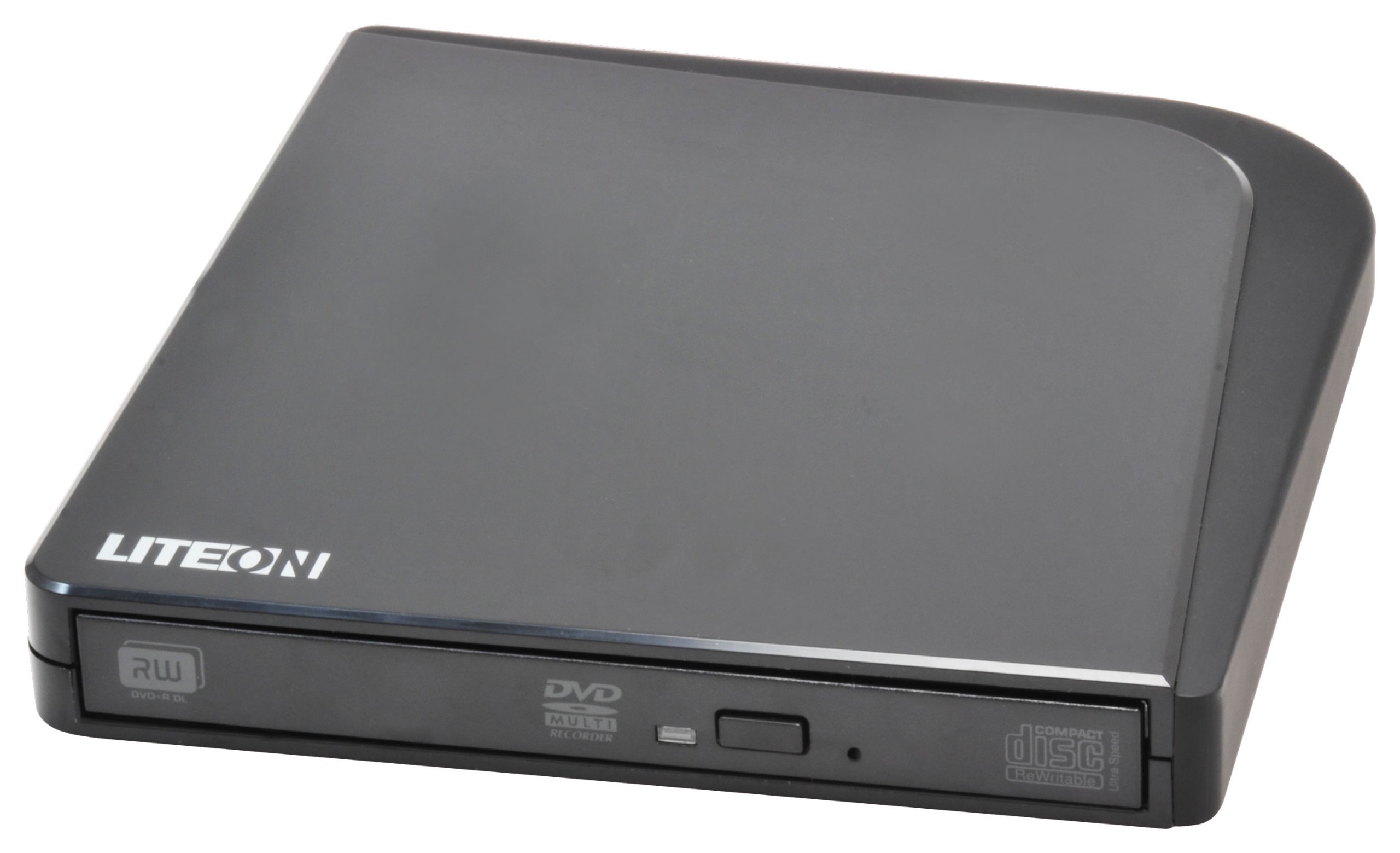
Obrázok 1: LiteOn eSAU108-97 External Recording DVD Drive. This image displays the compact, black external DVD drive, highlighting its sleek design and the USB port for connectivity.
2. Obsah balenia
Prosím, starostlivo skontrolujte obsah balenia. Ak niektoré položky chýbajú alebo sú poškodené, ihneď kontaktujte svojho predajcu.
- LiteOn eSAU108-97 External Recording DVD Drive
- USB Data/Power Cable
- Príručka pre rýchly štart (táto príručka)
3. Nastavenie
3.1 Systémové požiadavky
- Operating System: Windows XP/Vista/7/8/10/11, macOS 10.x or later, Linux (kernel 2.6 or later)
- Dostupný port USB 2.0 alebo 3.0
- Minimálne 512 MB RAM
- Minimum 10GB free hard disk space (for disc burning software and temporary files)
3.2 Pripojenie disku
- Locate an available USB port on your laptop or computer.
- Connect the smaller end of the provided USB cable to the USB port on the LiteOn eSAU108-97 drive.
- Pripojte väčší koniec USB kábla k USB portu na počítači.
- The drive is bus-powered, meaning it draws power directly from the USB port. No external power adapter is required.
- Váš operačný systém by mal automaticky rozpoznať a nainštalovať potrebné ovládače. Tento proces môže chvíľu trvať.
3.3 Inštalácia ovládača
The LiteOn eSAU108-97 is a plug-and-play device. Most modern operating systems will automatically install the required drivers upon connection. No manual driver installation is typically needed. If the drive is not recognized, try connecting it to a different USB port or restarting your computer.
4. Obsluha pohonu
4.1 Vloženie disku
- Stlačte tlačidlo vysunutia na prednej strane mechaniky, aby ste otvorili zásuvku na disk.
- Carefully place a CD or DVD onto the tray with the label side facing up. Ensure the disc is centered on the spindle.
- Jemne zatlačte diskovú zásuvku späť do mechaniky, kým nezacvakne. Netlačte na zásuvku silou.
4.2 Playing/Reading Discs
Once a disc is loaded, your operating system may automatically prompt you to choose an action (e.g., play a movie, open files). If not, navigate to 'My Computer' or 'This PC' (Windows) or 'Finder' (macOS), locate the optical drive icon, and double-click it to access the disc's contents.
4.3 Recording/Burning Discs
To record data, music, or video onto a blank CD-R/RW or DVD-R/RW disc, you will need compatible disc burning software (e.g., Windows Media Player, Nero, Roxio, or built-in macOS utilities). Follow the instructions provided with your chosen software to perform burning operations.
4.4 Vysunutie disku
- Vysunutie softvéru: Right-click on the drive icon in 'My Computer'/'This PC' or 'Finder' and select 'Eject'.
- Manuálne vysunutie: Stlačte tlačidlo vysunutia na prednej strane jednotky.
- Núdzové vysunutie: In case of power failure or if the eject button does not work, locate the small pinhole on the front of the drive. Insert a straightened paperclip into the pinhole and push gently until the tray partially opens. Then, pull the tray out manually.
5. Údržba
5.1 Čistenie disku
Keep the drive clean and free from dust. Use a soft, dry, lint-free cloth to wipe the exterior. Do not use liquid cleaners or abrasive materials. Avoid opening the drive casing, as this can damage internal components and void your warranty.
5.2 Čistenie diskov
Always handle discs by their edges. If a disc is dirty, gently wipe it from the center outwards with a soft, lint-free cloth. Do not use circular motions, as this can cause scratches. For stubborn smudges, use a specialized disc cleaning solution.
5.3 Skladovanie
When not in use, store the drive in a cool, dry place, away from direct sunlight, extreme temperatures, and high humidity. Keep it protected from dust and physical impact.
6. Riešenie problémov
| Problém | Možná príčina | Riešenie |
|---|---|---|
| Počítač nerozpoznáva disk | Loose USB connection, insufficient power, driver issue, faulty USB port. | Ensure USB cable is securely connected. Try a different USB port. Restart your computer. Check Device Manager (Windows) or System Information (macOS) for the drive. |
| Disc not reading/writing | Dirty or scratched disc, incorrect disc type, faulty disc, drive lens dirty, incompatible software. | Clean the disc. Try a different disc. Ensure the disc type is compatible (CD-R/RW, DVD-R/RW). Use appropriate burning software. |
| Zásobník disku sa neotvára/nezatvára | Obstruction, mechanical issue, power issue. | Check for obstructions. Ensure the drive is powered (connected via USB). Use the emergency eject hole if necessary. |
| Pomalý výkon | USB 1.1 port, background processes, fragmented hard drive. | Connect to a USB 2.0 or 3.0 port. Close unnecessary applications. Ensure your computer meets system requirements. |
7. Špecifikácie
- Model: eSAU108-97
- Rozhranie: USB 2.0 (kompatibilný s USB 3.0)
- Typ: External Portable DVD Drive
- Hardware Platforma: laptop
- Hmotnosť položky: Približne 1.2 libier (0.54 kg)
- Rozmery balenia: 8.27 x 7.72 x 2.87 palca (21 x 19.6 x 7.3 cm)
- Farba: Čierna
- Veľkosť vyrovnávacej pamäte: 2 MB
- Výkon: Napájanie cez USB zbernicu
- Podporované formáty diskov: DVD-ROM, DVD-R, DVD-RW, DVD+R, DVD+RW, CD-ROM, CD-R, CD-RW
8. Záruka a podpora
LiteOn products are designed and manufactured to the highest quality standards. This product is covered by a limited warranty from the date of purchase. Please refer to the warranty card included in your package or visit the official LiteOn webpodrobné záručné podmienky nájdete na stránke.
For technical support, troubleshooting assistance, or service inquiries, please visit the LiteOn support website or contact their customer service department. Contact information can typically be found on the official LiteOn webna stránke alebo v obale vášho produktu.