
1. Úvod
The D-Link Wireless N300 Dual Band PCI Express Desktop Adapter (DWA-566) provides high-speed wireless connectivity for your desktop computer. Utilizing Wireless N technology, it maximizes the speed and range of your wireless signal, offering superior performance compared to Wireless G devices. The dual-band capability supports both 2.4GHz and 5GHz wireless signals, allowing for flexible network usage, such as browsing on 2.4GHz and HD streaming or gaming on the clearer 5GHz band.
This adapter is designed to fit into any standard PCI Express slot, offering a higher performance interface than legacy PCI. It supports secure wireless networks with WPA or WPA2 encryption.

Figure 1.1: D-Link DWA-566 Wireless N300 Dual Band PCI Express Desktop Adapter with antennas.
2. Vlastnosti
The DWA-566 adapter includes the following key features:
- IEEE 802.11n, 802.11g, and 802.11a Compliant
- Dual Band Technology for Superior Wireless Performance (2.4GHz or 5GHz)
- Access secure wireless networks using advanced WPA or WPA2 encryption
- Fits into any standard PCI Express slot
- PCI Express Interface provides higher performance than a legacy PCI interface
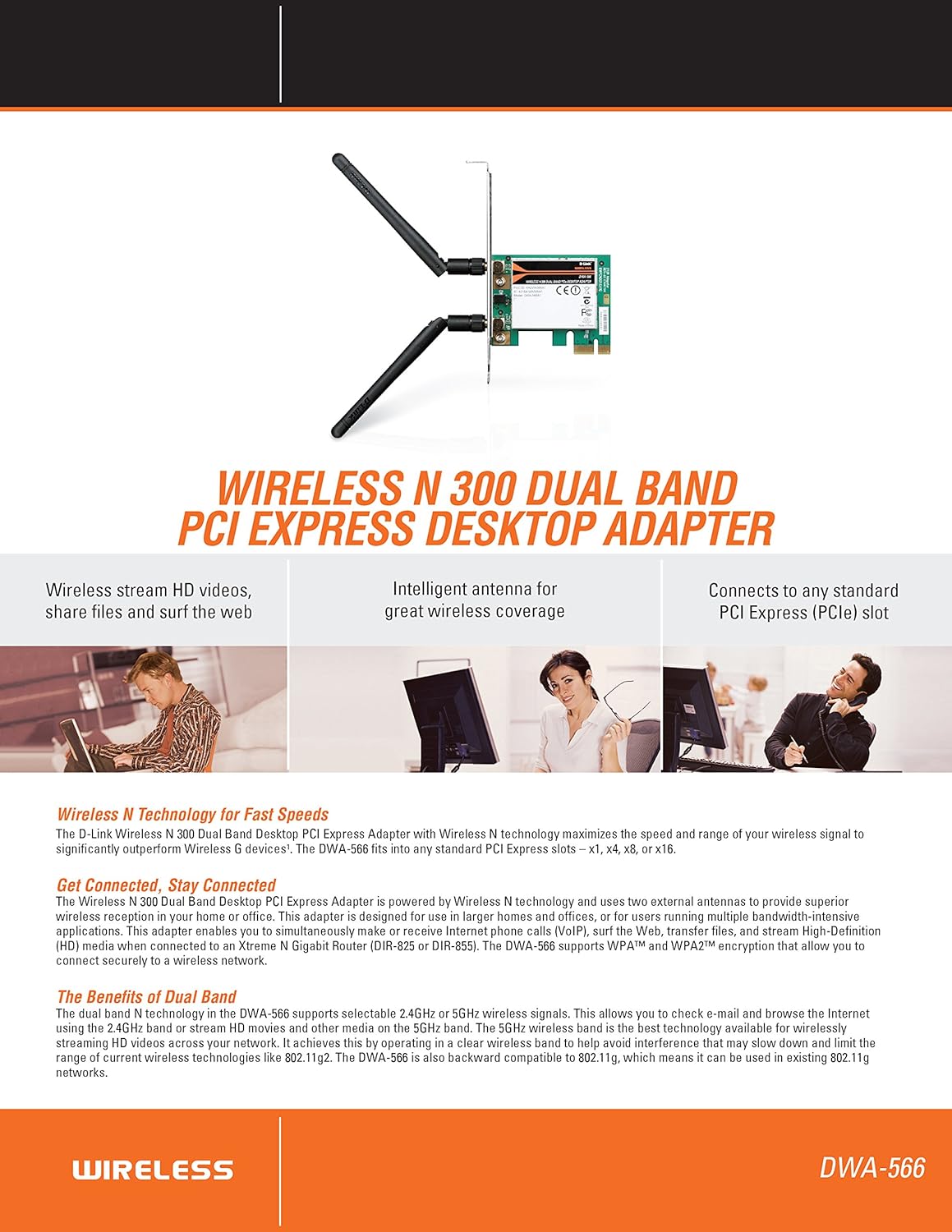
Obrázok 2.1: Koniecview of DWA-566 features and benefits.
3. Obsah balenia
Skontrolujte, či váš balík obsahuje nasledujúce položky:
- Wireless N 300 Dual Band PCI Express Adapter (DWA-566)
- Dve odnímateľné antény
- Low-profile montážna konzola
- Príručka rýchlej inštalácie
- CD-ROM with:
- Správca bezdrôtového pripojenia D-Link
- Vodiči
- Produktová dokumentácia
4. Systémové požiadavky
Before installing the DWA-566, ensure your system meets the following minimum requirements:
- Computer with an available PCI Express slot
- Windows operating system (Windows XP, Vista, 7, 8, 10)
- CD-ROM drive (for driver installation from included CD)
- Internet Explorer 7 or Firefox 3.0 and above (for viewing documentation)
- Predplatné u poskytovateľa internetových služieb (ISP)
For optimal performance, a D-Link Wireless N router (DIR-655 or DIR-825) is recommended.

Figure 4.1: Detailed technical specifications, minimum requirements, and network diagram.
5. Nastavenie a inštalácia
5.1 Inštalácia hardvéru
- Vypnutie počítača: Vypnite počítač a odpojte napájací kábel.
- Otvorená skrinka počítača: Odstráňte kryt skrinky počítača.
- Vyhľadajte slot PCI Express: Find an available PCI Express slot on your motherboard.
- Vložte adaptér: Carefully insert the DWA-566 adapter into the PCI Express slot, ensuring it is seated firmly.
- Bezpečný adaptér: Secure the adapter with a screw to the computer chassis.
- Pripojte antény: Screw the two included antennas onto the connectors on the adapter.
- Zatvorenie puzdra a zapnutie: Nasaďte kryt počítača, zapojte napájací kábel a zapnite počítač.

Figure 5.1: DWA-566 adapter with antennas attached, ready for installation.
5.2 Inštalácia softvéru
After hardware installation, proceed with driver and utility installation:
- Vložte inštalačné CD: Insert the DWA-566 installation CD into your computer's CD-ROM drive. The setup wizard should launch automatically. If not, navigate to the CD drive and run the 'Setup.exe' file.
- Postupujte podľa pokynov na obrazovke: Follow the prompts of the D-Link setup wizard to install the drivers and the D-Link Wireless Connection Manager utility.
- Reštartujte počítač: Po dokončení inštalácie reštartujte počítač po zobrazení výzvy.
Poznámka: For Windows 7/8 64-bit systems, ensure you are using the latest drivers available from the official D-Link support website to avoid potential compatibility issues.
6. Návod na obsluhu
Once the drivers are installed, you can connect to a wireless network:
- Launch Connection Manager: Open the D-Link Wireless Connection Manager utility or use the built-in Windows wireless network utility.
- Vyhľadávanie sietí: Nástroj vyhľadá dostupné bezdrôtové siete vo vašej oblasti.
- Vyberte sieť: Vyberte požadovanú bezdrôtovú sieť (SSID) zo zoznamu.
- Zadajte bezpečnostný kľúč: If the network is secured, enter the correct WPA/WPA2 security key or passphrase.
- Pripojiť: Click 'Connect' to establish a wireless connection.
A successful connection will be indicated by a strong signal strength and internet access.
7. Údržba
Pre zabezpečenie optimálneho výkonu a dlhej životnosti vášho adaptéra DWA-566:
- Udržujte ovládače aktualizované: Pravidelne kontrolujte podporu D-Link website for the latest drivers and firmware updates.
- Zabezpečte správne vetranie: Make sure your computer case has adequate airflow to prevent overheating of internal components, including the wireless adapter.
- Umiestnenie antény: Adjust the antennas for the best possible signal reception.
- Environmentálne faktory: Avoid placing your computer near large metal objects or other devices that may cause wireless interference.
8. Riešenie problémov
If you encounter issues with your DWA-566 adapter, consider the following:
8.1 Žiadne bezdrôtové pripojenie
- Verify Hardware Installation: Ensure the adapter is correctly seated in the PCI Express slot and antennas are securely attached.
- Skontrolujte ovládače: Confirm that the drivers are installed correctly. Check Device Manager for any error symbols next to the network adapter. Reinstall drivers if necessary.
- Stav smerovača: Ensure your wireless router is powered on and broadcasting a signal.
- Bezpečnostný kľúč: Double-check that the correct wireless security key (WPA/WPA2 passphrase) is entered.
- Nastavenia brány firewall: Temporarily disable your computer's firewall to see if it is blocking the connection. If it resolves the issue, configure your firewall to allow the D-Link utility.
8.2 Slow Connection Speed or Frequent Disconnections
- Nastavenie antény: Try repositioning the antennas for better signal reception.
- rušenie: Move the computer away from potential sources of interference (e.g., cordless phones, microwaves, Bluetooth devices).
- Blízkosť smerovača: Ensure the computer is within the effective range of your wireless router.
- Dual Band Usage: If your router supports it, try connecting to the 5GHz band for less interference and potentially higher speeds, especially for streaming or gaming.
- Aktualizácia ovládača: Update the adapter drivers to the latest version from the D-Link webstránky.
9. Špecifikácie
| Funkcia | Špecifikácia |
|---|---|
| Značka | D-Link |
| Číslo modelu | DWA-566 |
| Hardvérové rozhranie | PCI Express |
| Protokol dátového spojenia | IEEE 802.11n, 802.11g, 802.11a |
| Rýchlosť prenosu dát | Až 300 megabitov za sekundu |
| Frekvenčné pásmo | 2.4 GHz / 5 GHz (Dual Band) |
| Bezpečnosť | WPA, WPA2 |
| Kompatibilné zariadenia | Stolové počítače |
| Hmotnosť položky | 0.4 libry (približne 181 gramov) |
| Certifikácia externého testovania | FCC B, IC B, CE, C-Tick |
10. Záruka a podpora
The D-Link Wireless N300 Dual Band PCI Express Desktop Adapter (DWA-566) comes with a 1-ročná obmedzená záruka. For specific terms and conditions, please refer to the warranty documentation included with your product or visit the official D-Link webstránky.
D-Link provides 24/7 Basic Installation Support to assist with initial setup and configuration. For technical assistance, driver downloads, and further product information, please visit the D-Link support webalebo kontaktujte ich zákaznícky servis.
Podpora D-Link Webmiesto: https://support.dlink.com/