
Baseus W06
Baseus Encok True Wireless Earbuds W06 User Manual
Model: W06 | Brand: Baseus
Úvod
Thank you for choosing the Baseus Encok True Wireless Earbuds W06. This manual provides detailed instructions on how to set up, operate, and maintain your earbuds to ensure optimal performance and longevity. Please read this manual thoroughly before using the product.
Obsah balenia
Po vybalení skontrolujte obsah balenia. Ak niektoré položky chýbajú alebo sú poškodené, kontaktujte svojho predajcu.
- Baseus Encok True Wireless Earbuds (L/R)
- Nabíjacie puzdro
- Nabíjací kábel USB-C
- Silikónové náušníky (rôzne veľkosti)
- Používateľská príručka
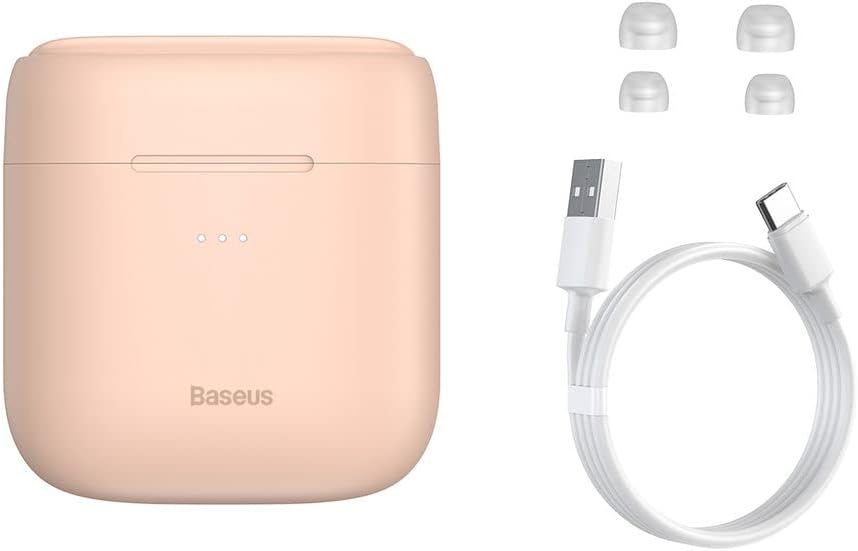
Image: The package contents, showing the charging case, two earbuds, a USB-C charging cable, and several pairs of silicone eartips.
Nastavenie
1. Nabíjanie slúchadiel a puzdra
Before first use, fully charge the earbuds and the charging case. Place the earbuds into the charging case. Connect the USB-C cable to the charging case and a power source, or place the charging case on a compatible wireless charging pad.
- Kontrolky na puzdre budú zobrazovať stav nabíjania.
- Úplné nabitie zvyčajne trvá približne 1.5 hodiny.
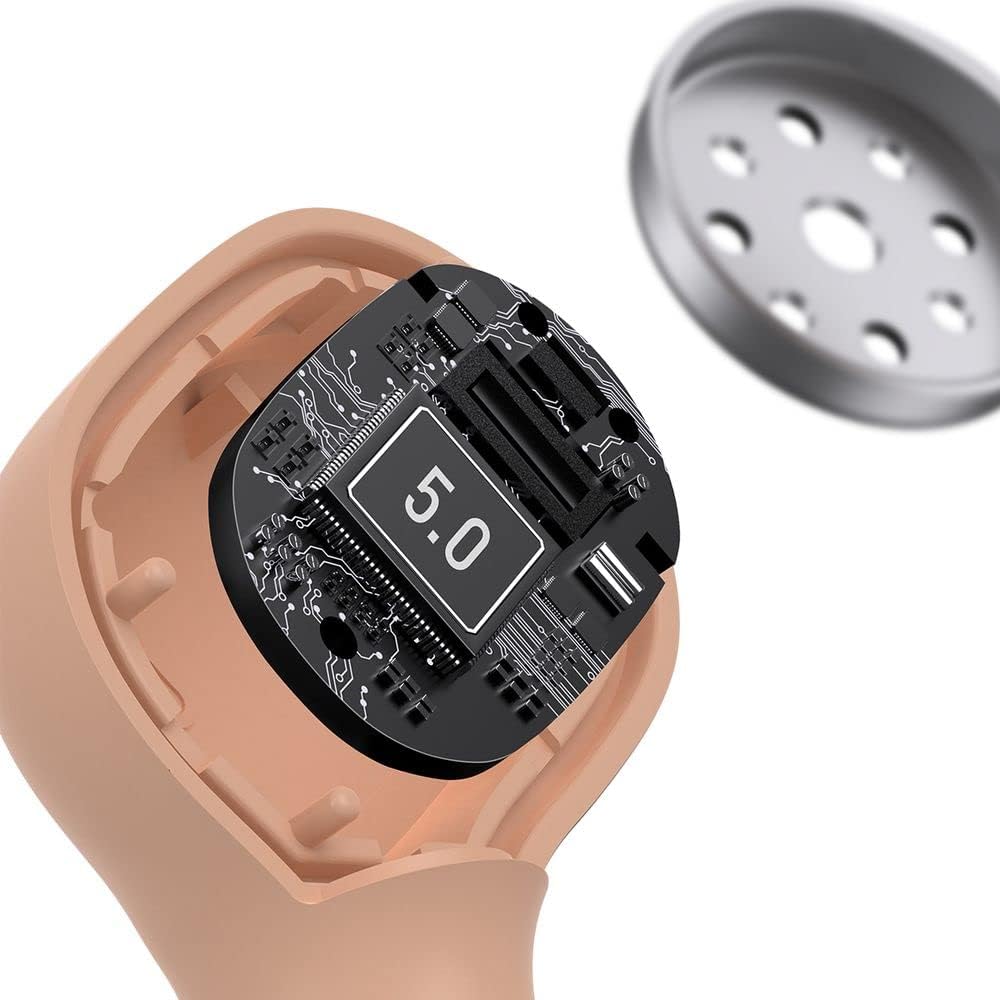
Image: The Baseus Encok W06 earbuds resting inside their open charging case, indicating they are ready for charging or use.

Image: Two Baseus Encok W06 charging cases, one connected via a USB-C cable and another placed on a wireless charging pad, demonstrating charging methods.
2. Párovanie pomocou Bluetooth
- Uistite sa, že sú slúchadlá nabité.
- Otvorte nabíjacie puzdro. Slúchadlá sa automaticky prepnú do režimu párovania, čo bude signalizované blikajúcim svetlom na slúchadlách.
- Na svojom zariadení (smartfón, tablet atď.) povoľte Bluetooth.
- Hľadať "Baseus Encok W06" in the list of available Bluetooth devices.
- Select it to connect. Once connected, the indicator light on the earbuds will stop flashing.
Ak je na zariadení povolené rozhranie Bluetooth, slúchadlá sa po vybratí z puzdra automaticky znova pripoja k poslednému spárovanému zariadeniu.
3. Nosenie slúchadiel do uší
Choose the silicone eartips that provide the best fit and seal for your ears. Insert the earbuds gently into your ear canal and rotate them slightly until they feel secure and comfortable.

Image: A person wearing a Baseus Encok W06 earbud, illustrating how the earbud sits comfortably and securely in the ear.
Návod na obsluhu
The Baseus Encok W06 earbuds feature touch controls for various functions.
- Zapnutie: Open the charging case, or press and hold the touch panel for 3 seconds if earbuds are out of case.
- Vypnúť: Place earbuds back into the charging case and close the lid, or press and hold the touch panel for 5 seconds.
- Prehrať/pozastaviť: Dvakrát klepnite na dotykový panel na ktoromkoľvek slúchadle.
- Ďalšia skladba: Trikrát klepnite na pravé slúchadlo.
- Predchádzajúca skladba: Trikrát klepnite na ľavé slúchadlo.
- Prijať/Ukončiť hovor: Double-tap the touch panel on either earbud during an incoming call.
- Odmietnuť hovor: Press and hold the touch panel on either earbud for 2 seconds during an incoming call.
- Aktivovať Voice Assistant: Press and hold the touch panel on either earbud for 3 seconds.
Kľúčové vlastnosti
- Double-sided Wireless Charging: The charging case supports wireless charging from both sides, allowing flexible placement on a wireless charging pad.
- APT-X Audio Decoding: Provides high-quality audio transmission for a superior listening experience.
- CVC Noise Canceling: Clear Voice Capture technology reduces background noise during calls for clearer communication.
- Predĺžená výdrž batérie: Offers up to 300 hours of standby time.
- Bluetooth 5.0: Zaisťuje stabilné a efektívne bezdrôtové pripojenie.

Image: A visual representation of the Baseus Encok W06 earbuds and charging case, accompanied by text detailing key features such as two-sided wireless charging, APT-X audio decoding, CVC noise canceling, and 300 hours of battery life.

Obrázok: Podrobný view of the internal circuitry of a Baseus Encok W06 earbud, prominently displaying '5.0', signifying its Bluetooth 5.0 connectivity.
Údržba
Upratovanie
- Pravidelne čistite slúchadlá a nabíjacie puzdro mäkkou, suchou handričkou, ktorá nepúšťa vlákna.
- Vyberte náušníky a umyte ich jemným mydlom a vodou, potom ich pred opätovným nasadením dôkladne osušte.
- Nepoužívajte abrazívne čistiace prostriedky, alkohol ani chemické rozpúšťadlá.
- Uistite sa, že nabíjacie kontakty na slúchadlách aj v puzdre sú čisté a bez nečistôt.
Skladovanie
- Keď slúchadlá nepoužívate, uložte ich do nabíjacieho puzdra, aby ste ich ochránili a udržali nabité.
- Neskladujte v extrémnych teplotách (horúcoch alebo chlade) alebo pri vysokej vlhkosti.
Starostlivosť o batérie
- Pre zachovanie životnosti batérie pravidelne nabíjajte slúchadlá a puzdro, aj keď ich nepoužívate často.
- Vyhnite sa úplnému vybitiu batérie na dlhší čas.
Riešenie problémov
| Problém | Riešenie |
|---|---|
| Slúchadlá sa nepárujú so zariadením. |
|
| Z jedného alebo oboch slúchadiel nepočujete žiadny zvuk. |
|
| Nabíjacie puzdro sa nenabíja. |
|
Špecifikácie
| Funkcia | Detail |
|---|---|
| Značka | Baseus |
| Názov modelu | NGJW06-04 (W06) |
| Číslo modelu položky | B00F2ZIDTS |
| Technológia pripojenia | Bezdrôtové pripojenie (Bluetooth 5.0) |
| Form Factor slúchadiel | In-Ear |
| Funkcia kábla | Bezdrôtové |
| Hmotnosť položky | 50 gramov |
| Rozmery produktu | 10 x 3 x 2 cm |
| Výrobca | Baseus |
| Bezdrôtové nabíjanie | Supported (Double-sided) |
| Dekódovanie zvuku | APT-X |
| Potlačenie hluku | CVC (for calls) |
| Výdrž batérie (pohotovostný režim) | Až 300 hodín |
Bezpečnostné informácie
- Produkt nerozoberajte, neopravujte ani neupravujte.
- Chráňte výrobok pred vodou, vlhkosťou a extrémnymi teplotami.
- Vyhnite sa dlhodobému vystaveniu vysokej hlasitosti, aby ste predišli poškodeniu sluchu.
- Výrobok a jeho batériu zlikvidujte zodpovedne v súlade s miestnymi predpismi.
- Uchovávajte mimo dosahu detí a domácich zvierat.
Záruka a podpora
Baseus products typically come with a limited warranty. For specific warranty terms and conditions, please refer to the warranty card included in your package or visit the official Baseus website. For technical support, product inquiries, or warranty claims, please contact Baseus customer service or your local retailer.
You can visit the official Baseus store for more information: Obchod Baseus
Ask a question about this manual
Ask about setup, troubleshooting, compatibility, parts, safety, or missing instructions. Manuals+ will review the question and use this page’s manual context to help answer it.