
1. Úvod
This manual provides detailed instructions for the installation, operation, and maintenance of the Axis Communications Q6045-E MK II Outdoor 1080P PTZ Camera. This high-performance surveillance camera is designed for outdoor environments, offering 1080p HDTV resolution, 32x optical zoom, and advanced pan/tilt/zoom capabilities for comprehensive area monitoring.
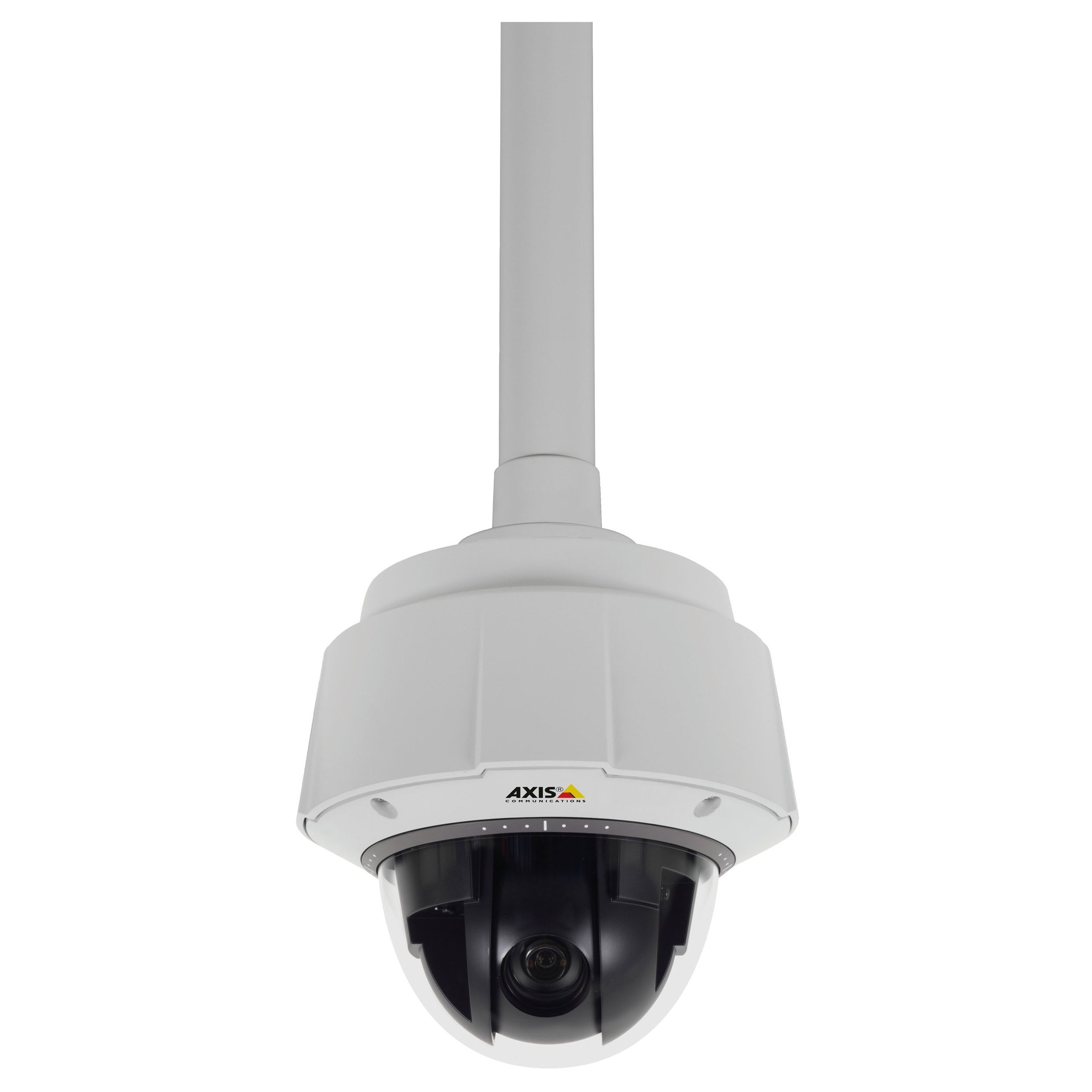
Obrázok 1: Predné view of the Axis Communications Q6045-E MK II Outdoor 1080P PTZ Camera. This image displays the dome camera housing, designed for outdoor installation, with its robust construction and integrated lens system.
2. Nastavenie
2.1 Vybalenie a kontrola
Carefully unpack the camera and all accessories. Verify that all components listed in the packing list are present and undamaged. Report any missing or damaged items to your supplier immediately.
2.2 Montáž fotoaparátu
The Q6045-E MK II is designed for wall mount installation in outdoor environments. Ensure the mounting surface is strong enough to support the camera's weight (approximately 13.16 pounds or 5.97 kg). Use appropriate mounting hardware for secure installation.
- Vyberte si vhodné vonkajšie miesto, ktoré poskytuje požadované pole view and is protected from direct impact.
- Secure the mounting bracket to the chosen surface using screws appropriate for the material.
- Attach the camera to the mounting bracket according to the specific instructions provided with the bracket. Ensure all connections are tight and secure.
2.3 Pripojenie napájania
The camera supports AC/DC power sources. Connect the power cable to the camera's power input port and then to a suitable power supply. Ensure the power supply meets the camera's voltaga aktuálne požiadavky na predchádzanie poškodeniu.
2.4 Sieťové pripojenie
The camera supports both wired and Wi-Fi connectivity. For wired connection, connect an Ethernet cable from your network switch or router to the camera's network port. For Wi-Fi setup, refer to the camera's web interface for wireless configuration after initial wired connection.
2.5 Počiatočná konfigurácia
After connecting power and network, the camera will boot up. Access the camera's web rozhranie pomocou a web browser by entering its IP address. Follow the on-screen prompts to set up administrator credentials, network settings, and initial video parameters.
3. Obsluha fotoaparátu
3.1 Prístup k živému vysielaniu View
Access the camera's live video feed through its web interface or compatible video management software (VMS). This allows real-time monitoring of the surveillance area.
3.2 Ovládanie otáčania, nakláňania a priblíženia (PTZ)
The Q6045-E MK II features advanced PTZ capabilities. Use the controls within the web rozhranie alebo VMS k:
- Pan: Otočte fotoaparát horizontálne, aby ste pokryli širokú oblasť.
- tilt: Adjust the camera vertically to view objects at different heights.
- Lupa: Utilize the 32x optical zoom for detailed views of distant objects and digital zoom for further magnification.
The camera supports remote control for these functions.
3.3 Monitorovanie a nahrávanie videa
The camera provides 1080p video resolution at up to 60 frames per second. Configure recording settings, including resolution, frame rate, and storage location (e.g., network video recorder, local storage if available), through the camera's interface or VMS. The camera supports MOV and MPEG-4 video capture formats.
3.4 Night Vision and Low Light Performance
Equipped with Night Color low light technology, the camera delivers enhanced image quality in challenging lighting conditions. Configure day/night mode switching and exposure settings as needed for optimal performance.
4. Údržba
4.1 Čistenie
Regularly clean the camera's lens and housing to ensure optimal image clarity and prevent accumulation of dirt or debris. Use a soft, damp cloth for the housing and a lens cleaning solution with a microfiber cloth for the lens. Avoid abrasive cleaners.
4.2 aktualizácií firmvéru
Pravidelne kontrolujte systém Axis Communications website for firmware updates. Keeping the camera's firmware up-to-date ensures access to the latest features, performance improvements, and security patches. Follow the manufacturer's instructions carefully when performing firmware updates.
4.3 Úvahy o životnom prostredí
The Q6045-E MK II has an International Protection Rating of IP541 and IP67, indicating its resistance to dust and water ingress. While designed for outdoor use, ensure proper installation to maximize its lifespan and performance in various weather conditions.
5. Riešenie problémov
This section provides solutions to common issues you might encounter with your camera.
- Bez napájania: Verify that the power cable is securely connected to both the camera and the power source. Check the power outlet and any associated circuit breakers.
- Žiadny video kanál: Ensure the camera is properly connected to the network (wired or Wi-Fi). Check network cables, router status, and camera's IP address. Confirm that the camera's status indicator lights are active.
- Nízka kvalita obrazu: Clean the camera lens as described in the Maintenance section. Check for obstructions in the camera's field of view. Adjust focus settings if available in the web rozhranie.
- PTZ Controls Unresponsive: Ensure the camera has a stable network connection. If using remote control, verify the connection between the controller and the camera. A camera reboot might resolve temporary issues.
- Camera Offline Intermittently: This could indicate an unstable network connection. Check Wi-Fi signal strength or wired network cable integrity. Ensure the camera's power supply is consistent.
If problems persist, consult the Axis Communications support webstránky alebo kontaktujte technickú podporu.
6. Špecifikácie
Below are the technical specifications for the Axis Communications Q6045-E MK II Outdoor 1080P PTZ Camera (Model: 0694-004).
| Funkcia | Špecifikácia |
|---|---|
| Názov modelu | 0694-004 |
| Vnútorné / vonkajšie použitie | Vonku |
| Rozlíšenie snímania videa | 1080p |
| Maximálne WebRozlíšenie obrazu kamery | 2 MP |
| Typ priblíženia | Digital Zoom, Optical Zoom (32x) |
| Technológia slabého osvetlenia | Nočná farba |
| Technológia pripojenia | Káblové pripojenie, Wi-Fi |
| Protokol pripojenia | Wi-Fi |
| Zdroj napájania | AC/DC |
| Typ montáže | Držiak na stenu |
| Hodnotenie medzinárodnej ochrany | IP541, IP67 |
| Rozmery položky (D x Š x V) | 8.3 x 8.3 x 11 palca (21.1 x 21.1 x 27.9 cm) |
| Hmotnosť položky | 13.16 libier (5.97 kg) |
| Technológia fotografického snímača | CMOS |
| Metóda kontroly | Diaľkové ovládanie |
| Formát snímania videa | MOV, MPEG-4 |
| Výrobca | AXIS COMMUNICATION INC. |
| Dátum prvej dostupnosti | 1. januára 2015 |
7. Záruka a podpora
Podrobné informácie o záruke, technickej podpore a ďalšie zdroje nájdete na oficiálnych webových stránkach spoločnosti Axis Communications. website. The manufacturer, AXIS COMMUNICATION INC., provides support for their products. Keep your purchase receipt and product serial number handy when contacting support.
Výrobca: AXIS COMMUNICATION INC.
Webmiesto: www.axis.com