
1. Úvod
This manual provides essential information for the safe and effective operation of the VTSYIQI DZF-3Q Three Phase Power Quality Analyzer Meter. This integrated test equipment is designed for three-phase, multifunctional field testing, offering intelligent and simple operation. It features a large LCD display, high resolution, and a bilingual English interface, housed in an anti-vibration structure.
The analyzer is equipped with diverse functions including testing, capture, monitoring, record storage, alarm, and screenshot capabilities, making it a comprehensive tool for power quality assessment.
2. Bezpečnostné informácie
Always read and understand all safety warnings and operating instructions before using this device.
- Elektrické nebezpečenstvo: This device measures electrical parameters. Improper use can result in electric shock, injury, or death. Always follow standard electrical safety procedures.
- Odpojiť napájanie: Before opening the battery cover or connecting/disconnecting test leads, ensure the tester is shut down and disconnected from all power sources.
- Izolácia: The device features double insulation and comes with a vibration-proof insulating sleeve for enhanced safety. Always ensure the sleeve is properly fitted during operation.
- Prevádzkové prostredie: Use the device within the specified operating temperature and humidity ranges: -10 ℃ to 40 ℃, below 80% relative humidity.
- Bezpečnosť batérie: This instrument uses a rechargeable battery. If the battery indicator turns red, charge the battery promptly to avoid data loss or device shutdown. For prolonged storage, charge the battery once every three months to prevent damage.
- Kvalifikovaný personál: Only qualified personnel should operate and service this equipment.
3. Produkt skončilview
The VTSYIQI DZF-3Q Power Quality Analyzer is a portable, handheld device designed for comprehensive electrical measurements.
Obrázok 3.1: Predná strana view of the VTSYIQI DZF-3Q Power Quality Analyzer, showing the display, function buttons (F1-F6), navigation keys, and measurement mode buttons.
3.1. Komponenty
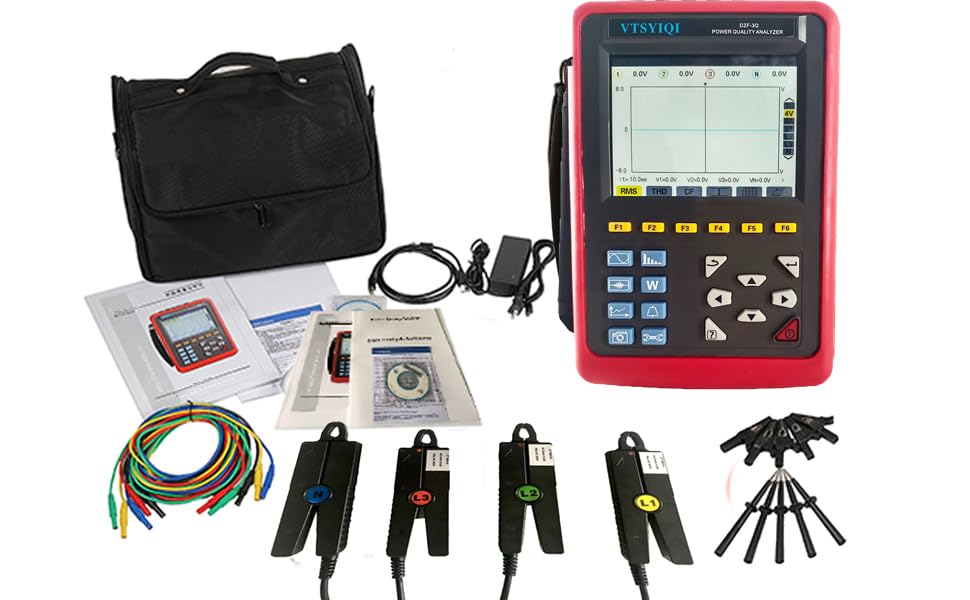
- Hlavná jednotka: The analyzer itself, featuring a 5.6-inch LCD display.
- Aktuálne Clamp Senzory: Štyri klamp sensors for AC current measurement (10mA to 10.0A range).
- Testovací potenciálni zákazníci: Pre objtage spojenia.
- Napájací adaptér: Na nabíjanie internej batérie.
- USB kábel: Na prenos dát.
- Taška na prenášanie: For portability and protection.
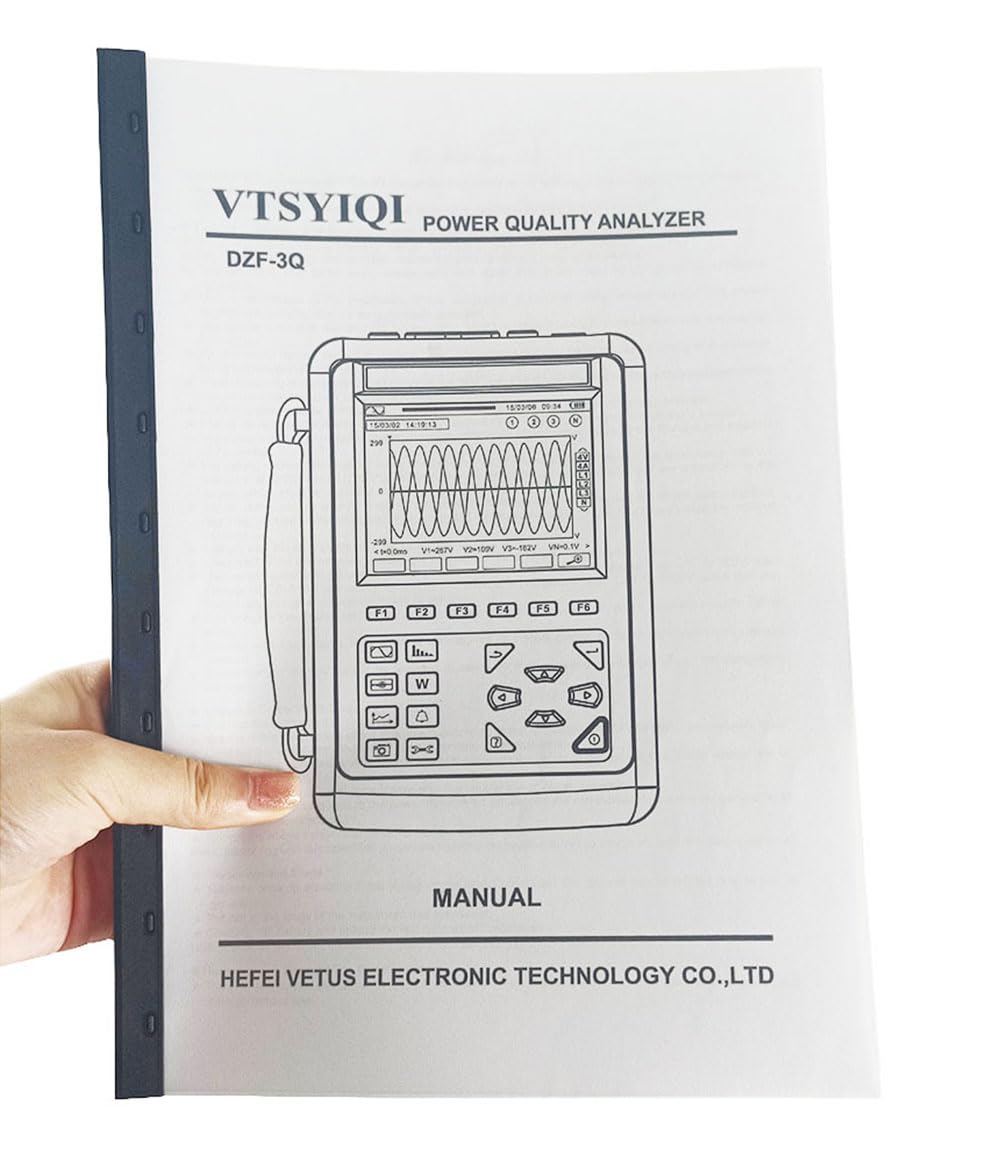
Figure 3.2: The complete VTSYIQI DZF-3Q Power Quality Analyzer kit.
3.2. Interface and Ports
The device features multiple input ports for connecting current clamps a svtage leads, along with a power input and USB port for connectivity.

Figure 3.3: Top panel of the analyzer with connection ports.

Obrázok 3.4: Prúdová triedaamp senzory.
4. Nastavenie
4.1. Počiatočné nabitie
Before first use, fully charge the analyzer's internal battery using the provided power adapter. Connect the adapter to the device's power input port and plug it into a suitable power outlet. The charging indicator will show the charging status.
4.2. Connecting Test Leads and Clamps
- Ensure the analyzer is powered off before making any connections.
- Pripojte objtage test leads to the corresponding L1/A, L2/B, L3/C, E/GND, and N/D input ports on the top panel of the analyzer.
- Pripojte prúdovú klamp sensors to their respective input ports (L1, L2, L3, N). Ensure a secure connection.
- Attach the current clamps around the conductors to be measured, ensuring they are fully closed.
4.3. Zapnutie/vypnutie
Press and hold the power button to turn the device on or off. The LCD screen will illuminate upon startup.
5. Návod na obsluhu
The DZF-3Q analyzer offers various measurement modes and functions accessible via the function keys (F1-F6) and navigation buttons.
5.1. Navigácia v rozhraní
- Use the arrow keys to navigate through menus and adjust settings on the 5.6-inch LCD display.
- The F1-F6 buttons correspond to on-screen functions, which may change depending on the active measurement mode.
- The device supports a bilingual English interface for ease of use.
5.2. Funkcie merania
The analyzer supports 4-channel current and voltage measurement, along with power quality analysis.
- Meranie v reálnom čase: Select the desired measurement mode (e.g., voltage, current, power, harmonics) to view real-time data on the display.
- Zachytávanie údajov: Use the capture function to record specific events or waveforms.
- Monitorovanie: Set up continuous monitoring for power quality parameters over a period.
- Ukladanie záznamov: Measured data and captured events can be stored in the device's internal memory.
- Funkcia alarmu: Configure alarms for specific parameter thresholds. The device will alert when these thresholds are exceeded.
- Funkcia snímky obrazovky: Capture the current screen display for documentation.
5.3. Prenos dát
Connect the analyzer to a computer using the provided USB cable to transfer stored data for further analysis and reporting.
6. Údržba
6.1. Upratovanie
Wipe the device exterior with a soft, dry cloth. Do not use abrasive cleaners or solvents. Ensure no liquids enter the device.
6.2. Starostlivosť o batérie
- Recharge the battery when the low battery indicator appears to prevent unexpected shutdown and data loss.
- For long-term storage, charge the battery at least once every three months to maintain battery health and prevent degradation.
6.3. Skladovanie
Store the analyzer in a clean, dry environment within the specified storage temperature and humidity ranges: -10 ℃ to 60 ℃, below 70% relative humidity. Use the provided carrying bag for protection during storage and transport.
7. Riešenie problémov
| Problém | Možná príčina | Riešenie |
|---|---|---|
| Zariadenie sa nezapne. | Slabá alebo vybitá batéria. | Pripojte napájací adaptér a nabite batériu. |
| Nezobrazujú sa žiadne hodnoty. | Test leads or current clamps not properly connected. Incorrect measurement mode selected. | Ensure all connections are secure. Select the appropriate measurement mode. |
| Nepresné údaje. | Improper connection to the circuit. External interference. | Verify connections according to the circuit type. Ensure proper grounding and minimize interference. |
| Screen is dim or unreadable in dark environments. | Backlight function is off or set to low brightness. | Activate or adjust the backlight function using the device's controls. |
| Prenos údajov zlyhá. | USB cable faulty or not properly connected. Driver issues on PC. | Check USB cable and connections. Install necessary drivers on your computer if prompted. |
8. Špecifikácie
| Funkcia | Špecifikácia |
|---|---|
| Značka | VTSYIQI |
| Model | DZF-3Q |
| Zdroj napájania | Batéria |
| štýl | Voltage Tester |
| Farba | Červená a čierna |
| Rozmery (D x Š x V) | 25 x 10 x 5 cm |
| Prevádzková teplota | -10 ℃ až 40 ℃ |
| Prevádzková vlhkosť | Pod 80 % relatívnej vlhkosti |
| Skladovacia teplota | -10 ℃ až 60 ℃ |
| Skladovacia vlhkosť | Pod 70 % relatívnej vlhkosti |
| Bezpečnostný štandard | IEC 61010 |
| Aktuálny rozsah | AC 10mA to 10.0A (with sensor) |
| Displej | 5.6-palcový LCD |
| Vlastnosti | 4-channel current/voltage measurement, automatic shut-down, backlight, transient capture, trend chart recording, alarm, snapshot. |
9. Záruka a podpora
9.1. Informácie o záruke
Please refer to the warranty card included with your product for specific warranty terms and conditions. Manufacturer warranties typically cover defects in materials and workmanship under normal use.
9.2. Zákaznícka podpora
For technical assistance, troubleshooting, or service inquiries, please contact VTSYIQI customer support. VTSYIQI is committed to providing each customer with the highest standard of service.
You may find contact information on the official VTSYIQI webstránky alebo prostredníctvom vašej nákupnej platformy.


