
Snakebyte SB911194
Snakebyte Gamepad S Pro Wireless Controller User Manual
Model: SB911194
1. Úvod
The Snakebyte Gamepad S Pro is a wireless controller designed for use with Nintendo Switch, Switch Lite, and Switch OLED consoles. It offers a console-style gaming experience with features such as dual precision analog sticks, dual rumble motors for immersive feedback, and a dedicated Capture button for recording gameplay moments. The controller connects via Bluetooth 3.0, aiming to provide a low-latency gaming experience. It also includes an assignable turbo feature and charges via an included USB-C cable.

Obrázok 1: Predná strana view of the Snakebyte Gamepad S Pro Controller.
2. Nastavenie
2.1 Nabíjanie ovládača
Before initial use, fully charge the controller. Connect the included 5.9 ft (1.8 m) USB-C cable to the controller's charging port and the other end to a USB power source (e.g., Nintendo Switch dock, USB wall adapter, or computer USB port). The charging indicator lights on the controller will provide status feedback.
2.2 Párovanie s konzolou Nintendo Switch
To pair the Snakebyte Gamepad S Pro with your Nintendo Switch console:
- Uistite sa, že vaša konzola Nintendo Switch je zapnutá a aktualizovaná na najnovší systémový softvér.
- V ponuke HOME vyberte možnosť „Ovládači“, potom "Zmeniť úchop/poradie".
- On the Snakebyte Gamepad S Pro, press and hold the tlačidlo Domov (house icon) and the Y tlačidlo simultaneously for approximately 5 seconds. The indicator lights on the controller will begin to flash rapidly.
- Once the controller is successfully paired, the player indicator light(s) on the bottom of the controller will illuminate solid.
The controller is compatible with Nintendo Switch, Switch OLED, and Switch Lite models.

Figure 2: The Gamepad S Pro is compatible with Nintendo Switch, Switch OLED, and Switch Lite.
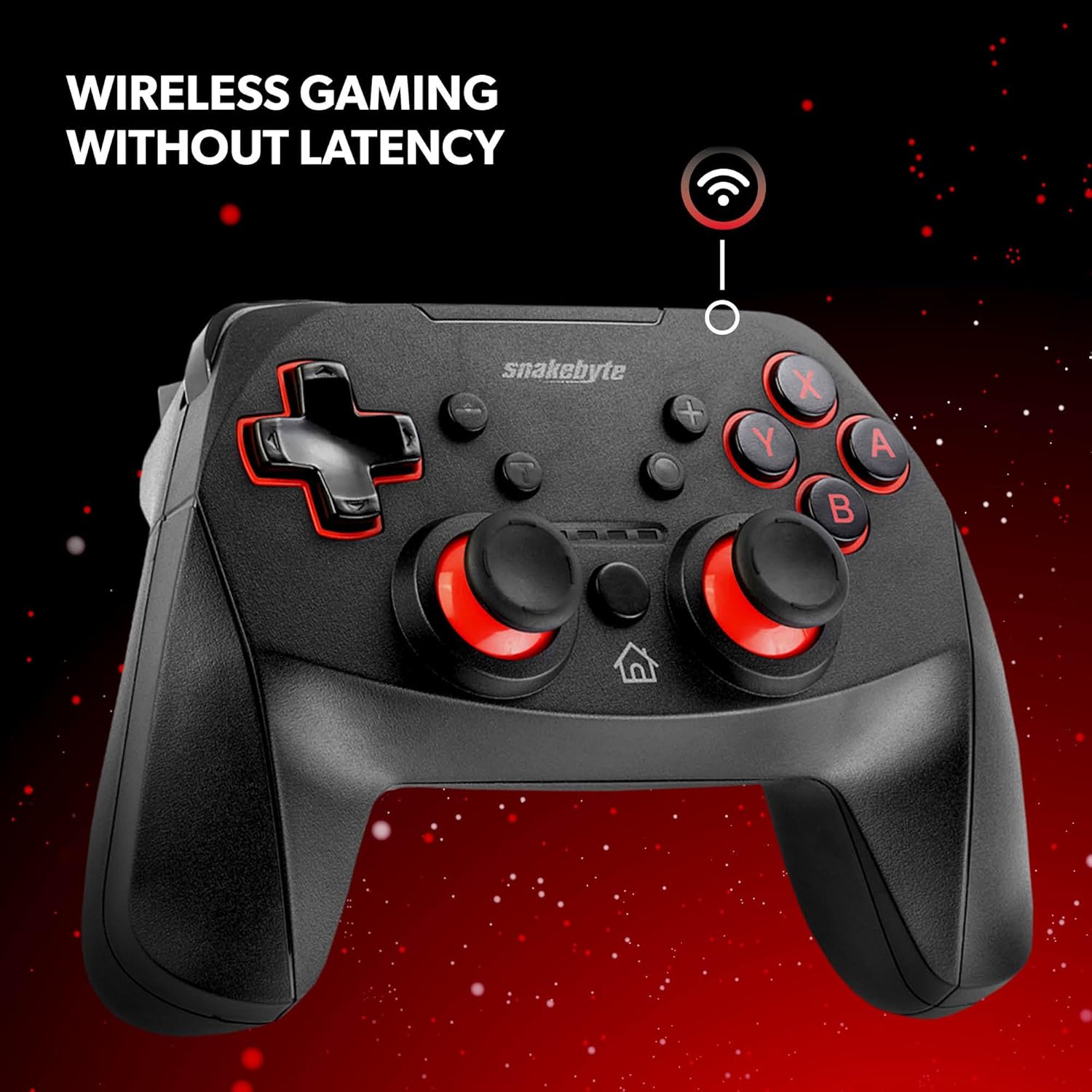
Figure 3: The controller offers wireless connectivity for gaming without latency.
3. Obsluha ovládača
3.1 Rozloženie a funkcie tlačidiel
- Tlačidlá A/B/X/Y: Štandardné akčné tlačidlá.
- D-Pad: Smerový vstup.
- Ľavé/pravé analógové páčky: Pre presný pohyb a ovládanie kamery.
- Tlačidlá L/R: Ramenné gombíky.
- Tlačidlá ZL/ZR: Spúšťacie tlačidlá.
- Domovské tlačidlo: Návrat do ponuky DOMOV.
- CaptureButton: Saves screenshots or video clips of gameplay.
- Tlačidlá Plus (+) / Mínus (-): Equivalent to Start/Select or Menu buttons.
3.2 Dual Rumble Vibration
The controller features dual rumble motors that provide haptic feedback, enhancing immersion during gameplay. The intensity of the vibration is determined by the game.
3.3 Assignable Turbo Feature
The assignable turbo feature allows a button to be pressed repeatedly with a single hold. Consult the controller's specific instructions (often included in the packaging or on the manufacturer's website) for details on how to assign and activate the turbo function for desired buttons.
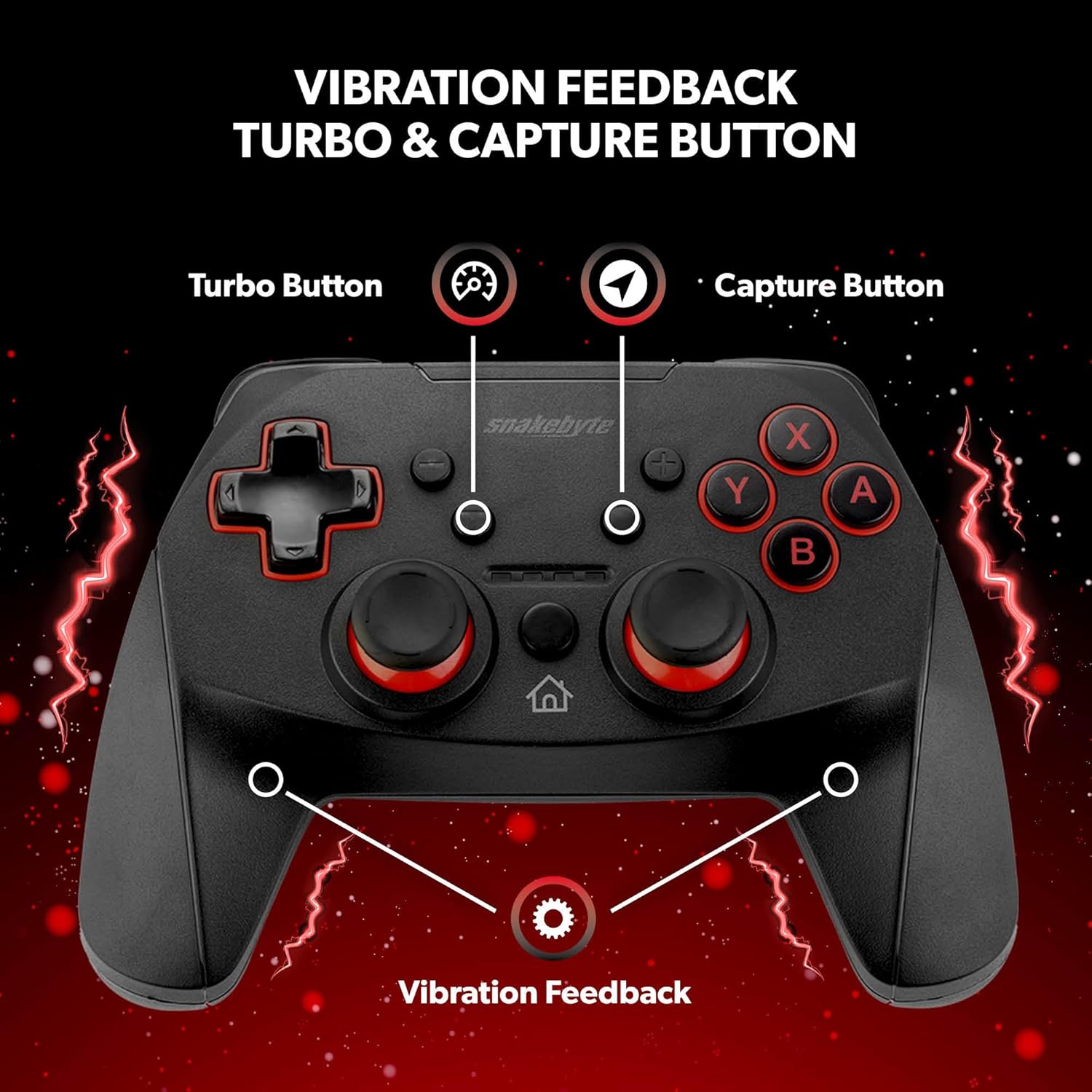
Figure 4: Key features including Turbo Button, Capture Button, and Vibration Feedback.
3.4 audio konektor
The controller is equipped with an audio jack, allowing you to connect a compatible headset for in-game audio and communication (if supported by the game and console settings).

Figure 5: Detail of the controller's audio jack.
4. Údržba
4.1 Čistenie
Na čistenie ovládača použite mäkkú, suchú handričku. Na odolné nečistoty jemneampen the cloth with water. Avoid using harsh chemicals, abrasive cleaners, or solvents, as these can damage the controller's surface and internal components.
4.2 Starostlivosť o batérie
The controller contains a rechargeable Lithium Metal battery. To prolong battery life:
- Vyhnite sa častému úplnému vybíjaniu batérie.
- Ak ovládač dlhší čas nepoužívate, skladujte ho na chladnom a suchom mieste.
- Nevystavujte ovládač extrémnym teplotám.
5. Riešenie problémov
- Controller not pairing or disconnecting frequently:
- Uistite sa, že ovládač je úplne nabitý.
- Verify the pairing steps (Home + Y buttons) are followed correctly.
- Move closer to the Nintendo Switch console to ensure a strong Bluetooth connection.
- Check for any firmware updates for the controller on the official Snakebyte website, as updates can resolve connectivity issues.
- Restart both the Nintendo Switch console and the controller.
- Buttons or joysticks are unresponsive or sticking:
- Power off the controller and then power it back on.
- Ensure no debris is lodged around the buttons or joysticks. Clean as per maintenance instructions.
- Controller does not wake the Nintendo Switch from standby:
- This controller may not support waking the console from standby mode. Power on the console manually using the power button on the console itself.
- No Gyro Sensor:
- Please note that this controller does not include a gyro sensor. Games requiring motion controls or fine aiming adjustments via tilting will not function as intended with this controller.
6. Špecifikácie
| Číslo modelu | SB911194 |
| Značka | Snakebyte |
| Konektivita | Bluetooth 3.0 |
| Kompatibilita | Nintendo Switch, Switch Lite, Switch OLED |
| Rozmery (D x Š x V) | 3.94 x 2.36 x 5.51 palca |
| Hmotnosť položky | 8.47 uncí (240 gramov) |
| Typ batérie | 1 lítium-kovová batéria (súčasť balenia) |
| Dĺžka nabíjacieho kábla | 5.9 stôp (1.8 m) |
| Špeciálne funkcie | Dual Motor Vibration, Assignable Turbo, Capture Button, Audio Jack |

Figure 6: The controller is designed for absolute durability.
7. Záruka a podpora
For detailed warranty information, please refer to the warranty card included with your product packaging or visit the official Snakebyte website. For technical support, product registration, or further inquiries, please contact Snakebyte customer service through their official channels.
Official Snakebyte Webmiesto: www.snakebyte.com
Ask a question about this manual
Ask about setup, troubleshooting, compatibility, parts, safety, or missing instructions. Manuals+ will review the question and use this page’s manual context to help answer it.