
1. Produkt skončilview
The PowEver NP-FZ100 AC Power Adapter Dummy Battery Kit is designed to provide continuous power to compatible Sony Alpha cameras, eliminating the need for frequent battery changes during extended use. This kit is an AC adapter, not a battery charger, and requires connection to a wall socket for operation. It is ideal for long photo sessions, video recording, live streaming, or downloading images.
Kľúčové vlastnosti:
- Continuous Power Supply: Ensures uninterrupted operation for your camera.
- Celosvetová kompatibilita: Vstupný objemtage AC 100~240V, 50~60Hz.
- Bezpečnostné ochrany: Vstavaný nad-objtage, short circuit, and over-temperature protection.
- certifikácie: Certifikácie CE, FCC, ROHS pre bezpečnosť a kvalitu.
Kompatibilné modely fotoaparátov:
- Sony Alpha a7 III (alpha 7 III / ILCE-7M3)
- Sony Alpha a7R III (alpha 7R III / ILCE-7RM3)
- Sony Alpha a7R IV
- Sony Alpha a7S III
- Sony Alpha a9 (alpha 9 / ILCE-9)
- Sony Alpha a9R
- Sony Alpha a9S
- Sony Alpha a6600

Image 1.1: The PowEver NP-FZ100 AC Power Adapter Dummy Battery Kit shown with various compatible Sony Alpha cameras, illustrating its application.
2. Pokyny na nastavenie
Follow these steps to correctly set up your PowEver NP-FZ100 AC Power Adapter Dummy Battery Kit with your camera:
- Connect the DC Coupler: Insert the small barrel connector from the dummy battery (DC coupler) into the DC output port of the AC adapter. Ensure a secure connection.
- Insert Dummy Battery: Open the battery compartment door on your Sony camera. Insert the NP-FZ100 DC coupler (dummy battery) into the camera's battery slot, ensuring it is oriented correctly.
- Trasa kábla: Locate the small rubber flap or opening on your camera's battery compartment door. Carefully route the dummy battery cable through this opening. This allows the battery door to close completely while the cable remains connected.
- Pripojenie napájacieho kábla: Plug the AC power cord into the AC adapter. Then, plug the other end of the AC power cord into a standard wall electrical outlet (AC 100-240V).
- Overiť pripojenie: Once all connections are made, power on your camera. The camera should indicate a full battery charge or external power supply, confirming successful setup.

Image 2.1: The main components of the PowEver NP-FZ100 kit, including the dummy battery (DC coupler) and the AC adapter, ready for connection.

Obrázok 2.2: Detailný záber view of the NP-FZ100 dummy battery, showing its design for insertion into the camera's battery compartment.
3. Návod na obsluhu
Once the PowEver NP-FZ100 AC Power Adapter Dummy Battery Kit is correctly set up and connected to a power source, your camera will receive continuous power. There are no additional operating steps required for the adapter itself.
- Ensure the AC adapter is plugged into a functional wall outlet.
- Confirm that the camera's battery door is closed securely with the cable routed through the designated opening.
- Operate your camera as usual, enjoying extended usage without battery concerns.
Important: This device is an AC power adapter, not a battery charger. It does not charge your camera's internal battery. It provides direct power to the camera from an electrical outlet.
4. Údržba a starostlivosť
To ensure the longevity and optimal performance of your PowEver NP-FZ100 AC Power Adapter Dummy Battery Kit, please observe the following maintenance guidelines:
- Ukladací priestor: Keď súpravu nepoužívate, skladujte ju na chladnom a suchom mieste mimo dosahu priameho slnečného žiarenia a extrémnych teplôt.
- Čistenie: Use a soft, dry cloth to clean the adapter and cables. Do not use liquid cleaners or solvents.
- Manipulácia: Avoid dropping the adapter or dummy battery, as this can cause internal damage. Do not pull on the cables forcefully.
- Integrita kábla: Regularly inspect cables for any signs of wear, cuts, or damage. Discontinue use if damage is observed.
- Vetranie: Ensure the AC adapter has adequate ventilation during operation to prevent overheating.
5. Riešenie problémov
If you encounter issues with your PowEver NP-FZ100 AC Power Adapter Dummy Battery Kit, refer to the following common troubleshooting steps:
- Kamera sa nezapína:
- Ensure all connections (dummy battery to camera, DC coupler to AC adapter, AC adapter to wall outlet) are secure.
- Overte funkčnosť zásuvky testovaním s iným zariadením.
- Confirm the camera's battery compartment door is fully closed with the cable properly routed.
- Check if the camera itself is functioning correctly with a standard battery.
- Prerušovaný výkon:
- Check for loose connections at any point in the power chain.
- Inspect cables for damage. A damaged cable can cause intermittent power.
- Adaptér sa zahrieva:
- It is normal for the AC adapter to feel slightly warm during operation. However, if it becomes excessively hot, disconnect it immediately.
- Uistite sa, že adaptér je v dobre vetranom priestore a nie je zakrytý.
Ak tieto kroky problém nevyriešia, kontaktujte zákaznícku podporu.
6. Špecifikácie
| Funkcia | Špecifikácia |
|---|---|
| Vstupné objtage | AC 100 - 240 V, 50 ~ 60 Hz |
| Výstup | DC 8V / 3A |
| Wattage | 24 W |
| Číslo modelu položky | FZ-100 |
| Hmotnosť položky | 7.4 uncí (približne 210 g) |
| Rozmery balenia | 6.73 x 3.27 x 2.24 palca |
| Zahrnuté komponenty | 1 US Power Cord, 1 AC Adapter, 1 NP-FZ100 DC connector (coupler) |
| Bezpečnostné funkcie | Over-voltage protection, Short circuit protection, Over-temperature protection |
| Certifikácie | CE, FCC, ROHS |
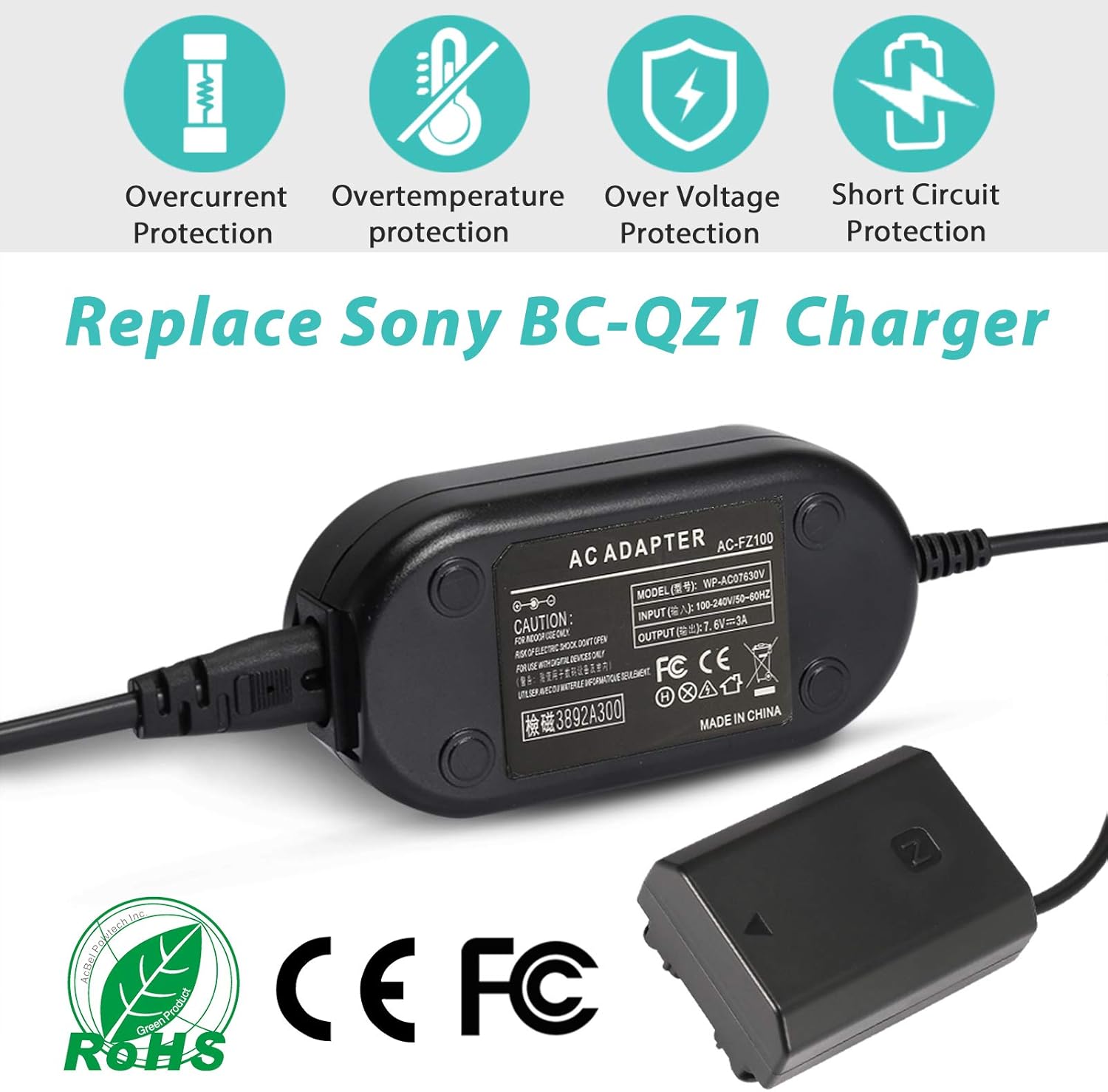
Image 6.1: The AC adapter displaying safety certifications and protection icons, including overcurrent, overtemperature, over voltage a ochrana proti skratu.

Image 6.2: Visual representation of the dimensions for the AC adapter and its associated cables.

Image 6.3: Detail of the power cable, highlighting its flame retardant PVC material for durability and safety.
7. Záruka a podpora
While specific warranty details are not provided, PowEver is committed to customer satisfaction. If you have any questions, concerns, or require assistance with your NP-FZ100 AC Power Adapter Dummy Battery Kit, please do not hesitate to contact us.
Zákaznícka podpora:
Na všetky otázky sa snažíme odpovedať do 24 hodín.
Please refer to your purchase documentation or the seller's contact information for the most direct support channels.