
Úvod
This manual provides detailed instructions for the installation, operation, and maintenance of your NEC SL2100 IP7WW-12TXH-B1 12-Button Display Speaker Telephone. Please read this manual thoroughly before using the telephone to ensure proper functionality and to prevent damage.
Bezpečnostné informácie
Pri používaní tohto výrobku vždy dodržiavajte základné bezpečnostné opatrenia, aby ste znížili riziko požiaru, úrazu elektrickým prúdom a zranenia osôb.
- Nepoužívajte tento výrobok v blízkosti vody, naprampv blízkosti vane, umývadla, kuchynského drezu alebo vane, vo vlhkej pivnici alebo v blízkosti bazéna.
- Nepoužívajte telefón počas búrky. Môže existovať malé riziko úrazu elektrickým prúdom z blesku.
- Na hlásenie úniku plynu v blízkosti úniku nepoužívajte telefón.
- Use only the power source specified in this manual or marked on the product. This telephone is powered by the phone system.
- Pred čistením odpojte tento produkt zo sieťovej zásuvky. Nepoužívajte tekuté čistiace prostriedky ani aerosólové čistiace prostriedky. Použite reklamuamp handričku na čistenie.
Obsah balenia
Overte, či sú v balení všetky položky:
- NEC SL2100 IP7WW-12TXH-B1 12-Button Display Speaker Telephone (Black)
- Slúchadlo
- Kábel slúchadla
- Base Stand (for desk or wall mounting)
- Ethernet Cable (if applicable for IP connection)
Koniec produktuview
The NEC SL2100 IP7WW-12TXH-B1 is a corded 12-button display speaker telephone designed for use with NEC SL2100 systems. It features a clear display for call information and menu navigation, a built-in speakerphone for hands-free communication, and 12 programmable function keys.
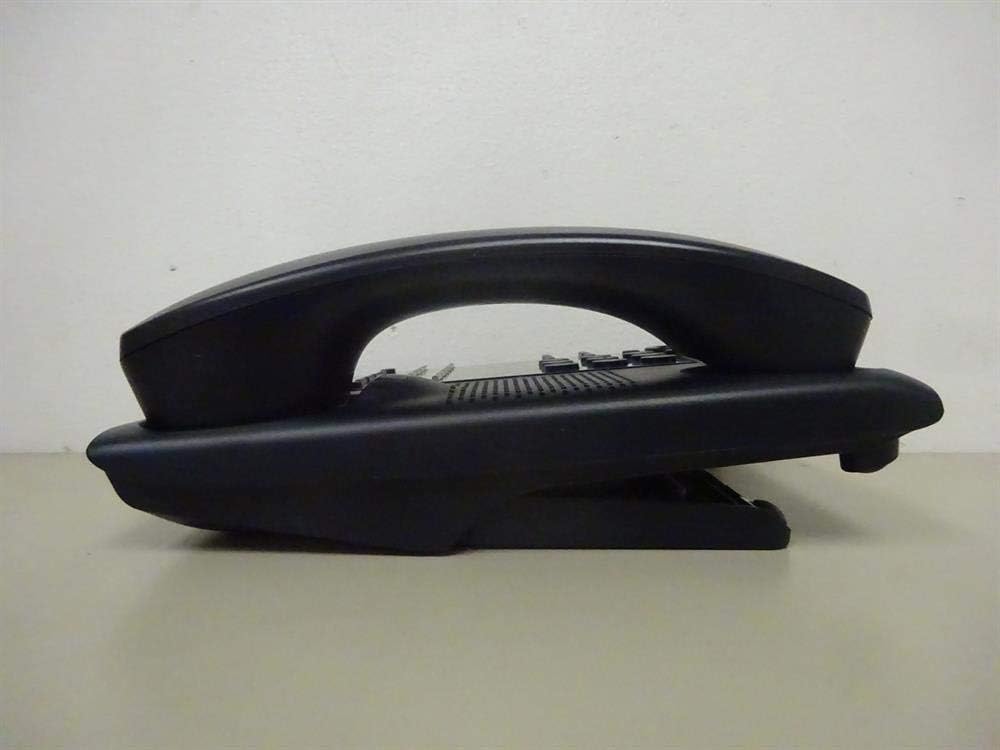
Obrázok 1: Side view of the NEC SL2100 IP7WW-12TXH-B1 telephone, showing the ergonomic design of the handset and base unit.

Obrázok 2: Zadné view of the telephone, illustrating the various connection ports for the handset and network, as well as the integrated wall-mounting slots.
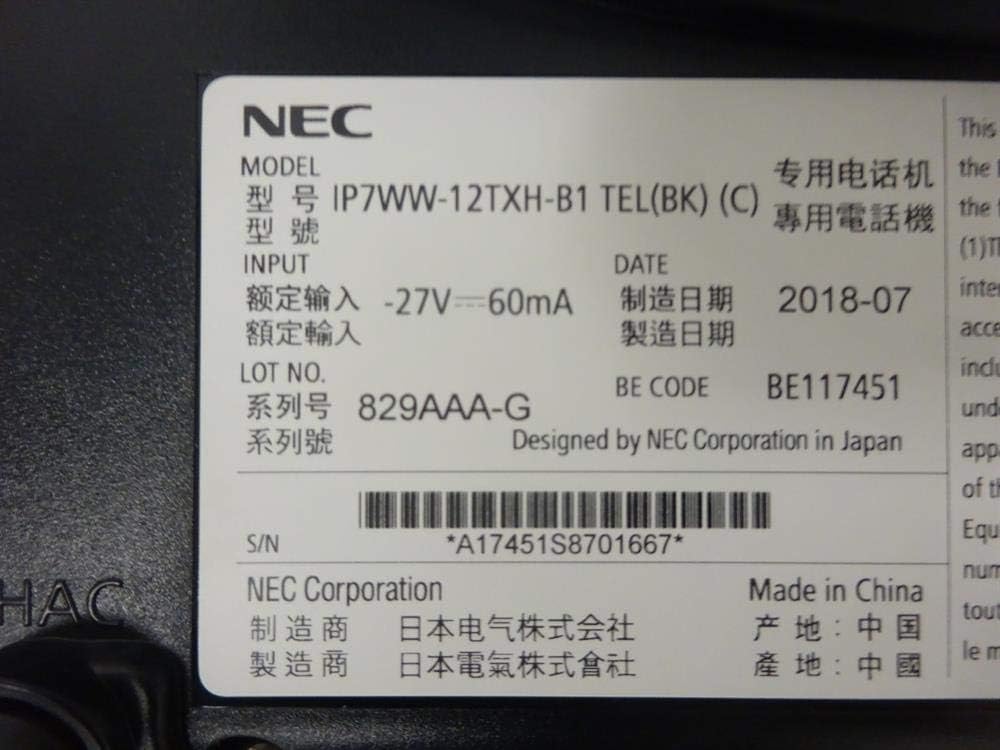
Obrázok 3: Close-up of the product label, displaying model number IP7WW-12TXH-B1, input specifications, and manufacturer details.
Nastavenie
1. Assembling the Telephone
- Pripevnite základný stojan: Align the base stand with the slots on the bottom of the telephone. Slide it into place until it clicks securely. The stand can be adjusted for different viewing angles or reversed for wall mounting.
- Pripojenie slúchadla: Zapojte jeden koniec špirálového kábla slúchadla do slúchadla a druhý koniec do určeného portu na boku telefónnej základne.
2. Pripojenie k systému
This telephone is designed to connect to an NEC SL2100 system. Ensure your SL2100 system is properly installed and configured.
- Pripojte sieťový kábel: Plug one end of an Ethernet cable into the LAN port on the back of the telephone. Plug the other end into an available port on your NEC SL2100 system or a network switch connected to the system.
- Zapnutie: The telephone receives power directly from the NEC SL2100 system (Power over Ethernet - PoE) or via a separate power adapter (not included, if PoE is not available). Once connected, the telephone should power on automatically.
- Počiatočná konfigurácia: The telephone will typically register with the SL2100 system automatically. If prompted, follow the on-screen instructions or consult your system administrator for specific extension number assignment or network settings.
Návod na obsluhu
Uskutočňovanie hovorov
- Zdvihnite ručnú ruku: Zdvihnite slúchadlo a počúvajte oznamovací tón.
- Vytočiť číslo: Vytočte požadované telefónne číslo pomocou klávesnice.
- Hlasitý odposluch: Stlačte tlačidlo REPRODUKTOR button to activate the speakerphone, then dial the number.
Prijímanie hovorov
- Zdvihnite ručnú ruku: Keď telefón zvoní, zdvihnite slúchadlo, aby ste hovor prijali.
- Hlasitý odposluch: Stlačte tlačidlo REPRODUKTOR button to answer the call hands-free.
Používanie displeja
The display shows call information, menu options, and system status. Use the navigation buttons (usually arrow keys) to scroll through menus and the ENTER or VYBRAŤ tlačidlo na potvrdenie výberu.
Programmable Function Keys (12 Buttons)
The 12 buttons on the telephone can be programmed for various functions such as speed dial, line access, feature activation, or direct station selection. Consult your system administrator for the specific programming of these keys.
Konferenčné hovory
The telephone supports 3-way conference calls. To initiate a conference call:
- Nadviažte hovor s prvou stranou.
- Stlačte tlačidlo KONF (Conference) button or the designated programmable key. The first party will be put on hold.
- Vytočte číslo druhej strany.
- Po spojení s druhou stranou stlačte tlačidlo KONF znova stlačte tlačidlo, čím sa pripojíte ku všetkým trom skupinám.
ID volajúceho
When an incoming call is received, the caller's information (name and number, if available) will be displayed on the screen.
Viacriadková prevádzka
This telephone supports multi-line operation, allowing you to manage multiple calls simultaneously. Use the designated line keys or programmable keys to switch between active lines or place calls on hold.
Údržba
Upratovanie
To clean the telephone, unplug it from the network connection. Use a soft, slightly damp cloth. Do not use harsh chemicals, abrasive cleaners, or excessive moisture. Avoid spraying cleaners directly onto the telephone.
Skladovanie
If storing the telephone for an extended period, ensure it is clean and dry. Store it in a cool, dry place away from direct sunlight and extreme temperatures.
Riešenie problémov
- Žiadny oznamovací tón:
- Check all cable connections, especially the network cable to the SL2100 system.
- Ensure the SL2100 system is powered on and functioning correctly.
- If using a separate power adapter (not PoE), ensure it is properly connected and receiving power.
- Displej nefunguje:
- Verify the telephone is receiving power.
- Try disconnecting and reconnecting the network cable.
- Nemožno uskutočňovať/prijímať hovory:
- Skontrolujte oznamovací tón.
- Ensure the telephone is properly registered with the SL2100 system.
- Contact your system administrator to verify line assignments and system status.
- Nízka kvalita zvuku:
- Check handset and network cable connections.
- Uistite sa, že nedochádza k rušeniu inými elektronickými zariadeniami.
- Test with another telephone if possible to isolate the issue.
Špecifikácie
| Funkcia | Špecifikácia |
|---|---|
| Značka | NEC |
| Číslo modelu | IP7WW-12TXH-B1 (Mfr Part Number: BE117451) |
| Farba | Čierna |
| Typ telefónu | provázkový |
| Materiál | Plastové |
| Zdroj napájania | Phone System (PoE compatible) |
| Typ vytáčania | Jedna klávesnica |
| Rozmery položky (D x Š x V) | 15 x 12 x 6 palca |
| Typ systému odpovedania | Digital (System Dependent) |
| Kompatibilné zariadenia | NEC SL2100 Systems, NEC SL2100 IP7WW-082U-B1 8 Port Digital Station Card |
| Možnosť konferenčných hovorov | 3-cestný |
| Viacriadková prevádzka | áno |
| ID volajúceho | áno |
Záruka a podpora
For warranty information, please refer to the documentation provided with your NEC SL2100 system or contact your NEC authorized dealer. For technical support, please contact your system administrator or NEC customer service.
Spoločnosť NEC Corporation
For further assistance, please visit the official NEC website or contact your local support representative.