
1. Úvod
This manual provides detailed instructions for the setup, operation, and maintenance of your One For All URC4811 Universal Replacement Learning Remote Control. This remote is designed to be compatible with all LG Televisions, including LCD, LED, OLED, and Plasma models, offering a seamless replacement for your original LG remote.
2. Produkt skončilview
The One For All URC4811 remote control is engineered for ease of use and broad compatibility with LG televisions. Key features include:
- Priama kompatibilita: Functions like your original LG television remote. For most LG TVs, no setup is required; simply insert batteries and it is ready to use.
- Funkcia učenia: Allows customization of the remote to your specific needs by copying functions from your original remote.
- Klávesové skratky aplikácie: Provides direct access to your favorite streaming services.
- Počet kľúčov: 50.
- Technológia diaľkového ovládania: Infrared (IR).
Obrázky produktov




3. Nastavenie
3.1. Inštalácia batérie
The remote requires 2 AAA batteries (not included). To install the batteries:
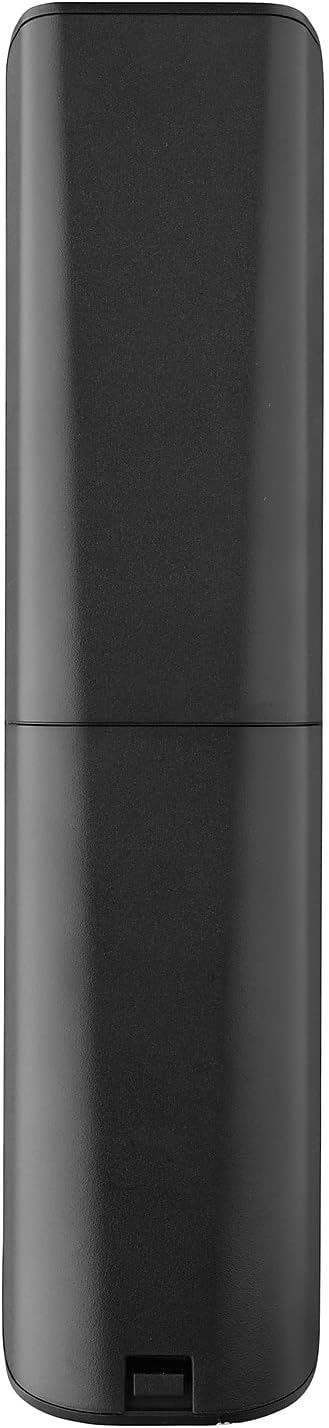
- Remove the battery compartment cover located on the back of the remote.
- Insert 2 AAA batteries, ensuring correct polarity (+ and - terminals).
- Nasaďte kryt priehradky na batérie späť, kým bezpečne nezacvakne na miesto.
3.2. Initial Pairing / Codeless Setup
For most LG Televisions, the One For All URC4811 remote control is ready to use immediately after battery installation, requiring no additional setup. Simply point the remote at your LG TV and begin using it. If your TV does not respond, refer to the 'Learning Feature' section for advanced setup options.
4. Návod na obsluhu
4.1. Základné funkcie
The remote provides all standard functions of an LG TV remote, including:
- Zapnutie/vypnutie: Use the dedicated power button to turn your TV on or off.
- Ovládanie hlasitosti: Adjust volume up or down using the +/- buttons.
- Navigácia kanála: Change channels using the CH +/- buttons or direct number input.
- Skratky aplikácií: Špeciálne tlačidlá poskytujú rýchly prístup k populárnym streamovacím službám.
4.2. Funkcia učenia
The learning feature allows you to copy specific functions from your original LG remote control to your One For All URC4811 remote. This is useful if a particular function is not pre-programmed or if you prefer a custom button layout. Refer to the Quick Setup Guide included with your remote for detailed steps on using the learning feature.
4.3. Oficiálne video o produkte
5. Údržba
Aby ste zaistili dlhú životnosť a optimálny výkon vášho diaľkového ovládača:
- Čistenie: Diaľkový ovládač utrite mäkkou, suchou handričkou. Nepoužívajte tekuté čistiace prostriedky ani abrazívne materiály.
- Starostlivosť o batérie: Vymeňte batérie, keď sa výkon diaľkového ovládača zníži. Ak diaľkový ovládač nebudete dlhší čas používať, vyberte batérie, aby ste predišli vytečeniu batérií.
- Ukladací priestor: Diaľkový ovládač skladujte na chladnom a suchom mieste mimo dosahu priameho slnečného žiarenia a extrémnych teplôt.
6. Riešenie problémov
Ak máte problémy s diaľkovým ovládaním, vyskúšajte nasledujúce kroky:
- Diaľkové ovládanie nereaguje: Skontrolujte, či sú batérie správne vložené a či sú dostatočne nabité. V prípade potreby ich vymeňte.
- Priama viditeľnosť: Uistite sa, že medzi diaľkovým ovládačom a infračerveným prijímačom televízora nie sú žiadne prekážky.
- Konkrétne funkcie nefungujú: Use the learning feature to re-program the affected buttons from your original LG remote.
- TV Not Responding After Battery Change: For some LG models, the remote may require re-pairing or a quick setup process after battery replacement. Refer to the Quick Setup Guide.
7. Špecifikácie
| Funkcia | Špecifikácia |
|---|---|
| Rozmery produktu | 8.03 x 2.01 x 0.94 palca |
| Hmotnosť položky | 2.72 uncí |
| Číslo modelu položky | URC4811 |
| Vyžadujú sa batérie | 2 AAA batérií (nie sú súčasťou balenia) |
| Značka | Jeden za všetkých |
| Špeciálna funkcia | Univerzálna, funkcia učenia |
| Farba | Čierna |
| Maximálny počet podporovaných zariadení | 1 (specifically for LG TVs) |
| Kompatibilné zariadenia | LG Televisions (LCD, LED, OLED, Plasma) |
8. Záruka a podpora
For warranty information and technical support, please refer to the documentation included with your product or visit the official One For All webstránky. Uschovajte si doklad o kúpe ako doklad o kúpe pre prípadné reklamácie.