
1. Úvod
This manual provides detailed instructions for the installation, operation, and maintenance of your Time2 Oscar 2 Twin Pack Outdoor Security Cameras. The Oscar 2 cameras are designed for outdoor surveillance, offering 1080p Full HD video, night vision, motion and sound detection, and two-way audio communication. Please read this manual thoroughly before using the product to ensure proper setup and functionality.
2. Čo je v krabici
Po vybalení sa, prosím, uistite, že sú v balení všetky nasledujúce položky:
- 2 x Time2 Oscar WiFi Camera
- 2 x napájací adaptér
- 2 x Wall Mounting Kit (screws and wall plugs)
- 1 x Sprievodca rýchlym spustením

Image: The Time2 Oscar 2 camera shown with its retail packaging, indicating the contents of the box.
3. Vlastnosti produktu
The Time2 Oscar 2 cameras are equipped with advanced features for comprehensive outdoor security:
- 1080p Full HD video: Zachytáva jasné a detailné jedlotagvo dne i v noci.
- Špičkové nočné videnie: Automatic infrared night vision with IR cut for clear images in low light or darkness.
- 100° pole View: Provides a wide coverage area for monitoring your property.
- Motion and Audio Detection: Advanced sensors detect unusual movement or sounds, sending instant alerts.
- Obojsmerný zvuk: Vstavaný mikrofón a reproduktor umožňujú komunikáciu v reálnom čase.
- Lokálne a cloudové úložisko: Supports local storage via MicroSD card (up to 128GB, not included) and optional cloud storage via CLAN CLOUD subscription.
- Dizajn odolný voči poveternostným vplyvom: IP65 rated for outdoor use, resistant to rain and dust.
- Napájanie zo siete: Ensures continuous operation without battery recharging.
- Zóny aktivity: Customize detection areas to reduce false alerts.
- Integrácia Alexa: Compatible with Amazon Alexa for voice control.
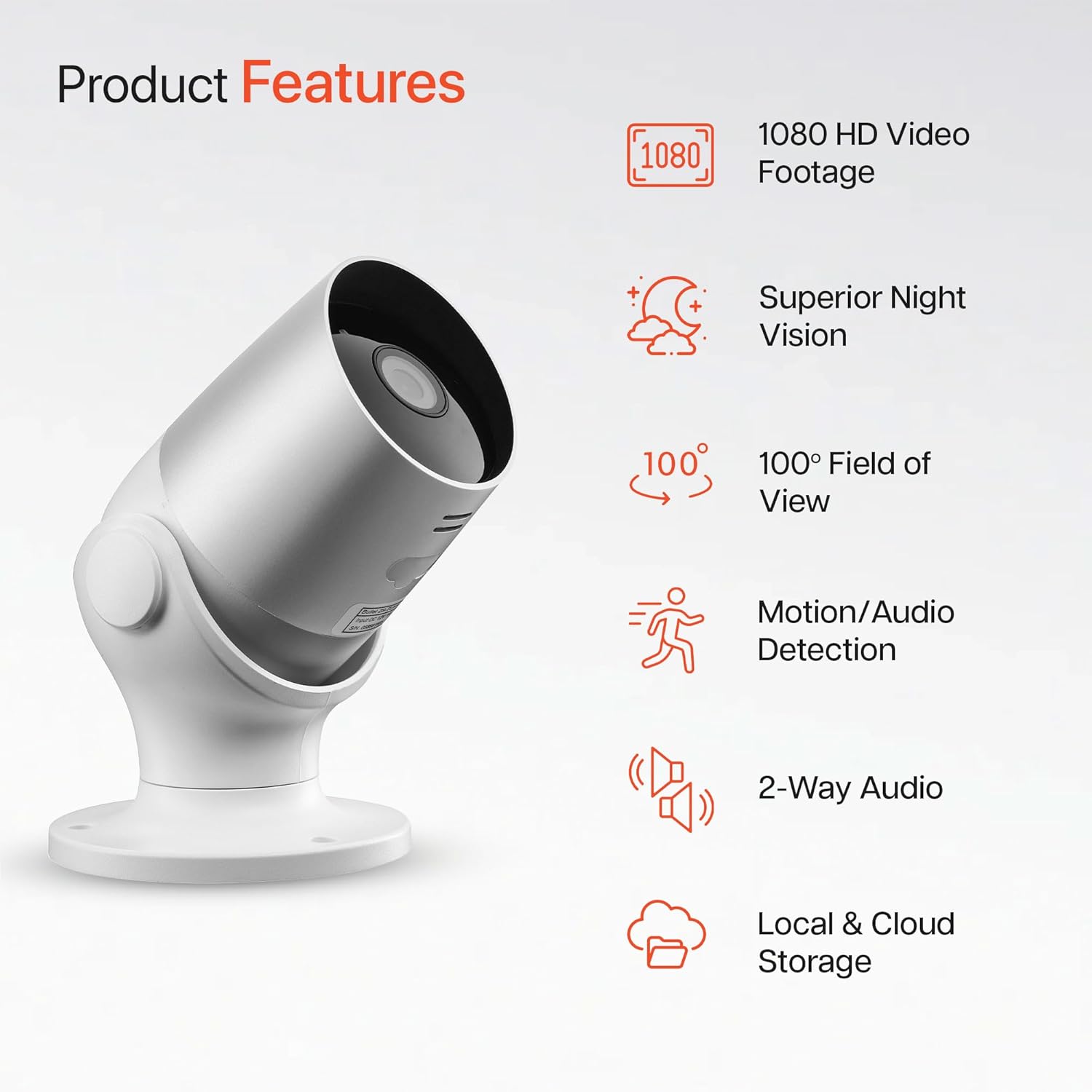
Image: An illustration highlighting the main features of the Oscar 2 camera, including 1080p HD video, night vision, 100° field of view, motion/audio detection, two-way audio, and storage options.
4. Nastavenie
4.1 Stiahnutie aplikácie a vytvorenie účtu
- Download the "CLAN" app from your smartphone's app store (iOS or Android).
- Otvorte aplikáciu a postupujte podľa pokynov na obrazovke a vytvorte si nový účet alebo sa prihláste, ak ho už máte.
4.2 Inštalácia karty MicroSD (voliteľná)
For local video storage, you can install a MicroSD card (up to 128GB, not included) into the camera.
- Locate the MicroSD card slot on the camera (refer to the Quick Start Guide for exact location).
- Opatrne vložte kartu MicroSD do slotu, kým nezacvakne na miesto.
- Ensure the camera is powered off before inserting or removing the MicroSD card.
4.3 Camera Installation and Power Connection
The Oscar 2 cameras are designed for wall mounting and require a mains power connection.
- Vyberte miesto: Vyberte si vonkajšie miesto, ktoré poskytuje požadované viewing angle and is within reach of a power outlet. Consider the 100° field of view.
- Namontujte kameru: Use the provided wall mounting kit (screws and wall plugs) to securely attach the camera to a wall or suitable surface. The camera housing allows for rotation to adjust the lens angle.
- Pripojenie napájania: Plug the power adapter into the camera and then into a mains power outlet. The camera will power on automatically.
4.4 Pairing with the CLAN App
- Uistite sa, že váš smartfón je pripojený k sieti Wi-Fi s frekvenciou 2.4 GHz (siete s frekvenciou 5 GHz nie sú podporované).
- Open the CLAN app and tap the "+" icon to add a new device.
- Select "Oscar 2" from the list of devices.
- Follow the in-app instructions, which typically involve scanning a QR code displayed on your phone with the camera lens or listening for a sound prompt.
- Once paired, you can name your camera and begin configuring settings.
5. Operating Your Oscar 2 Camera
5.1 Naživo View a monitorovanie
From the CLAN app home screen, tap on your camera's name to access the live video feed. You can view multiple cameras simultaneously if you have more than one Oscar 2 device.

Image: A smartphone displaying the CLAN app interface, showing a live view from the Oscar 2 camera and various control options.
5.2 Detekcia pohybu a zvuku
The Oscar 2 camera can detect movement and sound, sending instant alerts to your smartphone or tablet.
- Povoliť upozornenia: Navigate to the camera settings in the CLAN app and enable motion and sound detection alerts.
- Upravte citlivosť: You can adjust the sensitivity level of both motion and sound detection to minimize false alarms.
- Set Activity Zones: Definujte špecifické oblasti v zábere kamery view where you want motion detection to be active. This helps focus on critical areas and ignore irrelevant movements.
5.3 Obojsmerný zvuk
Utilize the built-in microphone and speaker for two-way communication.
- Počas živého vysielania view, klepnite na ikonu mikrofónu v aplikácii a hovorte cez reproduktor fotoaparátu.
- Klepnutím na ikonu reproduktora si vypočujete zvuk z mikrofónu fotoaparátu.
- This feature is useful for interacting with visitors or deterring intruders.
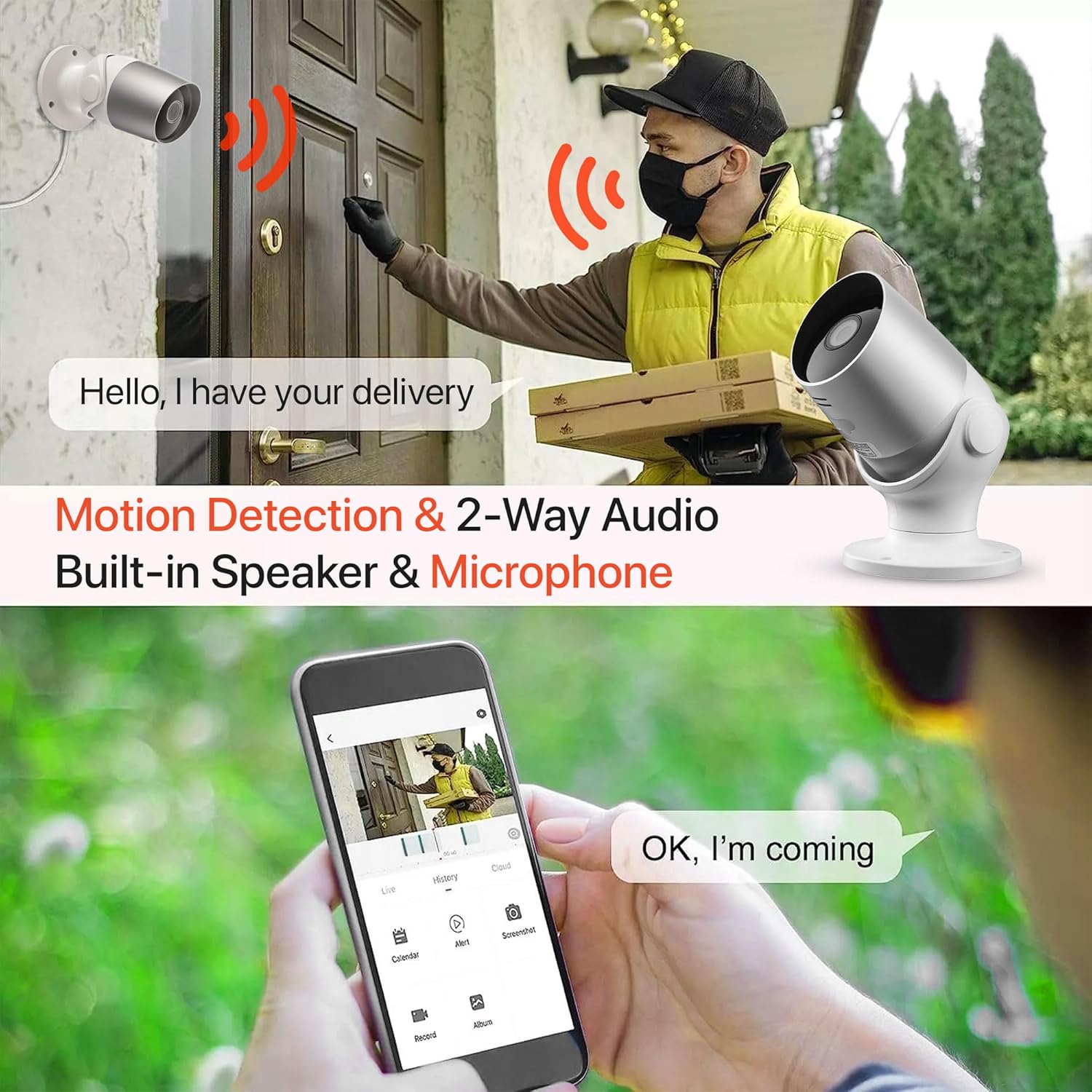
Image: An illustration demonstrating the two-way audio feature, showing a user communicating with a delivery person via the Oscar 2 camera and smartphone app.
5.4 Nahrávanie a prehrávanie
The Oscar 2 cameras offer flexible recording options:
- Nepretržité nahrávanie: If a MicroSD card is installed, the camera can record continuously for up to 21 days (with a 128GB card).
- Nahrávanie aktivované pohybom: The camera can be set to record only when motion or sound is detected. Recordings include 5 seconds of pre-event footage.
- Local Storage (MicroSD): Prístup zaznamenaný footage directly from the MicroSD card via the CLAN app.
- Cloud Storage (CLAN CLOUD): Subscribe to CLAN CLOUD for secure off-site storage of your recordings, accessible from anywhere.
- Prehrávanie: Use the playback feature in the CLAN app to review zaznamenané udalosti.
5.5 Nočné videnie
The camera automatically switches to infrared night vision in low-light conditions, providing clear black and white images. The integrated IR cut filter ensures accurate color representation during the day.

Image: A visual representation of the camera's 24/7 monitoring capability, showing how the view changes from morning (color) to afternoon (color) to night (infrared night vision).
5.6 Integrácia s Alexou
The Oscar 2 cameras are compatible with Amazon Alexa. To enable this feature, link your CLAN account within the Alexa app. You can then use voice commands to view z kamery na kompatibilných zariadeniach s podporou Alexa.
6. Údržba
- Čistenie: Pravidelne čistite objektív fotoaparátu mäkkou handričkouamp cloth to ensure optimal image clarity. Do not use harsh chemicals or abrasive materials.
- Aktualizácie firmvéru: Ensure your camera's firmware is up to date. The CLAN app will typically notify you of available updates. Follow the in-app instructions to perform updates, which can improve performance and add new features.
- Cyklus napájania: If the camera experiences issues, try power cycling it by unplugging it from the power source for a few seconds and then plugging it back in.
7. Riešenie problémov
- Kamera sa nepripája k sieti Wi-Fi:
- Uistite sa, že vaša Wi-Fi sieť používa frekvenciu 2.4 GHz. Kamera nepodporuje siete s frekvenciou 5 GHz.
- Skontrolujte, či je kamera v dosahu vášho Wi-Fi routera.
- Overte, či je vaše heslo k Wi-Fi zadané v aplikácii správne.
- Reštartujte router a kameru.
- Frequent Motion Detection Alerts:
- Adjust the motion detection sensitivity settings in the CLAN app to a lower level.
- Define specific activity zones to exclude areas with frequent irrelevant movement (e.g., trees swaying, busy roads).
- Environmental factors like heavy rain or snow can sometimes trigger alerts; consider adjusting sensitivity during adverse weather.
- Nízka kvalita obrazu:
- Vyčistite objektív fotoaparátu, aby ste odstránili všetky nečistoty alebo šmuhy.
- Uistite sa, že v zornom poli kamery nie sú žiadne prekážky view.
- Check your internet connection speed; a slow connection can affect live stream quality.
- Problémy s obojsmerným zvukom:
- Uistite sa, že máte nastavenú hlasitosť telefónu a aplikácia má povolený prístup k mikrofónu.
- Check the camera's speaker and microphone settings in the app.
- Minimalizujte šum v pozadí pre jasnejšiu komunikáciu.
- Recordings Not Saving:
- If using a MicroSD card, ensure it is correctly inserted and formatted within the app. Check if the card is full.
- If using cloud storage, verify your CLAN CLOUD subscription is active.
8. Špecifikácie
| Funkcia | Detail |
|---|---|
| Názov modelu | Oscar 2 |
| Rozmery produktu | 8.9 x 17.8 x 19.1 cm |
| Hmotnosť | 720 gramov |
| Výrobca | Čas2 |
| Technológia pripojenia | Bezdrôtové (Wi-Fi) |
| Špeciálna funkcia | Upozornenia na pohyb a zvuk |
| Vnútorné/vonkajšie použitie | Vonku |
| Kompatibilné zariadenia | Počítač, smartfón, tablet |
| Zdroj napájania | Elektrický kábel (napájaný zo siete) |
| Typ ovládača | Amazon Alexa |
| Typ montáže | Držiak na stenu |
| Farba | Biela |
| Form Factor | Bullet |
| Úroveň odolnosti voči vode | Vodotesné (IP65) |
| Voltage | 12 voltov |
| Wattage | 5 wattov |
| Formát snímania videa | MP4 |
| Efektívne rozlíšenie videa | 1080 Pixels (1080p) |
| Viewing uhol | 100 stupňov |
| Počet položiek | 2 (Twin Pack) |
| UPC | 045912296356 |
9. Záruka a podpora
9.1 Informácie o záruke
Your Time2 Oscar 2 cameras come with a manufacturer's warranty. Please refer to the warranty card included in your product packaging or visit the official Time2 webpodrobné záručné podmienky nájdete na stránke.
9.2 Zákaznícka podpora
If you encounter any issues or have questions not covered in this manual, please contact Time2 customer support. Contact details can typically be found on the Time2 webalebo v Stručnej úvodnej príručke dodanej s vaším produktom.
For the latest information, FAQs, and support resources, please visit the official Time2 webstránky.