
1. Úvod
This manual provides detailed instructions for the assembly, operation, and maintenance of your One For All WM7471 Universal TV Tripod Stand. Please read this manual thoroughly before installation and retain it for future reference. This stand is designed to securely hold televisions ranging from 32 to 65 inches with VESA mounting patterns between 200x100mm and 400x400mm.
2. Bezpečnostné informácie
POZOR: Failure to read and follow these instructions can result in serious personal injury, property damage, or voiding of your warranty. If you have any questions, please contact customer support.
- Pred montážou sa uistite, že sú všetky komponenty prítomné a nepoškodené. Nepoužívajte poškodené diely.
- Neprekračujte maximálnu nosnosť ani veľkosť obrazovky uvedenú v časti s technickými údajmi.
- Always assemble the stand on a flat, stable surface.
- Ensure the TV is securely attached to the mounting brackets and the stand is stable before releasintelevízor.
- Počas montáže držte deti a domáce zvieratá v bezpečnej vzdialenosti. Malé časti môžu predstavovať nebezpečenstvo udusenia.
- Do not attempt to modify the stand.
- Pravidelne kontrolujte všetky skrutky a spoje, aby ste sa uistili, že sú pevne utiahnuté a bezpečné.
3. Obsah balenia
Verify that all parts listed below are included in your package. If any parts are missing or damaged, do not proceed with assembly and contact customer support.
- Tripod Base Assembly (Wooden legs, central column)
- TV Mounting Brackets (Horizontal bars)
- Vertical Support Bar
- Cable Management Strap (Leather)
- Universal Soundbar Attachment
- Hardware Kit (Screws, washers, spacers for TV mounting)
- Návod na použitie (tento dokument)

4. Nastavenie a montáž
Follow these steps carefully to assemble your TV tripod stand. It is recommended to have a second person assist with mounting the television.
- Zostavenie základne statívu:
Carefully attach the three wooden legs to the central column. Ensure they are securely fastened according to the provided diagrams in the separate assembly guide (if applicable). The design allows for tool-free or minimal tool assembly.

Figure 2: Detail of the central connection point of the tripod stand, showing the secure attachment of the wooden legs to the main column. - Pripevnite držiaky na upevnenie televízora k televízoru:
Identify the VESA mounting holes on the back of your television. Select the appropriate screws, washers, and spacers from the hardware kit that match your TV's specifications. Attach the horizontal TV mounting brackets to the back of your TV. Ensure they are level and securely tightened.

Figure 3: The VESA mounting bar, illustrating the multiple hole patterns for compatibility with various TV models. - Upevnenie televízora na stojan:
With assistance, carefully lift the television and hook the attached mounting brackets onto the vertical support bar of the tripod stand. Ensure the TV is centered and level. Secure the TV to the stand using the provided safety mechanisms, such as locking screws or clips, to prevent accidental dislodgement.

Obrázok 4: Podrobný view of the TV mounting bracket securely fastened to the stand's central column, also showing the integrated cable management clip. - Správa káblov:
Utilize the integrated cable management strap and clips to route and conceal TV and accessory cables along the central column and down one of the legs. This helps maintain a tidy appearance and prevents tripping hazards.

Obrázok 5: Example of cable management, showing a cable neatly routed along one of the wooden tripod legs. - Soundbar Attachment (Optional):
If using a soundbar, attach the universal soundbar attachment to the TV mounting brackets as per its specific instructions. This allows the soundbar to move with the TV when adjusted.
5. Návod na obsluhu (Úpravy)
The One For All WM7471 stand offers flexibility in TV positioning.
- Výškové nastavenie:
The TV can be adjusted vertically along the central column. Loosen the height adjustment mechanism (refer to the assembly guide for specific details), slide the TV to the desired height, and then securely tighten the mechanism. Always ensure the TV is level after adjustment.
- Otáčanie o 360°:
The entire TV and mounting assembly can be rotated 360 degrees around the central column. Gently rotate the TV to achieve the optimal viewing angle. Ensure no cables are snagged or strained during rotation.
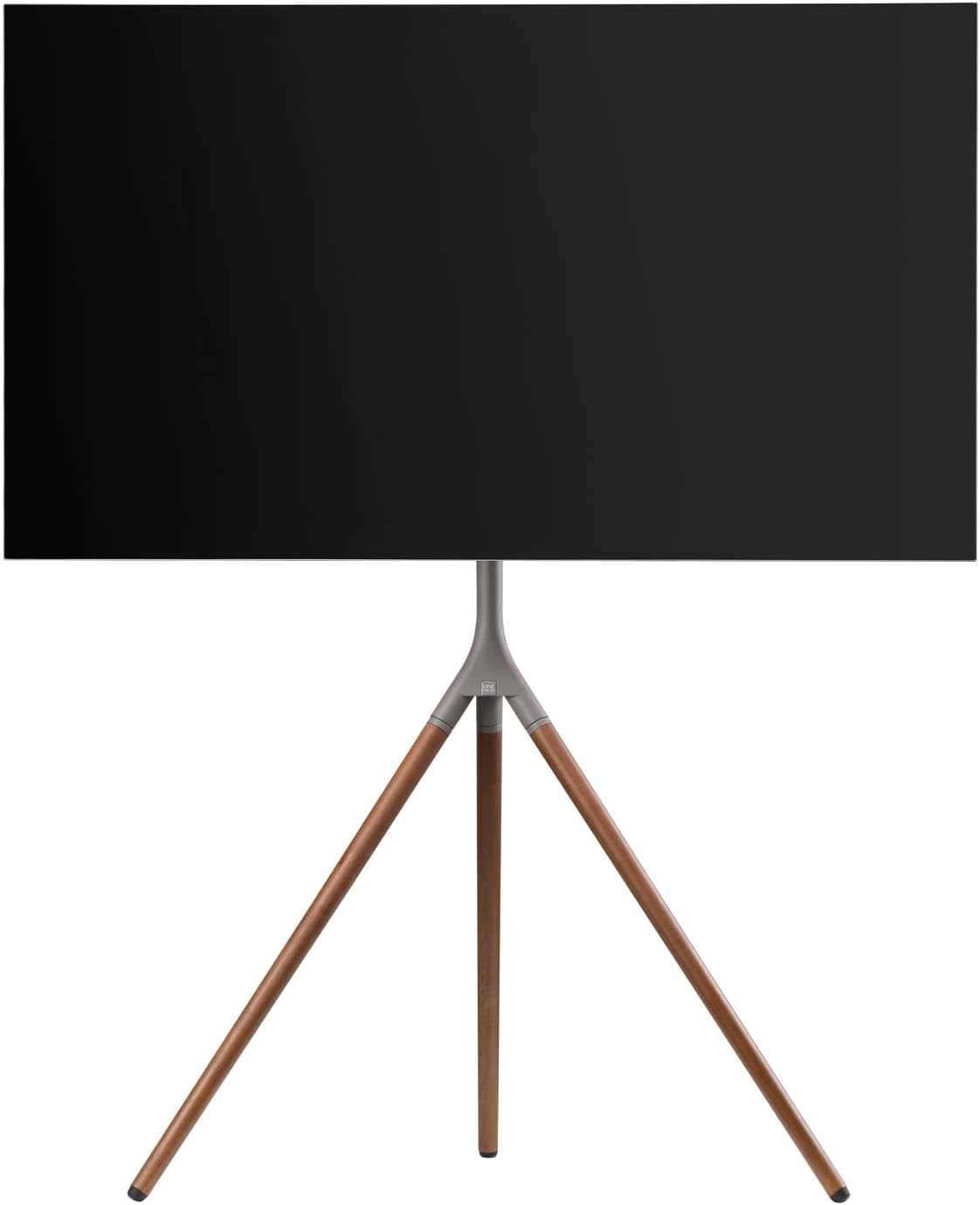
Obrázok 6: Bočný profesionálfile of the stand with a TV, demonstrating the potential for swivel and height adjustments.
6. Údržba
Pravidelná údržba zaisťuje dlhú životnosť a bezpečnú prevádzku vášho televízneho stolíka.
- Čistenie: Use a soft, dry cloth to wipe down the stand. For stubborn marks, a slightly damp Môžete použiť handričku s jemným mydlom a ihneď osušiť. Nepoužívajte abrazívne čistiace prostriedky ani rozpúšťadlá.
- Inšpekcie: Periodically check all screws, bolts, and connections for tightness. Re-tighten if necessary.
- Správa káblov: Ensure cables remain neatly organized and are not pinched or strained.
7. Riešenie problémov
Ak sa vyskytnú problémy so stojanom na televízor, pozrite si nasledujúce bežné problémy a ich riešenia:
| Problém | Možná príčina | Riešenie |
|---|---|---|
| Stojan sa zdá byť nestabilný. | Loose connections; uneven floor; TV too heavy/large. | Ensure all screws are tightened. Move stand to a level surface. Verify TV weight and size are within specifications. |
| Televízor nie je vodorovne umiestnený. | Mounting brackets unevenly attached; stand not level. | Re-adjust TV mounting brackets. Ensure stand is on a level surface. |
| Problémy s nastavením výšky alebo otáčania. | Adjustment mechanism is too tight or obstructed. | Loosen adjustment mechanism slightly. Check for cable obstructions. Do not force movement. |
If the problem persists, please contact One For All customer support.
8. Špecifikácie
| Funkcia | Detail |
|---|---|
| Číslo modelu | WM7471 |
| Značka | Jeden za všetkých |
| Kompatibilné veľkosti obrazovky | 32 - 65 palcov |
| Kompatibilita VESA | 200 x 100 mm až 400 400 x XNUMX mm |
| Typ pohybu | 360° Swivel, Height Adjustable |
| Materiál | Wood (Walnut), Metal (Gunmetal/Chrome) |
| Farba | Walnut & Gunmetal |
| Zahrnuté komponenty | Tripod stand, TV mounting hardware, cable management strap, universal soundbar attachment |
9. Záruka a podpora
For warranty information and customer support, please refer to the documentation included with your purchase or visit the official One For All webstránky. Konkrétne záručné podmienky sa môžu líšiť v závislosti od regiónu a predajcu.
Výrobca: Jeden za všetkých
Krajina pôvodu: Čína