
1. Produkt skončilview
The TP-Link Archer T4U Plus is an AC1300 Dual Band Wireless USB Adapter designed to provide high-speed Wi-Fi connectivity for desktop computers. It supports the 802.11ac Wi-Fi standard, offering speeds of up to 867 Mbps on the 5 GHz band and 400 Mbps on the 2.4 GHz band. Equipped with dual high-gain antennas and a USB 3.0 interface, it aims to enhance wireless range and data transfer efficiency.

The TP-Link Archer T4U Plus USB WiFi Adapter, featuring two high-gain antennas and a USB 3.0 cable for connection to a computer.
2. Obsah balenia
Skontrolujte, či váš balík obsahuje nasledujúce položky:
- Bezdrôtový USB adaptér AC1300 s dvojitou anténou a vysokým ziskom (Archer T4U Plus)
- 1-metrový kábel USB 3.0
- Sprievodca rýchlou inštaláciou
- Zdrojové CD (s ovládačmi)
3. Pokyny na nastavenie
3.1 Inštalácia hardvéru
- Rozbaľte adaptér: Carefully remove the Archer T4U Plus adapter and its USB cable from the packaging.
- Pripojte kábel USB: Connect one end of the provided 1-meter USB 3.0 cable to the USB 3.0 port on the Archer T4U Plus adapter.
- Pripojiť k počítaču: Plug the other end of the USB 3.0 cable into an available USB 3.0 port on your desktop computer. For optimal performance, use a USB 3.0 port (typically blue inside).
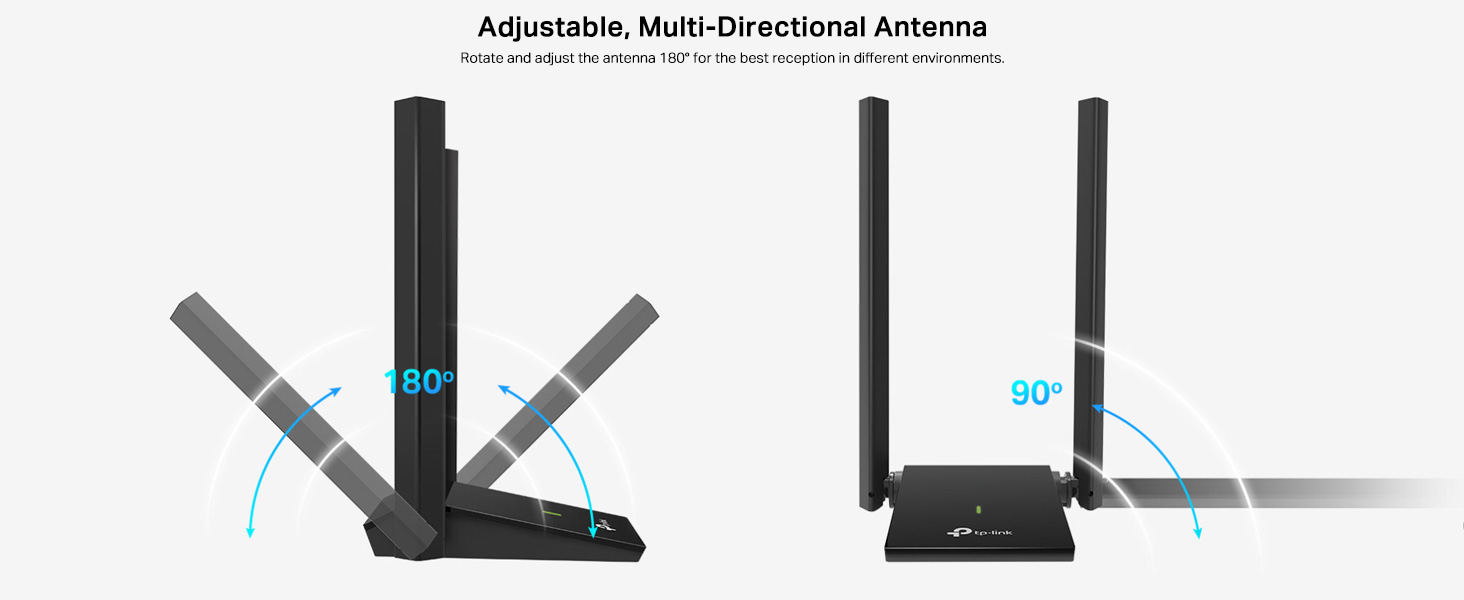
- Umiestnenie adaptéra: Place the adapter in a location that allows for good signal reception, ideally away from obstructions. The adjustable antennas can be rotated and angled for best performance.

The Archer T4U Plus adapter shown connected to a USB port via its included cable, illustrating its desktop placement.
3.2 Inštalácia ovládača
The Archer T4U Plus requires drivers to function correctly. Drivers can be installed via the included Resource CD or by downloading them from the TP-Link webstránky.
For Windows Operating Systems (Windows 11/10/8.1/8/7/XP):
- Používanie zdrojového CD: Insert the Resource CD into your computer's CD-ROM drive. Follow the on-screen instructions to install the drivers.
- Downloading from TP-Link Webmiesto: If your computer lacks a CD-ROM drive, visit the official TP-Link support website, search for "Archer T4U Plus", and download the latest drivers for your specific Windows version. Run the downloaded installer and follow the prompts.
- Automatic Installation (Windows 10/11): In some cases, Windows 10 or 11 may automatically detect and install the necessary drivers upon connecting the adapter. Verify installation in Device Manager under "Network Adapters".
For Mac OS (10.15 and earlier):
- Downloading from TP-Link Webmiesto: Navštívte oficiálnu podporu TP-Link website, search for "Archer T4U Plus", and download the latest drivers for your Mac OS version.
- Inštalácia ovládačov: Otvorte stiahnuté file and follow the installation instructions. You may need to restart your computer after installation.
4. Návod na obsluhu
4.1 Pripojenie k bezdrôtovej sieti
Once the drivers are successfully installed, you can connect to a Wi-Fi network:
- Nastavenia prístupovej siete:
- Windows: Kliknite na ikonu Wi-Fi na systémovej lište (pravý dolný roh obrazovky).
- MacOS: Kliknite na ikonu Wi-Fi v paneli s ponukami (pravý horný roh obrazovky).
- Vyberte sieť: Zobrazí sa zoznam dostupných bezdrôtových sietí. Vyberte požadovanú sieť (SSID).
- Zadajte heslo: If prompted, enter the Wi-Fi password (security key) for your network.
- Pripojiť: Kliknite na tlačidlo „Pripojiť“ pre nadviazanie bezdrôtového pripojenia.
4.2 Prevádzka v dvoch pásmach
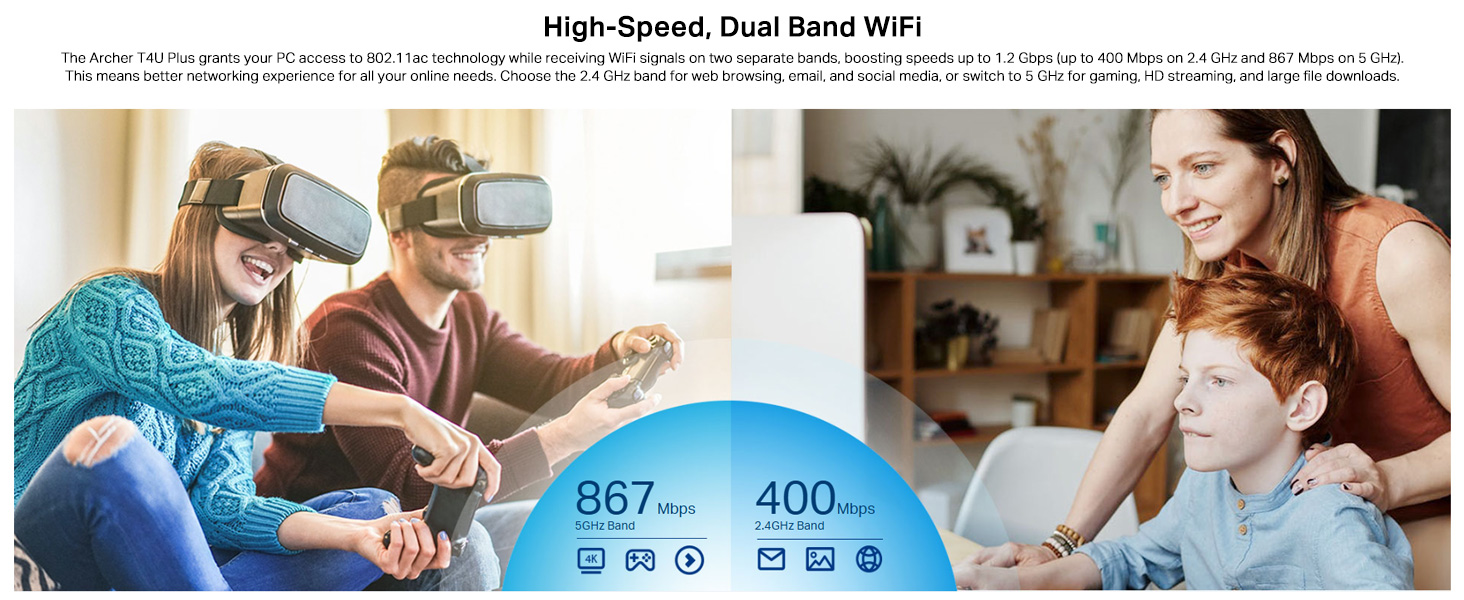
The Archer T4U Plus supports both 2.4 GHz and 5 GHz Wi-Fi bands. You can choose the band that best suits your needs:
- 2.4 GHz pásmo: Offers broader coverage and better penetration through walls, suitable for general internet use like web prehliadanie a e-mail.
- 5 GHz pásmo: Provides faster speeds and less interference, ideal for bandwidth-intensive activities such as online gaming, HD video streaming, and large file prevody.
Your router may broadcast separate SSIDs for each band (e.g., "MyWiFi_2.4GHz" and "MyWiFi_5GHz"). Select the appropriate network from the available list.

An image illustrating the dual-band capabilities of the adapter, showing 867 Mbps on the 5GHz band for activities like 4K streaming and gaming, and 400 Mbps on the 2.4GHz band for web prehliadanie a e-mail.
4.3 Enhanced Coverage and MU-MIMO
The dual high-gain antennas are designed to improve signal transmission and reception, extending your wireless coverage. For optimal performance, adjust the antennas to point towards your wireless router.
Illustrates the flexibility of the adapter's antennas, which can be rotated 180 degrees and adjusted 90 degrees for optimal signal reception.
The adapter also supports MU-MIMO technology. When used with a compatible MU-MIMO router, this technology allows the adapter to communicate with multiple devices simultaneously, improving network throughput and efficiency.
A visual representation of MU-MIMO technology, showing how the Archer T4U Plus adapter, when paired with a compatible router, can communicate with multiple devices simultaneously for improved network efficiency.
5. Údržba
- Udržujte ovládače aktualizované: Pravidelne kontrolujte podporu TP-Link website for the latest drivers to ensure optimal performance and compatibility.
- Vyčistite zariadenie: Na čistenie adaptéra použite mäkkú, suchú handričku. Nepoužívajte tekuté čistiace prostriedky ani rozpúšťadlá.
- Správne umiestnenie: Ensure the adapter is placed in a well-ventilated area and not covered, to prevent overheating.
- Zabezpečené pripojenie: Ensure the USB cable is securely connected to both the adapter and your computer to prevent intermittent disconnections.
6. Riešenie problémov
- Žiadne Wi-Fi pripojenie:
- Uistite sa, že adaptér je správne pripojený k portu USB.
- Verify that the drivers are correctly installed. Check Device Manager (Windows) or System Information (Mac OS) for the adapter's status.
- Reštartujte počítač a smerovač.
- Skúste sa pripojiť k inému portu USB.
- Pomalé rýchlosti Wi-Fi:
- Ensure you are connected to the 5 GHz band if available and your router supports it, for faster speeds.
- Pre lepší príjem signálu upravte antény adaptéra.
- Minimize physical obstructions between the adapter and your router.
- Skontrolujte, či nedochádza k rušeniu inými zariadeniami (napr. mikrovlnnými rúrami, bezdrôtovými telefónmi).
- Aktualizujte ovládače adaptéra na najnovšiu verziu.
- Časté výpadky:
- Uistite sa, že kábel USB nie je uvoľnený.
- Skúste iný USB port, najlepšie USB 3.0.
- Skontrolujte aktualizované ovládače.
- Uistite sa, že sa adaptér neprehrieva.
- Problémy s inštaláciou ovládača:
- Disable any antivirus or firewall software temporarily during installation.
- Download drivers directly from the official TP-Link webstránku pre váš konkrétny operačný systém.
- For Linux users, specific driver installation steps may be required, often involving command-line instructions. Refer to community forums or TP-Link's support for detailed guidance.
7. Špecifikácie
| Funkcia | Popis |
|---|---|
| Značka | TP-Link |
| Číslo modelu | Archer T4U Plus |
| Hardvérové rozhranie | USB 3.0 |
| Wireless Standard | 802.11ac |
| Rýchlosť prenosu dát | 1300 Mbps (867 Mbps on 5GHz, 400 Mbps on 2.4GHz) |
| Antény | Duálne antény s vysokým ziskom 5 dBi |
| Operačné systémy | Windows 11/10/8.1/8/7/XP, Mac OS 10.15 and earlier |
| Rozmery (D x Š x V) | 8.4L x 15.6W x 1.9V centimetrov |
| Hmotnosť položky | 100 gramov |
| Farba | Čierna |
8. Záruka a technická podpora
8.1 Informácie o záruke
Tento produkt je dodávaný s a 3-ročná záruka výrobcuUschovajte si doklad o kúpe pre prípad uplatnenia záruky.
8.2 Technická podpora
For technical assistance, driver downloads, or further inquiries, please contact TP-Link support:
- TP-Link India Private Limited
- Adresa: Zelený priemyselný park, Dongri Pada, Poman, Kaman-Bhiwandi Road, Vasai East, Palghar, Maharashtra – 401208
- Bezplatný kontakt: 1800 2094 168
- E-mailová podpora: support.in@tp-link.com
- Výrobca: TP-Link Corporation, South Building, No.5 Keyuan Road, Central Zone, Science & Technology Park, Nanshan, Shenzhen, P.R. China
For the most up-to-date support information and resources, please visit the official TP-Link webstránky.