
1. Úvod
This manual provides comprehensive instructions for the Microsoft Surface Laptop 3, Model VGY-00001. Designed for productivity and portability, this device features a 13.5-inch touchscreen, Intel Core i5 processor, 8GB RAM, and a 128GB Solid State Drive. Please read this manual thoroughly to ensure proper setup, operation, and maintenance of your device.
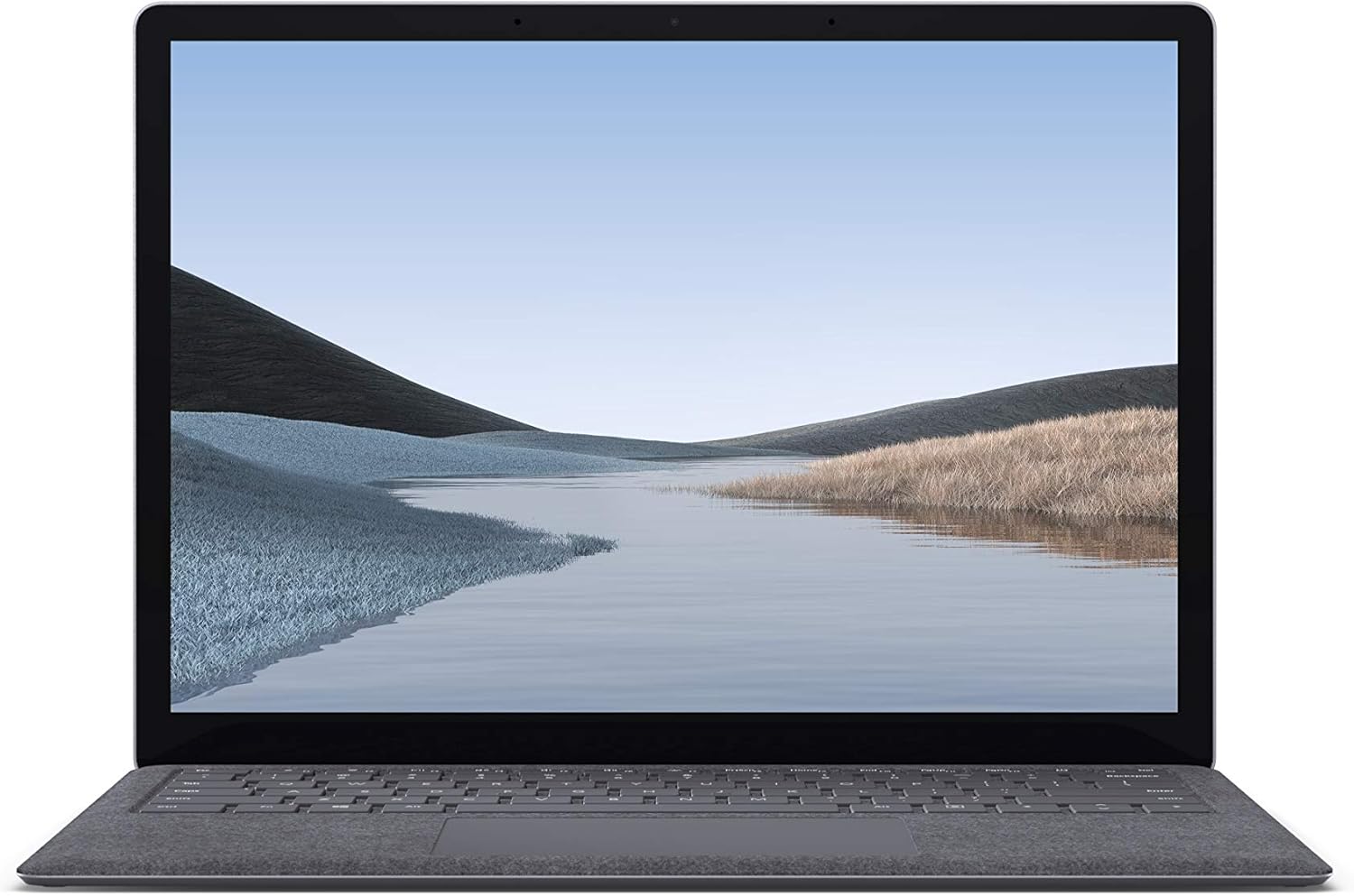
Obrázok 1.1: Predná strana view of the Microsoft Surface Laptop 3 with its display active.
The Surface Laptop 3 offers a clean, elegant design, weighing approximately 2.79 pounds, making it easy to carry. It features improved speed and performance with its 10th Gen Intel Core processors, offering up to two times faster performance than previous models. Connectivity options include USB-C and USB-A ports for connecting to displays, docking stations, and accessories. The device provides up to 11.5 hours of battery life and supports fast charging, reaching up to 80% in about one hour.
2. Čo je v krabici
Upon unboxing your Microsoft Surface Laptop 3, verify that all the following items are present:
- Microsoft Surface Laptop 3 (Model VGY-00001)
- Stručná príručka spustenia (QSG)
- Power Supply (AC adapter)
3. Nastavenie
3.1 Počiatočné zapnutie
- Pripojenie napájania: Plug the power supply into a wall outlet and connect the magnetic Surface Connect port to your laptop. The LED indicator on the connector will light up when properly connected.
- Zapnutie: Otvorte veko notebooku alebo stlačte tlačidlo napájania umiestnené na klávesnici.
- Nastavenie systému Windows: Postupujte podľa pokynov na obrazovke a dokončite nastavenie systému Windows 10 Home. Patria sem výber regiónu, pripojenie k sieti Wi-Fi a vytvorenie používateľského účtu.
- Dobrý deň vo Windowse: Configure Windows Hello for secure and fast login using facial recognition.
3.2 Pripojenie periférnych zariadení
Váš Surface Laptop 3 obsahuje rôzne porty na pripojenie externých zariadení:
- Port USB-C: Na prenos dát, video výstup a nabíjanie kompatibilných zariadení.
- Port USB-A: For connecting traditional USB devices like mice, keyboards, and external storage.
- 3.5 mm konektor pre slúchadlá: Pre zvukový výstup do slúchadiel alebo externých reproduktorov.
- Port Surface Connect: For the power supply and compatible Surface docking stations.

Obrázok 3.1: Bočná strana view illustrating the available ports on the Surface Laptop 3.
4. Obsluha vášho Surface Laptop 3
4.1 Displej a dotyková obrazovka
The 13.5-inch PixelSense touchscreen display offers a resolution of 2256 x 1504 pixels. It supports multi-touch gestures and is compatible with the Surface Pen (sold separately) for writing and drawing directly on the screen.
4.2 Klávesnica a touchpad
The full-size ergonomic keyboard features backlighting for comfortable typing in various lighting conditions. The large precision touchpad supports multi-finger gestures for navigation and control.
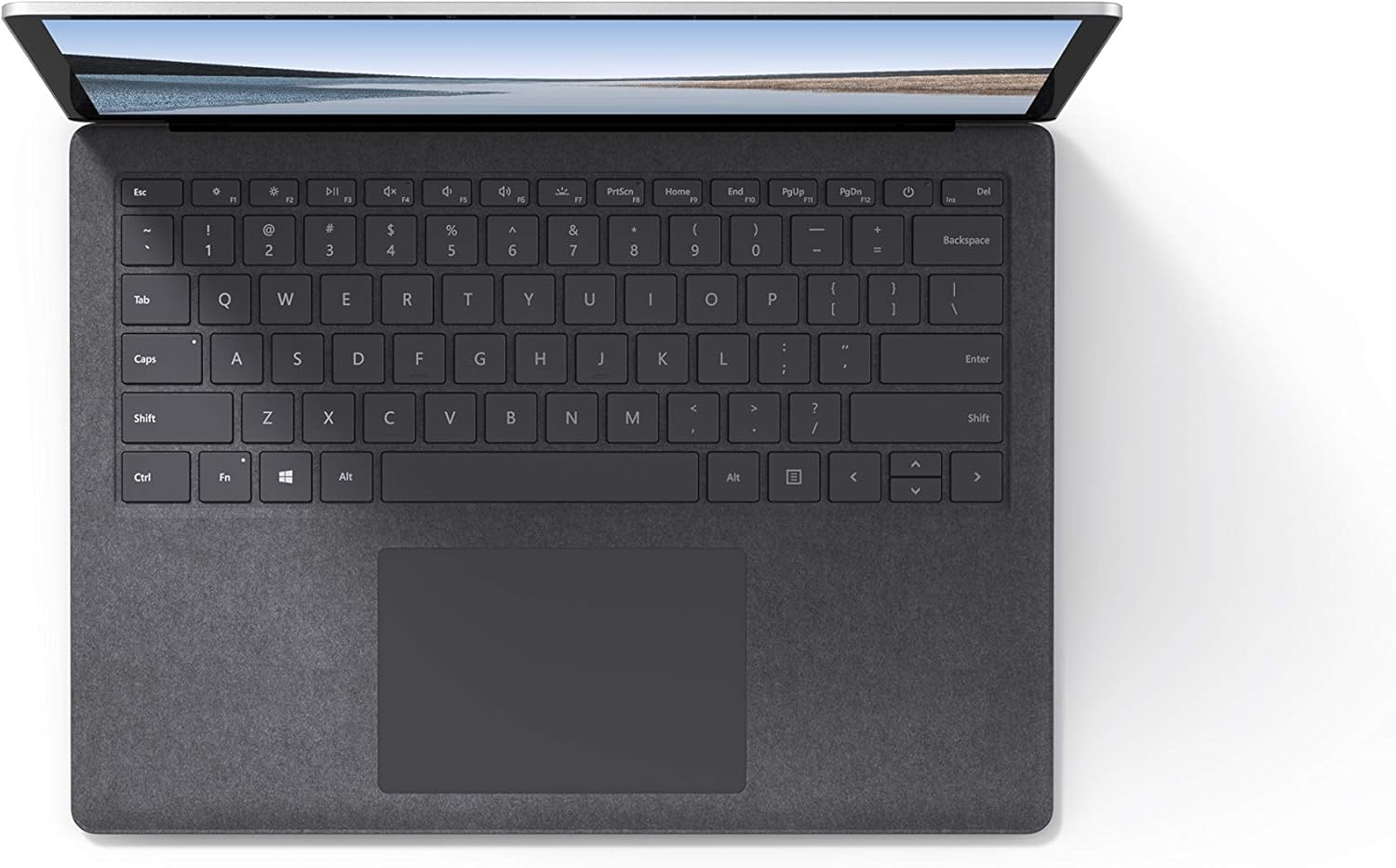
Obrázok 4.1: Zhora nadol view oblasti klávesnice a touchpadu.
4.3 Zvuk a kamera
The laptop is equipped with Omnisonic Speakers with Dolby Audio Premium for clear sound. Dual far-field Studio Mics enhance voice clarity for calls and recordings. A front-facing 720p HD camera supports video conferencing and Windows Hello facial authentication.
4.4 Bezdrôtové pripojenie
The Surface Laptop 3 supports Wi-Fi 6 (802.11ax) for fast and reliable internet access, and Bluetooth 5.0 for connecting wireless accessories.
Video 4.1: Oficiálna videoprezentácia spoločnosti Microsoftasing the Surface Laptop 3's features and design.
5. Údržba
5.1 Čistenie vášho zariadenia
- Použite mäkkú handričku, ktorá nepúšťa vlákna dampened with water or an approved screen cleaner to clean the display.
- Na klávesnicu a šasi používajte mäkkú, suchú handričku. Vyhnite sa agresívnym chemikáliám alebo abrazívnym materiálom.
- Udržujte porty bez prachu a nečistôt.
5.2 Aktualizácie softvéru
Pravidelne kontrolujte a inštalujte aktualizácie systému Windows, aby ste zabezpečili optimálny výkon, zabezpečenie a prístup k najnovším funkciám. Prejdite na Nastavenia > Aktualizácia a zabezpečenie > Windows Update.
5.3 Starostlivosť o batérie
- Vyhnite sa extrémnym teplotám.
- Pre optimálnu životnosť batérie sa vyhýbajte jej neustálemu vybíjaniu na 0 % alebo jej dlhodobému udržiavaniu na 100 %.
- Používajte len dodaný napájací zdroj.
6. Riešenie problémov
6.1 Problémy s napájaním
- Zariadenie sa nezapne: Ensure the power supply is securely connected and the outlet is functional. Try a forced shutdown by holding the power button for 30 seconds, then release and press again briefly to restart.
- Batéria sa nenabíja: Verify the Surface Connect cable is properly attached. Check for any damage to the cable or port.
6.2 Problémy s výkonom
- Pomalý výkon: Close unnecessary applications. Check Task Manager for resource-intensive processes. Ensure Windows is up to date.
- Prehrievanie: Ensure ventilation vents are not blocked. Avoid using the laptop on soft surfaces that can obstruct airflow.
6.3 Problémy s pripojením
- Nepripája sa k sieti Wi-Fi: Restart your router and the laptop. Check Wi-Fi settings and ensure the correct network is selected and password entered.
- Zariadenie Bluetooth sa nespáruje: Uistite sa, že zariadenie Bluetooth je v režime párovania a v dosahu. Skontrolujte nastavenia Bluetooth na vašom notebooku.
7. Špecifikácie
| Funkcia | Detail |
|---|---|
| Značka | Microsoft |
| Názov modelu | Surface Laptop 3 |
| Číslo modelu | VGY-00001 |
| Veľkosť obrazovky | 13.5 palca |
| Rozlíšenie | 2256 x 1504 pixelov |
| Model CPU | Intel Core i5 (10th Generation) |
| Rýchlosť procesora | 1.2 GHz (až 3.7 GHz s Turbo Boost) |
| Veľkosť nainštalovanej pamäte RAM | 8 GB LPDDR4 |
| Veľkosť pevného disku | 128 GB SSD |
| Operačný systém | Windows 10 Home (bezplatný upgrade na Windows 11, ak je k dispozícii) |
| Grafický koprocesor | Intel Iris Plus |
| Technológia pripojenia | 1 x USB-C, 1 x USB-A, 3.5 mm headphone jack, 1 x Surface Connect port |
| Bezdrôtová technológia | Wi-Fi 6 (802.11ax), Bluetooth 5.0 |
| Životnosť batérie | Až 11.5 hodín |
| Hmotnosť položky | 2.79 libier |
| Dimensions (L x W x Thickness) | 8.8 cm D x 12.1 cm Š x 0.57 cm V |
| Fotoaparát | Front-facing 720p HD camera with Windows Hello face authentication |
| Zvuk | Omnisonic Speakers with Dolby Audio Premium, Dual far-field Studio Mics |
8. Záruka a podpora
8.1 Záruka na výrobok
The Microsoft Surface Laptop 3 (Model VGY-00001) comes with a 1-ročná obmedzená záruka výrobcu. This warranty covers defects in materials and workmanship under normal use. For specific terms and conditions, please refer to the warranty documentation included with your product or visit the official Microsoft support webstránky.
8.2 Zákaznícka podpora
For technical assistance, troubleshooting, or warranty claims, please contact Microsoft Support. You can find contact information and additional resources on the official Microsoft Surface support website. Keep your proof of purchase and product serial number readily available when contacting support.
Online podpora: Navštívte support.microsoft.com/surface pre najčastejšie otázky, ovládače a softvér na stiahnutie.