
1. Úvod
The i-Star Portable DAB/DAB+/FM Radio offers a versatile listening experience with clear digital and analog radio reception. Designed for portability, it features a built-in rechargeable battery and a compact design, making it suitable for use at home or on the go. This manual provides essential information for setting up, operating, and maintaining your radio.

Obrázok 1: Predné view of the i-Star Portable DAB/DAB+/FM Radio, highlighting its compact design and user interface.
2. Nastavenie
2.1 Vybalenie a počiatočné nabitie
- Opatrne vyberte rádio a všetko príslušenstvo z obalu.
- Connect the supplied USB charging cable to the radio's Micro USB port and to a compatible USB power adapter (not included) or a computer's USB port.
- Allow the radio to charge fully before first use. The charging indicator will typically change or turn off when charging is complete. A full charge provides up to 4 hours of playback.
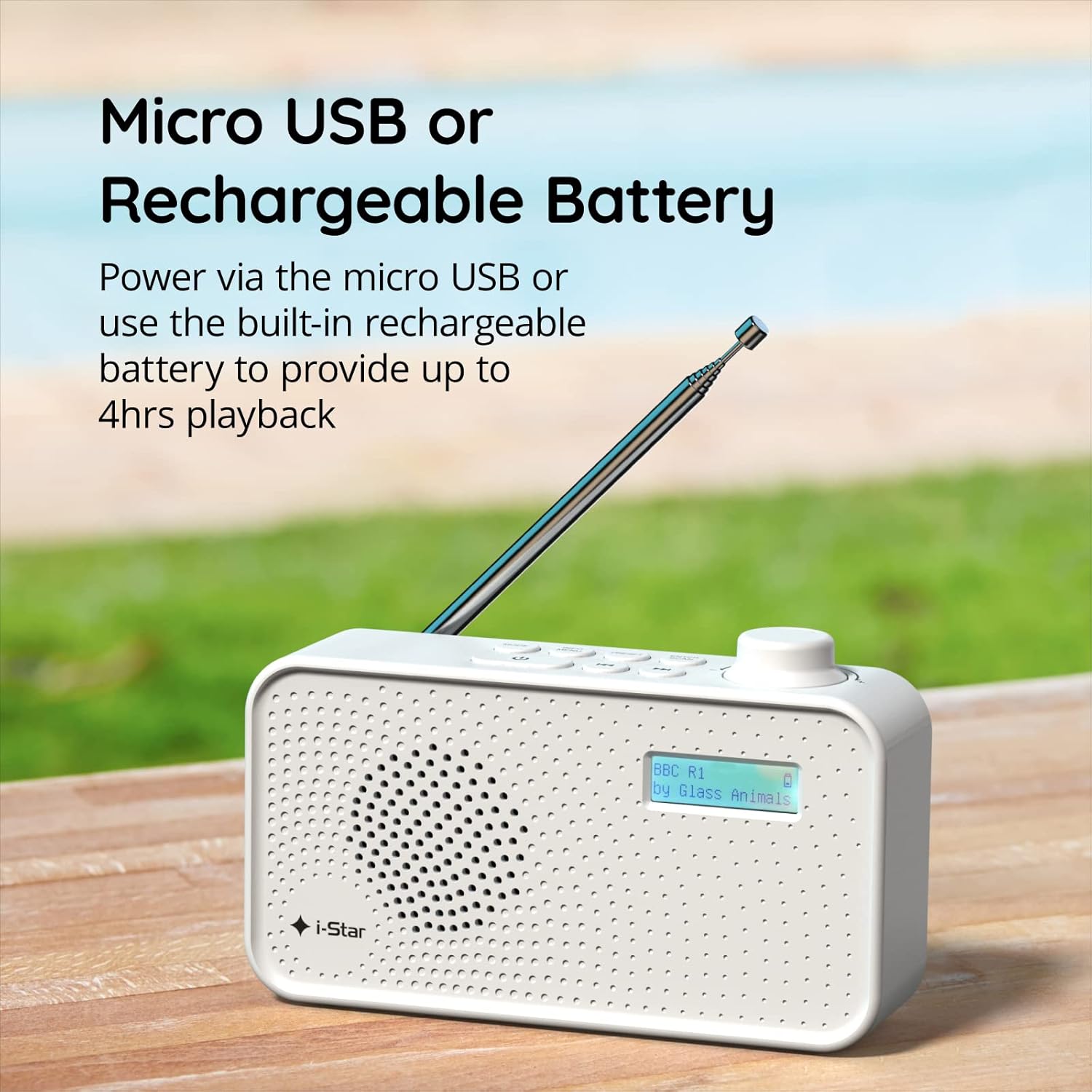
Obrázok 2: The radio powered via Micro USB or its built-in rechargeable battery.
2.2 First Power On and Automatic Scan
- Pre optimálny príjem úplne vysuňte teleskopickú anténu.
- Stlačte a podržte POHOTOVOSTNÝ REŽIM tlačidlo na zapnutie rádia.
- Upon first power-on, the radio will automatically perform a scan for available DAB/DAB+ stations. This process may take a few minutes.
- Po dokončení vyhľadávania sa rádio naladí na prvú dostupnú stanicu.
3. Návod na obsluhu
3.1 Switching Between DAB/DAB+ and FM Modes
- Stlačte tlačidlo MODE button repeatedly to switch between DAB/DAB+ and FM radio modes. The current mode will be displayed on the LCD screen.

Obrázok 3: The radio supports DAB, DAB+, and FM for a wide range of listening options.
3.2 Ladenie staníc
- Režim DAB/DAB+: Použite PRESET or NALADIŤ buttons (left/right arrows) to navigate through the list of available stations. Press VSTÚPIŤ/SKENOVAŤ vyberte stanicu.
- Režim FM: Stlačte tlačidlo VSTÚPIŤ/SKENOVAŤ button to automatically scan for the next available FM station. Alternatively, use the NALADIŤ tlačidlá pre manuálne jemné doladenie.
3.3 Ukladanie a vyvolávanie predvolieb
- Nalaďte požadovanú stanicu.
- Stlačte a podržte PRESET kým sa na displeji nezobrazí „Preset Store“ (Uloženie predvolieb).
- Použite NALADIŤ tlačidlami vyberte číslo predvoľby (1 – 60).
- Stlačte tlačidlo VSTÚPIŤ/SKENOVAŤ pre potvrdenie a uloženie stanice.
- Ak chcete vyvolať uloženú stanicu, krátko stlačte tlačidlo PRESET potom použite tlačidlo NALADIŤ buttons to select the desired preset number, and press VSTÚPIŤ/SKENOVAŤ.
3.4 Ovládanie hlasitosti
- Otočte VOLUME knob (located on the right side) clockwise to increase volume and counter-clockwise to decrease volume.
3.5 Funkcia časovača spánku
- Ak chcete aktivovať časovač vypnutia, stlačte tlačidlo INFO / MENU button repeatedly until 'Sleep' appears.
- Použite NALADIŤ buttons to select the desired sleep duration (e.g., 15, 30, 45, 60, 90 minutes).
- Stlačte tlačidlo VSTÚPIŤ/SKENOVAŤ pre potvrdenie. Rádio sa po uplynutí nastaveného času automaticky vypne.

Obrázok 4: The sleep timer feature allows the radio to automatically switch off after a set period.
3.6 Počúvanie so slúchadlami
- Connect standard 3.5mm headphones (not included) to the headphone jack located on the side of the radio for private listening. The internal speaker will be muted automatically.

Obrázok 5: Connect headphones for personal listening without disturbing others.
4. Údržba
4.1 Všeobecná starostlivosť
- Rádio uchovávajte mimo dosahu priameho slnečného žiarenia, zdrojov tepla a vlhkosti.
- Zabráňte pádu rádia alebo jeho vystavovaniu silným nárazom.
- Do not attempt to disassemble the radio; this will void the warranty.
4.2 Čistenie
- Vonkajší povrch rádia utrite mäkkou, suchou handričkou.
- Nepoužívajte abrazívne čistiace prostriedky, vosky ani rozpúšťadlá, pretože by mohli poškodiť povrchovú úpravu.
5. Riešenie problémov
- Bez napájania: Ensure the radio is charged or connected to a power source via the USB cable. Check if the STANDBY button has been pressed.
- Žiadny zvuk: Check the volume level. Ensure headphones are not connected if you intend to use the speaker.
- Poor Reception (DAB/DAB+ or FM): Fully extend the telescopic antenna. Try repositioning the radio. Perform a full scan for DAB/DAB+ stations. In FM mode, try manual tuning.
- Radio Freezes/Unresponsive: Turn the radio off and on again. If the issue persists, allow the battery to fully discharge and then recharge it.
6. Špecifikácie
| Funkcia | Špecifikácia |
|---|---|
| Značka | i-Star |
| Číslo modelu | 90059PI |
| Farba | Biela |
| Podporované rádiové pásma | DAB, DAB+, FM |
| Technológia ladenia | Digital (DAB/DAB+), Analog (FM) |
| Konektivita | USB (for charging), 3.5mm Headphone Jack |
| Zdroj napájania | Rechargeable Lithium-ion Battery (1200 mAh), USB Power |
| Životnosť batérie | Až 4 hodín (na jedno nabitie) |
| Špeciálne funkcie | Portable, Sleep Timer, 60 Station Presets |
| Zahrnuté komponenty | USB Charging Cable, User Manual |
| Hmotnosť položky | 440 gramov |
7. Záruka a podpora
This product is covered by a standard manufacturer's warranty. Please refer to the warranty card included in your packaging for specific terms and conditions. For technical support, troubleshooting assistance, or warranty claims, please contact your retailer or the i-Star customer service department. Contact details can typically be found on the product packaging or the official i-Star webstránky.