
1. Úvod
This manual provides detailed instructions for the setup, operation, maintenance, and troubleshooting of your HISTTON Fanless Industrial Mini PC. Please read this manual thoroughly before using the device to ensure proper functionality and longevity.
2. Obsah balenia
Overte, či sú všetky nižšie uvedené položky súčasťou balenia vášho produktu:
- 1 x HISTTON Mini PC
- 1 x napájací adaptér
- 1 x Návod na použitie
- 1 x HDMI kábel
- 1 x DVD for drivers (if applicable)
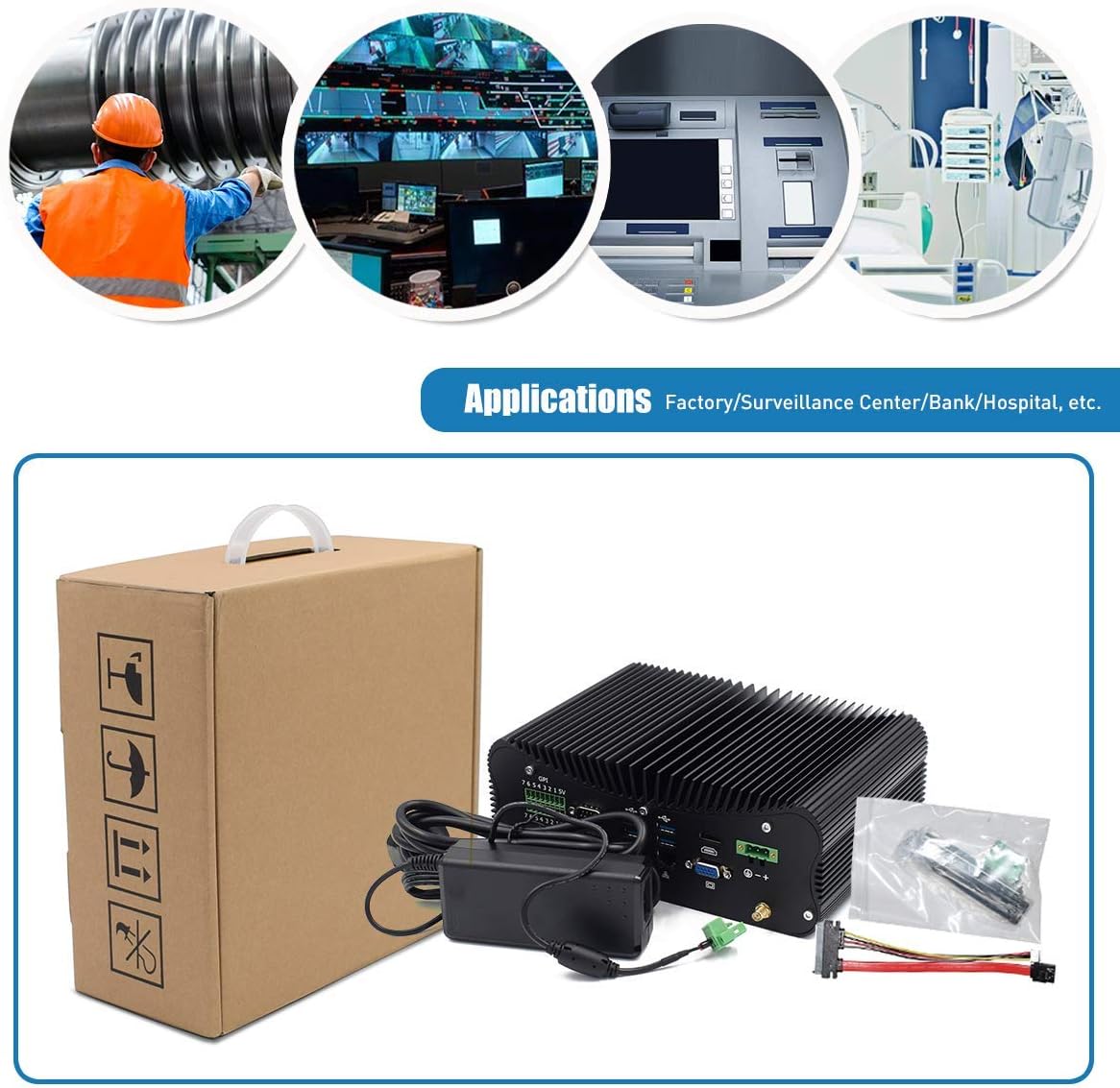
Figure 2.1: Included accessories and the Mini PC.
3. Produkt skončilview
Familiarize yourself with the various ports and features of your HISTTON Mini PC.
3.1 Porty na zadnom paneli

Figure 3.1: Rear panel connectivity options.
- GPIO (všeobecný vstup/výstup): 7 input and 7 output ports for industrial control.
- COM Ports (RS232/422/485): 4 ports for serial communication.
- Porty USB 3.0: 4 ports for high-speed peripheral connections.
- LAN Ports (RJ45 Gigabit Ethernet): 2 ports for wired network connectivity.
- Port HDMI: For digital video and audio output.
- VGA port: Pre analógový video výstup.
- Vstup DC: 3-pin Phoenix terminal for DC 9-36V power input.
- Konektory WiFi antény: For external WiFi antennas.
3.2 Porty na bočnom paneli

Figure 3.2: Side panel connectivity and controls.
- Vypínač zapnutia/vypnutia: Hlavné ovládanie napájania.
- Porty USB 2.0: 2 porty pre periférne pripojenie.
- Zvukové konektory: 1 x SPK Out (speaker), 1 x MIC In (microphone).
- Port PS/2: For legacy keyboard and mouse connections.
- ATX/AT Switch: For power mode selection.
- CMOS Button Hole: Na resetovanie nastavení CMOS.
3.3 Vnútorné komponenty

Figure 3.3: Internal layout for storage and memory expansion.
- Slot M.2 SSD: For M.2 solid-state drives.
- mSATA SSD Slot: For mSATA solid-state drives.
- 2.5 inch HDD Slot: For 2.5-inch SATA SSD/HDD.
- DDR4 RAM Slots: Two 260-pin SO-DIMM slots supporting up to 64GB DDR4 memory.
- WiFi Module Slot: M.2 slot for dual-band 802.11AC WiFi with Bluetooth 4.0.
4. Pokyny na nastavenie
Follow these steps to set up your Mini PC for first use.
- Pripojte periférne zariadenia: Connect your monitor(s) to the HDMI and/or VGA ports. Connect a USB keyboard and mouse to the available USB ports.
- Sieťové pripojenie: For wired internet, connect an Ethernet cable to one of the RJ45 LAN ports. For wireless internet, attach the provided WiFi antennas to the connectors on the rear panel.
- Napájanie: Connect the power adapter to the DC In port on the rear panel, then plug the adapter into a power outlet.
- Zapnutie: Press the power button on the side panel to turn on the Mini PC. The power indicator light will illuminate.
Video 4.1: Demonstration of connecting peripherals and powering on the Mini PC.
5. Operating System and Basic Use
Your Mini PC comes with Windows 10 Pro 64bit pre-installed and activated, ready for immediate use.
5.1 Nastavenie duálneho zobrazenia
The Mini PC supports dual display output via HDMI and VGA ports, allowing for extended desktop or mirrored display configurations. Connect two monitors to the respective ports and configure display settings within the Windows operating system.

Figure 5.1: Dual monitor setup for enhanced productivity.
5.2 Všeobecná prevádzka
The Intel Core i7-10510U processor and Intel UHD Graphics provide stable and efficient performance for various tasks, including office applications, web browsing, multimedia playback, and light gaming. The integrated M.2 Dual Band 802.11AC WiFi with Bluetooth 4.0 ensures reliable wireless connectivity.
6. Údržba
The HISTTON Mini PC features a fanless cooling design, which contributes to its durability and silent operation. This design minimizes dust accumulation and reduces the need for frequent internal cleaning.

Figure 6.1: Fanless cooling system for silent and reliable operation.
Na udržanie optimálneho výkonu:
- Keep the exterior of the device clean by wiping it with a soft, dry cloth.
- Ensure adequate airflow around the device, especially around the heat sink fins, to facilitate heat dissipation.
- Avoid placing the Mini PC in direct sunlight or near heat sources.
- Do not obstruct the heat sink fins.
7. Riešenie problémov
If you encounter issues with your Mini PC, refer to the following common troubleshooting steps:
- Bez napájania: Uistite sa, že napájací adaptér je bezpečne pripojený k Mini PC aj k funkčnej elektrickej zásuvke. Skontrolujte, či svieti kontrolka napájania.
- Bez zobrazenia: Verify that the monitor cable(s) are securely connected to both the Mini PC and the monitor(s). Ensure the monitor is powered on and set to the correct input source (HDMI/VGA).
- Žiadne internetové pripojenie: For wired connections, check the Ethernet cable and router status. For wireless connections, ensure WiFi antennas are attached, WiFi is enabled in the operating system, and you are connected to the correct network.
- Periférie nefungujú: Ensure USB devices (keyboard, mouse) are properly connected. Try connecting them to different USB ports.
- Systém nereaguje: Press and hold the power button for 5-10 seconds to force a shutdown, then restart the device. If issues persist, consider resetting the CMOS using the button hole on the side panel (refer to Section 3.2).
8. Špecifikácie
Detailed technical specifications for the HISTTON Fanless Industrial Mini PC:
| Funkcia | Špecifikácia |
|---|---|
| Procesor (CPU) | Intel Core i7-10510U, 1.80 GHz (up to 4.90 GHz), 8M Cache |
| Grafika | Grafika Intel UHD pre procesory Intel 10. generácie |
| Pamäť (RAM) | 64GB DDR4 (2 x 32GB SO-DIMM slots, max 64GB) |
| Skladovanie | 1TB SSD (Supports M.2 SSD + mSATA SSD + 2.5 inch SATA SSD/HDD) |
| Operačný systém | Windows 10 Pro (64bit, activated) |
| Bezdrôtové pripojenie | M.2 Dual Band 802.11AC WiFi with Bluetooth 4.0 |
| LAN | 2 x Intel L211/210 RJ45 Gigabit Ethernet |
| USB porty | 4x USB 3.0, 2x USB 2.0 |
| Video výstup | 1 x HDMI, 1 x VGA Port (Supports 4K UHD dual display) |
| Sériové porty | 4 x RS232/422/485 COM, 2 x RS232 COM |
| GPIO | 7 x Ports Input, 7 x Ports Output |
| Zvuk | 1 x SPK Out, 1 x MIC In |
| Napájanie | 12V DC In (3-pin Phoenix terminal DC 9-36V Input) |
| Spotreba energie | Max 15W (real use), TDP Down 10W |
| Materiál puzdra | Zliatina hliníka |
| Rozmery (DxŠxV) | 9.45 x 6.30 x 3.39 palca |
| Hmotnosť | 5.07 lb (Net weight) |
| Prevádzková teplota | 0 ℃ až 70 ℃ |
| Prevádzková vlhkosť | 10 % – 85 % |
9. Záruka a podpora
For warranty information and technical assistance, please use the following contact methods:

Obrázok 9.1: Kontaktné údaje podpory.
- Podpora Amazonu: Log in to your Amazon account, navigate to 'Your Account' > 'Your Orders', and select 'Ask Product Question' for assistance.
- Popredajná podpora: For direct technical support, you may send an email to the After-Sales Team at minipc_service@yeah.net. This service is available 24/7.
POZOR: Please connect the power supply correctly. Keep away from damp and high-temperature environments, as well as sources of fire and water. Parents should strictly control kids' device time and content access.