
1. Úvod
Thank you for choosing the Cecotec ForceClima 7450 Touch Connected Portable Air Conditioner. This manual provides essential information for the safe and efficient operation, maintenance, and troubleshooting of your new appliance. Please read it thoroughly before use and keep it for future reference.

Figure 1.1: Cecotec ForceClima 7450 Touch Connected Portable Air Conditioner
The ForceClima 7450 Touch Connected is designed to provide effective cooling, ventilation, and dehumidification for spaces up to 15 m². It features a powerful 7000 BTU cooling capacity, a user-friendly touch control panel, a remote control, and Wi-Fi connectivity for convenient operation via your smartphone.
2. Bezpečnostné pokyny
Aby ste znížili riziko požiaru, úrazu elektrickým prúdom alebo zranenia pri používaní vašej klimatizácie, dodržujte tieto základné opatrenia:
- Vždy pripojte zariadenie k uzemnenej elektrickej zásuvke so správnym napätím.tage (230 voltov).
- Neprevádzkujte klimatizáciu s poškodeným káblom alebo zástrčkou.
- Zabezpečte riadne vetranie okolo jednotky. Neblokujte vstupné ani výstupné otvory vzduchu.
- Nevkladajte prsty ani cudzie predmety do vstupných/výstupných otvorov vzduchu.
- Keep the unit away from water and other liquids. Do not use it in bathrooms or very humid environments.
- Pred čistením alebo akoukoľvek údržbou odpojte spotrebič zo siete.
- Nepokúšajte sa jednotku opravovať ani upravovať sami. V prípade potreby kontaktujte kvalifikovaný servisný personál.
- Ensure the exhaust hose is properly installed to expel hot air outside.
- Dohliadajte na deti, aby ste sa uistili, že sa so spotrebičom nebudú hrať.
3. Obsah balenia
Carefully unpack your air conditioner and check that all items are present and in good condition:
- Cecotec ForceClima 7450 Touch Connected Portable Air Conditioner Unit
- Diaľkové ovládanie
- Výfuková hadica
- Sada na tesnenie okien
- Drenážna hadica
- Používateľská príručka
4. Vlastnosti produktu
The Cecotec ForceClima 7450 Touch Connected offers a range of features for optimal comfort:
- Chladiaci výkon: 7000 BTU, suitable for rooms up to 15 m².
- Výkon: 790 wattov.
- Možnosti ovládania: Intuitive touch control panel, remote control, and Wi-Fi connectivity via smartphone app.
- Displej: Clear LED screen showing current settings.
- Prevádzkové režimy:
- Režim chladenia: For effective temperature reduction.
- Režim ventilátora: Cirkuluje vzduch bez chladenia.
- Režim odvlhčovania: Odstraňuje až 20 litrov vlhkosti za deň, čím zlepšuje kvalitu ovzdušia.
- Nočný režim: Operates quietly for undisturbed sleep.
- Otáčky ventilátora: Two adjustable speeds (Low and High).
- Funkcia časovača: Programmable for up to 24 hours.
- Prenosnosť: Vybavené kolieskami pre ľahký pohyb.
5. Nastavenie
Pri inštalácii prenosnej klimatizácie postupujte podľa týchto krokov:
5.1 Umiestnenie jednotky
Place the air conditioner on a flat, stable surface, ensuring there is at least 30 cm of clear space around the unit for proper airflow. Position it near a window or opening for exhaust hose installation.
5.2 Installing the Exhaust Hose
- Pripojte jeden koniec výfukovej hadice k výstupu vzduchu na zadnej strane jednotky.
- Predĺžte výfukovú hadicu a na druhý koniec pripojte okenný adaptér.
- Open the window and install the window sealing kit. Secure the window adapter into the opening of the sealing kit to ensure hot air is expelled outside and warm air does not re-enter the room.
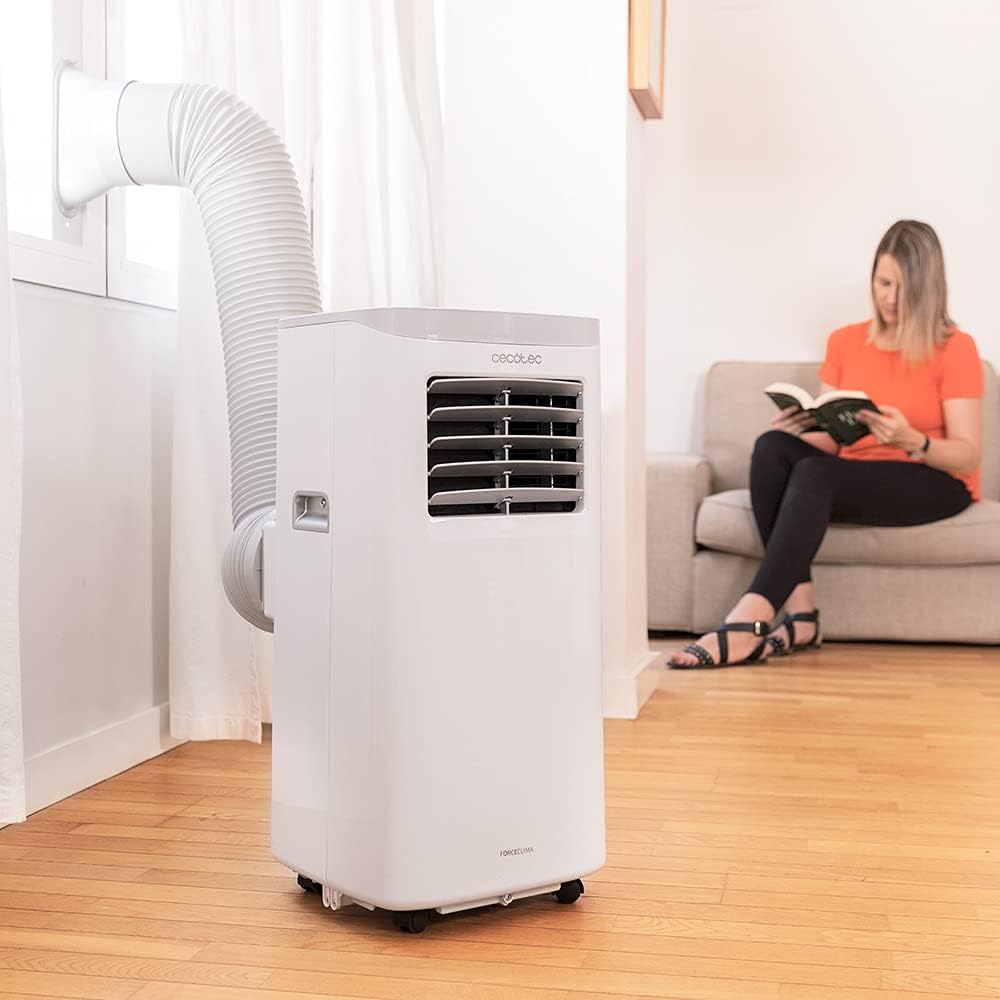
Figure 5.1: Proper installation of the exhaust hose in a window
5.3 Pripojenie napájania
Plug the power cord into a standard 230V grounded electrical outlet. Ensure the outlet is suitable for the appliance's power requirements.
6. Návod na obsluhu
Your Cecotec ForceClima 7450 Touch Connected can be operated using the touch control panel, the remote control, or the dedicated smartphone app.
6.1 Obsluha ovládacieho panela

Obrázok 6.1: Dotykový ovládací panel

Obrázok 6.2: Interakcia s ovládacím panelom
- Tlačidlo napájania: Stlačením zapnete alebo vypnete jednotku.
- Tlačidlo režimu: Cycle through Cooling, Fan, Dehumidification, and Night modes. The selected mode will be indicated on the LED display.
- Tlačidlá na nastavenie teploty (hore/dole): Nastavte požadovanú teplotu v režime chladenia.
- Tlačidlo rýchlosti ventilátora: Prepínanie medzi nízkou a vysokou rýchlosťou ventilátora.
- Tlačidlo časovača: Nastavte časovač automatického vypnutia (až 24 hodín).
6.2 Obsluha diaľkového ovládača
The remote control allows you to operate all functions of the air conditioner from a distance. Ensure there are no obstructions between the remote control and the unit's receiver.
- Tlačidlá na diaľkovom ovládači zodpovedajú funkciám na ovládacom paneli.
- Insert 2x AAA batteries (not included) into the remote control before first use.
6.3 Wi-Fi Control (Smartphone App)
The Cecotec ForceClima 7450 Touch Connected can be controlled remotely via a smartphone app. This allows you to manage settings from anywhere with an internet connection.
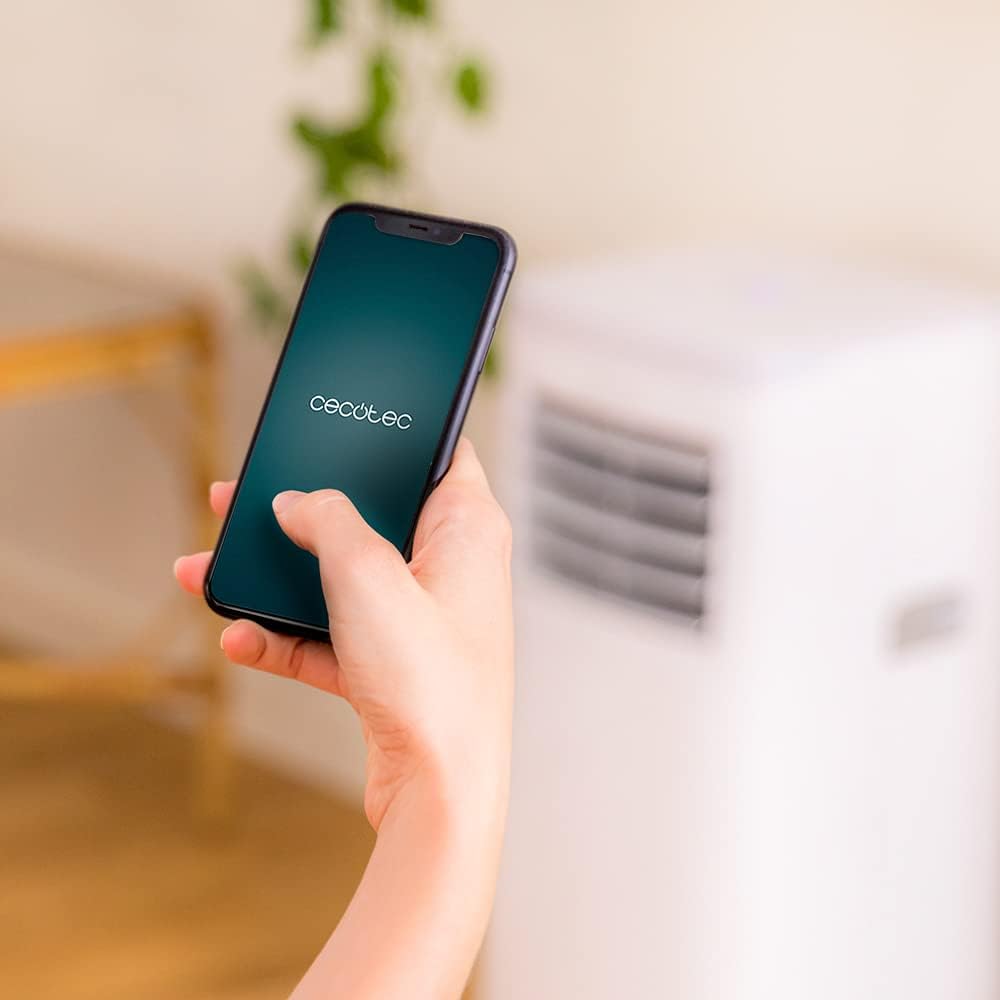
Figure 6.3: Controlling the unit via the Cecotec App
- Stiahnite si oficiálnu aplikáciu Cecotec z obchodu s aplikáciami pre váš smartfón (iOS alebo Android).
- Zaregistrujte si účet alebo sa prihláste.
- Follow the in-app instructions to add your ForceClima 7450 Touch Connected unit. This typically involves putting the unit into pairing mode and connecting it to your home Wi-Fi network.
- Once connected, you can control all functions, including power, mode, temperature, fan speed, and timer, directly from your smartphone.
7. Údržba
Pravidelná údržba zaisťuje optimálny výkon a predlžuje životnosť vašej klimatizácie.
7.1 Čistenie vzduchového filtra
Vzduchový filter by sa mal čistiť každé dva týždne alebo častejšie v závislosti od používania a kvality vzduchu. Znečistený filter môže znížiť účinnosť chladenia a prúdenie vzduchu.
- Odpojte klimatizáciu od elektrickej zásuvky.
- Locate and remove the air filter from the back or side of the unit (refer to the diagram in your quick start guide if unsure).
- Filter vyčistite vysávačom, aby ste odstránili prach. V prípade odolnej špiny ho jemne umyte vlažnou vodou a jemným čistiacim prostriedkom.
- Pred opätovným vložením do zariadenia nechajte filter úplne vyschnúť. Nevystavujte ho priamemu slnečnému žiareniu.
7.2 Vypúšťanie nahromadenej vody
During cooling and dehumidification, water will accumulate inside the unit. The unit has an internal water tank, but for continuous operation or high humidity, manual drainage may be required.
- When the internal tank is full, the unit may stop operating and display an indicator.
- Odpojte jednotku.
- Pod odtokový otvor v spodnej zadnej časti jednotky umiestnite plytkú panvicu alebo vedro.
- Odstráňte vypúšťaciu zátku a nechajte všetku vodu vytiecť.
- For continuous drainage, attach the provided drainage hose to the outlet and direct it to a floor drain or suitable container.
- Po vypustení bezpečne nasaďte vypúšťaciu zátku.
7.3 Čistenie exteriéru jednotky
Vonkajšiu časť jednotky utrite mäkkou, damp handričkou. Nepoužívajte agresívne chemikálie, abrazívne čistiace prostriedky ani rozpúšťadlá, pretože môžu poškodiť povrch.
8. Riešenie problémov
Pred kontaktovaním zákazníckeho servisu si prečítajte nasledujúce bežné problémy a ich riešenia:
| Problém | Možná príčina | Riešenie |
|---|---|---|
| Jednotka sa nezapne | Žiadne napájanie; Napájací kábel nie je zapojený; Plná nádržka na vodu | Skontrolujte napájanie; Zapojte napájací kábel; Vypustite nádržku na vodu |
| Jednotka nechladí efektívne | Znečistený vzduchový filter; Výfuková hadica nie je správne nainštalovaná; Miestnosť je príliš veľká; Otvorené dvere/okná | Clean air filter; Ensure proper hose installation; Close doors/windows; Check room size (max 15 m²) |
| Jednotka je hlučná | Unit not on a flat surface; Obstruction in fan; Normal operating sound (65 dB) | Place on flat surface; Check for obstructions; Note that some noise is normal for portable ACs |
| Pripojenie Wi-Fi zlyhá | Nesprávne heslo k Wi-Fi; Príliš ďaleko od routera; Problémy s aplikáciou | Verify password; Move unit closer to router; Restart app/unit; Consult app's troubleshooting guide |
| Únik vody | Drain plug loose; Drainage hose not properly connected | Secure drain plug; Ensure drainage hose is tightly connected |
9. Špecifikácie
| Funkcia | Špecifikácia |
|---|---|
| Číslo modelu | 05957 |
| Chladiaca kapacita | 7000 BTU |
| Spotreba energie | 790 wattov |
| Voltage | 230 voltov |
| Úroveň hluku | 65 dB |
| Oblasť pokrytia | Pribl. 15 m² |
| Odvlhčovacia kapacita | Až 20 litrov/deň |
| Rozmery (D x Š x V) | 30.5 x 32.8 x 67.8 cm |
| Hmotnosť | 20 kg |
10. Záruka a podpora
Cecotec products are manufactured to high-quality standards. This product is covered by a manufacturer's warranty against defects in materials and workmanship from the date of purchase. Please retain your proof of purchase for warranty claims.
For technical support, spare parts, or warranty service, please contact Cecotec customer service through their official website or the contact information provided in your product's packaging. Do not attempt to repair the unit yourself, as this may void the warranty.