
MARKLIFE P50
MARKLIFE Label Maker Machine User Manual
Model: P50 | Brand: MARKLIFE
Koniec produktuview
The MARKLIFE P50 Label Maker is a mini portable Bluetooth thermal label printer designed for various labeling needs in homes, offices, and small businesses. It utilizes thermal printing technology, eliminating the need for ink or toner, and supports black and white printing.
Medzi kľúčové vlastnosti patrí:
- Široká aplikácia: Supports label widths from 0.59'' to 2.24'', suitable for address, clothing, price, cable, jewelry, and ingredient labels.
- Bezdrôtové a prenosné: Lightweight design with Bluetooth 4.0 connectivity for convenient, smooth, and fast printing from smartphones (Android & iOS) within 33 feet.
- Smart Printing Features: Offers voice and image recognition, barcode generation from scans, PDF batch printing, and the ability to print photos on labels. USB connection and online software are available for Windows PC.
- Odolné štítky: Labels are designed to be tear-proof, watertight, and oil-proof, ensuring longevity.
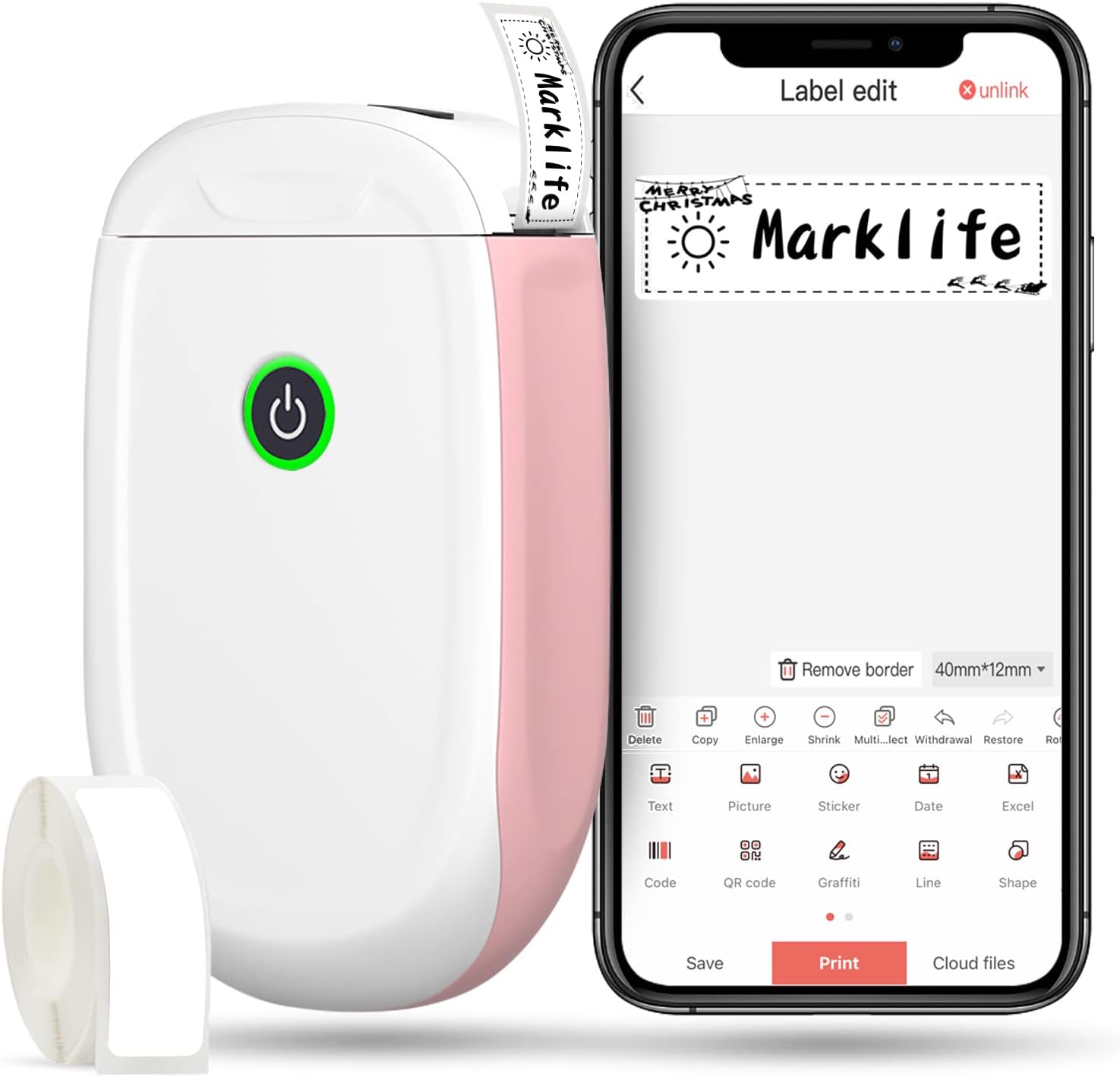
Figure 1: MARKLIFE P50 Label Maker and companion app.
Sprievodca nastavením
Follow these steps to set up your MARKLIFE P50 Label Maker:
- Load Label Paper: Open the cover and insert the label roll with the printing side facing up. Close the cover securely.
- Stiahnite si aplikáciu: Hľadať "Marklife" in your smartphone's app store (available for Android and iOS) and install it.
- Zapnite Bluetooth: Povoľte na svojom smartfóne Bluetooth.
- Pripojiť k zariadeniu: Open the Marklife app, turn on the labeler, and connect to the device via Bluetooth. The device name will typically start with "P11" or "P50".

Figure 2: Quick setup guide for the Marklife P50.
Video 1: Demonstrates the setup and basic usage of the Marklife P11 (similar to P50) label maker, including loading paper, connecting via Bluetooth, and printing a label.
Návod na obsluhu
Once connected, you can begin creating and printing labels:
- Choose a Template: In the Marklife app, select from various pre-designed templates or start a new blank label.
- Edit Label Content: Double-click on the label area to input text. You can customize font, size, alignment, and add elements like images, icons, dates, or barcodes.
- Preview a vytlačiť: Pred tlačou preview your label to ensure it looks as desired. Then, tap the "Print" button to send the design to the label maker.
- Pokročilé funkcie:
- Čiarový kód/QR kód: Generate barcodes or QR codes directly from the app. Example barcode: 46745875478655
- Image Recognition (OCR): Use your phone's camera as an OCR scanner within the app to convert text from images into editable label content.
- Dávková tlač: Print multiple labels from a PDF or a list for efficiency.
- Prispôsobenie: Access over 600 combinations of templates, 9 languages, 600+ symbols, 27+ frames, and 15+ fonts.

Figure 3: Customize your own labels with various design elements.

Figure 4: Many designing items available in the app.
Údržba
To ensure the longevity and optimal performance of your MARKLIFE P50 Label Maker, follow these maintenance guidelines:
- Čistenie: Pravidelne utierajte vonkajší povrch zariadenia mäkkou, suchou handričkou. Na tlačovú hlavu použite vatový tampón jemne navlhčenýampened with rubbing alcohol, ensuring the device is off and disconnected from power. Allow it to dry completely before use.
- Ukladací priestor: Štítkovač skladujte na chladnom a suchom mieste mimo dosahu priameho slnečného žiarenia a extrémnych teplôt.
- Starostlivosť o rolku s etiketami: Nepoužité kotúče s etiketami uchovávajte v originálnom balení, aby ste ich chránili pred prachom a vlhkosťou.
- Starostlivosť o batérie: For optimal battery life, charge the device regularly, even if not in frequent use. Avoid completely draining the battery for extended periods.

Figure 5: Thermal printing technology requires no ink, simplifying maintenance.

Figure 6: Labels are designed for durability and resistance to water and oil.
Riešenie problémov
If you encounter issues with your MARKLIFE P50 Label Maker, try the following solutions:
| Problém | Možná príčina | Riešenie |
|---|---|---|
| Zariadenie sa nezapne. | Slabá batéria. | Nabite zariadenie pomocou dodaného USB kábla. |
| Nedá sa pripojiť cez Bluetooth. | Bluetooth is off on phone/device, or device is out of range. | Ensure Bluetooth is enabled on your phone and the label maker is within 33 feet. Restart both devices. |
| Nízka kvalita tlače alebo prázdne štítky. | Incorrect label paper loading, dirty print head, or low battery. | Re-load label paper correctly. Clean the print head. Charge the device. |
| Aplikácia padá alebo zamrzne. | Softvérová chyba alebo zastaraná verzia aplikácie. | Restart the app. Check for app updates in your app store. Reinstall the app if necessary. |
| Etikety sa nepodávajú správne. | Paper jam or incorrect paper type. | Open the cover and clear any jammed paper. Ensure you are using compatible Marklife label rolls. |
Špecifikácie
| Funkcia | Detail |
|---|---|
| Názov modelu | P50 |
| Značka | MARKLIFE |
| Technológia tlače | Termálne |
| Technológia pripojenia | Bluetooth |
| Výstup na tlačiareň | Monochrome (Black ink) |
| Maximálna rýchlosť tlače (monochromatická) | 30 ppm |
| Maximálna veľkosť média | 3 x 5 palca |
| Rozsah šírky štítku | 0.59'' - 2.24'' |
| Hmotnosť položky | 9.6 unce (272 gramov) |
| Rozmery produktu | 3.14 x 5.5 x 1.18 palca (približne 7.5 x 13.6 x 2.8 cm) |
| Kompatibilné zariadenia | Android & iOS mobile devices, Windows PC (via USB) |
| Zahrnuté komponenty | Label Maker, Label Tape |
Aplikácie
The MARKLIFE P50 Label Maker is versatile and can be used in various scenarios:
- Domáca organizácia: Labeling spice jars, storage containers, baby items, and personal belongings.
- Kancelárske použitie: Organizovanie files, marking cables, labeling office tools, and creating name tags. Naprample barcode: 6953124066961
- Malé podniky: Creating price tags, product labels, barcode labels, and shipping labels for retail, clothing, and jewelry.
- Osobné použitie: Labeling gifts, creating custom stickers, and marking food expiration dates.
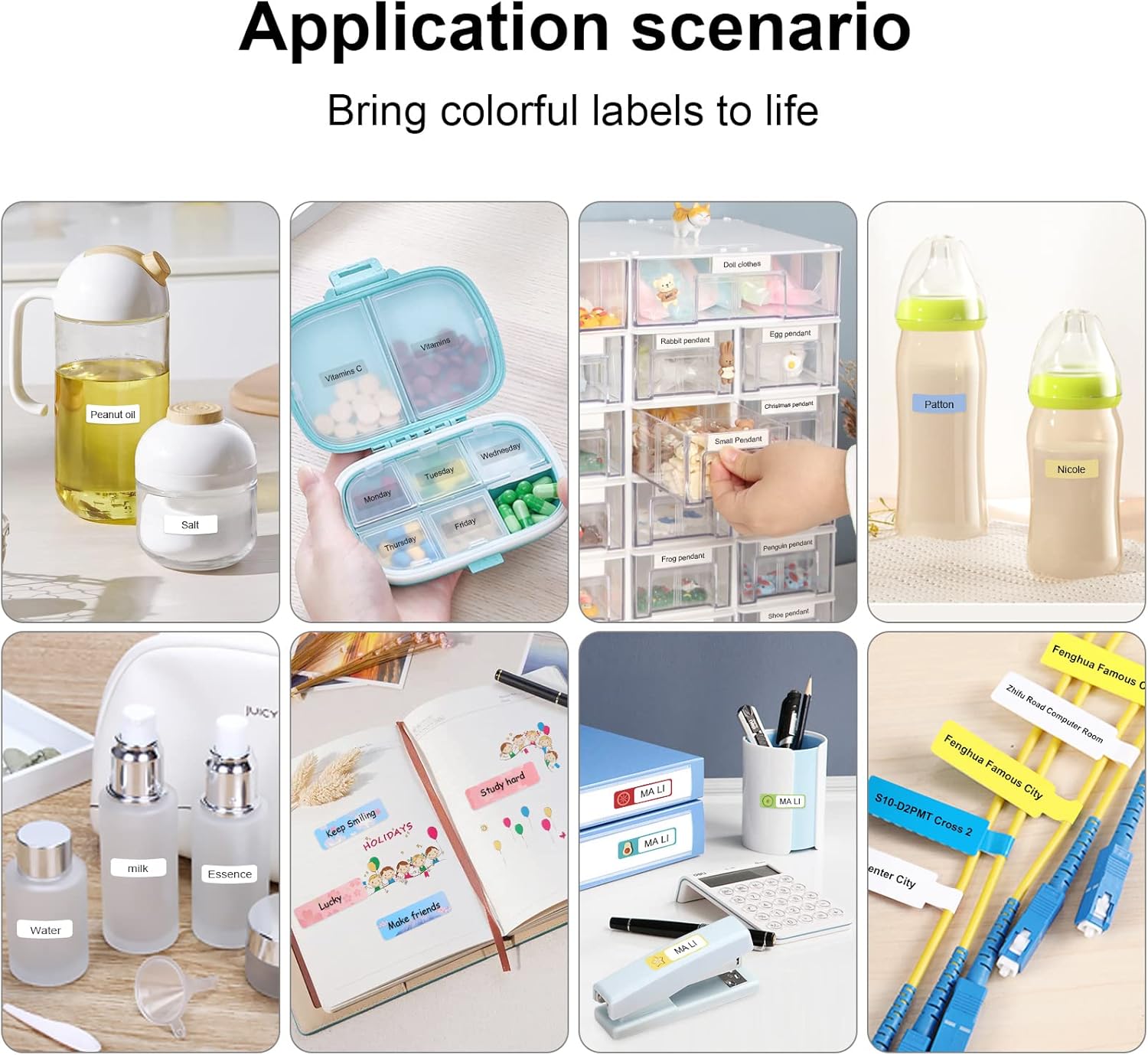
Figure 7: Diverse application scenarios for home and personal use.
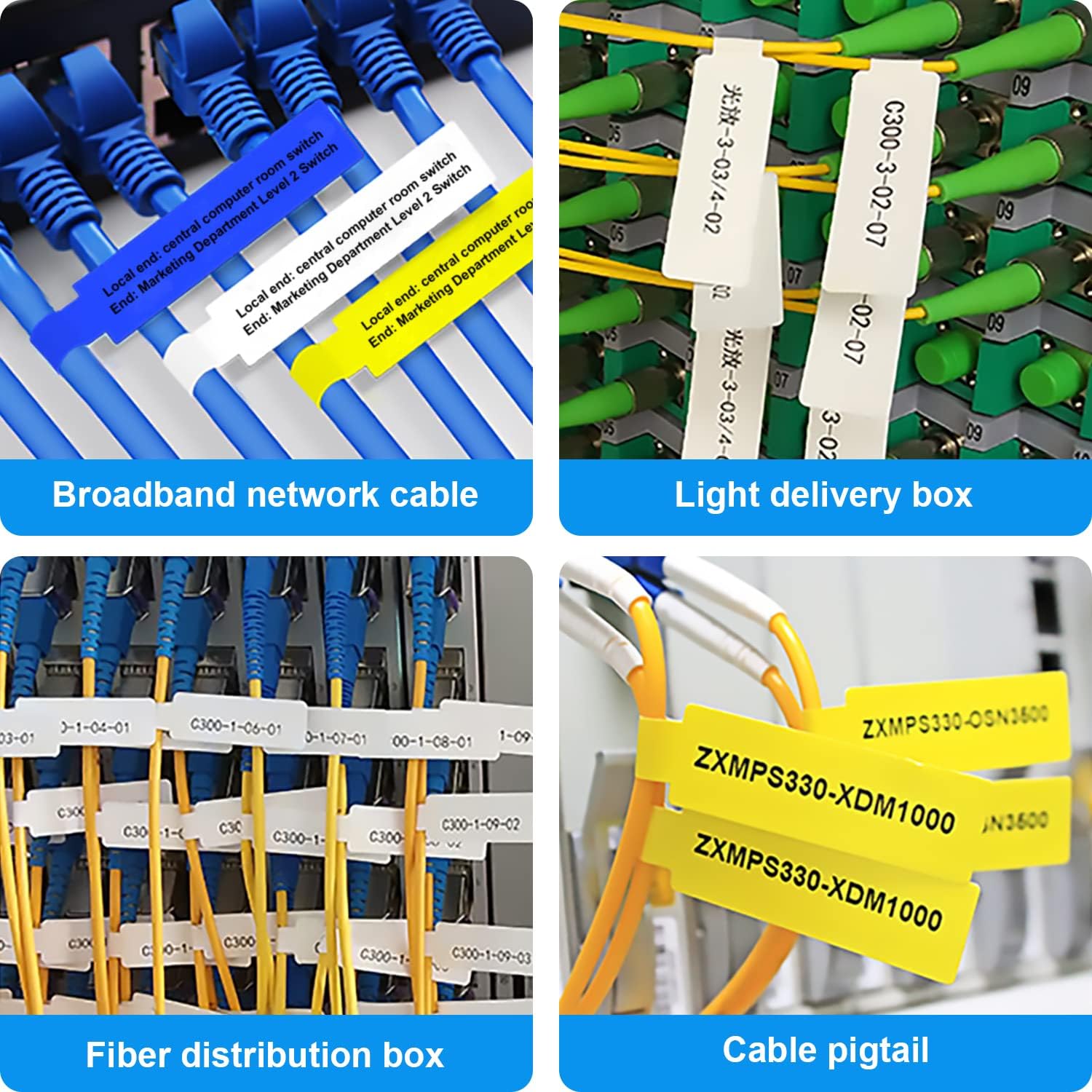
Figure 8: Labeling solutions for various types of cables and wiring.

Figure 9: Practical applications for office organization.

Figure 10: Creative uses for gift labeling.
Záruka a podpora
MARKLIFE products are designed for reliability and performance. For specific warranty information and support, please refer to the warranty card included with your product or visit the official MARKLIFE website. For common inquiries, please consult the troubleshooting section of this manual or the FAQ section within the Marklife app.
You can also visit the official MARKLIFE store on Amazon for more information and product updates: MARKLIFE Store.
Ask a question about this manual
Ask about setup, troubleshooting, compatibility, parts, safety, or missing instructions. Manuals+ will review the question and use this page’s manual context to help answer it.