
Milestone MPT-II
Milestone MPT-II 58mm Thermal Printer User Manual
Model: MPT-II | Brand: Milestone
1. Úvod
The Milestone MPT-II is a compact and portable 58mm thermal printer designed for various business applications, including retail, restaurants, and mobile logistics. It offers high-speed, clear printing and features Bluetooth connectivity for seamless integration with Android and iOS devices. Its lightweight design and long-lasting battery make it ideal for on-the-go printing needs.

2. Kľúčové vlastnosti
- Bluetooth tlač: Supports Android and iOS devices for wireless printing.
- Prenosnosť: Light and compact design allows for printing anywhere, anytime.
- Low Operating Cost: Direct thermal printing eliminates the need for ink ribbons or cartridges, requiring only thermal paper.
- Dlhá výdrž batérie: Built-in 7.4V/2500mAh rechargeable lithium battery provides up to 4 hours of continuous printing.
- Versatile Interface: Equipped with both USB and Bluetooth connectivity.
- ESC/POS Compatible: Supports standard ESC/POS print commands for broad software compatibility.

3. Úvodné nastavenie
3.1 Rozbalenie a obsah
Carefully unpack the printer and verify all components are present:
- 1 x Milestone MPT-II Thermal Printer
- 1 x USB kábel
- 1 x USB Adaptor
- 1 x role papiera
- 1 x Používateľská príručka (tento dokument)
3.2 Nabíjanie tlačiarne
- Connect the USB cable to the printer's charging port.
- Zapojte USB adaptér do štandardnej elektrickej zásuvky.
- The charging indicator light will illuminate. Charge the printer fully before first use (approximately 2.5-3 hours for continuous printing).
3.3 Vkladanie termopapiera
- Open the paper compartment cover by gently pushing the latch.
- Insert the thermal paper roll with the printing side facing outwards (as shown in Figure 2). Ensure the roll is seated correctly.
- Vytiahnite malý kúsok papiera za ostrú hranu.
- Kryt priehradky na papier pevne zatvorte, kým nezacvakne na miesto.
4. Návod na obsluhu
4.1 Zapnutie/vypnutie
- Zapnutie: Stlačte a podržte tlačidlo napájania, kým sa nerozsvieti kontrolka.
- Vypnutie: Stlačte a podržte tlačidlo napájania, kým nezhasne kontrolka.
4.2 Pripojenie Bluetooth
The MPT-II printer supports Bluetooth connectivity for mobile devices.
- Uistite sa, že tlačiareň je zapnutá a v dosahu vášho mobilného zariadenia.
- On your mobile device (Android/iOS), go to Bluetooth settings and turn Bluetooth on.
- Hľadať available devices. The printer will appear as "MPT-II".
- Select "MPT-II" to pair. If prompted for a password, enter 1234 or 0000.
- Once paired, the printer is ready for use with compatible applications.
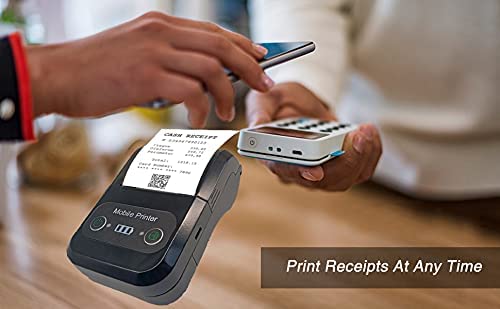
4.3 Používanie s aplikáciami
For mobile printing, you will need a compatible application. Milestone recommends downloading RAWBT Printer App or MYXPrint App from the Google Play Store. For iOS, search for compatible thermal printer apps in the App Store.
- Otvorte vybranú tlačovú aplikáciu.
- Navigate to the printer settings within the app.
- Select the "MPT-II" printer from the list of available Bluetooth devices.
- You can now send print commands from the application.
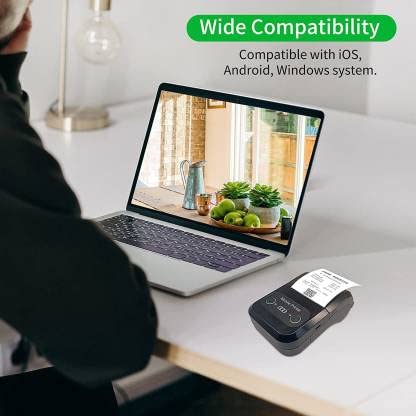

4.4 Pripojenie USB (pre počítač)
The printer can also be connected to a PC via USB. You may need to install a printer driver, which is typically available from the manufacturer's website or included on a CD with the product (if applicable).
5. Údržba
5.1 Čistenie tlačiarne
To ensure optimal performance and print quality, regularly clean the printer:
- Tlačová hlava: Použite vatový tampón jemneampened with isopropyl alcohol to gently wipe the thermal print head. Allow it to dry completely before use.
- Dráha papiera: Use a soft, dry cloth or a small brush to remove any paper dust or debris from the paper path.
- Exteriér: Vonkajšiu časť tlačiarne utrite mäkkou handričkouamp plátno. Vyhnite sa používaniu drsných chemikálií alebo abrazívnych čistiacich prostriedkov.
5.2 Starostlivosť o batérie
- Pred prvým použitím batériu úplne nabite.
- Vyhnite sa častému úplnému vybitiu batérie.
- If storing the printer for an extended period, charge it to about 50% and recharge every few months to prevent battery degradation.
6. Riešenie problémov
| Problém | Možná príčina | Riešenie |
|---|---|---|
| Tlačiareň sa nezapne. | Batéria je slabá alebo vybitá. | Charge the printer using the provided USB cable and adaptor. |
| Nedá sa pripojiť cez Bluetooth. | Bluetooth is off on device; incorrect pairing password; printer not discoverable. | Ensure Bluetooth is enabled on your device. Re-attempt pairing with password 1234 or 0000. Restart both printer and device. |
| Žiadny tlačový výstup alebo prázdny papier. | Paper loaded incorrectly; out of paper; print head dirty. | Check paper orientation (printing side out). Replace paper roll if empty. Clean the thermal print head (refer to Maintenance section). |
| Poor print quality (faded, lines). | Print head dirty; low battery; poor quality thermal paper. | Clean the print head. Charge the printer fully. Use high-quality thermal paper. |
| Printer beeps continuously. | Paper alarm (out of paper or paper jam); low battery reminder. | Check and replace paper roll or clear jam. Charge the printer. |
7. Technické špecifikácie
| Funkcia | Špecifikácia |
|---|---|
| Spôsob tlače | Termálna líniová tlač |
| Šírka tlače | Paper width 58mm, effective width 58mm |
| Hustota tlače | 576 bodov/riadok |
| Rozlíšenie | 8 dots/mm, 203 DPI |
| Rýchlosť tlače | 70mm/s (Max Print speed Monochrome: 50 ppm) |
| Printer Core Life | 50KM (25% print density or less than 100 million pulses) |
| Printable Content | English, numbers, symbols, characters, pictures, 1D/2D barcode, multi-languages |
| Rozhranie pre dátovú komunikáciu | USB / Bluetooth |
| Napájanie | Machine charging 9V-1.5A |
| Batéria | Built-in rechargeable 2600mAh lithium-ion battery (7.4V/2500mAh) |
| Continuous Printing Time | 2.5-3 hodiny |
| Inštrukčná sada | Kompatibilné s ESC/POS |
| Rezanie papiera | Manually tear |
| Kompatibilita operačného systému | Android, iOS, Windows |
| Rozmery produktu | 15 H x 12 Š x 6 V centimetrov |
| Hmotnosť položky | 310 gramov |
| Zahrnuté komponenty | 1 x Thermal Printer, 1 x USB Cable, 1 x USB Adaptor, 1 x Paper Roll, 1 x User Manual |
8. Záruka a podpora
This product comes with a 10-day warranty as per the purchase terms. For any technical assistance, troubleshooting beyond this manual, or warranty claims, please contact your retailer or the manufacturer's customer support. Refer to your purchase documentation for specific contact details.
Výrobca: Míľnik
Dovozca: SB RETAILS, SECTOR 28, PRADHIKARAN, PUNE-44, +918888881631
Ask a question about this manual
Ask about setup, troubleshooting, compatibility, parts, safety, or missing instructions. Manuals+ will review the question and use this page’s manual context to help answer it.