
1. Úvod
This manual provides detailed instructions for the installation, operation, and maintenance of your Hombli Smart Doorbell 2 and Chime 2. Please read this guide thoroughly before using the product to ensure proper functionality and safety. The Hombli Smart Doorbell 2 allows you to see, hear, and speak to visitors from anywhere, while the Chime 2 provides an audible alert inside your home.
2. Bezpečnostné informácie
- Pred inštaláciou alebo údržbou sa uistite, že je odpojené všetko napájanie, aby ste predišli úrazu elektrickým prúdom.
- Do not expose the doorbell to extreme temperatures, direct sunlight for prolonged periods, or excessive moisture.
- Use only the provided or recommended accessories and power sources.
- Prístroj uchovávajte mimo dosahu detí.
- Do not attempt to disassemble or repair the device yourself. Contact Hombli support for assistance.
3. Obsah balenia
Verify that all items are present in your Hombli Smart Doorbell 2 Promo Pack:
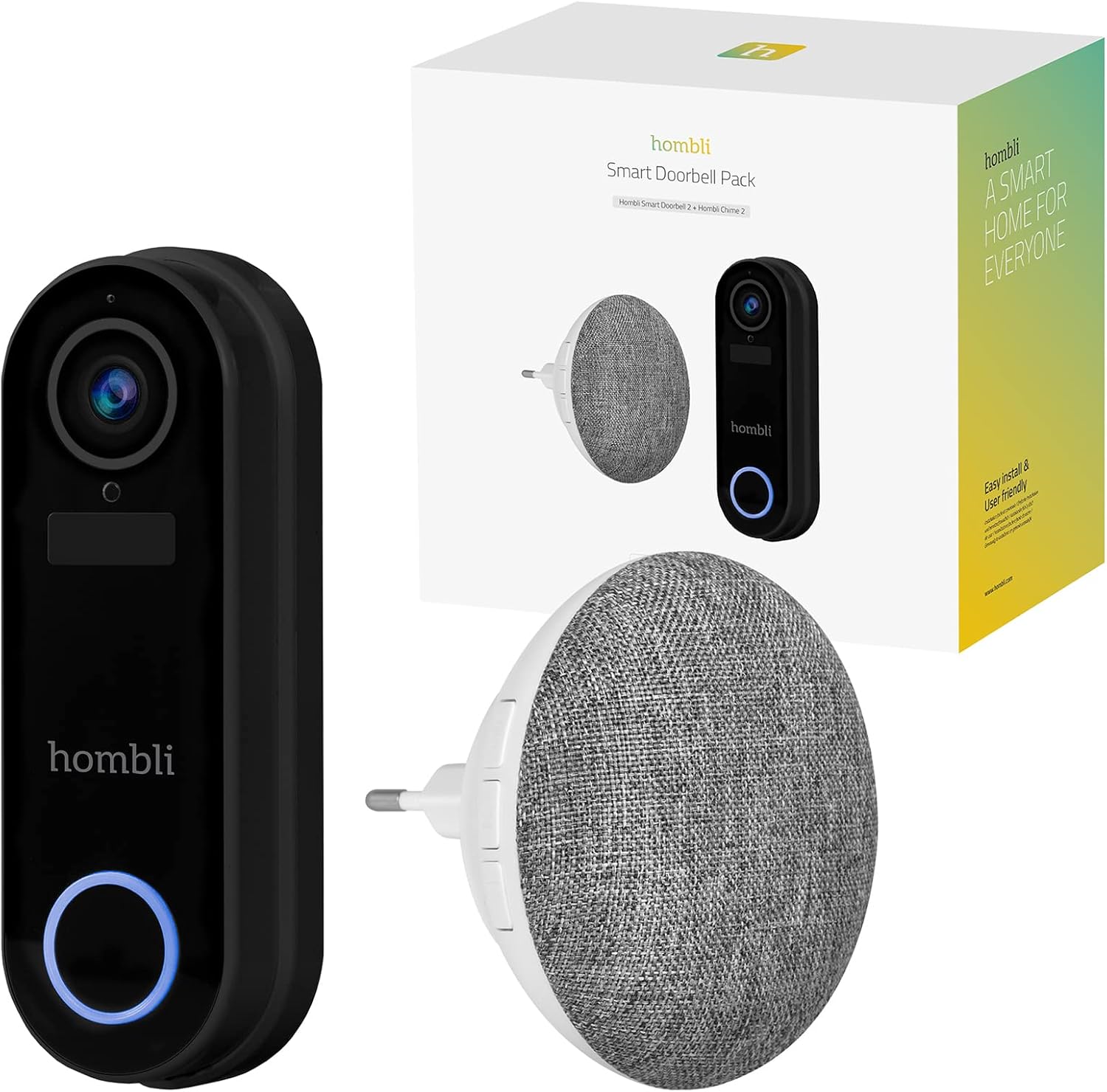
Image: The retail box for the Hombli Smart Doorbell 2 and Chime 2, showing both devices and the packaging.

Image: All components included in the Hombli Smart Doorbell 2 package, including the doorbell unit, mounting bracket, screws, wall anchors, wiring harness, USB charging cable, and adhesive pads.
- Hombli Smart Doorbell 2 (Black)
- Hombli Chime 2
- Montážna konzola
- Installation Screws and Wall Anchors
- USB nabíjací kábel
- Wiring Harness (for optional wired installation)
- Lepiace podložky
- Používateľská príručka (tento dokument)
4. Produkt skončilview
Familiarize yourself with the components of your Hombli Smart Doorbell 2 and Chime 2.
4.1 Hombli Smart Doorbell 2
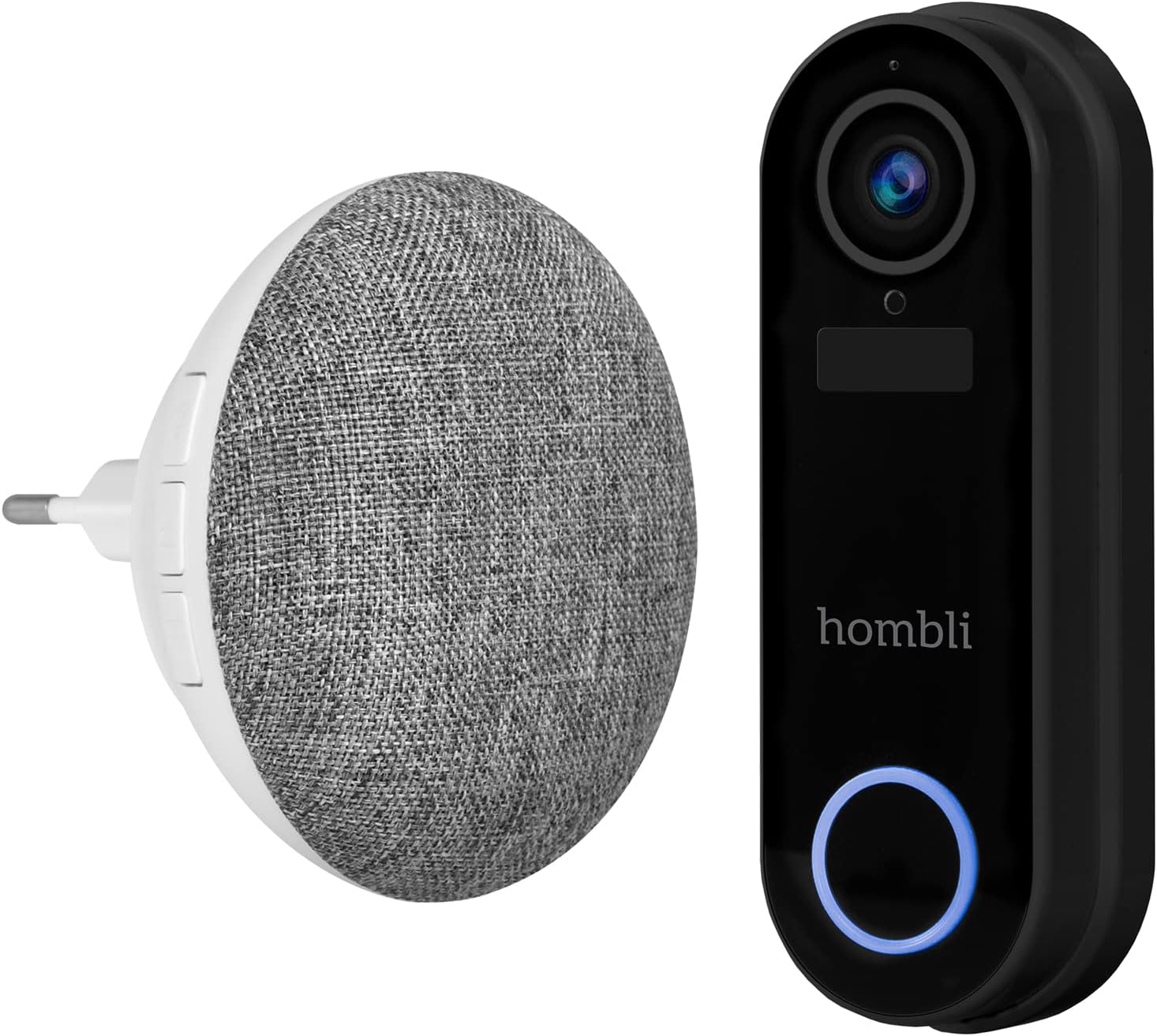
Image: The Hombli Smart Doorbell 2 and the Hombli Chime 2 displayed side-by-side.

Image: A visual representation of the Hombli Smart Doorbell 2 with icons and text highlighting its key features.
- Fotoaparát: 140 ° širokouhlý view, Full HD 1080p resolution at 15 frames per second.
- Detekcia pohybu: Alerts you to activity at your door.
- Vstavaná batéria: 5000mAh capacity for wireless operation.
- Možnosti úložiska: Supports optional cloud storage and a Micro SD card slot (up to 128GB).
- Obojsmerný zvuk: Speak and listen to visitors remotely.
- Infračervené nočné videnie: Jasná viditeľnosť v zlých svetelných podmienkach.
- Odolný voči poveternostným vplyvom: IP65 rating ensures protection against dust and water splashes.
- GDPR Compliant: Designed with data privacy in mind.
4.2 Hombli Chime 2
The Hombli Chime 2 is a wireless indoor chime that pairs with your Smart Doorbell 2 to provide an audible alert when the doorbell is pressed. It plugs directly into a standard wall outlet.
5. Nastavenie
5.1 Nabíjanie zvončeka
Before installation, fully charge the Hombli Smart Doorbell 2 using the provided USB cable. Connect the USB cable to the doorbell's charging port and a standard USB power adapter (not included). The indicator light will show charging status.
5.2 Installing the Hombli Smart Doorbell 2
The doorbell can be installed wirelessly using adhesive pads or permanently mounted with screws. For wired installation, connect to existing doorbell wiring (5V AC).

Image: The Hombli Smart Doorbell 2 securely mounted on an exterior wall next to a door frame.
- Vyberte umiestnenie: Vyberte si vhodné miesto v blízkosti vchodových dverí a zabezpečte si tak nerušený výhľad. view a dobrý Wi-Fi signál.
- Montáž:
- Lepidlo: Clean the surface, apply the adhesive pads to the back of the mounting bracket, and firmly press the bracket onto the desired location.
- Skrutky: Use the mounting bracket as a template to mark drill holes. Drill holes, insert wall anchors if necessary, and secure the bracket with screws.
- Wired (Optional): If connecting to existing doorbell wiring, ensure power is off. Connect the doorbell's wiring harness to your existing doorbell wires (5V AC).
- Pripevnite zvonček: Slide the Hombli Smart Doorbell 2 onto the mounted bracket until it clicks into place.
5.3 Installing the Hombli Chime 2

Image: The Hombli Chime 2 plugged into a standard electrical wall outlet, ready for use.
- Plug In: Plug the Hombli Chime 2 into a standard electrical outlet in a central location within your home.
- Párovanie: Follow the instructions in the Hombli app to pair the Chime 2 with your Smart Doorbell 2.
5.4 Hombli App Setup
The Hombli app is essential for controlling and managing your Smart Doorbell 2 and Chime 2.
- Stiahnutie aplikácie: Download the Hombli app from the App Store (iOS) or Google Play Store (Android).
- Vytvoriť účet: Otvorte aplikáciu a vytvorte si nový účet alebo sa prihláste, ak ho už máte.
- Pridať zariadenie: Tap the '+' icon to add a new device. Select 'Smart Doorbell' from the list.
- Postupujte podľa pokynov na obrazovke: The app will guide you through connecting the doorbell to your Wi-Fi network and pairing the chime. Ensure your Wi-Fi network is 2.4GHz.
6. Prevádzkové
Once set up, you can use your Hombli Smart Doorbell 2 and Chime 2 to monitor your entrance and communicate with visitors.

Image: A smartphone displaying the Hombli app interface for the Smart Doorbell 2, showing live video feed and control options like screenshot, speak, record, playback, cloud storage, and buzzer.
6.1 Doorbell Functions
- Naživo View: Open the Hombli app to view live video from your doorbell camera at any time.
- Obojsmerný zvuk: When a visitor presses the doorbell or motion is detected, you will receive a notification. Tap the notification to answer and speak to the visitor using the app's microphone and speaker functions.
- Detekcia pohybu: The doorbell will send notifications to your phone when motion is detected. You can adjust sensitivity settings in the app.
- Nahrávanie: Video footage can be recorded manually or automatically upon motion detection/doorbell press. Recordings are stored on a Micro SD card (if inserted) or in optional cloud storage.
- Prehrávanie: Access recorded events through the app's playback feature.
6.2 Chime Functions
- Zvukové upozornenie: When the doorbell button is pressed, the Chime 2 will sound an alert inside your home.
- Hlasitosť a tón: Adjust the chime volume and select different melodies through the Hombli app.
7. Údržba
- Nabíjanie batérie: The Smart Doorbell 2's battery life depends on usage. When the battery is low, you will receive a notification. Remove the doorbell from its bracket and charge it using the USB cable.
- Čistenie: Wipe the doorbell and chime with a soft, damp plátno. Nepoužívajte drsné chemikálie ani abrazívne čistiace prostriedky.
- Aktualizácie firmvéru: Periodically check the Hombli app for available firmware updates to ensure optimal performance and security. Follow the app's instructions for updating.
8. Riešenie problémov
8.1 Bežné problémy a riešenia
- Zvonček sa nepripája k Wi-Fi:
- Uistite sa, že vaša Wi-Fi sieť má frekvenciu 2.4 GHz.
- Skontrolujte silu signálu Wi-Fi v mieste, kde sa nachádza zvonček.
- Reštartujte smerovač a zvonček.
- Uistite sa, že v aplikácii je zadané správne heslo Wi-Fi.
- Chime not sounding:
- Ensure the Chime 2 is plugged in and powered on.
- Verify that the Chime 2 is successfully paired with the doorbell in the Hombli app.
- Check the volume settings for the chime in the app.
- Zlá kvalita videa:
- Skontrolujte silu signálu Wi-Fi. Slabý signál môže ovplyvniť streamovanie videa.
- Uistite sa, že objektív fotoaparátu je čistý a bez prekážok.
- Detekcia pohybu nefunguje:
- Adjust motion detection sensitivity in the Hombli app.
- Uistite sa, že v pohybe senzora nie sú žiadne fyzické prekážky. view.
- Doorbell battery draining quickly:
- Časté udalosti detekcie pohybu alebo živé view access can consume battery faster. Adjust settings if needed.
- Ensure the doorbell is fully charged after each charging cycle.
9. Špecifikácie
9.1 Hombli Smart Doorbell 2

Image: Detailed measurements of the Hombli Smart Doorbell 2, showing its height, width, and depth in centimeters.
| Číslo modelu | HBDP-0100 |
| Rozmery (D x Š x V) | 7.28 x 3.94 x 6.81 palca (18.5 x 10 x 17.3 cm) |
| Hmotnosť | 1.61 libry (0.73 kg) |
| Rozlíšenie fotoaparátu | Full HD 1080p |
| Pole View | 140° široký uhol |
| Kapacita batérie | 5000 mAh |
| Odolnosť voči poveternostným vplyvom | IP65 |
| Skladovanie | Micro SD (up to 128GB), Cloud Storage (optional) |
| Konektivita | Wi-Fi (2.4 GHz) |
9.2 Hombli Chime 2

Image: Detailed measurements of the Hombli Chime 2, showing its diameter and depth in centimeters.
| Rozmery (priemer x hĺbka) | 9.3 cm x 8.5 cm (plug part 4.9 cm width) |
| Príkon | 5 voltov (AC) |
| Konektivita | Wireless (paired with Doorbell 2) |
10. Záruka a podpora
Hombli products come with a standard manufacturer's warranty. For specific warranty terms and conditions, please refer to the warranty card included with your product or visit the official Hombli website. If you encounter any issues or require technical assistance, please contact Hombli customer support through their website or the Hombli app.