
1. Úvod
Ďakujem za nákupasing the Comix S360A Cross Cut Paper Shredder. This manual provides essential information for the safe and efficient operation, maintenance, and troubleshooting of your shredder. Please read these instructions carefully before use and retain them for future reference.
The Comix S360A is designed for secure disposal of sensitive documents, credit cards, and CDs. It features a cross-cut mechanism for enhanced security and includes a jam-proof system with reverse and forward functions to clear paper jams. An energy-saving mode ensures optimal efficiency during operation.
2. Dôležité bezpečnostné pokyny
UPOZORNENIE: Nedodržanie týchto bezpečnostných pokynov môže mať za následok požiar, úraz elektrickým prúdom alebo zranenie.
- Držte deti a domáce zvieratá mimo dosahu drviča.
- Keep loose clothing, jewelry, hair, and ties away from the paper entry slot.
- Nevkladajte prsty ani iné časti tela do otvoru na vstup papiera.
- Do drviča nestriekajte žiadne horľavé materiály ani mazivá.
- Netrhajte kovové predmety, mokrý papier ani samolepiace štítky.
- Vždy odpojte drvič zo siete, keď ho nepoužívate alebo pred čistením.
- Do not operate the shredder if the power cord is damaged. Contact customer support for assistance.
- Uistite sa, že drvič je umiestnený na stabilnom a rovnom povrchu.
- Do not overload the shredder beyond its specified sheet capacity.
3. Obsah balenia
Skontrolujte, prosím, balenie, či neobsahuje nasledujúce položky:
- Comix S360A Shredder Head
- Waste Bin (13 Liter capacity)
- Návod na použitie (tento dokument)
4. Nastavenie
- Rozbaľte skartovač: Opatrne vyberte všetky komponenty z obalu.
- Place the Waste Bin: Position the waste bin on a flat, stable surface.
- Mount the Shredder Head: Carefully place the shredder head onto the top of the waste bin, ensuring it is securely seated. The shredder will not operate if the head is not correctly positioned.
- Pripojenie napájania: Zapojte napájací kábel do štandardnej elektrickej zásuvky.
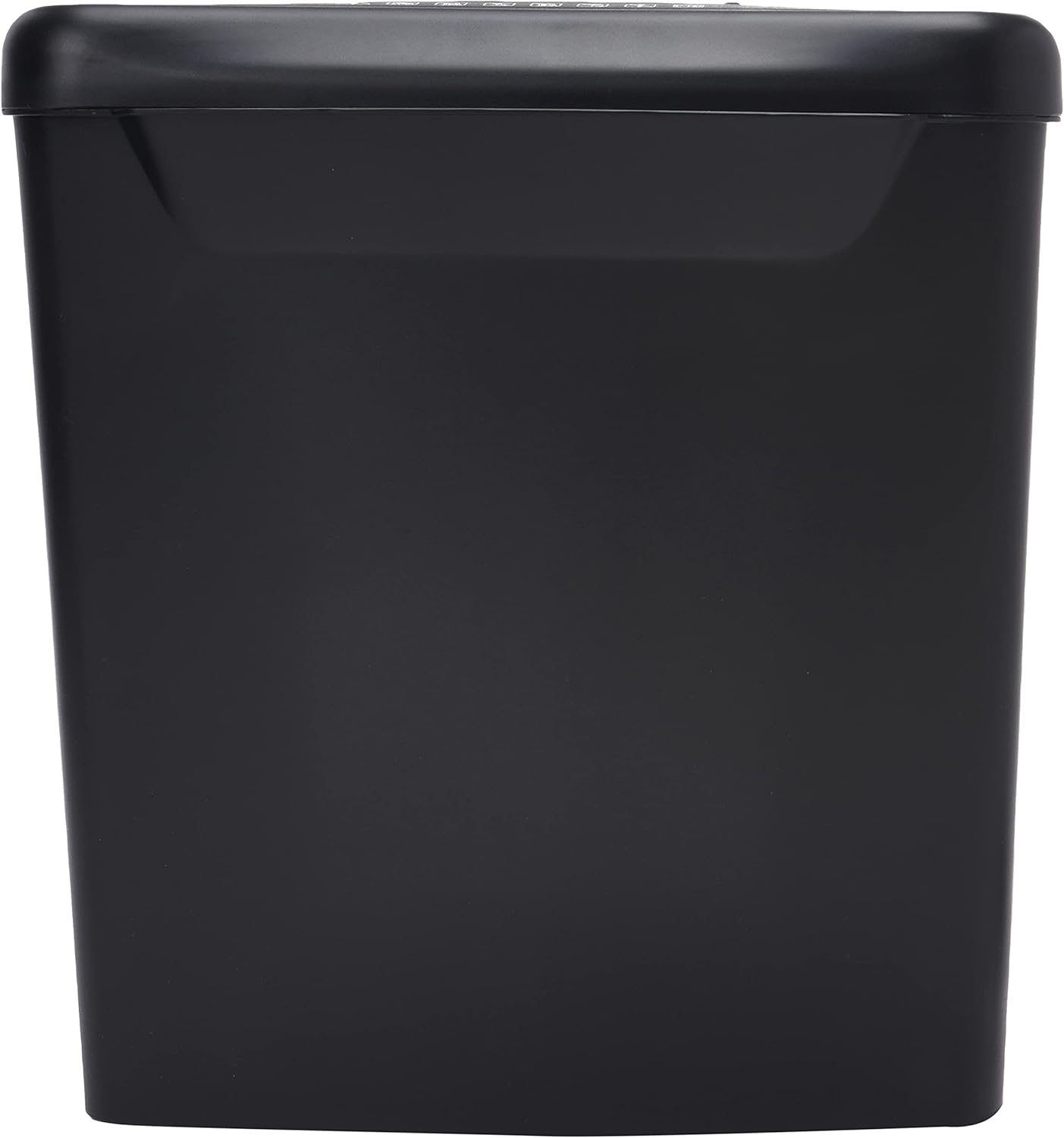
Obrázok: Bočný view of the Comix S360A shredder bin, showing its black exterior and compact design. The shredder head is not visible in this image.
5. Návod na obsluhu
Ovládací spínač 5.1
The shredder features a slide switch with three positions:
- AUTOMATICKY: The shredder will automatically start when paper is inserted and stop when shredding is complete. This is the normal operating mode.
- VYPNUTÉ: The shredder is powered off. Always set the switch to OFF when emptying the bin or when the shredder is not in use.
- REV (Cúvanie): This position reverses the shredder blades to help clear paper jams.

Obrázok: Hore view of the shredder head, highlighting the paper entry slot, the three-position control switch (Rev, OFF, Auto), and various safety warning icons.
5.2 Skartovanie dokumentov
- Ensure the shredder head is securely placed on the waste bin.
- Zapojte napájací kábel do elektrickej zásuvky.
- Nastavte ovládací spínač do polohy AUTOMATICKY.
- Insert up to 8 sheets of 70gsm A4 paper into the paper entry slot. The shredder will start automatically.
- For credit cards or CDs, use the dedicated slot if available (refer to product specifications for capability).
- The shredder will stop automatically once the shredding process is complete.
5.3 Pracovný cyklus
The Comix S360A has a continuous run time of 2 minút, followed by a rest time of 40 minút. Exceeding the run time may cause the shredder to overheat and automatically shut off. Allow the shredder to cool down for the specified rest time before resuming operation.
6. Údržba
6.1 Vyprázdnenie odpadkového koša
- Nastavte ovládací spínač do polohy VYPNUTÉ.
- Odpojte skartovač od elektrickej zásuvky.
- Zdvihnite hlavu drviča z odpadkového koša.
- Dispose of the shredded paper.
- Bezpečne nasaďte hlavu drviča späť na odpadkový kôš.
- Zapojte skartovač späť do elektrickej zásuvky.
6.2 Oiling the Shredder Blades
Regular oiling of the shredder blades is recommended to maintain optimal performance and extend the life of your shredder. Use shredder oil specifically designed for paper shredders.
- Naneste tenkú vrstvu oleja na skartovačku cez vstupný otvor pre papier.
- Nastavte ovládací spínač do polohy AUTOMATICKY.
- Insert a sheet of paper to distribute the oil evenly across the blades.
- Repeat this process periodically, especially after emptying a full waste bin or if the shredder's performance decreases.
6.3 Čistenie
Wipe the exterior of the shredder with a soft, dry cloth. Do not use abrasive cleaners or solvents. Ensure the shredder is unplugged before cleaning.
7. Riešenie problémov
| Problém | Možná príčina | Riešenie |
|---|---|---|
| Drvič sa nespustí. |
|
|
| Zaseknutý papier. |
|
|
| Drvič sa počas prevádzky zastaví. |
|
|
8. Špecifikácie
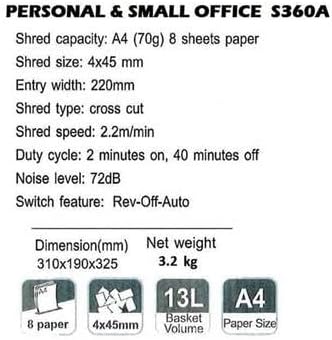
Image: Technical specifications sheet for the Comix S360A, detailing performance metrics and physical attributes.
- Model: S360A
- Typ skartovania: Krížový rez
- Veľkosť skartovania: 4 x 45 mm
- Shred Capacity (A4, 70g): 8 listov
- Vstupná šírka: 220 mm
- Rýchlosť skartovania: 2.2 m/min
- Kapacita nádoby na odpad: 13 litra
- Pracovný cyklus: 2 minút zapnuté / 40 minút vypnuté
- Úroveň hluku: 72 dB
- Switch Feature: Rev-Off-Auto
- Rozmery produktu: 310 x 190 x 325 mm (D x Š x V)
- Čistá hmotnosť: 3.2 kg
- Špeciálne vlastnosti: Energy Saving Mode, Jam Pro, Quiet Operation
9. Záruka a podpora
For warranty information or technical support, please refer to the warranty card included with your product or contact Comix customer service through their official website or the retailer where the product was purchased. Please have your model number (S360A) and purchase date available when contacting support.