
1. Úvod
The GIDEALED Smart Zigbee 3.0 RGBWW LED Strip Lights 16.4ft Kit (Model ZC05M) provides versatile smart lighting for indoor use. This kit includes a 16.4ft RGBWW LED strip, a Zigbee LED controller, and a power supply. It supports 16 million RGB colors and pure white light (2300K-6000K), allowing for diverse ambiance creation. The strip features 90 LEDs per meter and can be cut every 10cm (3 RGB lamp beads) at designated gold foil cutting bits.
Obsah balenia:
- 1x GIDEALED RGBWW LED Strip (16.4ft / 5m)
- 1x Zigbee LED Controller (ZC05M)
- 1x 12V napájací adaptér
- 1x Návod na použitie
Obrázok: Cezview of the GIDEALED Smart Zigbee 3.0 RGB+CCT LED Strip Light Kit, showing the LED strip, controller, and power adapter.
2. Nastavenie a inštalácia
2.1 Pripojenie LED pásika
- Uistite sa, že všetky komponenty sú prítomné a nepoškodené.
- Connect the RGBWW LED strip to the Zigbee LED Controller.
- Connect the 12V power adapter to the Zigbee LED Controller.
- Plug the power adapter into a suitable power outlet. The LED strip should light up.
Video: This video demonstrates the physical connection of the LED strip to the controller and power supply, followed by the pairing process with a Philips Hue hub. It shows how to search for new lights in the Hue app, add the detected GIDEALED strip, and then adjust its color and brightness.
2.2 Pairing with a Zigbee Hub (Required for APP Control)
A Zigbee hub (e.g., Tuya Smart Hub, Philips Hue Bridge) is required for smart APP control.
- Uistite sa, že váš Zigbee hub je zapnutý a pripojený k vašej domácej sieti.
- Open your Zigbee hub's companion app (e.g., Philips Hue app, Tuya Smart app).
- Navigate to the "Add Device" or "Hľadať Lights" section within the app.
- Power on the GIDEALED Zigbee LED Controller. The strip lights may flash or change color to indicate pairing mode.
- Follow the on-screen instructions in your app to complete the pairing process. The strip lights will typically turn green or a specific color once successfully paired.
- Assign the newly found light to a room or group for easier management.
2.3 Direct Pairing with Alexa (No Zigbee Gateway Required for Voice Control)
The Zigbee 3.0 controller can directly work with Amazon Echo Plus, Echo Plus (2nd Gen), Echo (4th Gen), Echo Studio, Echo Show (2nd Gen), and other smart speakers with built-in Zigbee 3.0 protocol for voice control. A separate Zigbee gateway is not required for this functionality.
- Ensure your compatible Amazon Echo device is powered on and connected to your Wi-Fi network.
- Say, "Alexa, discover my devices" or use the Alexa app to search for new devices.
- The GIDEALED LED strip should be discovered and added to your Alexa devices.
- You can then control the lights using voice commands.
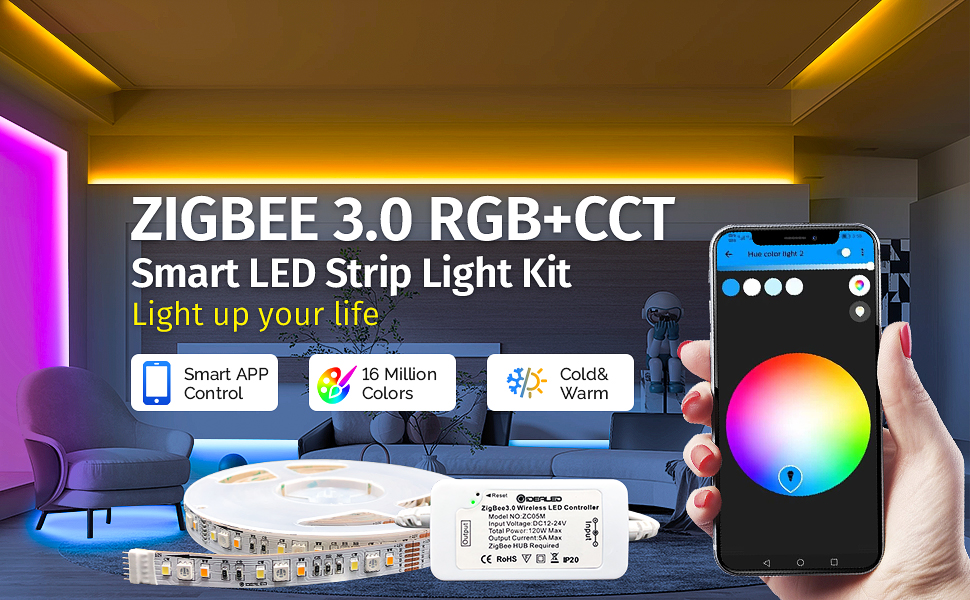
Image: A user interacting with an Amazon Echo device to control the GIDEALED LED strip lights via voice command, demonstrating the Alexa voice control feature.
3. Návod na obsluhu
3.1 Ovládanie APP
Once paired with a Zigbee hub, you can control your GIDEALED LED strip lights using the corresponding mobile application (e.g., Philips Hue app, Tuya Smart app).
- Úprava farieb: Select from 16 million RGB colors to match your mood or decor.
- Nastavenie bieleho svetla: Adjust the white light from warm white (2300K) to cold white (6000K) for various lighting needs.
- Ovládanie jasu: Stlmte alebo zjasnite svetlá od 1 % do 100 %.
- Výber scény: Choose from pre-set scenes or create custom scenes for different activities or atmospheres.
- Ovládanie skupiny: Control multiple GIDEALED LED strips or other smart lights simultaneously by grouping them in the app.
- Časovače a harmonogramy: Set schedules for the lights to turn on/off or change settings automatically.
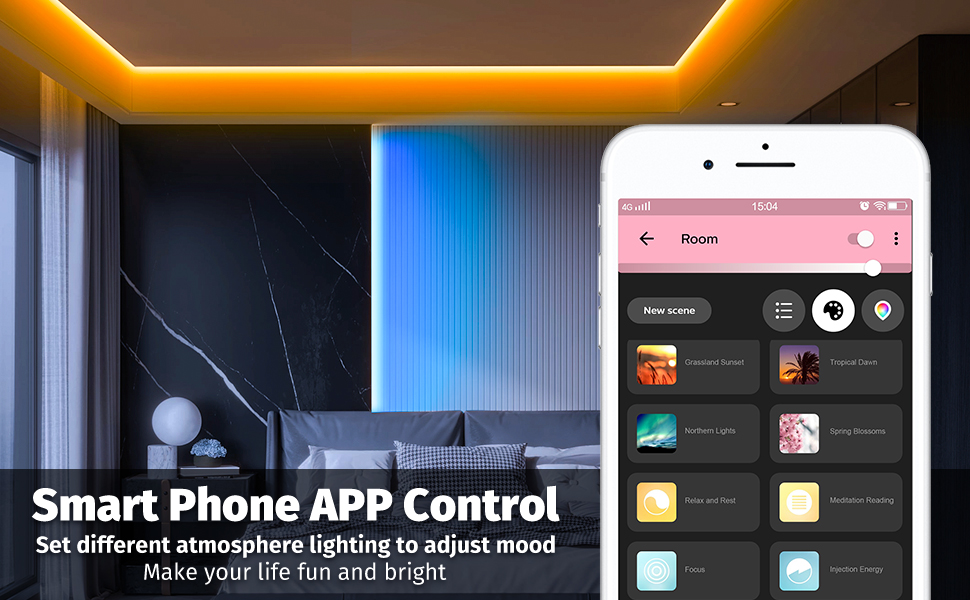
Image: A smartphone displaying the smart app interface for controlling the GIDEALED LED strip lights, showing various scene options and color customization.
3.2 Voice Control (via Alexa)
After direct pairing with a compatible Amazon Echo device, you can use voice commands to control your lights.
- „Alexa, zapni [Názov svetla].“
- „Alexa, vypnite [Názov svetla].“
- "Alexa, set [Light Name] to red."
- "Alexa, change [Light Name] to warm white."
- „Alexa, stlmi [Názov svetla] na 50 %.“
- „Alexa, rozjasni [Meno svetla].“

Image: Diagram illustrating the features of the GIDEALED Zigbee 3.0 Controller, including APP Control, Dimmable Color Temperature, Work with Zigbee Hub, Set Timers, Light Dancing with Music, Voice Control, and Scene Change.
4. Údržba
4.1 Čistenie
To clean the LED strip, gently wipe it with a dry, soft cloth. Do not use liquid cleaners or abrasive materials, as these can damage the strip or its components. Ensure the power is disconnected before cleaning.
4.2 Cutting the LED Strip
The RGBCCT LED strip light supports cutting to fit your desired length. Look for the designated gold foil cutting bits, which appear approximately every 10cm (3 RGB lamp beads). Cut only at these marked points to avoid damaging the circuit.
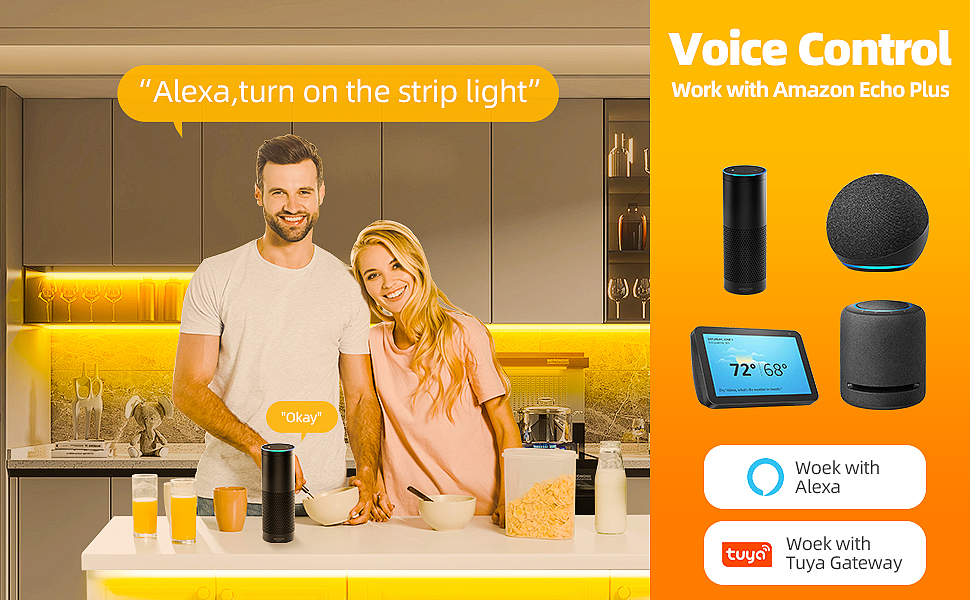
Image: Close-up of the LED strip showing the individual RGB, Cold White (CW), and Warm White (WW) LEDs, along with an illustration of the cutting points marked by gold foil bits.
5. Riešenie problémov
- Svetlá sa nezapínajú:
- Check all physical connections: ensure the LED strip, controller, and power adapter are securely connected.
- Skontrolujte, či je napájací adaptér zapojený do funkčnej zásuvky.
- Confirm the LED strip is cut only at the designated gold foil cutting points.
- Cannot pair with Zigbee Hub/Alexa:
- Ensure the Zigbee hub is powered on and connected to your network.
- For APP control, a Zigbee hub is required. The controller (ZC05M) will not work without one.
- For direct Alexa voice control, ensure you are using a compatible Amazon Echo device with built-in Zigbee 3.0 protocol (e.g., Echo Plus, Echo Studio, Echo 4th Gen). Echo Dot devices are not compatible for direct pairing.
- Try resetting the controller (refer to controller instructions for specific reset procedure, usually involves powering on/off multiple times or a button press).
- Ensure the controller is within range of your Zigbee hub or Echo device.
- Lights are not as bright as expected:
- Check the brightness setting in your control app or via voice command.
- Ensure the power supply is adequate for the length of the strip.
- Inconsistent color or functionality:
- Verify the controller is properly paired and updated.
- Check for any physical damage to the strip or controller.
6. Špecifikácie
| Funkcia | Detail |
|---|---|
| Číslo modelu | ZC05M |
| Značka | GIDEALED |
| Farba | Zigbee RGBWW strip lights 16.4ft kit |
| Vnútorné / vonkajšie použitie | Vnútorný |
| Špeciálna funkcia | Zmena farby |
| Typ svetelného zdroja | LED |
| Zdroj napájania | 12V napájací adaptér |
| Svetlá farba | RGBWW (RGB + Warm White + Cold White) |
| Teplota farby | 2300K – 6000K (nastaviteľné) |
| Typ ovládača | Alexa, App Control (Zigbee 3.0) |
| Počet svetelných zdrojov | 90 LED na meter |
| Voltage | 12 volty (DC) |
| Wattage | 24 watthodiny |
| Dĺžka položky | 16 stôp (približne 5 metra) |
| Hmotnosť položky | 12.1 uncí |
| Metóda kontroly | Aplikácia, hlas |
7. Záruka a podpora
For warranty information and customer support, please refer to the documentation included with your product or visit the official GIDEALED website. If you encounter any issues not covered in this manual, please contact GIDEALED customer service for assistance.
Pravidlá vrátenia tovaru: This product typically comes with a 30-day return/replacement policy. Please check your purchase details for specific terms.