
Úvod
This manual provides detailed instructions for the safe and efficient use of your Plimpton PlimPad P3 10.1-inch Android 12 Tablet. Please read this manual thoroughly before operating the device and keep it for future reference.
Koniec produktuview
The Plimpton PlimPad P3 is a 10.1-inch tablet featuring the Android 12 operating system. It is designed for general use, offering a balance of performance and portability.
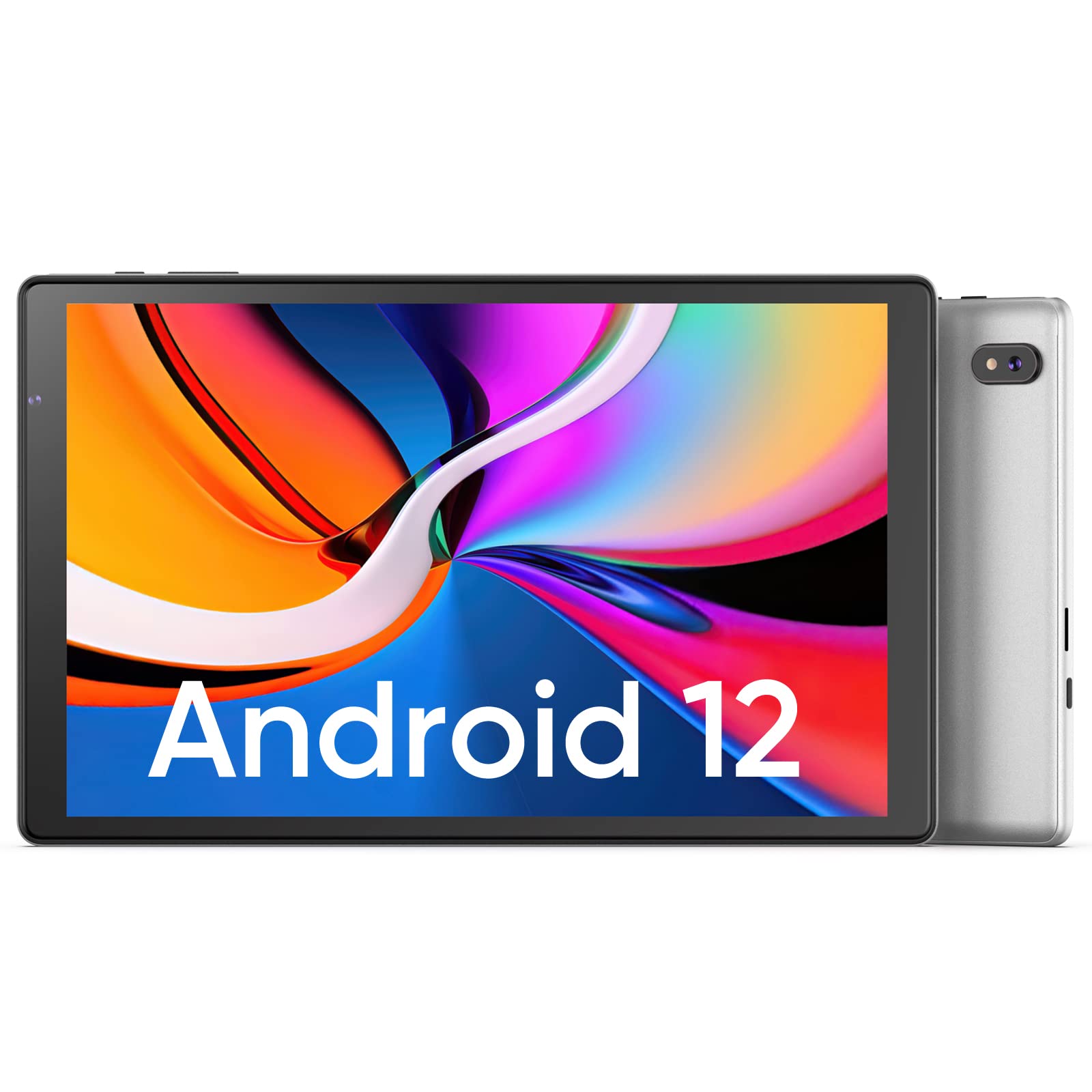
Obrázok: Predná a zadná strana view of the Plimpton PlimPad P3 Tablet.
Kľúčové vlastnosti:
- Operačný systém: Android 12 for a personalized and secure user experience.
- Displej: 10.1-inch HD IPS LCD with 1280x800 resolution for clear visuals.
- Výkon: Powered by an Allwinner A133 1.5GHz 4-core CPU with 4GB RAM for smooth operation.
- Ukladací priestor: 64 GB interná pamäť, rozšíriteľná až na 1 TB pomocou microSD karty.
- Pripojenie: Dual-band Wi-Fi 6 (5GHz+2.4GHz) and Bluetooth 5.0.
- Zvuk: Dual speakers for an enhanced audio experience.
- Batéria: Batéria s kapacitou 6000 mAh pre dlhšiu výdrž.
- Dizajn: Premium silver metal body for efficient heat dissipation and a slim profile.

Image: Visual representation of key features including metal body, 10.1-inch screen, split screen functionality, and 6000mAh battery capacity.
Sprievodca nastavením
1. Počiatočné nabitie
Before first use, fully charge the tablet using the provided USB charger and 1.8M USB Type-C cable. Ensure the tablet is powered off during initial charging. Using non-original chargers may lead to compatibility issues.

Image: Details on battery capacity, charging port, and cable length.
2. Zapnutie/vypnutie
- Zapnutie: Stlačte a podržte tlačidlo napájania umiestnené na boku tabletu, kým sa obrazovka nerozsvieti.
- Vypnutie: Press and hold the power button, then select "Power off" from the options that appear on the screen.
3. Pripojenie Wi-Fi
The tablet supports Wi-Fi 6 with dual-band (5GHz and 2.4GHz) connectivity for stable internet access. To connect to Wi-Fi:
- Prejsť na Nastavenia.
- Vyberte Sieť a internet.
- Klepnite Wi-Fi a zapnite ho.
- Vyberte požadovanú sieť zo zoznamu a v prípade výzvy zadajte heslo.

Obrázok: Cezview of Wi-Fi 6, Bluetooth 5.0, and dual-band network support.
4. Pripojenie Bluetooth
Ak chcete pripojiť zariadenia Bluetooth:
- Uistite sa, že vaše zariadenie Bluetooth je v režime párovania.
- Prejsť na Nastavenia na vašom tablete.
- Vyberte Pripojené zariadenia, potom Predvoľby pripojeniaa klepnite na Bluetooth.
- Turn Bluetooth on and select your device from the list to pair.
5. SD Card Installation and Initialization
The tablet supports microSD cards up to 1TB. Always insert or remove the SD card when the tablet is powered off to prevent data corruption.
- Vypnite tablet.
- Locate the microSD card slot on the tablet.
- Opatrne vložte kartu microSD, kým nezacvakne na miesto.
- Zapnite tablet.
- For the tablet to recognize a new SD card, it may require initialization. Refer to the on-screen prompts or the detailed instructions in the included Japanese manual for the initialization procedure.
6. Installing a Protective Case
To protect your tablet, you may wish to install a compatible protective case. The following video demonstrates how to install a tablet into a case and utilize its stand function.
Video: Demonstration of installing a tablet into a protective case and using the stand function.
Návod na obsluhu
1. Funkcie operačného systému Android 12
The PlimPad P3 runs on Android 12, offering an optimized and user-friendly interface with enhanced privacy controls.
- Prispôsobené používateľské rozhranie: Customize your desktop display style with new UI designs.
- Správa ochrany osobných údajov: New privacy features allow you to manage your data and permissions easily.
- Google Services & Apps: Access stable Google services and install popular third-party applications like LINE, YouTube Kids, Yahoo, and Twitter.
- Prístupnosť: Features include automatic text-to-speech and an eye protection mode.

Image: Highlights of Android 12 OS features such as improved UI, privacy management, and simplified data transfer.
2. Nastavenia displeja
- Rozlíšenie: The 10.1-inch IPS LCD offers a 1280x800 resolution for vivid colors and wide viewing uhly.
- Režim ochrany očí: Activate this mode in settings to reduce eye strain during prolonged use.
3. Nastavenia zvuku
The tablet is equipped with dual speakers for surround sound. Adjust volume using the physical volume buttons or through the sound settings in the Android OS.

Image: Illustration of the tablet's dual stereo speakers and Bluetooth 5.0 connection for reduced interference.
4. Bezdrôtová projekcia
The tablet supports wireless projection to compatible smart TVs. Refer to your smart TV's manual for instructions on enabling screen mirroring or casting, then initiate the connection from your tablet's display settings.
Údržba
1. Starostlivosť o batérie
- To maximize battery life, close unnecessary applications running in the background.
- Nevystavujte tablet extrémnym teplotám.
- For optimal performance, use the original charger and cable.
2. Správa úložiska
- Pravidelne čistite vyrovnávaciu pamäť a nepotrebné files to maintain smooth operation.
- While the tablet has 4GB RAM and 64GB ROM, it is not designed for memory-intensive applications such as high-end games or professional photo editing software (e.g., Photoshop).
- Využite slot pre kartu microSD na ukladanie ďalších médií files a dokumenty.
Riešenie problémov
Bežné problémy a riešenia:
- Pomalý výkon:
- Zatvorte aplikácie na pozadí.
- Vymažte vyrovnávaciu pamäť aplikácií.
- Zabezpečte dostatok voľného úložného priestoru.
- Note that this tablet is not optimized for demanding games or applications like Genshin Impact.
- Problémy s nabíjaním:
- Use only the original Plimpton charger and USB Type-C cable.
- Uistite sa, že nabíjací port je čistý a bez nečistôt.
- Other Type-C chargers may not be compatible.
- SD karta nebola rozpoznaná:
- Ensure the tablet is powered off when inserting or removing the SD card.
- A new SD card may require initialization. Refer to the included manual for steps.
- Poškodenie obrazovky:
- In case of a cracked or damaged screen, please contact customer support for the best resolution.
- Consider using a P3 Pro dedicated reinforced glass screen protector for added durability.
- No SIM Card Compatibility:
- This is a Wi-Fi model tablet and is not compatible with SIM cards for cellular data.
Špecifikácie
| Funkcia | Detail |
|---|---|
| Značka | plimpton |
| Názov modelu | PlimPad P3 |
| Operačný systém | Android 12 |
| CPU | Allwinner ARM Cortex A133, 1.8 GHz 4-core |
| RAM | 4 GB |
| Interné úložisko | 64 GB |
| Rozšíriteľné úložisko | MicroSD až do 1 TB |
| Veľkosť obrazovky | 10.1 palca |
| Typ zobrazenia | IPS LCD |
| Rozlíšenie displeja | 1280x800 |
| Pomer strán | 16:10 |
| Dotykový displej | áno |
| Wi-Fi | Wi-Fi 6 (Dual-band 5GHz+2.4GHz) |
| Bluetooth | Bluetooth 5.0 |
| Predná kamera | áno |
| Zadná kamera | 8 MP |
| Kapacita batérie | 6000 mAh (lítium-iónová) |
| Hmotnosť | 520 gramov |
| Farba | Strieborná |
Záruka a podpora
Informácie o záruke
Your Plimpton PlimPad P3 tablet comes with a 24-month free exchange warranty from the date of purchase. If any defects occur within this period, a new product exchange will be provided.
Zákaznícka podpora
For any inquiries or support needs, please contact us through Amazon:
- On the product page, locate the store name "Plimpton Direct" below the "Add to Cart" button.
- Kliknite na "Plimpton Direct".
- In the upper right corner of the store page, click on "Ask a question" poslať správu.
Obsah balenia
The following items are included in your Plimpton PlimPad P3 package:
- PlimPad P3 Tablet
- USB nabíjačka
- 1.8M USB Type-C Cable
- Japanese Instruction Manual