
HISTTON H6-i7-10810U
HISTTON H6 Fanless Industrial Mini PC User Manual
Model: H6-i7-10810U
1. Úvod
This manual provides essential information for the setup, operation, maintenance, and troubleshooting of your HISTTON H6 Fanless Industrial Mini PC. This compact and powerful system features an Intel Core i7-10810U processor, 16GB DDR4 RAM, and a 512GB M.2 SSD, running Windows 11 Pro. It is designed for various applications requiring stable performance and multiple connectivity options.

Image 1.1: The HISTTON H6 Fanless Industrial Mini PC.
2. Čo je v krabici
Overte, či sú v balení všetky položky:
- 1 x HISTTON H6 Mini PC
- 1 x napájací adaptér
- 1 x Návod na použitie
- 1 x HDMI kábel
- 1 x držiak VESA
- 8 x Screws for VESA Mount/Storage
- 2x WiFi anténa
- 2 x SATA Cables (for 2.5-inch drive installation)

Image 2.1: Package contents including the Mini PC, power adapter, cables, antennas, and VESA mount.
3. Produkt skončilview
3.1 Kľúčové vlastnosti
- procesor: Intel Core i7-10810U (10th Gen, 6 Cores, 12 Threads, up to 4.90 GHz)
- grafika: Intel UHD Graphics for 10th Gen Processors, supporting 4K resolution.
- pamäť: 16GB DDR4 RAM (expandable up to 64GB via 2 SO-DIMM slots)
- Ukladací priestor: 512GB M.2 NVMe PCIe 3.0x4 / SATA 3 SSD, with an additional 2.5-inch SATA HDD/SSD slot.
- Výstup displeja: Dual HD (HDMI) and one DP (DisplayPort) for triple 4K display support.
- Sieť: Dual Gigabit Ethernet LAN (RJ-45), Dual-band 2.4G+5.0G WiFi (WIFI5), Bluetooth 4.2.
- Porty: 4x USB 3.0, 2x HD, 1x DP, 2x RS232/RS485 COM, 1x 14 Pin GPIO, 1x SPK (Audio Out), 1x MIC (Audio In).
- Chladenie: Fanless design for silent operation and excellent heat dissipation.
- Operačný systém: Pre-installed Windows 11 Pro 64-bit (activated).
3.2 Vnútorné komponenty

Image 3.1: Internal layout highlighting the M.2 2280 slot, DDR4 RAM slots, and SATA 3.0 slot.
The internal design allows for easy upgrades of RAM and storage. The system supports up to 64GB DDR4 RAM and includes slots for both M.2 NVMe/SATA SSDs and 2.5-inch SATA HDDs/SSDs.
3.3 Rozloženie portov

Obrázok 3.2: Detailný view of the front and rear ports, including USB, HD, DP, LAN, COM, and GPIO.
The Mini PC offers a comprehensive set of ports for various industrial and personal applications. The front panel includes the power button, USB 3.0 ports, and GPIO/COM ports. The rear panel features audio jacks, Gigabit LAN ports, HD (HDMI) ports, a DisplayPort, USB 2.0 ports, and the DC power input.
4. Pokyny na nastavenie
4.1 Prvé pripojenie
- Pripojte antény: Screw the two WiFi antennas onto the corresponding connectors on the rear of the Mini PC.
- Pripojenie displeja: Connect your monitor(s) to the HD (HDMI) and/or DP (DisplayPort) outputs using the provided HDMI cable or a compatible DP cable. The device supports up to three displays simultaneously.
- Pripojte periférne zariadenia: Pripojte USB klávesnicu a myš do dostupných USB portov.
- Pripojenie k sieti (voliteľné): For a wired connection, connect an Ethernet cable to one of the Gigabit LAN ports.
- Pripojenie napájania: Zapojte napájací adaptér do portu DC IN na Mini PC a potom pripojte adaptér do elektrickej zásuvky.
4.2 Zapnutie
Press the power button located on the front panel of the Mini PC. The system will boot up, and Windows 11 Pro will load automatically.
4.3 Montáž VESA (voliteľné)
The Mini PC can be mounted to the back of a VESA-compatible monitor or to a wall using the included VESA mount and screws. Attach the VESA bracket to the Mini PC, then secure the bracket to your desired mounting location.
5. Návod na obsluhu
5.1 Operačný systém
Your HISTTON H6 Mini PC comes with Windows 11 Pro pre-installed and activated. Follow the on-screen prompts for initial Windows setup, including user account creation and network configuration.

Image 5.1: The Mini PC running Windows 11 Pro.
5.2 Nastavenie troch displejov
The Mini PC supports connecting up to three independent displays simultaneously via its two HD (HDMI) ports and one DP (DisplayPort). To configure multiple displays:
- Connect all desired monitors to the available video output ports.
- Kliknite pravým tlačidlom myši na pracovnú plochu a vyberte možnosť „Nastavenia zobrazenia“.
- Windows should detect all connected displays. You can arrange them, change their resolution, and set their orientation.
- Choose between "Extend these displays" to have a larger desktop area or "Duplicate these displays" to mirror content.
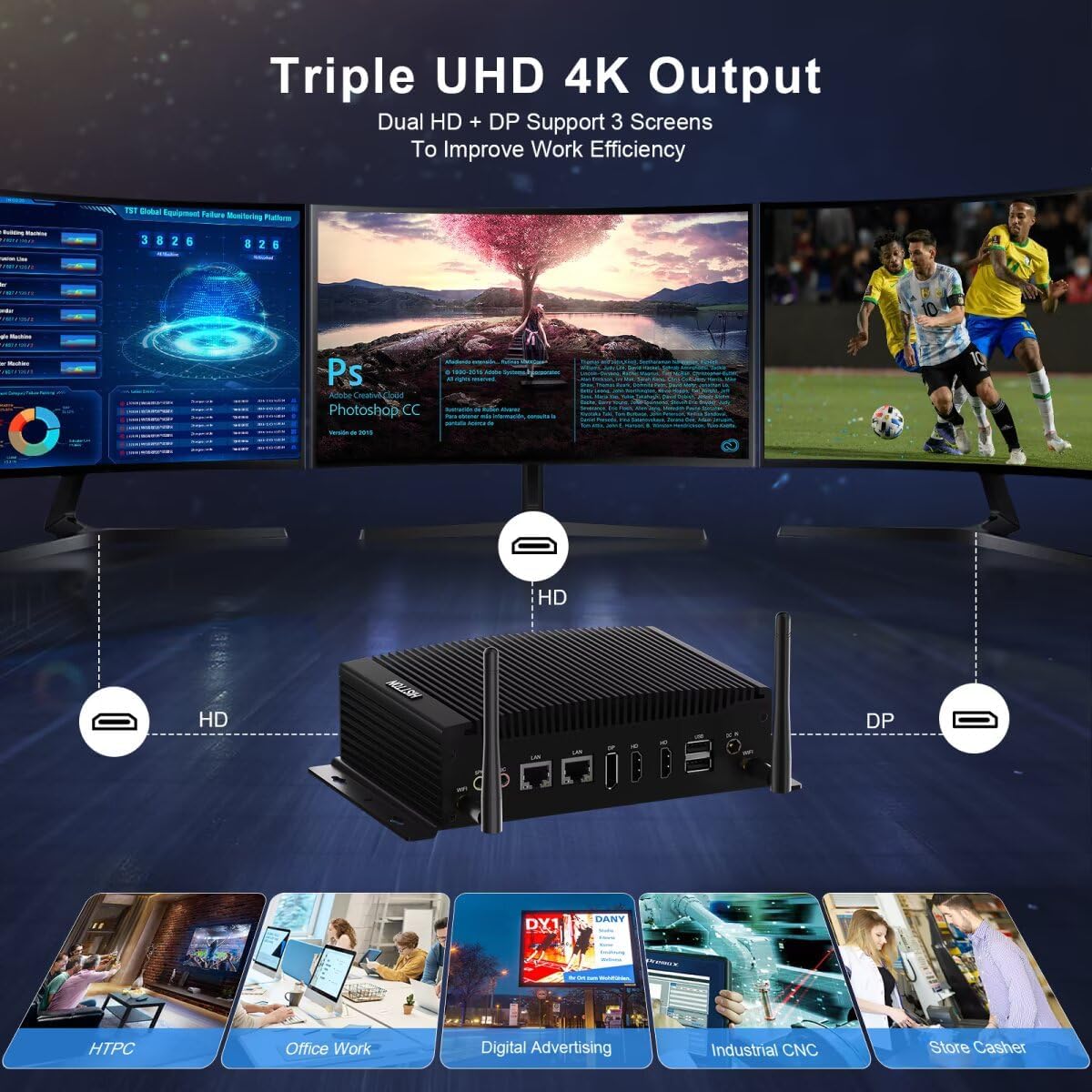
Image 5.2: Triple 4K display output configuration.
5.3 Sieťové pripojenie
The Mini PC offers both wired and wireless networking options:
- Káblová LAN: Connect an Ethernet cable to either of the two Gigabit LAN ports for a stable, high-speed internet connection.
- Wi-Fi: The built-in Dual-band (2.4G+5.0G) Wi-Fi 5 module provides wireless internet access. To connect, click the Wi-Fi icon in the system tray, select your network, and enter the password.
- Bluetooth: Bluetooth 4.2 allows connection to compatible wireless peripherals such as keyboards, mice, and headphones. Access Bluetooth settings via the Windows Settings menu.

Image 5.3: High-speed network capabilities including Wi-Fi and Gigabit Ethernet.
5.4 GPIO and COM Ports
The 14-pin GPIO and 2x RS232/RS485 COM ports are designed for industrial applications and specialized peripheral connections. Refer to the specific documentation for your industrial equipment or custom applications for proper configuration and usage of these ports.
6. Údržba
6.1 Čistenie
- Pred čistením sa uistite, že je zariadenie vypnuté a odpojené.
- Na utieranie vonkajšieho povrchu Mini PC použite mäkkú, suchú handričku.
- Avoid using liquid cleaners or sprays directly on the device.
6.2 Aktualizácie softvéru
Pravidelne aktualizujte operačný systém Windows a ovládače, aby ste zaistili optimálny výkon a zabezpečenie. Prístup k službe Windows Update získate prostredníctvom ponuky Nastavenia.
6.3 Rozšírenia úložiska a pamäte RAM
The Mini PC supports upgrades for both RAM and storage. If you plan to upgrade, ensure the device is powered off and unplugged. Refer to the internal component diagram (Image 3.1) for slot locations. Use compatible DDR4 SO-DIMM modules and M.2 2280 NVMe/SATA SSDs or 2.5-inch SATA drives.
7. Riešenie problémov
- Bez napájania: Uistite sa, že napájací adaptér je bezpečne pripojený k Mini PC aj k funkčnej elektrickej zásuvke. Otestujte zásuvku s iným zariadením.
- Bez zobrazenia: Verify that the monitor is powered on and correctly connected to the Mini PC. Try a different video cable or monitor if available. Ensure the correct input source is selected on your monitor.
- Žiadne internetové pripojenie: For wired connections, check the Ethernet cable and router status. For Wi-Fi, ensure antennas are attached, Wi-Fi is enabled in Windows, and you are connected to the correct network with the right password.
- Spomalenie systému: Check Task Manager for high CPU or RAM usage by specific applications. Ensure sufficient free storage space. Consider performing a disk cleanup or system scan for malware.
- Periférne zariadenie nebolo zistené: Skúste pripojiť periférne zariadenie k inému portu USB. V prípade potreby sa uistite, že sú nainštalované ovládače.
8. Špecifikácie
| Funkcia | Špecifikácia |
|---|---|
| Procesor | Intel Core i7-10810U (1.1 GHz base, up to 4.90 GHz) |
| Grafika | Grafika Intel UHD pre procesory Intel 10. generácie |
| RAM | 16 GB DDR4 (2x SO-DIMM slots, max 64GB) |
| Skladovanie | 512 GB M.2 NVMe PCIe 3.0x4 / SATA 3 SSD, 1x 2.5-inch SATA HDD/SSD slot |
| Operačný systém | Windows 11 Pro |
| Maximálne rozlíšenie obrazovky | 3840 x 2160 pixelov (4K) |
| Video výstupy | 2x HD (HDMI), 1x DP (DisplayPort) |
| USB porty | 4x USB 3.0, 2x USB 2.0 |
| sieť | 2x Gigabit Ethernet (RJ-45), Dual-band 2.4G+5.0G WiFi (WIFI5), Bluetooth 4.2 |
| Sériové porty | 2x RS232/RS485 COM |
| GPIO | 1x 14 Pin GPIO |
| Zvuk | 1x SPK (Audio Out), 1x MIC (Audio In) |
| Napájanie | DC 12V 5A |
| Rozmery (DxŠxV) | 8.07 x 4.92 x 2.09 palca (20.5 x 12.5 x 5.3 cm) |
| Hmotnosť | 2.64 libry (1.2 kg) |
9. Záruka a podpora
HISTTON provides customer support for its products. For technical assistance, warranty claims, or general inquiries, please use the following contact methods:
- Podpora Amazonu: For purchases made through Amazon, you can contact support by logging into your Amazon account, navigating to "Your Orders," and selecting "Ask Product Question" for your HISTTON Mini PC.
- Popredajná podpora: You may also send an email directly to the HISTTON after-sales team for dedicated support.

Image 9.1: Support contact options for HISTTON products.
9.1 Oficiálne video produktu
Video 9.1: Overview of the HISTTON Mini PC, showcasing its features and potential applications with Windows 11 Pro and Linux/Ubuntu support.
Ask a question about this manual
Ask about setup, troubleshooting, compatibility, parts, safety, or missing instructions. Manuals+ will review the question and use this page’s manual context to help answer it.