
1. Úvod
This manual provides essential information for the safe installation, operation, and maintenance of your CREATE WIND CLEAR Ceiling Fan. Please read these instructions thoroughly before installation and retain them for future reference.
The CREATE WIND CLEAR Ceiling Fan is a quiet ceiling fan featuring a 40W DC brushless motor and a winter-summer reversal function. Its compact and versatile design includes retractable blades. It is suitable for small to medium-sized rooms and bedrooms, offering a built-in LED light with three adjustable color temperatures. The fan body is constructed from steel, and the blades are made of ABS. It provides 6 speed settings and a programmable timer up to 8 hours, all controllable via the included remote control and WiFi connectivity.
2. Bezpečnostné pokyny
- Pred inštaláciou, údržbou alebo čistením vždy odpojte napájanie hlavným ističom.
- Inštaláciu musí vykonať kvalifikovaný elektrikár v súlade so všetkými miestnymi a národnými elektrotechnickými predpismi.
- Ensure the mounting structure can support the weight of the fan (refer to specifications for weight).
- Nevkladajte žiadne predmety do dráhy lopatiek ventilátora.
- Uistite sa, že všetky pripojenia sú bezpečné a správne izolované.
- Tento spotrebič nie je určený na to, aby ho používali osoby (vrátane detí) so zníženými fyzickými, zmyslovými alebo duševnými schopnosťami alebo s nedostatkom skúseností a znalostí, pokiaľ nie sú pod dozorom alebo nie sú poučené o používaní spotrebiča osobou zodpovednou za ich bezpečnosť.
3. Zahrnuté komponenty
Pred začatím inštalácie skontrolujte, či sú všetky komponenty prítomné:
- CREATE WIND CLEAR Ceiling Fan Unit
- Diaľkové ovládanie
- Batéria pre diaľkové ovládanie
- Mounting Hardware (screws, brackets, etc. - specific items may vary)
- Návod na použitie
For a visual reference of the product and its components, please see the image below:

4. Nastavenie a inštalácia
Professional installation is highly recommended for this ceiling fan. Ensure the power supply is disconnected before starting any installation work.
4.1 Fyzická inštalácia
- Montážna konzola: Securely attach the mounting bracket to a ceiling joist or a suitable electrical junction box rated for fan support.
- Zapojenie: Connect the fan's electrical wires to the household wiring according to the wiring diagram provided in the full installation guide (not included in this summary). Ensure proper grounding.
- Zostava ventilátora: Carefully lift and attach the fan motor assembly to the mounting bracket.
- Inštalácia čepele: The fan features retractable blades that deploy automatically when the fan operates. No manual blade installation is typically required after the main unit is mounted.
- Inštalácia svetelnej súpravy: Attach the LED light kit to the fan housing as per the detailed instructions.
Refer to the following images for visual guidance on the fan's appearance and dimensions:


4.2 Nastavenie Wi-Fi
The fan supports WiFi connectivity for control via a smartphone application. Refer to the specific instructions provided with the fan for pairing the device with your home WiFi network and the CREATE smart home app.
5. Návod na obsluhu
Your CREATE WIND CLEAR Ceiling Fan can be operated using the included remote control or via the dedicated smartphone application.
5.1 Funkcie diaľkového ovládača
- Zapnutie/vypnutie: Stlačením tlačidla napájania zapnete alebo vypnete ventilátor a svetlo.
- Rýchlosť ventilátora: Adjust between 6 fan speeds using the designated speed buttons.
- Ovládanie svetla: Turn the LED light on/off and cycle through three adjustable color temperatures (warm, neutral, cold).
- Časovač: Nastavte ventilátor tak, aby sa automaticky vypol po 1, 2, 4 alebo 8 hodinách.
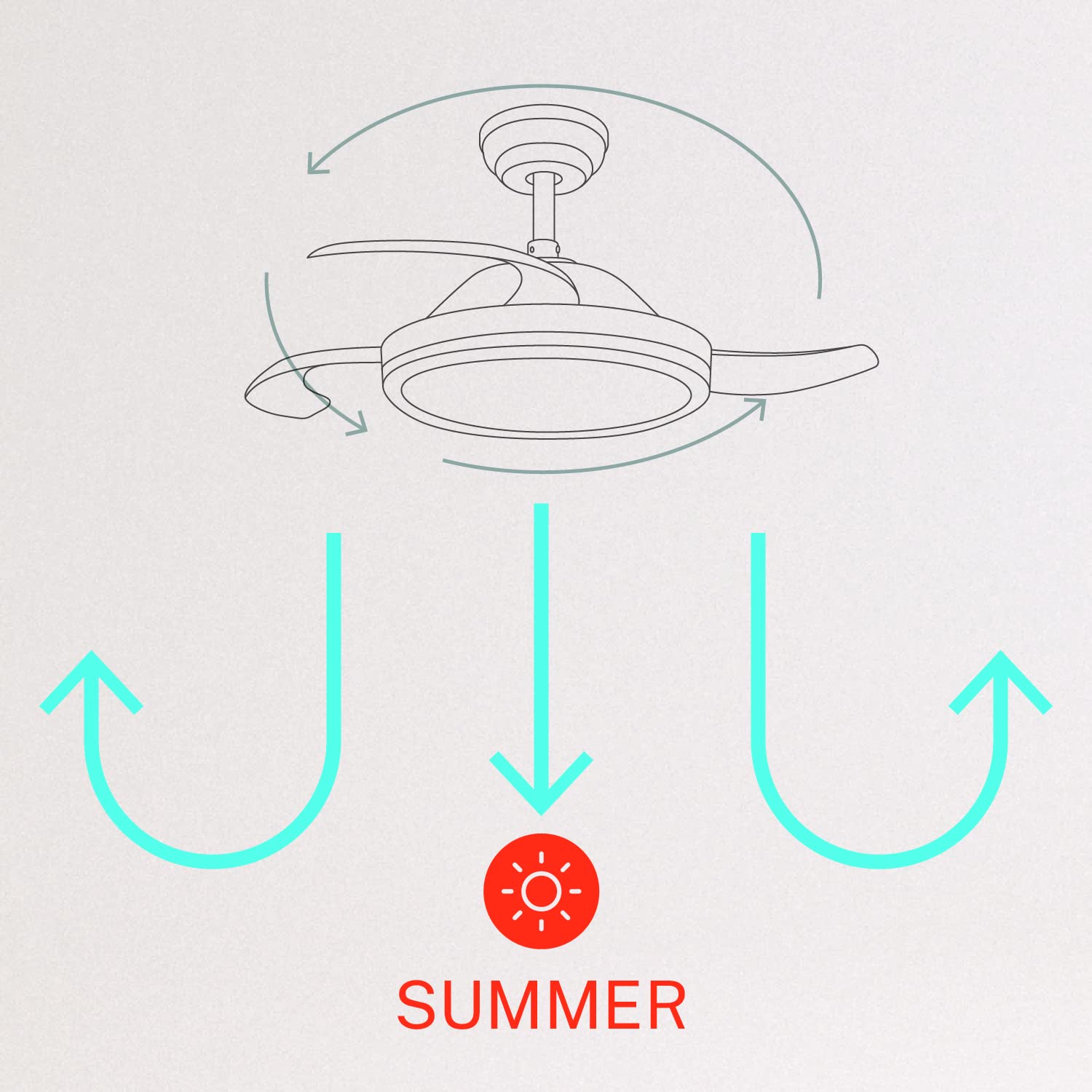
- Zimný/letný režim: Switch between forward (summer) and reverse (winter) rotation modes.

5.2 Winter and Summer Modes
The fan features a reversible motor to optimize air circulation for different seasons:
- Letný režim (otáčanie proti smeru hodinových ručičiek): Lopatky ventilátora sa otáčajú proti smeru hodinových ručičiek a tlačia vzduch smerom nadol, čím vytvárajú chladivý vánok.
- Zimný režim (otáčanie v smere hodinových ručičiek): The fan blades rotate clockwise, drawing air upwards to circulate warm air trapped near the ceiling, helping to distribute heat more evenly.

6. Údržba
Pravidelná údržba zaisťuje optimálny výkon a dlhú životnosť vášho stropného ventilátora.
- Čistenie: Pravidelne čistite lopatky ventilátora a kryt motora mäkkou handričkouamp cloth. Do not use abrasive cleaners or solvents. Ensure the fan is turned off and power is disconnected before cleaning.
- Uťahovacie skrutky: Check all mounting screws and blade attachment screws annually to ensure they are properly tightened.
- Svetelný zdroj: The LED light source is integrated. If it requires service, contact qualified personnel.
7. Riešenie problémov
Ak sa vyskytnú problémy s ventilátorom, pozrite si nasledujúce bežné problémy a riešenia:
| Problém | Možná príčina | Riešenie |
|---|---|---|
| Ventilátor sa nespustí | No power supply; Loose wiring; Remote control battery depleted | Skontrolujte istič; Skontrolujte všetky káblové pripojenia; Vymeňte batériu diaľkového ovládača. |
| Ventilátor sa kolíše | Loose mounting screws; Unbalanced blades | Ensure mounting bracket and fan assembly screws are tight; Check for any obstructions to blade movement. |
| Svetlo nefunguje | Loose wiring; LED module fault | Check light kit wiring connections; Contact customer support if LED module is faulty. |
| Diaľkové ovládanie nefunguje | Depleted battery; Remote not paired | Replace remote control battery; Refer to pairing instructions in the full manual. |
| WiFi control issues | Poor WiFi signal; Incorrect app setup | Ensure strong WiFi signal; Reconfigure WiFi connection in the app. |
8. Špecifikácie
| Funkcia | Detail |
|---|---|
| Značka | VYTVORIŤ |
| Číslo modelu | 120760_254772 |
| Farba | Biela |
| Dizajn elektrického ventilátora | Stropný ventilátor |
| Zdroj napájania | Káblové elektrické |
| štýl | With WiFi |
| Rozmery produktu | 107 H x 107 Š x 39 V centimetrov |
| Typ izby | Spálňa |
| Špeciálna funkcia | Časovač |
| Odporúčané použitia | Vetranie |
| Wattage | 40 wattov |
| Zahrnuté komponenty | Remote, Battery |
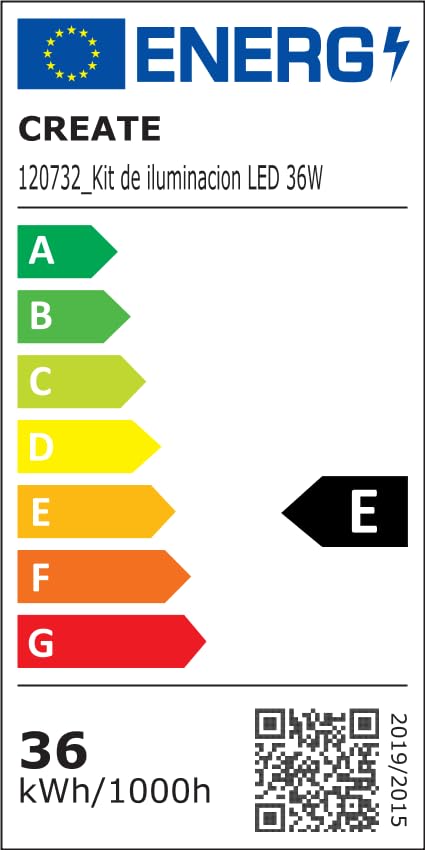
For detailed product data and energy efficiency information, please refer to the following documents:

9. Záruka a podpora
For warranty information, technical support, or service inquiries, please contact CREATE customer service or refer to the official CREATE webstránky. Uschovajte si doklad o kúpe ako dôkaz o kúpe.