
1. Úvod
Thank you for choosing the GuruNanda Sonic Toothbrush. This rechargeable and portable sonic toothbrush is designed to provide an effective and gentle cleaning experience with its advanced ultrasonic technology and multiple brushing modes. This manual provides essential information for the safe and efficient use of your new toothbrush.
2. Čo je v krabici
The GuruNanda Sonic Toothbrush package includes the following components:
- 1 GuruNanda Sonic Toothbrush Handle
- 3 hlavice kefky
- 1 Cestovné puzdro
- 1 USB Charger Stand

Image: All components included in the GuruNanda Sonic Toothbrush package.
3. Nastavenie a počiatočné nabíjanie
- Rozbaliť: Opatrne vyberte všetky komponenty z obalu.
- Pripevnenie hlavice kefky: Align the brush head with the metal shaft on the toothbrush handle and push it down until it clicks into place.
- Počiatočný poplatok: Pred prvým použitím zubnú kefku úplne nabite.
- Connect the USB charger stand to a compatible USB power source (e.g., wall adapter, computer USB port).
- Place the toothbrush handle onto the charger stand. The battery indicator light will illuminate to show charging status.
- A full charge takes approximately 2 hours and provides up to 360 minutes of brushing time.

Image: The GuruNanda Sonic Toothbrush on its charging stand.
4. Návod na obsluhu
4.1 Zapnutie/vypnutie a výber režimu
- Zapnutie: Jedným stlačením tlačidla napájania zapnete zubnú kefku. Spustí sa v naposledy použitom režime.
- Zmeniť režim: While the toothbrush is on, press the power button repeatedly to cycle through the 5 brushing modes: Clean, White, Polish, Sensitive, Gum Care.
- Vypnúť: To turn off the toothbrush, press and hold the power button for 2 seconds, or cycle through all modes until it turns off automatically.

Image: The toothbrush handle displaying the power button and mode indicators.
4.2 Technika čistenia zubov kefkou
- Navlhčite hlavicu kefky a naneste malé množstvo zubnej pasty.
- Hlavu kefky priložte k zubom pod miernym uhlom smerom k línii ďasien.
- Gently move the brush head across your teeth, allowing the sonic vibrations to do the cleaning. Do not scrub aggressively.
- Zubná kefka má 2-minútový inteligentný časovač a a Quad Pacer, which pauses every 30 seconds to remind you to move to a different quadrant of your mouth. This ensures thorough cleaning of all areas.
- An in-built pressure sensor helps ensure proper brushing technique, preventing excessive pressure on teeth and gums.
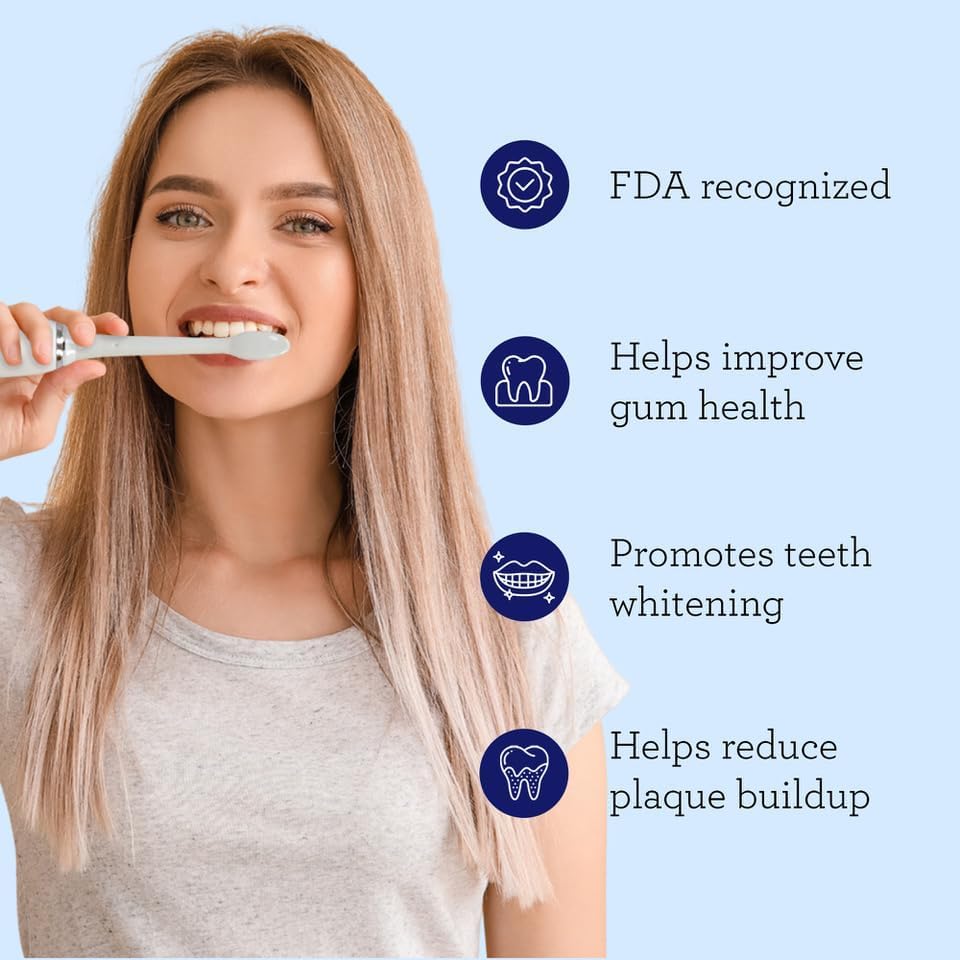
Image: Proper brushing technique with the sonic toothbrush.
5. Režimy čistenia zubov
The GuruNanda Sonic Toothbrush offers 5 unique brushing modes to cater to various oral care needs:
- Čistý režim: Standard mode for effective plaque removal.
- Biely režim: Designed to remove surface stains for brighter teeth.
- Poľský režim: Combines cleaning and whitening patterns for a comprehensive clean.
- Citlivý režim: Jemné čistenie citlivých zubov a ďasien.
- Režim starostlivosti o ďasná: Provides a gentle massage for improved gum health.

Image: Visual representation of the 5 brushing modes.
Video: This video demonstrates the features of the GuruNanda Sonic Toothbrush, including its various modes and benefits for oral health.
6. Údržba
6.1 Čistenie zubnej kefky
- Po každom použití dôkladne opláchnite hlavicu kefky pod tečúcou vodou.
- Utrite rukoväť zubnej kefky reklamouamp plátno. Rukoväť neponárajte do vody.
- Ensure the charging contacts on the handle and stand are clean and dry before charging.

Image: Rinsing the brush head after use.
6.2 Výmena kefových hlavíc
- Dentists recommend replacing brush heads every 3 months, or sooner if the bristles are frayed.
- To remove, pull the brush head straight off the handle.
- To attach a new brush head, align it with the metal shaft and push down until it clicks.
7. Riešenie problémov
| Problém | Možná príčina | Riešenie |
|---|---|---|
| Zubná kefka sa nezapne. | Slabá batéria alebo nie je nabitá. | Charge the toothbrush for at least 2 hours. Ensure the charger is properly connected. |
| Slabé vibrácie. | Slabá batéria. | Nabite zubnú kefku. |
| Hlava kefky sa zdá byť uvoľnená. | Hlavica kefky nie je správne nasadená alebo je opotrebovaná. | Ensure the brush head is pushed down firmly until it clicks. Replace if worn. |
| Zubná kefka sa zastaví skôr ako uplynú 2 minúty. | This is the smart timer indicating the end of the recommended brushing time. | This is normal operation. You can restart if desired. |
8. Špecifikácie
| Funkcia | Detail |
|---|---|
| Číslo modelu | 13-26-001-08287-1 |
| Technológia | Modern Ultrasonic Technology |
| Vibrations per Minute | 31,000 - 50,000 micro-vibrations |
| Režimy kefovania | 5 (Clean, White, Polish, Sensitive, Gum Care) |
| Časovač | 2-minute Smart Timer with Quad Pacer (30-second intervals) |
| Batéria | 2000mAH, up to 360 minutes use per charge |
| Doba nabíjania | Pribl. 2 hodín |
| Hodnotenie vodotesnosti | IPX8 |
| Voltage | 110-220 V |
| Materiál štetín | Nylon |
| Materiál rukoväte | Plastové |
9. Bezpečnostné informácie
- Nepoužívajte tento výrobok na žiadny iný účel ako na ústnu hygienu.
- Uchovávajte mimo dosahu detí.
- Consult your dentist before use if you have severe gum disease, oral surgery, or other oral health concerns.
- Nepokúšajte sa sami rozoberať alebo opravovať zariadenie. Požiadajte o pomoc zákaznícku podporu.
- Pred pripojením nabíjačky sa uistite, že je nabíjací port suchý.
10. Záruka a podpora
For warranty information, technical support, or to purchase replacement parts (such as brush heads), please visit the official GuruNanda webalebo kontaktujte ich zákaznícky servis. Uschovajte si doklad o kúpe ako dôkaz o kúpe.
Kontaktné informácie:
- Značka: GuruNanda
- Webmiesto: GuruNanda Store on Amazon