
1. Úvod
This manual provides detailed instructions for the safe and efficient operation of your Zebronics Zeb-Buddy 100 Portable Bluetooth Speaker. Please read this manual thoroughly before using the device and retain it for future reference.
2. Produkt skončilview a funkcie
The Zebronics Zeb-Buddy 100 is a portable Bluetooth v5.0 speaker designed for versatile audio playback. It features a compact design with an integrated handle for easy transport and a mobile holder for hands-free use. Key features include:
- Pripojenie Bluetooth v5.0: Pre bezdrôtové streamovanie zvuku.
- Funkcia TWS: Allows pairing of two Zeb-Buddy 100 speakers for stereo audio.
- Káblový mikrofón: Includes a 6.3mm wired microphone for karaoke.
- Viac možností prehrávania: Supports AUX, micro SD card, and USB input.
- Vstavané FM rádio: For listening to radio stations.
- Ovládanie médií: Integrated buttons for easy control of playback.
- Nabíjateľná batéria: Poskytuje až 5 hodiny prehrávania.
- Svetelné režimy RGB: Multiple light modes for enhanced ambiance.
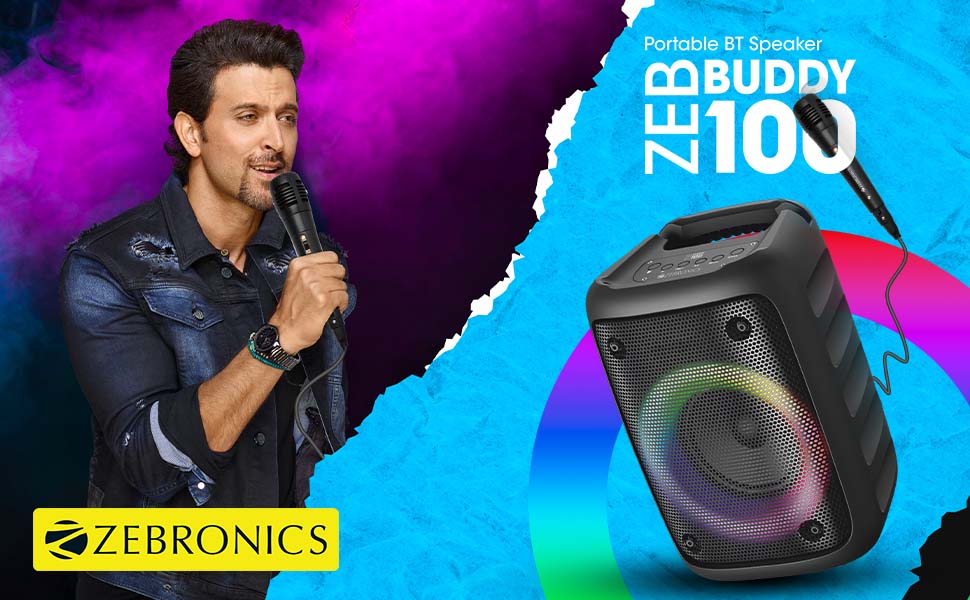
Image: The Zeb-Buddy 100 speaker shown with its included wired microphone, highlighting its portable design and control panel.
Obrázok: Uhlové view of the Zeb-Buddy 100 speaker, showcasing its compact form factor and side details.
3. Nastavenie
3.1 Nabíjanie reproduktora
- Pripojte nabíjací kábel k nabíjaciemu portu reproduktora.
- Druhý koniec kábla pripojte k vhodnému USB napájaciemu adaptéru (nie je súčasťou balenia).
- Rozsvieti sa indikátor nabíjania. Úplné nabitie trvá približne 4 hodiny.
3.2 Párovanie Bluetooth
- Zapnite reproduktor stlačením a podržaním tlačidla napájania.
- The speaker will enter Bluetooth pairing mode, indicated by a flashing LED.
- Na svojom mobilnom zariadení povoľte Bluetooth a vyhľadajte dostupné zariadenia.
- Select "Zeb-Buddy 100" from the list to pair.
- Once paired, the speaker will confirm the connection, and the LED will stop flashing.
3.3 Párovanie TWS (True Wireless Stereo)
To experience stereo audio, you can pair two Zeb-Buddy 100 speakers together:
- Ensure both Zeb-Buddy 100 speakers are powered on and not connected to any Bluetooth device.
- Na jednom reproduktore (toto bude primárny reproduktor) stlačte a podržte tlačidlo TWS.
- Primárny reproduktor vyhľadá sekundárneho reproduktora.
- Po pripojení budú oba reproduktory signalizovať úspešné spárovanie TWS.
- Now, connect your mobile device to the primary speaker via Bluetooth as described in section 3.2. Audio will play in stereo through both speakers.

Image: Three Zeb-Buddy 100 speakers demonstrating their multiple RGB light modes, illustrating the TWS capability.
4. Návod na obsluhu
4.1 Výber režimu
Press the 'M' (Mode) button on the speaker to switch between Bluetooth, AUX, Micro SD, USB, and FM Radio modes.
4.2 Prehrávanie zvuku
- Prehrať/pozastaviť: Stlačte tlačidlo Prehrať/Pozastaviť.
- Ďalšia skladba: Stlačte tlačidlo „Ďalej“.
- Predchádzajúca skladba: Stlačte tlačidlo „Predchádzajúci“.
- Zvýšiť hlasitosť: Press and hold the 'Next' button.
- Znížiť hlasitosť: Press and hold the 'Previous' button.
4.3 Funkcia karaoke
- Connect the wired microphone to the 6.3mm microphone input port on the speaker.
- Adjust the microphone volume using the dedicated knob on the speaker (if available) or through the main volume controls.
- Ensure music is playing from your chosen source (Bluetooth, AUX, etc.) for background audio.
4.4 Obsluha FM rádia
- Prepnite do režimu FM rádia pomocou tlačidla „M“.
- Press the Play/Pause button once to auto-scan and save available FM channels.
- Use the 'Next' and 'Previous' buttons to navigate between saved channels.
5. Údržba
To ensure the longevity and optimal performance of your Zeb-Buddy 100 speaker:
- Reproduktor chráňte pred vodou, vlhkosťou a priamym slnečným žiarením.
- Reproduktor čistite mäkkou, suchou handričkou. Nepoužívajte agresívne chemikálie ani abrazívne čistiace prostriedky.
- Zabráňte pádu reproduktora alebo jeho vystaveniu silným nárazom.
- Pri dlhšom nepoužívaní skladujte na chladnom a suchom mieste.
6. Riešenie problémov
| Problém | Možná príčina | Riešenie |
|---|---|---|
| Reproduktor sa nezapne. | Slabá batéria alebo žiadne nabitie. | Plne nabite reproduktor. |
| Nie je možné spárovať cez Bluetooth. | Reproduktor nie je v režime párovania; Bluetooth zariadenia je vypnutý; príliš ďaleko od reproduktora. | Uistite sa, že reproduktor je v režime párovania. Zapnite/vypnite Bluetooth na zariadení. Presuňte zariadenie bližšie k reproduktoru. |
| Žiadny zvuk. | Volume too low; incorrect mode selected; faulty cable (AUX/USB). | Increase volume. Select correct input mode. Check/replace cables. |
| Párovanie TWS zlyhá. | Speakers already connected to another device; too far apart. | Disconnect speakers from other devices. Ensure speakers are close to each other. |
| Mikrofón nefunguje. | Microphone not fully plugged in; volume too low. | Ensure microphone is securely connected. Adjust microphone volume. |
7. Špecifikácie
- Značka: ZEBRONIKA
- Názov modelu: Zeb-Buddy 100
- Technológia pripojenia: Pomocný, Bluetooth, USB, Bezdrôtový
- Verzia Bluetooth: v5.0
- Maximálny výstupný výkon reproduktora: 15 wattov
- Frekvenčná odozva: 100 Hz – 20 kHz
- Režim výstupu zvuku: Stereo (s TWS)
- Veľkosť reproduktora: 52 Millimetres (Driver)
- Zdroj napájania: Napájanie z batérie
- Doba nabíjania batérie: 4 hodín
- Čas prehrávania: 5 hodín
- Spôsob kontroly: Dotykové ovládanie
- Kompatibilné zariadenia: Smartfón, Tablet
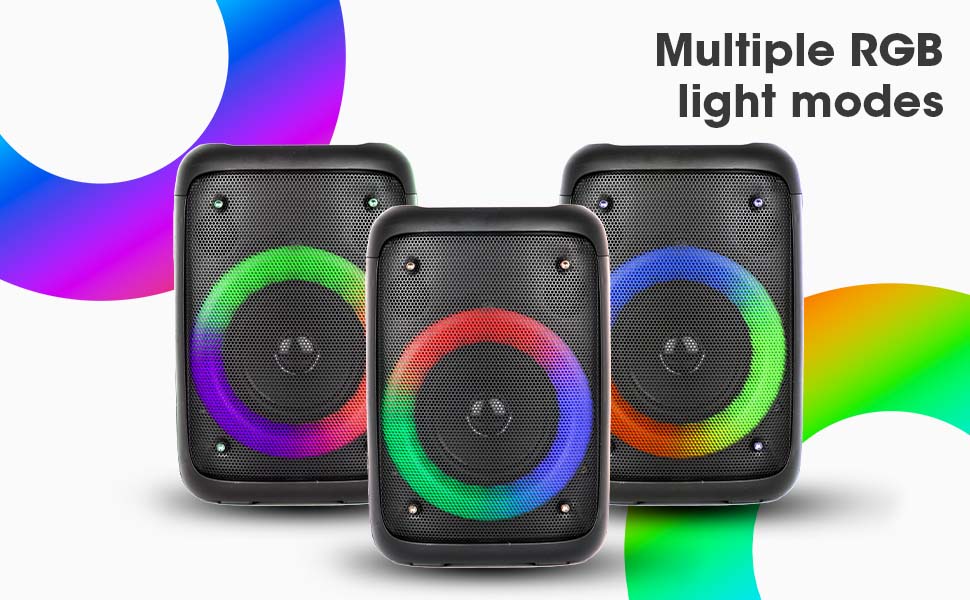
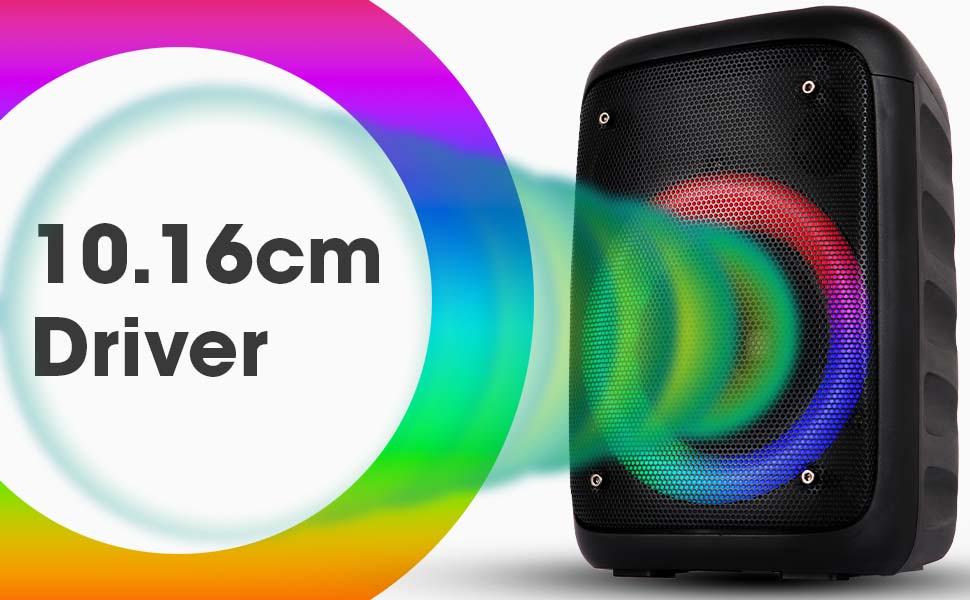
Image: The Zeb-Buddy 100 speaker with an overlay indicating its 10.16cm (4-inch) driver size.
8. Záruka a podpora
The Zebronics Zeb-Buddy 100 comes with a 1-ročná záruka s doručením to the service center. For any support, service, or warranty claims, please contact Zebronics customer support or visit their official website for service center locations and contact information.
Uschovajte si doklad o kúpe pre účely overenia záruky.