
Úvod
Welcome to your VTech VT680 Cordless Phone. This manual provides essential information for setting up, operating, and maintaining your new phone. The VTech VT680 is a DECT 6.0 cordless phone designed for reliable fixed-line communication.
Key features include Caller ID, a log of the last 10 received calls, a reminder alarm, and a 20-contact phonebook.

Image: VTech VT680 Cordless Phone handset and base unit positioned on a desk in a home office environment, alongside office supplies.
Obsah balenia
Prosím, overte si, či váš balík obsahuje nasledujúce položky:
- VTech VT680 Cordless Handset
- Nabíjacia základňa
- Napájací adaptér
- Kábel telefónnej linky
- 2 nabíjateľné batérie typu AAA
- Používateľská príručka (tento dokument)
Nastavenie
1. Inštalácia batérie
Krok 1: Nájdite priehradku na batérie na zadnej strane slúchadla.
Krok 2: Vložte dve nabíjateľné batérie typu AAA a dodržte správnu polaritu (+ a -) uvedenú vo vnútri priehradky.
Krok 3: Bezpečne zatvorte kryt priestoru pre batérie.

Obrázok: Zadná strana view of the VTech VT680 cordless phone handset, showing the battery compartment area.
2. Pripojenie základnej jednotky
Krok 1: Connect one end of the telephone line cord to the TEL LINE jack on the back of the charging base.
Krok 2: Pripojte druhý koniec telefónneho kábla do telefónnej zásuvky v stene.
Krok 3: Connect the small end of the power adapter to the POWER jack on the back of the charging base.
Krok 4: Zapojte väčší koniec napájacieho adaptéra do štandardnej elektrickej zásuvky.

Obrázok: Side profile of the VTech VT680 cordless phone handset docked in its charging base, illustrating its compact design.
3. Počiatočné nabitie
Place the handset on the charging base. The handset display will show a charging indicator. Allow the handset to charge for at least 12 hours before initial use to ensure optimal battery performance and longevity.

Obrázok: Predná strana view of the VTech VT680 cordless phone handset docked in its charging base, displaying the screen and keypad.
Návod na obsluhu
Uskutočnenie hovoru
- Zdvihnite slúchadlo alebo stlačte TELEFÓN tlačidlo.
- Vytočte požadované telefónne číslo pomocou klávesnice.
- Stlačte tlačidlo TELEFÓN ukončite hovor opätovným stlačením tlačidla.
Prijatie hovoru
Keď telefón zvoní, zdvihnite slúchadlo alebo stlačte tlačidlo TELEFÓN tlačidlo.
Používanie identifikácie volajúceho
When a call comes in, the caller's name and number will appear on the handset display (requires subscription to Caller ID service from your telephone provider).
K review the call log, press the ZÁZNAM HOVORU tlačidlo. Použite UP a DOLE arrow buttons to scroll through the last 10 received calls.
Telefónny zoznam
Telefónny zoznam dokáže uložiť až 20 kontaktov.
Pridanie kontaktu
- Stlačte tlačidlo MENU tlačidlo.
- Navigate to "Phonebook" and select "Add New Entry".
- Enter the contact's name and phone number using the keypad.
- Stlačte tlačidlo ULOŽIŤ na uloženie záznamu.
Making a Call from Phonebook
- Stlačte tlačidlo TELEFÓNNY ZOZNAM tlačidlo.
- Použite UP a DOLE arrow buttons to find the desired contact.
- Stlačte tlačidlo TELEFÓN button to dial the contact.
Setting a Reminder Alarm
- Stlačte tlačidlo MENU tlačidlo.
- Navigate to "Alarm" or "Reminders" in the menu.
- Set the desired time and activate the alarm function.
- Stlačte tlačidlo ULOŽIŤ potvrdiť.
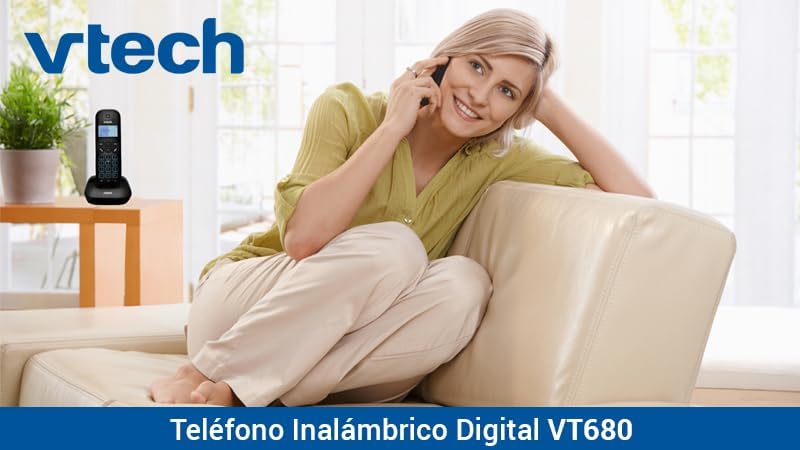
Image: A woman comfortably seated on a couch, engaged in a phone conversation using the VTech VT680 cordless phone.
Údržba
Upratovanie
Utrite slúchadlo a základňu mäkkou, jemneamp cloth. Do not use harsh cleaning agents, abrasive materials, or excessive liquid, as these can damage the device.
Starostlivosť o batérie
Use only the specified AAA rechargeable batteries. Replace batteries when they no longer hold a charge effectively or if you notice a significant decrease in talk time.
Riešenie problémov
If you encounter any issues with your VTech VT680 Cordless Phone, please refer to the table below for common problems and their solutions.
| Problém | Riešenie |
|---|---|
| Žiadny oznamovací tón | Ensure the telephone line cord is securely connected to both the base unit and the telephone wall jack. Verify the power adapter is properly connected to the base unit and a working electrical outlet. |
| Slúchadlo sa nenabíja | Ensure the handset is correctly seated in the charging cradle. Verify the power adapter is plugged in. Clean the charging contacts on both the handset and base unit with a dry cloth. |
| Slabá kvalita hovoru alebo šum | Move closer to the base unit. Check for interference from other electronic devices (e.g., Wi-Fi routers, microwaves). Try relocating the base unit. |
| Identifikácia volajúceho nefunguje | Ensure you are subscribed to Caller ID service from your telephone service provider. Contact your provider to confirm the service is active. |
Špecifikácie
Technické špecifikácie
- Značka: VTECH
- Model: VT680
- Typ telefónu: Cordless, DECT 6.0 Technology
- Farba: Čierna
- Materiál: Plastové
- Zdroj napájania: Battery operated (2 AAA rechargeable batteries included)
- Dimensions (Handset on Base): Rozmery cca 16.8 x 7.8 x 15.8 cm
- Hmotnosť: Približne 680 g
- Vlastnosti: Caller ID, 10-call log, Reminder Alarm, 20-contact Phonebook
- Line Operation: Jednoriadková prevádzka
Záruka a podpora
For detailed warranty information, technical support, or to register your product, please visit the official VTech website or contact VTech customer service. Specific warranty terms and support options may vary by region.