
1. Nastavenie
This section provides instructions for the initial setup of your TCL 55S41 television, including unpacking, stand installation, wall mounting, and connecting external devices.
1.1 Rozbalenie
- Opatrne vyberte televízor z obalu.
- Ensure all accessories are present: remote control, AAA batteries, power cord, and stand components.
- Uschovajte si obalový materiál pre prípad neskoršej prepravy alebo servisných potrieb.
1.2 Inštalácia stojana
If you are not wall-mounting the television, install the included stand according to these steps:
- Place the television face-down on a soft, clean surface to prevent screen damage.
- Align the stand legs with the screw holes on the bottom of the television. The stand separation distance is approximately 41.5 inches.
- Secure each stand leg using the provided M4 x 25 screws (4 screws total). Tighten securely with a screwdriver.
- Carefully lift the television to an upright position on a stable, level surface.
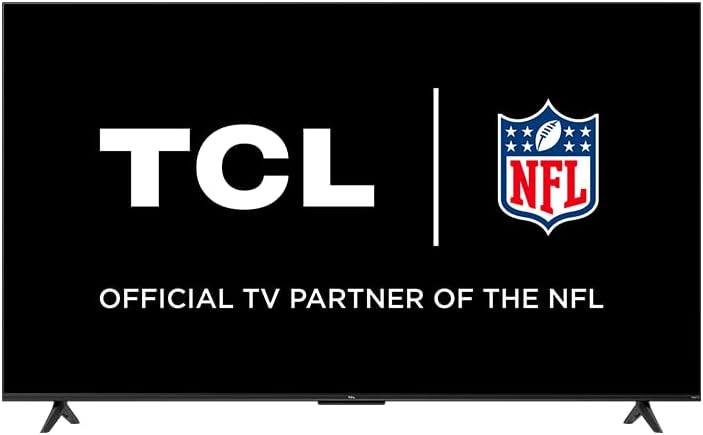
Image: The TCL 55S41 television with its stand attached, illustrating the typical appearance after stand installation. The stand provides stable support for the television on a flat surface.
1.3 Montáž na stenu
If you plan to wall-mount your television, ensure you use a VESA-compatible wall mount (sold separately) that supports the television's weight and size.
- The VESA wall mount pattern for this model is Rozmer 200 mm x 200 mm.
- Use M6 x 12 screws for attaching the wall mount bracket to the television.
- Follow the instructions provided with your specific wall mount for safe and secure installation.
- Remove the stand legs before wall mounting.
1.4 Pripojenie zariadení
Connect your external devices to the appropriate ports on the back of the television.
- HDMI vstupy: The TV features 4 HDMI inputs, including 1 eARC port for enhanced audio return channel functionality. Use these for connecting Blu-ray players, game consoles, cable boxes, etc.
- Kompozitný audio/video vstup: 1 input for older devices using RCA cables.
- Digitálny optický audio výstup: 1 output for connecting to soundbars or audio receivers.
- Jack pre slúchadlá: 1 output for private listening with headphones.
- Vstup RF antény: 1 input for connecting an antenna for over-the-air broadcasts.
- Port USB 2.0: 1 port for connecting USB storage devices to play media.
- Ethernetový port: Pre káblové internetové pripojenie.
- Bezdrôtové pripojenie: Supports 802.11ac 2x2 Dual Band (2.4GHz & 5GHz) Wi-Fi for wireless internet access.
Obrázok: Všeobecný view of the TCL 55S41 television, indicating the typical location of various input and output ports on the rear panel for connecting external devices.
1.5 Počiatočné zapnutie a nastavenie zariadenia Roku
- Connect the power cord to the television and then to a power outlet.
- Stlačte tlačidlo napájania na diaľkovom ovládači alebo na televízore.
- Follow the on-screen instructions to complete the Roku guided setup, which includes selecting your language, connecting to a network, and activating your Roku account.
2. Obsluha televízora
This section details the basic operation of your TCL Roku TV, including remote control functions, smart features, and input selection.
2.1 Diaľkové ovládanie
The included remote control (model RC280) requires two "AAA" batteries. It provides intuitive control over your television and Roku OS.
- Tlačidlo napájania: Zapína alebo vypína televízor.
- Smerová podložka: Navigácia v menu a výber položiek.
- Domovské tlačidlo: Návrat na domovskú obrazovku Roku.
- Tlačidlo Späť: Návrat na predchádzajúcu obrazovku.
- Tlačidlá hlasitosti: Nastavuje hlasitosť televízora.
- Tlačidlo Stlmiť: Stlmenie alebo zapnutie zvuku.
- Tlačidlá skratiek: Dedicated buttons for popular streaming channels.
2.2 Smart Features (Roku TV)
Your TCL TV is powered by Roku OS, offering a wide range of smart features:
- Streamovacie kanály: Access thousands of streaming channels for movies, TV shows, news, sports, and more.
- Ovládanie hlasom: The TV works with Siri, Alexa, and Hey Google for voice commands to search for content, launch apps, or switch inputs.
- AirPlay: Share videos, photos, and music directly from your Apple devices.
- Prispôsobiteľná domovská obrazovka: Organize your favorite channels and inputs for quick access.
- Mobilná aplikácia Roku: Use the free Roku mobile app for private listening via headphones, voice control, and as an alternative remote.
2.3 Výber vstupu
To switch between connected devices or the antenna input:
- From the Roku home screen, navigate to the desired input tile (e.g., HDMI 1, Antenna TV).
- Stlačte tlačidlo OK button on your remote to select the input.
2.4 Zvukové funkcie
- Dolby Digital Plus: Enhanced audio quality for compatible content.
- Súkromné počúvanie: Use the Roku mobile app with headphones for personal audio.
2.5 Live TV Pause
If you have an antenna connected, you can pause live TV for up to 30 minutes. A USB drive (sold separately) is required for this feature.
3. Údržba
Správna údržba zaisťuje dlhú životnosť a optimálny výkon vášho televízora.
3.1 Čistenie
- Obrazovka: Obrazovku jemne utrite mäkkou handričkou, ktorá nepúšťa vlákna. Na odolné škvrny použite čistič obrazoviek špeciálne určený pre televízory, ktorý nanesiete na handričku, nie priamo na obrazovku.
- skrinka: Skrinku televízora utrite mäkkou, suchou handričkou. Nepoužívajte abrazívne čistiace prostriedky ani rozpúšťadlá.
- Pred čistením vždy odpojte televízor zo siete.
3.2 Aktualizácie softvéru
Your TCL Roku TV receives automatic software updates to improve performance and add new features. Ensure your TV is connected to the internet for these updates.
4. Riešenie problémov
This section provides solutions to common issues you might encounter with your TCL 55S41 television.
4.1 Bez napájania
- Skontrolujte, či je napájací kábel bezpečne zapojený do televízora aj do elektrickej zásuvky.
- Overte funkčnosť elektrickej zásuvky pripojením iného zariadenia.
- Skús stlačiť tlačidlo napájania na samotnom televízore, nielen na diaľkovom ovládači.
4.2 Žiadny obraz / Zlá kvalita obrazu
- Uistite sa, že je vybratý správny vstupný zdroj.
- Check all cable connections (HDMI, composite) to external devices.
- If using an antenna, check antenna connection and try rescanning for channels.
- Adjust picture settings (brightness, contrast, etc.) in the TV menu.
4.3 Žiadny zvuk / Zlá kvalita zvuku
- Skontrolujte úroveň hlasitosti a uistite sa, že televízor nie je stlmený.
- If using external audio equipment (soundbar, receiver), ensure it is powered on and correctly connected.
- Skontrolujte nastavenia zvukového výstupu v ponuke televízora.
4.4 Diaľkové ovládanie nereaguje
- Replace the batteries with fresh "AAA" batteries.
- Uistite sa, že medzi diaľkovým ovládačom a infračerveným senzorom televízora nie sú žiadne prekážky.
- Try pairing the remote again if it's a voice remote (refer to Roku TV settings).
4.5 Problémy s pripojením k sieti
- Skontrolujte svoj Wi-Fi router a modem, či sú zapnuté a fungujú.
- Reštartujte smerovač a modem.
- Prejdite do nastavení siete televízora a skúste sa znova pripojiť k sieti Wi-Fi.
- Ak používate káblové pripojenie, uistite sa, že je ethernetový kábel bezpečne pripojený.
5. Špecifikácie
Detailed technical specifications for the TCL 55S41 55-inch 4-Series 4K UHD HDR LED Smart Roku TV.
| Funkcia | Špecifikácia |
|---|---|
| Názov modelu | 55S41 |
| Veľkosť obrazovky | 55 palcov (54.6") Viewschopný) |
| Rozlíšenie panelu | 3840 x 2160 (4K UHD) |
| Obnovovacia frekvencia | 60 Hz |
| Technológia displeja | LED-LCD |
| Podporovaný formát HDR | HDR10, HLG |
| Inteligentná platforma | Roku TV |
| Výstupný zvukový výkon | 10 W + 10 W |
| Prémiový zvuk | Dolby Digital Plus |
| HDMI vstupy | 4 (1 eARC) |
| Porty USB 2.0 | 1 |
| Bezdrôtové pripojenie | 802.11ac 2x2 duálne pásmo (2.4 GHz a 5 GHz) |
| Ethernetový port | 1 |
| Veľkosť produktu (ŠxVxH) so stojanom | 48.3 cm x 29.8 cm x 10.1 cm |
| Product Size (WxHxD) without Stand | 48.3 cm x 28 cm x 3.2 cm |
| Hmotnosť produktu so stojanom | 22.5 libry |
| Product Weight without Stand | 22 libry |
| Vzor pre montáž na stenu VESA | Rozmer 200 mm x 200 mm |
| Veľkosť skrutky VESA | M6 x 12 |
| Zahrnuté diaľkové ovládanie | RC280 |
| Typ batérie diaľkového ovládača | Two "AAA" |
| UPC | 846042065061 |
6. Záruka a podpora
Informácie týkajúce sa záruky na produkt a spôsobu získania podpory.
6.1 Informácie o záruke
This TCL television comes with a 1-ročná obmedzená záruka. This warranty covers manufacturing defects and issues arising from normal use. Please refer to the warranty card included with your product or visit the official TCL webna stránke s úplnými zmluvnými podmienkami.
6.2 Zákaznícka podpora
For technical assistance, troubleshooting beyond this manual, or warranty claims, please contact TCL Customer Support. You can typically find support contact information (phone, email, or live chat) on the official TCL website. When contacting support, have your TV model number (55S41) and serial number ready.