
Thomson 43QA2S13

THOMSON 43-inch QLED Smart Android TV
Používateľská príručka
Model: 43QA2S13
1. Produkt skončilview
The THOMSON 43-inch QLED Smart Android TV (Model 43QA2S13) offers an immersive viewing experience with its Ultra High Definition (UHD) display and QLED technology. Enjoy vibrant colors and sharp details, four times more precise than Full HD. This smart TV integrates Android TV, providing access to a vast library of applications, intelligent voice control with Google Assistant, and built-in Chromecast for seamless content streaming. Its sleek, frameless design on three sides ensures a captivating visual experience.

Obrázok 1.1: Predné view of the THOMSON 43-inch QLED Smart Android TV, showcasinjeho živý displej a tenké rámiky.
2. Inštalačná príručka
2.1 Rozbalenie
Opatrne vyberte televízor a všetko príslušenstvo z obalu. Uschovajte si obalový materiál pre prípad neskoršej prepravy alebo skladovania.
2.2 Montáž stojana / Montáž na stenu
Your TV comes with two stand feet for tabletop placement.
- Pripevnite nožičky stojana k určeným otvorom v spodnej časti televízora pomocou dodaných skrutiek. Uistite sa, že sú bezpečne upevnené.
- For wall mounting, use a VESA compatible wall mount (200x200 mm, not included). Refer to the wall mount's instructions for proper installation.

Obrázok 2.1: Predné view of the TV with its two stand feet attached.

Obrázok 2.2: Bočný profíkfile televízora, čím sa ukazuje jeho štíhly dizajn.

Obrázok 2.3: Diagram illustrating the TV's dimensions (102.3 cm width, 59 cm height with stand, 30 cm depth with stand).
2.3 Pripojenie zariadení
Pripojte externé zariadenia k televízoru pomocou príslušných portov.
- HDMI (x3): Na pripojenie Blu-ray prehrávačov, herných konzol, set-top boxov atď.
- USB (2x): Na pripojenie úložných zariadení USB na prehrávanie médií.
- LAN: Pre káblové pripojenie na internet.
- Audio Out (Digital Optical): Na pripojenie k soundbarom alebo systémom domáceho kina.
- Satelit (DVB-S2): For satellite antenna connection.
- Antenna (DVB-T2/C):): For terrestrial or cable antenna connection.
- AV vstup: Na pripojenie starších zariadení s kompozitnými video/audio výstupmi.
- Spoločné rozhranie (CI+): For inserting a CAM module and smart card for encrypted channels.

Obrázok 2.4: Zadné view of the TV, illustrating the various input and output ports available for connectivity.
2.4 Počiatočné nastavenie
After connecting the power cable and turning on the TV, follow the on-screen instructions for the initial setup:
- Vyberte preferovaný jazyk.
- Pripojte sa k sieti Wi-Fi alebo použite káblové LAN pripojenie.
- Prihláste sa pomocou svojho účtu Google a získajte prístup k funkciám a aplikáciám systému Android TV.
- Scan for available TV channels using the built-in triple tuner.
- Accept terms and conditions to complete the setup.
3. Obsluha vášho televízora
3.1 Diaľkové ovládanie
The ergonomic, backlit remote control provides easy navigation and access to all TV functions.
- Tlačidlo Asistenta Google: Press to activate voice control and search for content, control smart home devices, or get information.
- Favorites Button: Customize this button to quickly launch your most-used application with a single click.
- The backlight ensures visibility even in dim lighting conditions.

Obrázok 3.1: A user interacting with the TV using the Google Assistant voice command feature on the remote control.
3.2 Funkcie Android TV
Your THOMSON TV runs on Android TV, offering a rich entertainment experience.
- Prístup k aplikácii: Browse and download over 400,000 movies and TV shows from various applications available on the Google Play Store (e.g., Netflix, Prime Video, Disney+, YouTube, Spotify, Apple TV).
- Vstavaný Chromecast: Wirelessly stream movies, music, and videos from compatible devices (smartphones, tablets, computers) directly to your TV.
- Asistent Google: Pomocou hlasových povelov môžete vyhľadávať obsah, ovládať prehrávanie, upravovať nastavenia a spravovať inteligentné domáce zariadenia.

Obrázok 3.2: The Android TV home screen, displaying popular streaming service applications and content recommendations.
3.3 Kvalita obrazu a zvuku
Experience superior visual and audio performance with advanced technologies.
- Technológia QLED: Delivers vibrant and realistic colors through Quantum Dots, enhancing brightness and color accuracy.
- Rozlíšenie 4K UHD: Provides incredibly sharp and detailed images with 3840 x 2160 pixels.
- HDR (High Dynamic Range) with Dolby Vision: Improves contrast, brightness, and color reproduction for a more realistic and immersive picture, especially in scenes with extreme light and shadow.
- Dolby Audio: Creates a dynamic and immersive sound experience.
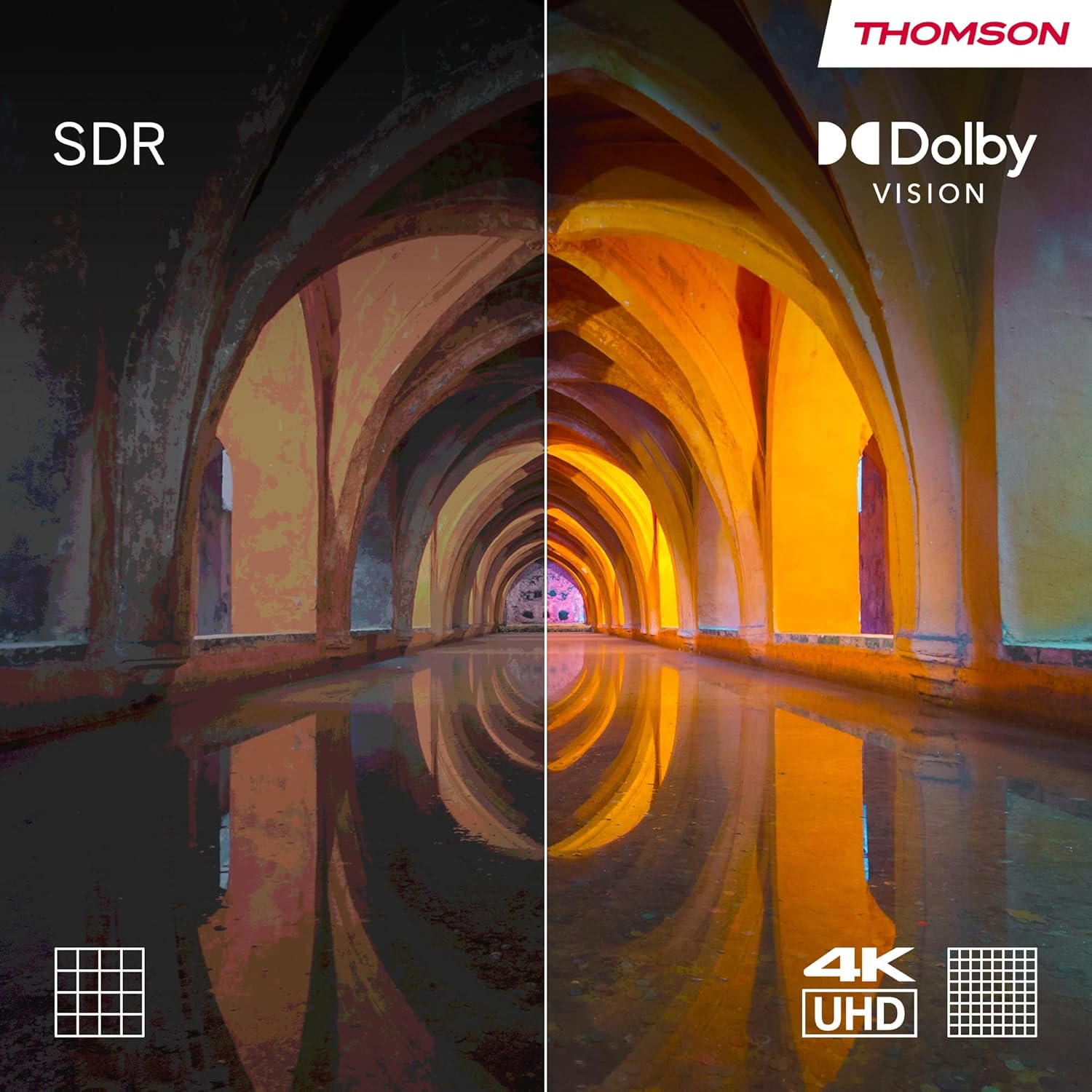
Obrázok 3.3: Visual comparison demonstrating the enhanced contrast and color depth provided by Dolby Vision compared to standard dynamic range (SDR).

Obrázok 3.4: An illustration depicting the immersive, multi-dimensional sound experience created by Dolby Atmos technology.
4. Údržba
Správna údržba zaisťuje dlhú životnosť a optimálny výkon vášho televízora.
- Čistenie obrazovky: Gently wipe the screen with a soft, lint-free cloth. For stubborn marks, use a screen-cleaning solution specifically designed for electronics, applied to the cloth, not directly to the screen.
- Čistenie skrine: Na čistenie skrinky televízora používajte mäkkú, suchú handričku. Nepoužívajte abrazívne čistiace prostriedky ani rozpúšťadlá.
- Aktualizácie softvéru: Ensure your TV's software is up-to-date. The TV will typically notify you of available updates. You can also check manually in the settings menu. Regular updates improve performance and security.
- Správa napájania: For optimal performance and to clear temporary data, it is recommended to occasionally power off the TV completely (unplug from the wall) for a few minutes, especially if you notice any slowdowns.
5. Riešenie problémov
Ak sa vyskytnú problémy s televízorom, pozrite si nasledujúce bežné problémy a riešenia.
| Problém | Možná príčina/Riešenie |
|---|---|
| Žiadna sila |
|
| Žiadny obraz / čierna obrazovka |
|
| Žiadny zvuk |
|
| Diaľkové ovládanie nereaguje |
|
| Problémy so sieťovým pripojením |
|
V prípade zložitejších problémov si pozrite sekciu podpory alebo kontaktujte zákaznícky servis.
6. Špecifikácie
| Funkcia | Detail |
|---|---|
| Značka | Thomson |
| Číslo modelu | 43QA2S13 |
| Veľkosť obrazovky | 43 palca (109 cm) |
| Technológia displeja | QLED |
| Rozlíšenie | 3840 x 2160 pixelov (4K UHD) |
| Obnovovacia frekvencia | 60 Hz |
| Operačný systém | Android TV |
| Špeciálne funkcie | Chromecast built-in, Google Assistant, HDR (Dolby Vision), Dolby Audio |
| Konektivita | 3x HDMI, 2x USB, Wi-Fi, Bluetooth, LAN, Digital Optical Audio Out, AV In |
| Tuner | DVB-C/S2/T2 (trojitý tuner) |
| Konfigurácia zvuku | 2.0 |
| Rozmery produktu (D x Š x V) | 102.3 x 30 x 166.7 cm (so stojanom) |
| Hmotnosť | 6.3 kilogramov |
| Podpora nástenného držiaka VESA | 200x200 mm (mount not included) |
6.1 Energetická účinnosť
This product has an energy efficiency rating of F.

Obrázok 6.1: EU Energy Label for the THOMSON 43QA2S13 TV, showing its energy efficiency class F.
Viac informácií nájdete v databáze EPREL: https://eprel.ec.europa.eu/qr/1471757
7. Záruka a podpora
Your THOMSON 43-inch QLED Smart Android TV comes with a comprehensive 3-ročná záruka výrobcu, demonstrating our commitment to quality and reliability.
For technical assistance, troubleshooting beyond this manual, or warranty claims, please contact THOMSON customer support.
- Výrobca: STREAMVIEW GMBH
- Refer to the official THOMSON website or your purchase documentation for the most up-to-date contact information and support resources in your region.
Ask a question about this manual
Ask about setup, troubleshooting, compatibility, parts, safety, or missing instructions. Manuals+ will review the question and use this page’s manual context to help answer it.