
Úvod
This manual provides detailed instructions for setting up, operating, maintaining, and troubleshooting your Amazon Kindle Paperwhite Signature Edition 32GB. Please read this guide thoroughly to ensure optimal use of your device.
1. Nastavenie
1.1 Rozbalenie a počiatočné naúčtovanie
Upon unboxing, locate the Kindle Paperwhite Signature Edition device and the included USB-C charging cable. It is recommended to fully charge your device before first use.
- Súčasťou balenia: Kindle Paperwhite Signature Edition, USB-C charging cable, Quick Start Guide.
- Nabíjanie: Connect the USB-C cable to the Kindle and a compatible USB power adapter (9W adapter recommended, sold separately). A full charge takes less than 2.5 hours.
- Bezdrôtové nabíjanie: The Signature Edition supports wireless charging. Place the device on a compatible wireless charging dock (sold separately).

Image: Kindle Paperwhite Signature Edition charging wirelessly on a dock. The device can be charged via USB-C or wirelessly for extended battery life.
1.2 Zapnutie/vypnutie
- Zapnutie: Stlačte a podržte tlačidlo napájania umiestnené na spodnom okraji zariadenia, kým sa obrazovka nerozsvieti.
- Vypnutie: Press and hold the power button until a power dialog appears, then select 'Power Off'. A short press will put the device to sleep.
1.3 Pripojenie k Wi-Fi
To access the Kindle Store and download content, connect your device to a Wi-Fi network.
- Na obrazovke Domov klepnite na Nastavenia ikonu (ikona ozubeného kolieska) alebo potiahnite prstom nadol z hornej časti obrazovky a klepnite na Všetky nastavenia.
- Vyberte Wi-Fi a Bluetooth, potom Wi-Fi siete.
- Vyberte požadovanú sieť zo zoznamu a v prípade výzvy zadajte heslo.
The device supports 2.4 GHz and 5.0 GHz networks with WEP, WPA, WPA2, WPA3, and OWE security.
1.4 Nastavenie účtu
Register your Kindle to your Amazon account to access your content library and the Kindle Store.
- After connecting to Wi-Fi, follow the on-screen prompts to sign in with your Amazon account credentials.
- If you do not have an Amazon account, you can create one during this process.
2. Ovládanie Kindle
2.1 Basic Navigation and Page Turns
The Kindle Paperwhite Signature Edition features a 7-inch glare-free display designed for comfortable reading.
- Otáčanie stránok: Tap the right side of the screen to turn to the next page, or the left side to go back. Swiping left or right also turns pages.
- Domovská obrazovka: Tap the top of the screen to reveal the navigation bar, then tap the Domov icon to return to your library.

Image: A hand holding the Kindle Paperwhite, displaying a book page. The 7-inch Paperwhite display offers fast page turns for an enhanced reading experience.
2.2 Reading Features
Customize your reading experience with various display and font settings.
- Adjusting Front Light: The Signature Edition features an auto-adjusting front light. You can also manually adjust the brightness by tapping the top of the screen while reading and using the brightness slider.
- Teplé svetlo: Adjust the warmth of the screen light for comfortable reading in different environments.
- Tmavý režim: Invert screen colors for white text on a black background, ideal for low-light conditions. Access this from the quick settings menu.
- Nastavenia písma: While reading, tap the top of the screen, then select the Aa ikona na úpravu veľkosti písma, typu písma, riadkovania a okrajov.
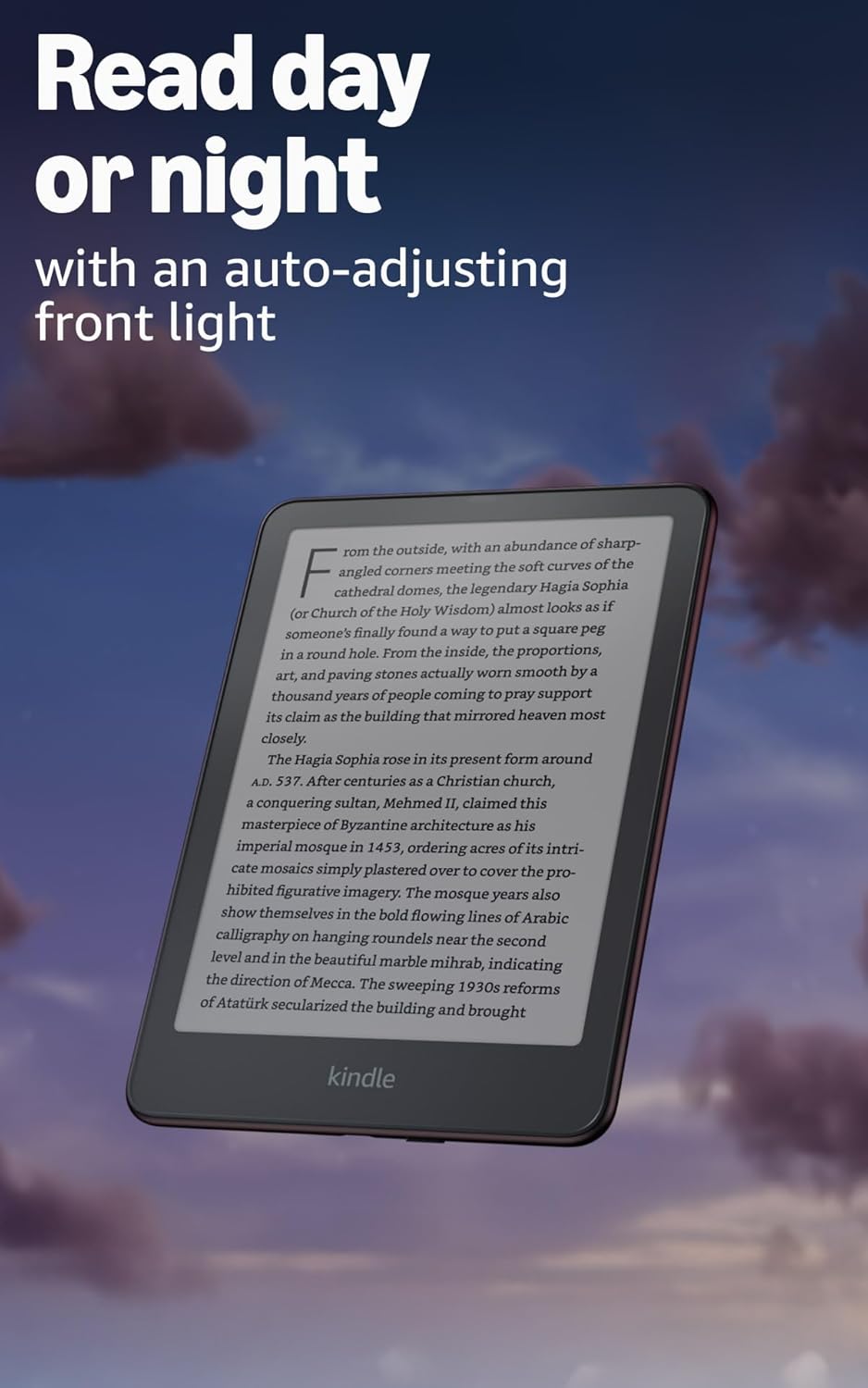
Image: Kindle Paperwhite screen illuminated in a dark room. The auto-adjusting front light allows for comfortable reading day or night.

Image: Close-up of the Kindle Paperwhite screen displaying text. Enjoy a glare-free display without distracting notifications.
2.3 Správa obsahu
Your Kindle provides access to a vast library of content.
- Obchod Kindle: Na obrazovke Domov klepnite na Obchod icon to browse and purchase books.
- Knižnica: All purchased content is stored in your library and can be downloaded to your device.
- Cloudové úložisko: All Amazon content is stored for free in the cloud, allowing you to access it from any compatible device.
- Podporované formáty: Formát Kindle 8 (AZW3), Kindle (AZW), TXT, PDF, nechránený MOBI, PRC natívne; PDF, DOCX, DOC, HTML, EPUB, TXT, RTF, JPEG, GIF, PNG, BMP prostredníctvom konverzie; Formát zvuku Audible (AAX).

Image: A collage of various book covers. The Kindle Store offers access to over 15 million titles worldwide.
2.4 Audioknihy
Listen to Audible audiobooks on your Kindle Paperwhite Signature Edition.
- Bluetooth: Connect Bluetooth headphones or speakers to your Kindle via the Wi-Fi a Bluetooth nastavenia.
- Playing Audiobooks: Download Audible audiobooks from the Kindle Store and play them through your connected Bluetooth device.
2.5 Hydroizolácia
Your Kindle Paperwhite Signature Edition is waterproof (IPX8 rated).
- It is tested to withstand immersion in 2 meters of fresh water for 60 minutes.
- This makes it suitable for reading by the pool, in the bath, or at the beach.
- After exposure to water, ensure the USB-C port is dry before charging.
3. Údržba
3.1 Čistenie vášho zariadenia
- Use a soft, lint-free cloth to clean the screen and body of your Kindle.
- Vyhýbajte sa abrazívnym čistiacim prostriedkom, rozpúšťadlám alebo aerosólovým sprejom.
- If the device has been exposed to water, gently wipe it dry.
3.2 Starostlivosť o batérie
- To maximize battery life, avoid exposing your Kindle to extreme temperatures.
- A single charge can last up to twelve weeks, based on half an hour of reading per day with wireless off and the light setting at 13. Heavy use, especially with wireless features or audiobook streaming, will reduce battery life.
- Zariadenie pravidelne nabíjajte, ale pred opätovným nabitím ho nie je potrebné úplne vybiť.
3.3 Aktualizácie softvéru
Your Kindle will periodically receive software updates to improve performance and add new features.
- Ensure your Kindle is connected to Wi-Fi to receive automatic updates.
- Aktualizácie môžete manuálne skontrolovať tak, že prejdete na Nastavenia > Možnosti zariadenia > Skontrolujte aktualizácie.
4. Riešenie problémov
4.1 Zariadenie nereaguje
- Ak váš Kindle zamrzol alebo nereaguje, stlačte a podržte tlačidlo napájania 40 sekúnd, kým sa zariadenie reštartuje.
4.2 Problémy s pripojením k Wi-Fi
- Uistite sa, že váš Wi-Fi router je zapnutý a v dosahu.
- Skúste reštartovať Kindle a Wi-Fi router.
- Overte, či zadávate správne heslo k sieti Wi-Fi.
4.3 Batéria sa nenabíja
- Check that the USB-C cable is securely connected to both the Kindle and the power adapter.
- Skúste použiť iný kábel USB-C alebo napájací adaptér.
- Ensure the USB-C port on the Kindle is clean and free of debris.
4.4 Content Not Downloading
- Verify your Wi-Fi connection is active and stable.
- Check your Amazon account for any payment issues or content restrictions.
- Ensure your device has sufficient storage space.
5. Špecifikácie
| Funkcia | Popis |
|---|---|
| Displej | 7” Paperwhite display technology with built-in front light, 300 ppi, optimized font technology, 16-level gray scale. |
| Veľkosť | 5” x 7” x 0.3” (127.6 x 176.7 x 7.8 mm) |
| Hmotnosť | 7.5 oz (214g) |
| Úložisko v zariadení | 32 GB; pojme tisíce kníh. |
| Cloudové úložisko | Bezplatné cloudové úložisko pre všetok obsah Amazonu. |
| Životnosť batérie | Up to twelve (12) weeks (based on 30 mins reading/day, wireless off, light setting 13). |
| Doba nabíjania | Menej ako 2.5 hodiny s 9W USB napájacím adaptérom. |
| Wi-Fi pripojenie | Supports 2.4 GHz and 5.0 GHz networks with WEP, WPA, WPA2, WPA3, and OWE security. |
| Funkcie dostupnosti | HlasView screen reader (Bluetooth audio, English only), dark mode, adjustable font size, font face, line spacing, and margins. |
| Podporované formáty obsahu | Formát Kindle 8 (AZW3), Kindle (AZW), TXT, PDF, nechránený MOBI, PRC natívne; PDF, DOCX, DOC, HTML, EPUB, TXT, RTF, JPEG, GIF, PNG, BMP prostredníctvom konverzie; Formát zvuku Audible (AAX). |
| Hydroizolácia | Stupeň krytia IPX8 (odolný ponoreniu do sladkej vody do hĺbky 2 metre po dobu 60 minút). |
| generácie | 12th Generation (2024 release). |
6. Záruka a podpora
6.1 Informácie o záruke
Your Kindle Paperwhite Signature Edition comes with a 1-year limited warranty and service. Extended warranty options may be available for purchase separately in some regions.
6.2 Dodatočná podpora
Pre ďalšiu pomoc a podrobné informácie si pozrite nasledujúce zdroje:
- Sprievodca rýchlym štartom: Included in your product packaging.
- Kindle User Guide: Accessible on your device or via the Amazon webstránky.
- Accessibility for Kindle: Learn more about accessibility features on the Amazon webstránky.
- Manage Your Content and Devices: Visit your Amazon account online to manage your Kindle content and device settings.