
1. Úvod
This manual provides comprehensive instructions for the installation, operation, and maintenance of your Raymarine Axiom 2 Pro 16 RVM Chartplotter/Fishfinder. The Axiom 2 Pro series offers enhanced performance with an ultra-fast 6-core processor, HybridTouch control, and advanced RealVision MAX sonar capabilities. Its HydroTough display ensures reliable operation in challenging marine environments. This device integrates seamlessly with other marine electronics through the LightHouse 4 operating system.
Pred použitím produktu si dôkladne prečítajte tento návod, aby ste zaistili bezpečnú a efektívnu prevádzku.
2. Bezpečnostné informácie
Dôležité bezpečnostné pokyny:
- Always ensure proper installation by qualified personnel to prevent damage or injury.
- Pred vykonaním akejkoľvek údržby alebo inštalácie odpojte napájanie.
- Do not expose the unit to extreme temperatures or direct sunlight for prolonged periods when not in use.
- Use only Raymarine approved accessories and parts.
- Observe all local and international maritime regulations when operating this device.
3. Obsah balenia
Overte, či sú v balení vášho produktu všetky nižšie uvedené položky:
- 1 x Raymarine Axiom 2 Pro 16 RVM Monitor
- Montážne príslušenstvo (skrutky, tesnenia atď.)
- Napájací kábel
- Documentation Pack (including this manual)
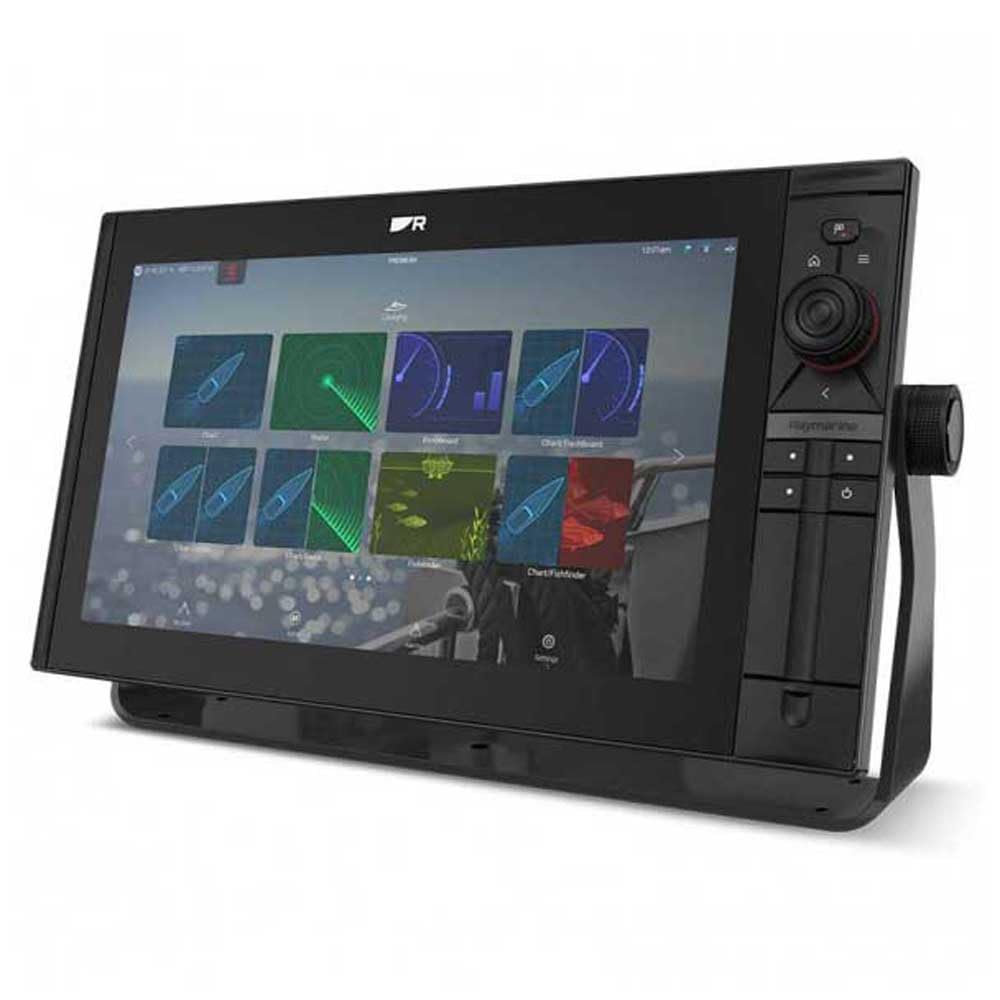
Image 1: Raymarine Axiom 2 Pro 16 RVM Chartplotter/Fishfinder unit. This image shows the main display unit, which is the primary component of the package.
4. Nastavenie a inštalácia
The Axiom 2 Pro 16 RVM is designed for panel mount installation. Ensure you have adequate space and access for wiring before beginning.
4.1 Montáž displeja
- Choose a suitable location on your boat's dashboard or panel, ensuring clear visibility and access.
- Use the provided template (if applicable) to cut the mounting hole.
- Secure the display unit into the panel using the supplied mounting hardware.
4.2 Elektrické pripojenia
- Connect the power cable to a suitable 12V DC power source on your vessel. Ensure proper polarity.
- Connect any external sensors or transducers (sold separately) according to their respective manuals.
- For network integration, connect Ethernet cables to other compatible Raymarine devices.
- The unit supports HDMI connectivity for remote displays.
5. Návod na obsluhu
5.1 Zapnutie/vypnutie
- Stlačením a podržaním tlačidla napájania zapnete alebo vypnete zariadenie.
- The automatic display brightness sensor adjusts screen illumination based on ambient light conditions.
5.2 HybridTouch Control
The Axiom 2 Pro features HybridTouch, allowing control via the fluid touchscreen or reliable keypad. Use the touchscreen for quick navigation and planning, and the keypad for precise control in rough seas. An interchangeable keypad field offers options for autopilot controls or user-programmable soft keys.
5.3 LightHouse 4 Operating System
Navigate seamlessly through chartplotter, sonar, radar, autopilot, and video functions using the intuitive LightHouse 4 OS. Customize your display with multiple Axiom displays and advanced video options, including HDMI output.
5.4 RealVision MAX Sonar
RealVision MAX optimizes DownVision, SideVision, and 3D sonar for greater range, improved resolution, and sharper target identification. This feature enhances fishfinding capabilities.
5.5 Funkcie mapového plotra
The unit supports Navionics/C-Map cartography. Plan and create your course directly on the display. Utilize GPS for accurate positioning and navigation.
6. Údržba
6.1 Čistenie displeja
The HydroTough display features nanocoating technology that repels water, ensuring reliable touchscreen operation and vibrant colors. Clean the screen with a soft, damp plátno. Nepoužívajte abrazívne čistiace prostriedky ani rozpúšťadlá.
6.2 Aktualizácie softvéru
Periodically check the Raymarine webstránka s aktualizáciami softvéru, aby sa zabezpečil optimálny výkon a prístup k novým funkciám.
7. Riešenie problémov
| Problém | Možná príčina | Riešenie |
|---|---|---|
| Jednotka sa nezapne. | Žiadne napájanie; nesprávne zapojenie; prepálená poistka. | Check power connections; verify fuse; ensure battery is charged. |
| No sonar data. | Transducer not connected; transducer faulty; incorrect settings. | Ensure transducer is properly connected; check transducer for damage; verify sonar settings. |
| Dotykový displej nereaguje. | Screen dirty; temporary software glitch. | Clean screen with a soft cloth; restart the unit. |
8. Špecifikácie
| Funkcia | Detail |
|---|---|
| Značka | Raymarine |
| Názov modelu | Axiom 2 Pro |
| Veľkosť obrazovky | 16 palca |
| Typ zobrazenia | Touch Screen (HydroTough) |
| Metóda kontroly | Touchscreen, Keypad (HybridTouch) |
| Špeciálna funkcia | RealVision MAX |
| Technológia pripojenia | HDMI, Ethernet |
| Typ mapy | Nautical (Navionics/C-Map) |
| Typ montáže | Montáž na panel |
| Podporovaný systém satelitnej navigácie | GPS |
| Zahrnuté komponenty | 1 x Monitor |
| UPC | 723193843567 |
| ASIN | B0CFWVQBVC |
9. Záruka a podpora
For detailed warranty information, please refer to the warranty card included with your product or visit the official Raymarine website. Raymarine offers technical support and service for its products.
Kontaktné informácie:
- Visit the Raymarine official website for support resources, FAQs, and contact details.
- For service inquiries, please contact your authorized Raymarine dealer.