
Úvod
The IOWODO R8 Smartwatch is a versatile wearable device designed to help you monitor your health and stay connected. It features 24/7 heart rate and blood oxygen monitoring, sleep tracking, message notifications, and 25 sports modes. This manual provides essential information for setting up, operating, and maintaining your smartwatch.
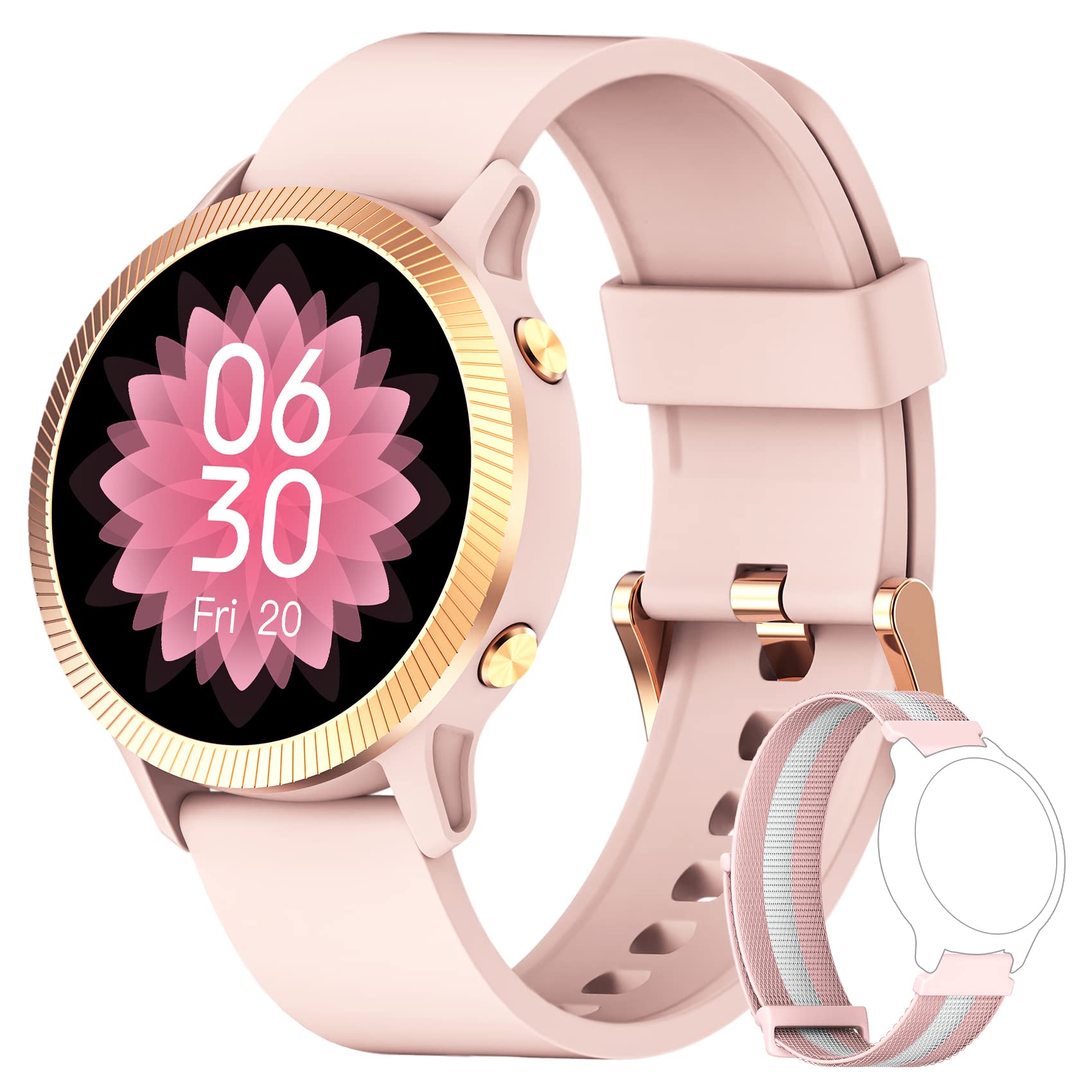
Obrázok: The IOWODO R8 Smartwatch, showcasing its display and sleek design. This image illustrates the device's appearance and user interface.
1. Nastavenie
1.1 Nabíjanie inteligentných hodiniek
Before first use, fully charge your IOWODO R8 Smartwatch. Connect the magnetic charging cable to the charging contacts on the back of the watch and plug the USB end into a standard USB power adapter (not included).
- Úplné nabitie zvyčajne trvá približne 2 hodiny.
- Displej hodiniek zobrazí stav nabíjania.
1.2 Zapnutie/vypnutie
- Zapnutie: Stlačte a podržte bočné tlačidlo niekoľko sekúnd, kým sa obrazovka nerozsvieti.
- Vypnúť: Navigate to the 'Settings' menu on the watch, then select 'Power Off' or 'Shutdown'. Confirm your choice.
1.3 Installing the GloryFit App
The IOWODO R8 Smartwatch requires the GloryFit application for full functionality and data synchronization. Download the app from your smartphone's app store (Google Play Store for Android or Apple App Store for iOS).
- Hľadať "GloryFit" in your app store.
- Nainštalujte si aplikáciu do smartfónu.
1.4 Párovanie so smartfónom
To pair your smartwatch with the GloryFit app:
- Uistite sa, že je na vašom smartfóne povolená funkcia Bluetooth.
- Otvorte aplikáciu GloryFit.
- Podľa pokynov na obrazovke vytvorte účet alebo sa prihláste.
- Navigate to the 'Device' section within the app and select 'Add Device'.
- The app will search for nearby devices. Select "IOWODO R8" or a similar device name from the list.
- Ak sa zobrazí výzva, potvrďte žiadosť o párovanie na smartfóne aj inteligentných hodinkách.
- Po spárovaní hodinky synchronizujú čas a dáta s vaším telefónom.
2. Návod na obsluhu
2.1 Základná navigácia
- Potiahnutie nahor/nadol: Prechádzajte ponukami a upozorneniami.
- Potiahnite prstom doľava/doprava: Prístup k rýchlym funkciám alebo rôznym obrazovkám s údajmi.
- Klepnite na: Vyberte položku alebo potvrďte akciu.
- Bočné tlačidlo: Stlačením sa vrátite na domovskú obrazovku alebo prebudíte displej.
2.2 Monitorovanie zdravia
The IOWODO R8 continuously monitors various health metrics:
- Srdcová frekvencia: The watch automatically monitors your heart rate 24/7. View real-time data on the watch or detailed historical data in the GloryFit app.
- Kyslík v krvi (SpO2): Your blood oxygen levels are also monitored automatically. Access current readings on the watch and trends in the app.
- Sledovanie spánku: The smartwatch records your sleep patterns at fixed times and analyzes sleep quality. Review your sleep data in the GloryFit app to understand your sleep health.
- krokomer: Sleduje vaše denné kroky, vzdialenosť a spálené kalórie.
2.3 Inteligentné upozornenia
Once paired with the GloryFit app, your smartwatch can receive notifications:
- Upozornenia na správy: Receive notifications for messages from various apps (e.g., SMS, Facebook, WhatsApp, Instagram). You can view the message text directly on your smartwatch.
- Prichádzajúce hovory: The watch will alert you to incoming calls. You can reject calls directly from the smartwatch.
- Ďalšie pripomienky: Includes features like female menstrual period tracking, alarm clock, and sedentary reminders. Configure these in the GloryFit app.
2.4 športových režimov
The IOWODO R8 offers 25 sports modes to track your workouts:
- Navigate to the 'Sports' or 'Workout' menu on your watch.
- Vyberte si požadovanú aktivitu (napr. beh, cyklistika, chôdza).
- Start the activity. The watch will record real-time data such as heart rate, steps, training time, distance, and calories burned.
- For outdoor activities, the watch can share GPS data with your mobile phone via the GloryFit app for more accurate route tracking.
- End the activity when finished. Detailed workout logs are available in the GloryFit app.
2.5 Prispôsobenie ciferníkov
Personalize your smartwatch display:
- The watch comes with 4 pre-defined watch faces.
- Through the GloryFit app, you can access over 200 online watch face options for download.
- You can also customize your watch face by selecting a photo from your phone's gallery via the GloryFit app.
2.6 Weather Notifications
View local weather notifications for the most recent week directly on your watch. Ensure your watch is connected to the GloryFit app for updated weather information.
3. Údržba
3.1 Čistenie inteligentných hodiniek
- Pravidelne čistite obrazovku hodiniek a remienok mäkkou handričkouamp plátno.
- Nepoužívajte agresívne chemikálie alebo abrazívne materiály, pretože by mohli poškodiť zariadenie.
- Pred nabíjaním sa uistite, že nabíjacie kontakty sú čisté a suché, aby ste predišli korózii.
3.2 Vodotesnosť (IP68)
The IOWODO R8 Smartwatch is rated IP68, meaning it is resistant to dust and can withstand immersion in water up to 1.5 meters for up to 30 minutes. However, it is not suitable for hot water, saunas, or diving. Avoid prolonged exposure to water and dry the watch thoroughly if it gets wet.
3.3 Starostlivosť o batérie
- Pre predĺženie životnosti batérie sa vyhýbajte častému úplnému vybíjaniu batérie.
- Nabíjajte hodinky pomocou dodaného magnetického nabíjacieho kábla.
- Ak hodinky dlhší čas nepoužívate, skladujte ich na chladnom a suchom mieste.
4. Riešenie problémov
If you encounter issues with your IOWODO R8 Smartwatch, refer to the following common solutions:
| Problém | Riešenie |
|---|---|
| Hodinky sa nezapnú. | Uistite sa, že hodinky sú úplne nabité. Pripojte ich k nabíjačke aspoň na 30 minút. |
| Cannot pair with smartphone / Bluetooth connection issues. |
|
| Neprijímajú sa upozornenia. |
|
| Inaccurate step count or health data. |
|
| Watch performance is slow or unresponsive. |
|
5. Špecifikácie
| Funkcia | Detail |
|---|---|
| Značka | IOWODO |
| Názov modelu | Inteligentné hodinky R8 |
| Veľkosť obrazovky | 1.09 palca |
| Technológia pripojenia | Bluetooth |
| Špeciálne funkcie | GPS (integrated), Music Player, Heart Rate Monitor |
| Kompatibilné zariadenia | Smartfón (iOS a Android) |
| Hodnotenie odolnosti voči vode | IP68 |
| Batéria | 1 lítium-iónová (súčasťou balenia), nabíjateľná |
| Výrobca | IOWODO |
| Dátum prvej dostupnosti | 12. septembra 2023 |
6. Záruka a podpora
6.1 Informácie o záruke
IOWODO provides a 24-month after-sales service for this product. If you encounter any issues, please do not return the product immediately. Contact our support team for assistance.
6.2 Zákaznícka podpora
For support or inquiries, please follow these steps:
- Prejdite do svojho účtu na Amazone.
- Navigate to 'My Orders'.
- Find the order number for your IOWODO R8 Smartwatch.
- Select 'Order Issue' or a similar option.
- Choose 'Contact Seller'.
Our customer service team aims to respond within 24 hours to provide a satisfactory solution.