
1. Úvod
Thank you for choosing the Trust Halyx 5-in-1 USB-C Hub. This manual provides essential information for the proper setup, operation, and maintenance of your device. This hub is designed to expand the connectivity of your PC, laptop, or MacBook Pro by adding four USB-C data ports and one USB-C Power Delivery (PD) port.
2. Produkt skončilview
The Trust Halyx 5-in-1 USB-C Hub (Model 25136) features a durable aluminum housing and a compact design. It connects to your host device via an integrated 10cm USB-C cable.
2.1 Kľúčové vlastnosti
- 5-portová konektivita: Adds 4 USB-C data ports and 1 USB-C Power Delivery port.
- 100W USB-C PD Power Port: Allows pass-through charging for your laptop (additional charger required).
- Vysokorýchlostný prenos dát: Supports data transfer speeds up to 5 Gbps.
- Odolný dizajn: Constructed with an aluminum housing for enhanced durability.
- Plug and Play: Pre väčšinu operačných systémov nie sú potrebné žiadne ovládače.
2.2 Obsah balenia
- Trust Halyx 5-in-1 USB-C Hub
- Používateľská príručka (tento dokument)

Image: The Trust Halyx 5-in-1 USB-C Hub showing its five convenient ports and integrated USB-C cable.

Obrázok: Podrobný view of the five USB-C ports on the Trust Halyx hub, including the Power Delivery port.
3. Pokyny na nastavenie
Follow these steps to set up your Trust Halyx 5-in-1 USB-C Hub:
- Pripojenie k hostiteľskému zariadeniu: Plug the integrated USB-C cable of the hub into an available USB-C port on your PC, laptop, or MacBook Pro.
- Pripojenie napájania (voliteľné): If you wish to charge your laptop through the hub, connect your laptop's USB-C power adapter to the dedicated 100W USB-C PD port on the hub. Note: An additional charger is required for pass-through charging.
- Pripojte periférne zariadenia: Plug your USB-C devices (e.g., external drives, keyboards, mice, other USB-C accessories) into the four USB-C data ports on the hub.
- Overiť pripojenie: Your operating system should automatically detect the hub and connected devices. No additional drivers are typically needed.

Image: The Trust Halyx hub connected to a laptop, demonstrating how to plug in additional USB-C devices.

Image: The 100W USB-C Power Delivery port on the Trust Halyx hub, with a power cable connected for laptop charging.
4. Návod na obsluhu
Once connected, the Trust Halyx hub operates as a direct extension of your computer's USB-C capabilities.
4.1 Pripojenie zariadení
- Simply plug your USB-C peripherals into any of the four available USB-C data ports.
- The hub supports data transfer speeds of up to 5 Gbps, suitable for most external storage devices, keyboards, mice, and other accessories.
4.2 Funkcia napájania
- The dedicated USB-C PD port allows you to charge your laptop while using the hub. Connect your laptop's original USB-C power adapter to this port.
- The hub supports up to 100W pass-through power delivery. Ensure your power adapter is compatible with your laptop's charging requirements.

Image: A complete workstation setup utilizing the Trust Halyx hub to connect various peripherals to a laptop and external monitor.
5. Údržba a starostlivosť
To ensure the longevity and optimal performance of your Trust Halyx USB-C Hub, follow these guidelines:
- Čistenie: Use a soft, dry cloth to clean the hub. Avoid liquid cleaners or abrasive materials.
- Ukladací priestor: Store the hub in a cool, dry place when not in use. Its compact size makes it suitable for travel.
- Manipulácia: Avoid dropping the hub or subjecting it to strong impacts. Do not bend the integrated cable excessively.
- teplota: Operate the hub within normal room temperatures. Avoid extreme heat or cold.
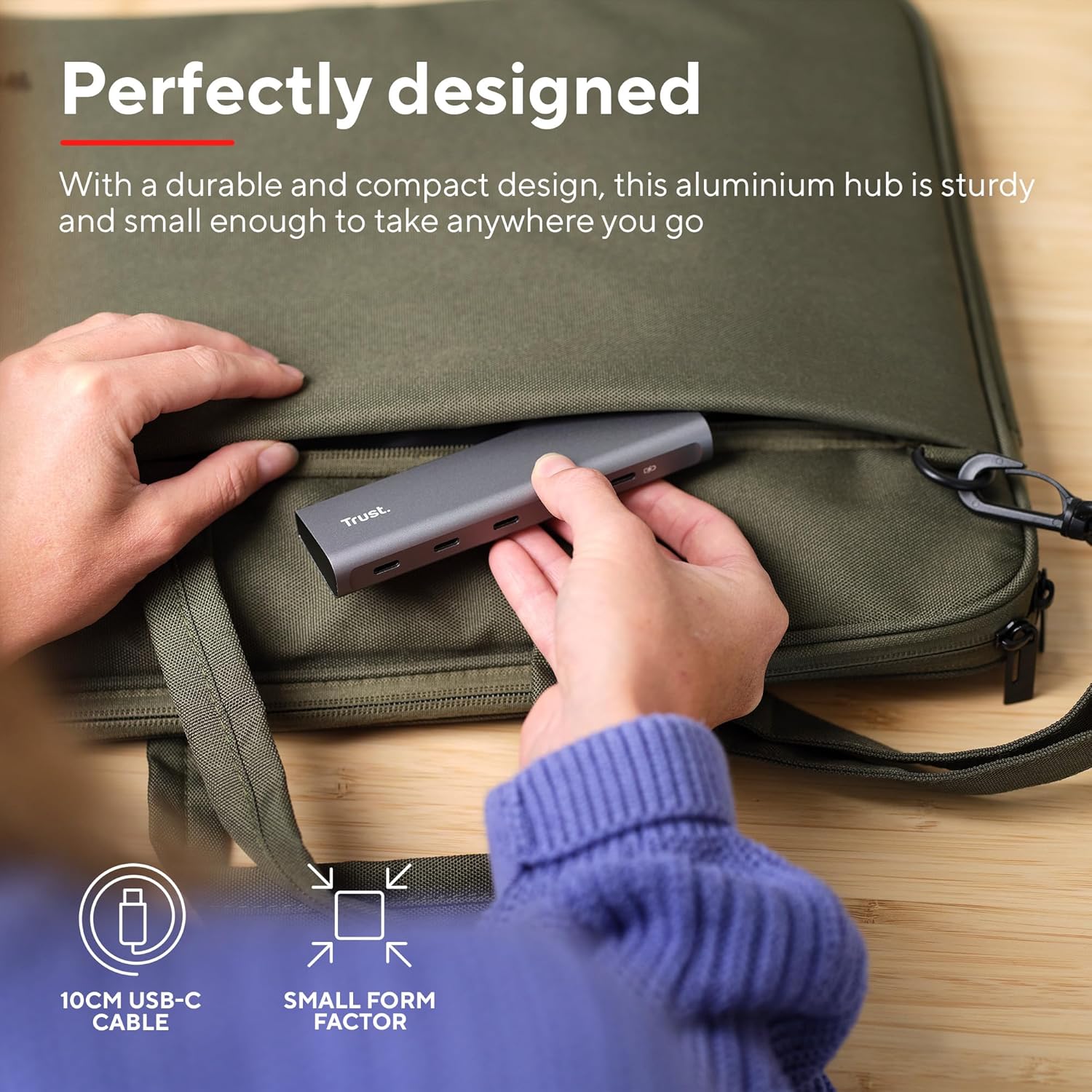
Image: The compact and durable design of the Trust Halyx hub, shown being placed into a laptop bag for portability.
6. Riešenie problémov
If you encounter issues with your Trust Halyx USB-C Hub, refer to the following common solutions:
6.1 Devices Not Detected
- Skontrolujte pripojenia: Ensure the hub's USB-C cable is securely plugged into your host device and that peripherals are firmly connected to the hub.
- Restart Host Device: Sometimes, a simple restart of your computer can resolve detection issues.
- Test Peripherals Directly: Connect the peripheral directly to your computer's USB-C port (if available) to confirm it is functioning correctly.
- Skúste iný port: If your computer has multiple USB-C ports, try connecting the hub to a different one.
6.2 Charging Not Working
- Overte napájací adaptér: Ensure your USB-C power adapter is correctly connected to the hub's PD port and is capable of providing sufficient power for your laptop.
- Skontrolujte kompatibilitu notebooku: Confirm your laptop supports USB-C Power Delivery for charging.
- Integrita kábla: Ensure the USB-C cable from your power adapter to the hub is not damaged.
6.3 Pomalý prenos dát
- Kompatibilita zariadenia: Ensure the connected peripheral supports USB 3.0 (5 Gbps) speeds. Older USB 2.0 devices will operate at their native slower speeds.
- Host Port Speed: Verify that the USB-C port on your computer supports USB 3.0 or higher data transfer rates.
- Vyhnite sa preťaženiu: While the hub provides multiple ports, extremely demanding devices might perform better when connected directly to the host device if possible.
7. Špecifikácie
| Funkcia | Detail |
|---|---|
| Číslo modelu | 25136 |
| Značka | Dôvera |
| Konektivita | 1x USB-C Host Connector (integrated cable), 4x USB-C Data Ports, 1x USB-C Power Delivery Port |
| Rýchlosť prenosu dát | Až 5 Gb/s (USB 3.0) |
| Dodávka energie | Priechodné nabíjanie až do 100 W |
| Materiál na bývanie | hliník |
| Dĺžka kábla | 10 cm |
| Rozmery (DxŠxV) | 1.26 x 5 x 0.63 palca (32 127 x 16 x XNUMX mm) |
| Hmotnosť | 2.86 uncí (81 gramov) |
| Kompatibilné operačné systémy | Chrome OS, Windows 10 or 11, macOS 11, 12 or 13 |
8. Záruka a podpora
Informácie o záruke a technickú podporu získate od oficiálneho poskytovateľa služieb Trust. webalebo sa priamo obráťte na ich zákaznícky servis. Uschovajte si doklad o kúpe pre prípad reklamácie.
Online podpora: www.trust.com/support