
1. Úvod
Thank you for choosing the Zeblaze Crystal 3 Smartwatch. This manual provides essential information for setting up, operating, maintaining, and troubleshooting your device. Please read it carefully to ensure proper use and optimal performance.
2. Produkt skončilview
The Zeblaze Crystal 3 is a versatile smartwatch designed for fitness tracking and daily use. It features a vibrant HD color display and high-precision sensors to monitor various health metrics.
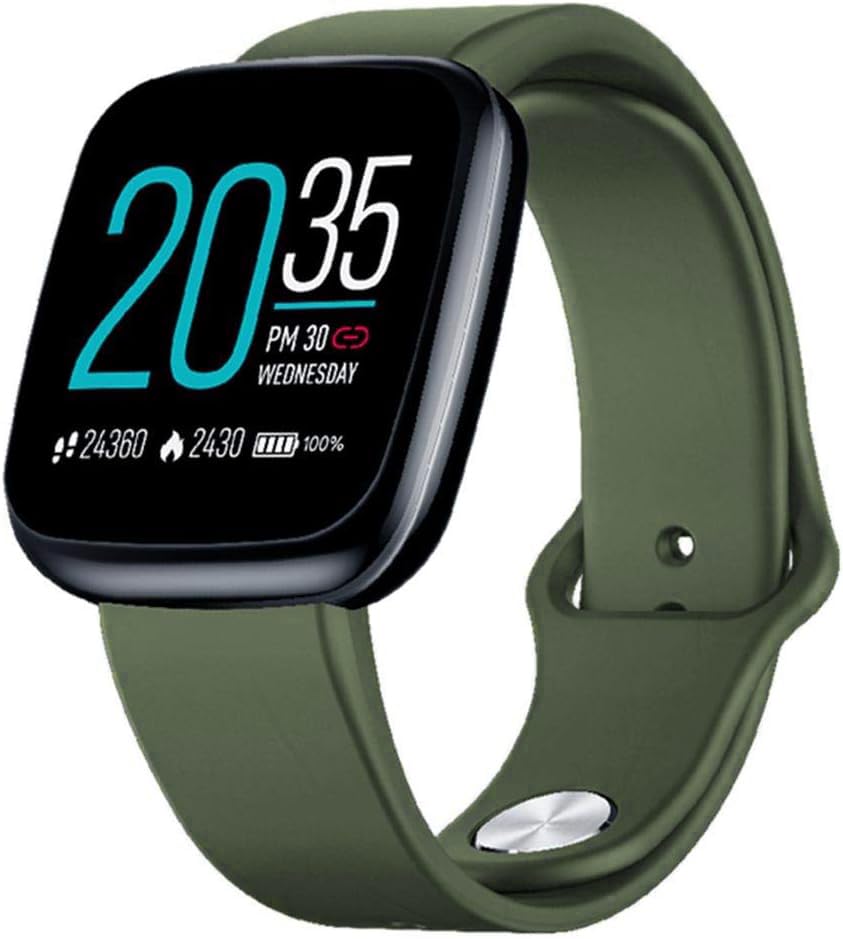
Image: Zeblaze Crystal 3 Smartwatch, showing the main display and green strap.
Kľúčové vlastnosti:
- 1.3-palcový farebný HD displej: A vibrant IPS display with 240x240 pixel resolution for clear visuals.
- Vysoko presné snímače: Equipped with a heart rate sensor, proximity sensor, and accelerometer for accurate data collection.
- Vodotesnosť IP67: Designed to withstand daily water exposure, such as splashes and rain.
- Dlhá výdrž batérie: Up to 7 days of use on a single 2-hour charge, thanks to its 200 mAh battery.
- Sledovanie aktivity: Monitors steps, distance, calories burned, and supports various sports modes.
- Monitorovanie zdravia: Includes heart rate and sleep tracking.
- Kompatibilita smartfónov: Works with Android 4.4 or newer and iOS 8.0 or newer devices.
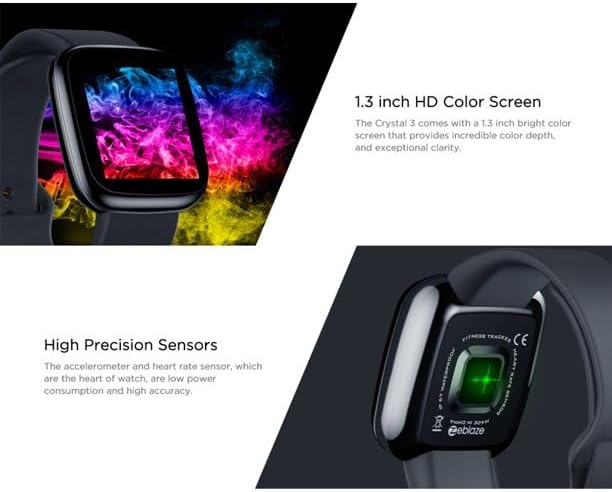
Image: Close-up of the 1.3-inch HD color screen and the high-precision heart rate sensor on the back of the watch.
3. Nastavenie
3.1 Nabíjanie inteligentných hodiniek
Before first use, fully charge your Zeblaze Crystal 3. Connect the charging cable to the watch's charging port and a USB power source (e.g., computer USB port or a 5V/1A USB adapter). A full charge typically takes about 2 hours.
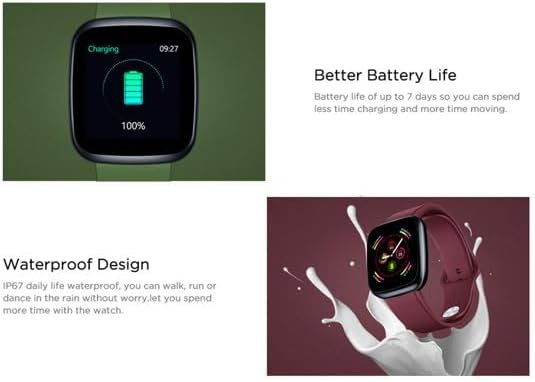
Image: Illustration showing how to connect the smartwatch to a USB port for charging.
3.2 Inštalácia a párovanie aplikácie
- Stiahnite si aplikáciu: Hľadať the official Zeblaze companion app on your smartphone's app store (Google Play Store for Android or Apple App Store for iOS).
- Vytvoriť účet: Otvorte aplikáciu a podľa pokynov na obrazovke vytvorte účet alebo sa prihláste.
- Spárovať zariadenie: Ensure Bluetooth is enabled on your smartphone. In the app, navigate to the device pairing section and select "Zeblaze Crystal 3" from the list of available devices. Confirm the pairing request on both your phone and the smartwatch.
- Profile Nastavenie: Dokončite svoj osobný profesionálny programfile within the app to ensure accurate tracking of health and fitness data.
4. Návod na obsluhu
4.1 Základná navigácia
- Obrazovka prebudenia: Zdvihnite zápästie alebo stlačte bočné tlačidlo pre prebudenie obrazovky.
- Potiahnutie nahor/nadol: Prístup k upozorneniam alebo rýchlym nastaveniam.
- Potiahnite prstom doľava/doprava: Navigate through different functions and widgets (e.g., heart rate, activity data, weather).
- Klepnite na: Vyberte položku alebo potvrďte akciu.
- Dlhé stlačenie: On the main watch face, long press to change watch faces.
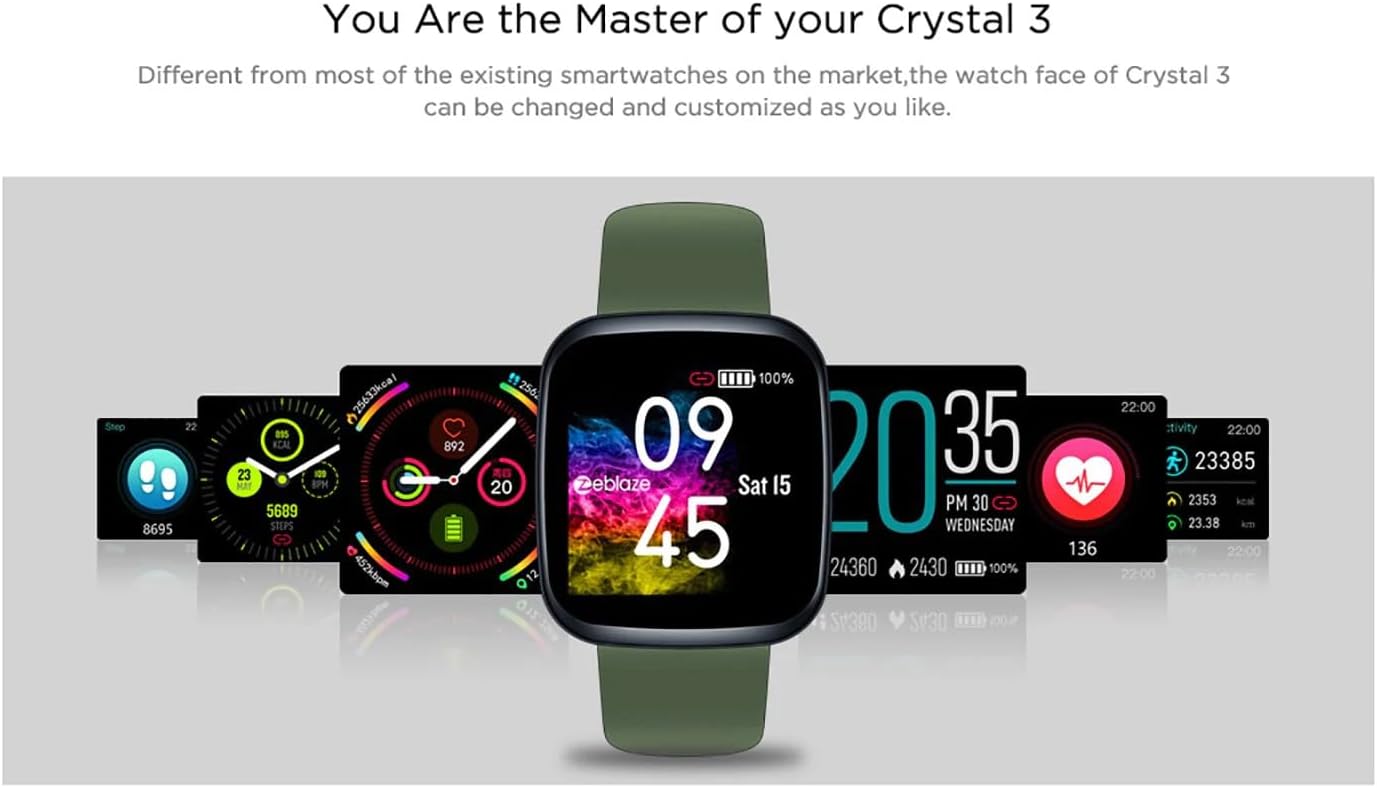
Image: The Zeblaze Crystal 3 displaying different customizable watch faces and data screens.
4.2 Sledovanie aktivity
The smartwatch automatically tracks your daily steps, distance, and calories burned. You can view this data directly on the watch or in more detail within the companion app.
4.3 Monitorovanie srdcovej frekvencie
The built-in heart rate sensor continuously monitors your heart rate. Ensure the watch is worn snugly on your wrist for accurate readings. View your current and historical heart rate data in the app.
4.4 Monitorovanie spánku
Wear the smartwatch to bed to track your sleep patterns. The device records sleep duration and quality, which can be reviewed in the app to help you understand and improve your sleep habits.
5. Údržba
5.1 Čistenie zariadenia
Regularly clean your smartwatch and strap to prevent skin irritation and maintain functionality. Use a soft, damp handričkou na utretie obrazovky a remienka. Nepoužívajte agresívne chemikálie ani abrazívne materiály.
5.2 Vodotesnosť (IP67)
The Zeblaze Crystal 3 is IP67 water-resistant, meaning it is protected against dust and can withstand immersion in water up to 1 meter for up to 30 minutes. It is suitable for daily use, such as washing hands, rain, or light splashes. It is not recommended for swimming, showering with hot water, or diving.

Image: Illustration highlighting the waterproof design of the Zeblaze Crystal 3 Smartwatch.
5.3 Starostlivosť o batérie
- Vyhýbajte sa extrémnym teplotám, ktoré môžu znížiť životnosť batérie.
- Nenechávajte zariadenie úplne vybité dlhší čas.
- Používajte iba dodaný nabíjací kábel alebo jeho certifikovaný ekvivalent.
6. Riešenie problémov
6.1 Zariadenie sa nezapína
- Uistite sa, že zariadenie je úplne nabité. Pripojte ho k nabíjačke aspoň na 30 minút.
- Skúste stlačiť a podržať bočné tlačidlo 10 – 15 sekúnd, aby ste vynútili reštart.
6.2 Nedá sa spárovať so smartfónom
- Make sure Bluetooth is enabled on your phone and the smartwatch is within range.
- Reštartujte smartfón aj inteligentné hodinky.
- Skontrolujte, či je aplikácia aktualizovaná na najnovšiu verziu.
- Zabudnite na zariadenie z nastavení Bluetooth v telefóne a skúste ho znova spárovať prostredníctvom aplikácie.
6.3 Inaccurate Heart Rate/Activity Data
- Uistite sa, že hodinky máte pevne nasadené na zápästí, nie príliš tesné ani príliš voľné.
- Vyčistite senzor na zadnej strane hodiniek.
- Update the smartwatch firmware via the companion app if an update is available.
7. Špecifikácie
| Funkcia | Detail |
|---|---|
| Značka | Zeblaze |
| Názov modelu | Crystal 3 |
| Displej | 1.3-palcový farebný IPS displej |
| Rozlíšenie | 240*240 pixelov |
| Senzory | Heart Rate Sensor, Proximity Sensor, Accelerometer |
| Odolnosť voči vode | IP67 |
| Kapacita batérie | 200 XNUMX mAh |
| Doba nabíjania | Pribl. 2 hodín |
| Životnosť batérie | Až 7 dní |
| Kompatibilita | Android 4.4+ / iOS 8.0+ |
| Rozmery | 4.05 x 3.55 x 1.2 cm (1.59 x 1.39 x 0.47 palca) |
| Hmotnosť | 27 gramov (0.95 uncí) |
| Konektivita | Bluetooth (for app pairing), USB (for charging) |
| Špeciálne funkcie | Activity Tracker, Heart Rate Monitor, Sleep Monitor |
8. Záruka a podpora
For warranty information and customer support, please refer to the documentation included with your purchase or visit the official Zeblaze website. If you encounter any issues not covered in this manual, please contact Zeblaze customer service for assistance.