
VTech VG131-11
VTech VG131-11 DECT 6.0 Cordless Phone User Manual
Model: VG131-11
1. Úvod
The VTech VG131-11 DECT 6.0 Cordless Phone offers reliable and clear communication with advanced features. Enjoy hands-free conversations with Bluetooth connectivity, superior range with DECT 6.0 technology, and enhanced visibility with its backlit display and large buttons. This manual provides comprehensive instructions for setting up, operating, and maintaining your new cordless phone.

Image: The VTech VG131-11 DECT 6.0 Cordless Phone handset resting in its black base unit. The handset features a blue-white display and large, green-backlit buttons.
2. Čo je v krabici
Uistite sa, že v balíku sú všetky položky:
- Základná jednotka
- Bezdrôtové slúchadlo
- AC adaptér
- Batéria
- Kábel telefónnej linky
3. Nastavenie
3.1. Úvodná inštalácia
- Pripojte sieťový adaptér k základnej jednotke a zapojte ho do elektrickej zásuvky.
- Connect the telephone line cord to the base unit and plug the other end into a telephone wall jack.
3.2. Inštalácia batérie
- Otvorte kryt priehradky na batérie na zadnej strane slúchadla.
- Bezpečne zapojte zástrčku batériového bloku do zásuvky vo vnútri priestoru pre batérie.
- Vložte batériu štítkom NAHOR a úhľadne zastrčte vodiče dovnútra priehradky.
- Zatvorte kryt priestoru pre batérie.
3.3. Nabíjanie slúchadla
Place the handset face forward in the base unit. The CHARGE light on the base unit will illuminate, indicating proper charging. Allow the handset to charge for at least 16 hours before initial use for optimal battery performance.
4. Návod na obsluhu
4.1. Uskutočňovanie a prijímanie hovorov
- Ak chcete uskutočniť hovor: Stlačte HOVORIŤa potom vytočte telefónne číslo.
- Prijatie hovoru: Stlačte HOVORIŤ alebo ľubovoľné tlačidlo vytáčania (0-9, #, *).
- Ukončenie hovoru: Stlačte VYPNUTÉ.
4.2. Používanie hlasitého odposluchu
The phone features a full-duplex speakerphone, allowing both parties to speak and be heard simultaneously for more natural conversations.
- Počas hovoru stlačte REPRODUKTOR button to activate the speakerphone.
- Stlačte tlačidlo REPRODUKTOR opätovným stlačením tlačidla prepnete späť do režimu slúchadla.
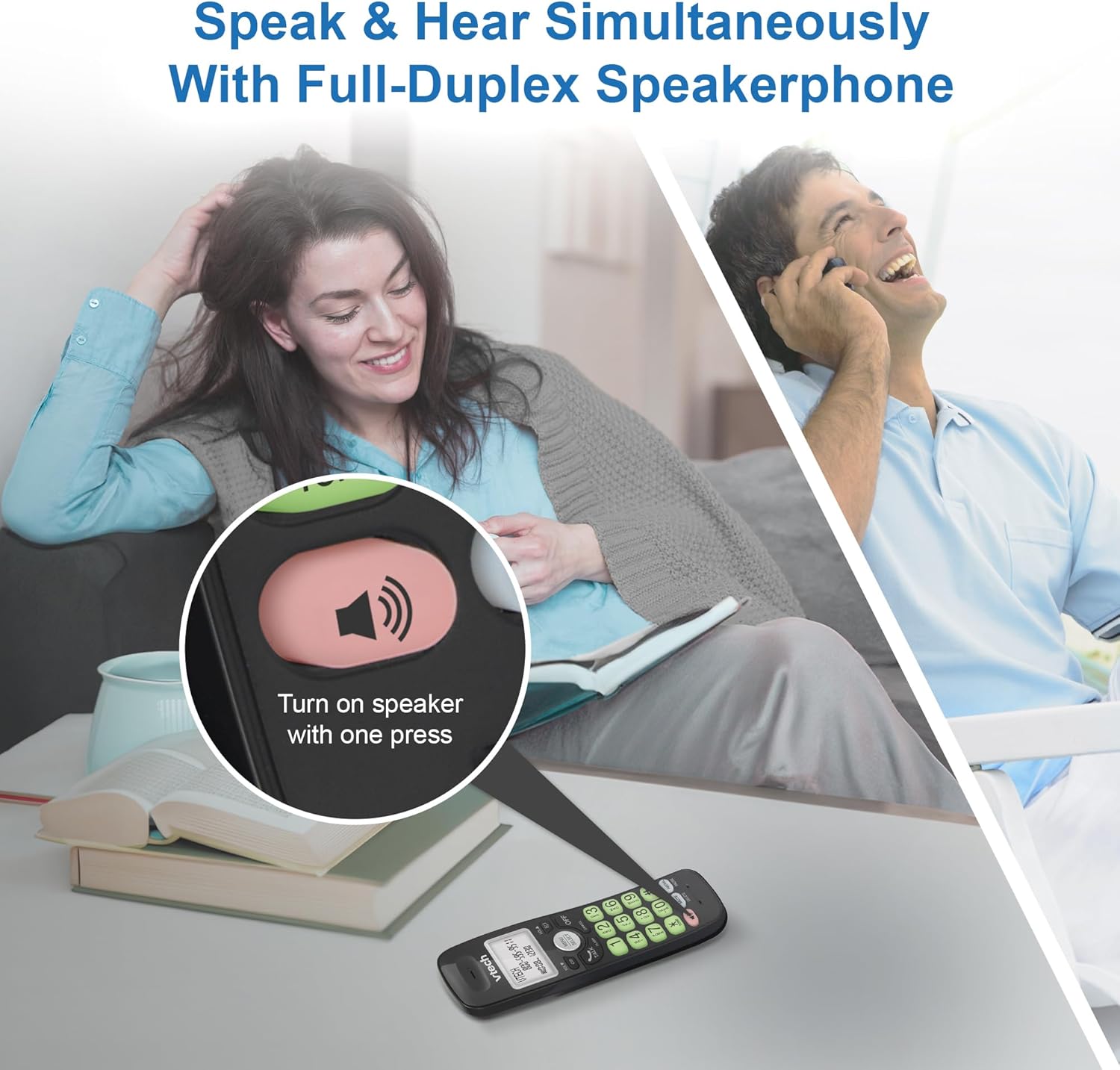
Image: A close-up of the VTech cordless phone handset showing the speakerphone button highlighted, with a person talking on the phone in the background, demonstrating the full-duplex speakerphone feature.
4.3. Ovládanie hlasitosti a stlmenie zvuku
- To adjust earpiece or speakerphone volume during a call, press VOL ▼ or HLASITOSŤ ▲.
- To mute the microphone during a call, press ZTLUMIŤ. The other party cannot hear you, but you can still hear them. Press ZTLUMIŤ znova zapnúť zvuk.

Obrázok: Podrobný view of the VTech cordless phone handset, highlighting the 'MUTE' button, indicating its function for silencing the microphone during a call.
4.4. Caller ID and Phonebook
The handset displays the name, number, time, and date of incoming calls. The phone also includes a 30-name and number phonebook directory.
- K review Caller ID history, press CID.
- To access the phonebook, press MENU/SELECTa potom prejdite na možnosť Telefónny zoznam.

Image: A person smiling while holding the VTech cordless phone, with an overlay showing a digital phonebook display with contact names and icons, illustrating the Caller ID and phonebook features.
5. Vlastnosti
5.1. Pripojenie Bluetooth
By pairing a Bluetooth headset, earbuds, or conference speakerphone to the system, you can enjoy a wireless calling experience. This feature is perfect for multitasking around your home or office.

Image: A woman in a kitchen pouring a drink while wearing wireless earbuds, with the VTech cordless phone and its base unit visible on the counter, demonstrating hands-free calling via Bluetooth connection.
Spárovanie zariadenia Bluetooth:
- Ensure your Bluetooth headset/earbuds are in pairing mode (refer to your device's manual).
- On the VTech phone, navigate to the Bluetooth menu (usually via MENU/SELECT).
- Select 'Pair Device' or similar option.
- The phone will search for available Bluetooth devices. Select your device from the list.
- Dokončite proces párovania podľa pokynov na obrazovke.
5.2. Technológia DECT 6.0
Trusted by families worldwide for decades, VTech's cordless telephone transmits secure signals via the DECT 6.0 channel. This ensures crystal clear sounds, interference-free communication, and a stable operation range of up to 1000 ft outdoors, allowing you to move freely while on a call.

Image: A woman working on a laptop at a table, with the VTech cordless phone and its base unit nearby, and a graphic indicating DECT 6.0 digital technology, highlighting its superior range and clarity.
5.3. Backlit Display and Big Buttons
The phone features a blue-white backlit display and green backlit keypad for easier viewing and dialing in dim light conditions. The large buttons enhance usability, especially for those with visual impairments.

Obrázok: Detailný záber view of the VTech cordless phone handset, emphasizing its backlit LCD screen and large, clearly visible buttons, designed for better visibility and ease of use.
5.4. Easy Wall Mount
The base unit is designed for easy wall mounting, fitting all standard wall mount plates without the need for additional brackets. Simply slide the base unit into the mounting plate using the built-in mounting holes for convenient placement.

Image: The VTech cordless phone base unit shown mounted on a wall, highlighting its built-in mounting holes on the back of the base for easy installation.
5.5. Hearing Aid Compatible
This phone is designed to be compatible with hearing aids, providing a clearer audio experience for users with hearing devices.

Image: A woman with a hearing aid talking on the VTech cordless phone, illustrating the phone's hearing aid compatibility feature.
5.6. Produkt skončilview Video
Video: Stručný prehľad produktuview of the VTech VG131-11 DECT 6.0 Cordless Phone, showcasinjeho kľúčové vlastnosti a jednoduchosť použitia.
6. Údržba
To ensure the longevity and optimal performance of your VTech cordless phone, follow these maintenance guidelines:
- Čistenie: Utrite telefón a základňovú jednotku mäkkou handričkouamp handričkou. Nepoužívajte čistiace spreje ani agresívne chemikálie.
- Starostlivosť o batérie: Avoid exposing the battery to extreme temperatures. If the phone will not be used for an extended period, remove the battery from the handset.
- umiestnenie: Uchovávajte telefón mimo dosahu zdrojov tepla, priameho slnečného žiarenia a vlhkosti.
7. Riešenie problémov
If you experience any issues with your VTech cordless phone, please refer to the following common problems and solutions:
| Problém | Riešenie |
|---|---|
| Žiadny oznamovací tón. | Ensure the telephone line cord is securely plugged into both the base unit and the wall jack. Check if the AC adapter is properly connected to the base unit and a working power outlet. |
| Telefón sa nenabíja. | Make sure the handset is correctly placed in the base unit. Clean the charging contacts on both the handset and the base unit with a dry cloth. Verify the AC adapter is plugged in. |
| Slabá kvalita zvuku alebo statický šum. | Move closer to the base unit. Other electronic devices (Wi-Fi routers, microwaves) may cause interference; try relocating the base unit. Ensure the handset battery is fully charged. |
| Cannot connect to Bluetooth headset. | Ensure both the phone and the Bluetooth headset are in pairing mode. Make sure the headset is within range of the phone's base unit. Try restarting both devices and attempting the pairing process again. Confirm the headset is compatible with the phone's Bluetooth version. |
| Displej je prázdny alebo nečitateľný. | Ensure the handset battery is charged. If the display is dim, check if the backlight setting is enabled or adjust the contrast if available. |
8. Špecifikácie
| Funkcia | Detail |
|---|---|
| Číslo modelu | VG131-11 |
| Rozmery produktu | 3.8 x 4.09 x 7.17 palca |
| Hmotnosť položky | 14.9 uncí (0.42 kilogramu) |
| Batérie | 1 špecifická batéria pre produkt (súčasť balenia) |
| Typ telefónu | Bezdrôtový |
| Materiál | Plastové |
| Zdroj napájania | Káblové elektrické |
| Technológia DECT | DECT 6.0 |
| Bluetooth | áno |
| Identifikácia volajúceho / Čakajúci hovor | áno |
| Plne duplexný hlasitý odposluch | áno |
| Backlit Display & Keypad | Yes (Blue-white display, green keypad) |
| Montáž na stenu | áno |
| Kapacita telefónneho zoznamu | 30 mien a čísel |
| Rozsah | Up to 1000 ft outdoor |
9. Záruka a podpora
Informácie o záruke, technickú podporu alebo zakúpenie príslušenstva nájdete na oficiálnych webových stránkach spoločnosti VTech. webalebo kontaktujte ich oddelenie služieb zákazníkom. Uschovajte si doklad o kúpe ako doklad o kúpe pre prípad reklamácie.
VTech Customer Service: www.vtechphones.com/support
Ask a question about this manual
Ask about setup, troubleshooting, compatibility, parts, safety, or missing instructions. Manuals+ will review the question and use this page’s manual context to help answer it.