
1. Úvod
Thank you for choosing the EasySMX T37 Wireless Switch Pro Controller. This manual provides detailed instructions for setting up, operating, maintaining, and troubleshooting your controller. Please read this manual carefully before use to ensure optimal performance and longevity of your device. This controller is compatible with Nintendo Switch, Switch Lite, and Switch OLED consoles.
2. Produkt skončilview
The EasySMX T37 is a wireless gamepad designed for an enhanced gaming experience on Nintendo Switch systems. It features an ergonomic design, dual turbo vibration, and 6-axis gyro motion control.

Obrázok 2.1: Predná strana view of the EasySMX T37 Wireless Switch Pro Controller, showcasing its ergonomic shape and button layout.
3. Nastavenie
3.1 Párovanie s konzolou Nintendo Switch
- Zapnite konzolu Nintendo Switch.
- V ponuke HOME vyberte možnosť Ovládače > Zmeniť uchopenie/poradie.
- On the EasySMX T37 controller, press and hold the tlačidlo SYNC (located on the top edge of the controller) for 3 seconds until the LED indicators start flashing rapidly.
- Once the controller is successfully paired, the player LED(s) on the bottom of the controller will light up solid.
3.2 Nabíjanie ovládača
Connect the provided USB-C charging cable to the USB-C port on the controller and the other end to a USB power source (e.g., Switch dock, USB wall adapter, computer USB port). The LED indicators will show charging status and turn off when fully charged.
4. Návod na obsluhu
4.1 Základné ovládacie prvky
The controller features standard button layouts for Nintendo Switch compatibility:
- Tlačidlá A/B/X/Y: Akčné tlačidlá.
- D-Pad: Smerový vstup.
- Ľavé/pravé analógové páčky: Ovládanie pohybu a kamery.
- Tlačidlá L/R/ZL/ZR: Ramenné a spúšťové tlačidlá.
- Domovské tlačidlo: Návrat do ponuky Switch HOME.
- Tlačidlo SNÍMANIE: Robí snímky obrazovky.
- PLUS (+) / MINUS (-) Buttons: Spustenie/Výber funkcií.

Image 4.1: A user holding the EasySMX T37 controller, demonstrating the comfortable grip and accessible button placement during gameplay.
4.2 Funkcia Turbo
The Turbo function allows for rapid, automatic pressing of a button, useful in action or arcade games.
- Aktivácia Turba: Press and hold the desired action button (A/B/X/Y/L/R/ZL/ZR), then press the Tlačidlo Turbo (T button). The button will now auto-fire.
- Upravte rýchlosť Turbo: Počas držania Tlačidlo Turbo, presuňte Right Analog Stick Up or Down to cycle through three speeds: 5 shots/s, 12 shots/s, and 20 shots/s.
- Deaktivácia Turba: Repeat the activation step (hold the action button, then press the Turbo button) or press and hold the Tlačidlo Turbo for 5 seconds to clear all Turbo settings.
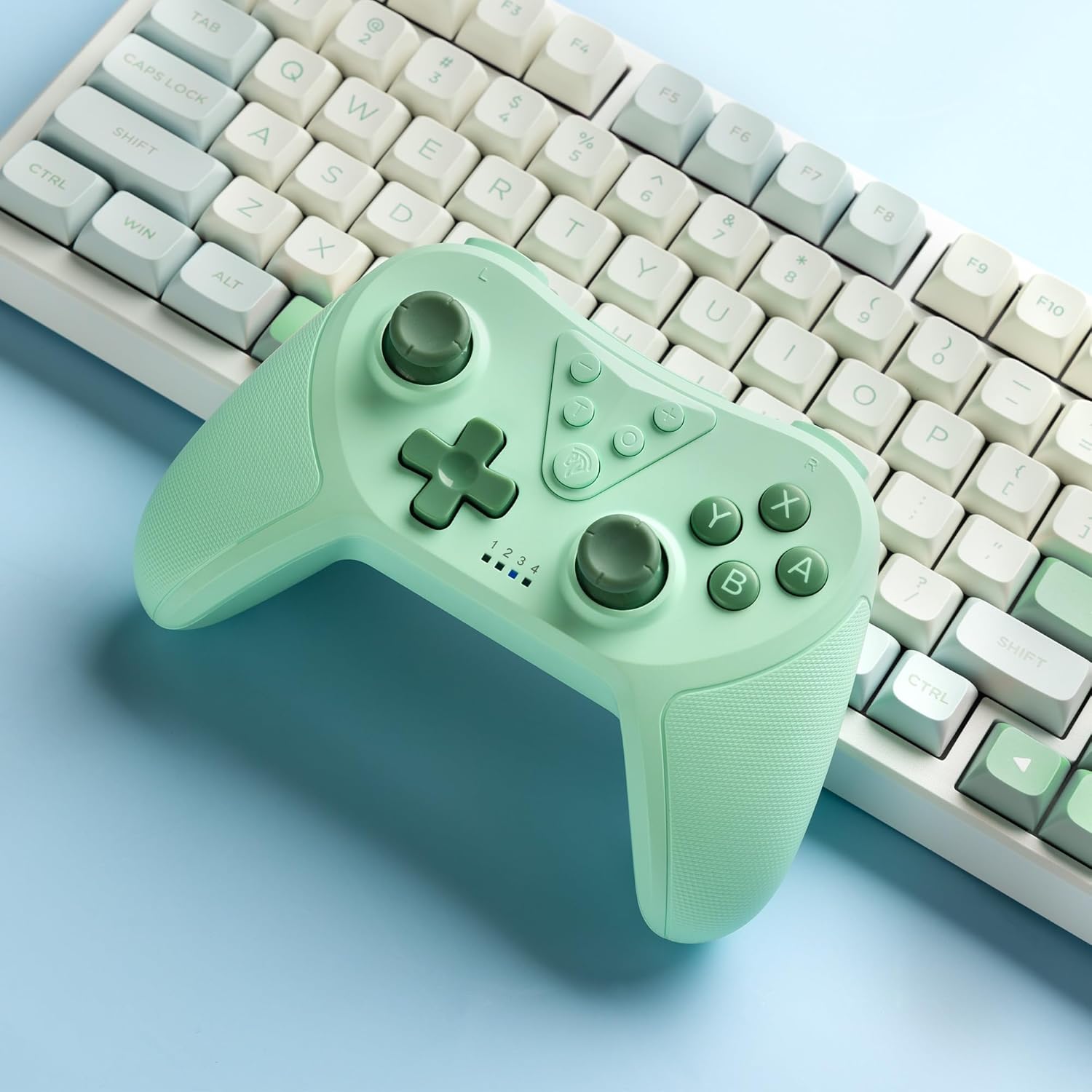
Image 4.2: Illustration of the Turbo function on the EasySMX T37 controller, showing the three adjustable speeds: 5, 12, and 20 shots per second.
4.3 Nastavenie vibrácií
The controller features dual motors for adjustable vibration feedback, enhancing immersion in games.
- Upravte intenzitu vibrácií: Stlačte a podržte Tlačidlo Turbo, potom presuňte Left Analog Stick Up or Down to cycle through four vibration levels: 0% (off), 30%, 70%, and 100%.

Image 4.3: Visual representation of the Dual Vibration feature on the EasySMX T37 controller, indicating four intensity levels from 0% to 100%.
4.4 6-Axis Gyro Motion Control
The built-in 6-axis gyroscope provides precise motion sensing, allowing for intuitive control in games that support motion input.

Image 4.4: Illustration depicting the 6-Axis Gyro Motion Control feature of the EasySMX T37 controller, showing how it interacts with a game on the Nintendo Switch screen.
5. Údržba
- Čistenie: Na čistenie ovládača používajte mäkkú, suchú handričku. Nepoužívajte agresívne chemikálie ani abrazívne materiály.
- Ukladací priestor: Ovládač skladujte na chladnom a suchom mieste mimo dosahu priameho slnečného žiarenia a extrémnych teplôt.
- Starostlivosť o batérie: Pre predĺženie životnosti batérie sa vyhýbajte častému úplnému vybíjaniu ovládača. Pravidelne ho nabíjajte, aj keď ho dlhší čas nepoužívate.
- Vyhnite sa kvapkám: Chráňte ovládač pred pádmi a nárazmi, ktoré môžu poškodiť vnútorné komponenty.
6. Riešenie problémov
6.1 Ovládač sa nepripája
- Uistite sa, že je ovládač nabitý.
- Verify the Switch console is updated to the latest system version.
- Try re-pairing the controller by following the steps in Section 3.1.
- If issues persist, try resetting the controller by inserting a thin object into the small reset hole (if present, usually on the back) for a few seconds.
6.2 Buttons Unresponsive or Lagging
- Uistite sa, že ovládač je úplne nabitý.
- Move closer to the Switch console to ensure a strong wireless connection.
- Skontrolujte, či sa okolo tlačidiel nenachádzajú nejaké fyzické prekážky alebo nečistoty.
- Re-pair the controller.
6.3 Controller Not Charging
- Ensure the USB-C cable is securely connected to both the controller and the power source.
- Skúste použiť iný kábel USB-C alebo napájací adaptér.
- Uistite sa, že zdroj napájania je funkčný.
7. Špecifikácie
- Model: T37
- Pripojenie: Bezdrôtové (Bluetooth)
- Kompatibilita: Nintendo Switch, Switch Lite, Switch OLED
- Vlastnosti: Dual Turbo Function, Adjustable Vibration, 6-Axis Gyro Motion Control, Ergonomic Design
- Product Identifier (ASIN): B0CTTWN84L
8. Záruka a podpora
For warranty information, technical support, or further assistance, please refer to the official EasySMX webalebo priamo kontaktujte ich zákaznícku podporu. Uschovajte si doklad o kúpe pre prípad reklamácie.