
Maxview TVSL/22
Maxview Používateľská príručka k inteligentnému televízoru Alphatronics SL Line+ s DVD prehrávačom
Model: TVSL/22 | Brand: Maxview
1. Úvod a koniecview
This manual provides comprehensive instructions for the setup, operation, and maintenance of your Maxview Alphatronics SL Line+ Smart TV. Designed for mobile use, this versatile television operates on both 12v and 240v power, making it ideal for motorhomes, caravans, trucks, and boats. It features a Full HD LED display, integrated DVD player, Wi-Fi, Bluetooth, and access to popular streaming services via WebOS.

Obrázok: Predná strana view of the Maxview Alphatronics SL Line+ Smart TV, highlighting its smart features and integrated DVD player.
Medzi kľúčové vlastnosti patrí:
- Full HD LED Smart TV with Freeview.
- WebOS for access to Netflix, Amazon Prime, Disney+, iPlayer, ITVX, Sky Store, YouTube, and more.
- Dual power compatibility (12v or 240v).
- Built-in DVD Player, Bluetooth, Wi-Fi, and Ethernet.
- Multiple connectivity options: 2 HDMI ports, USB Port, and AV connections.
2. Čo je v krabici
Prosím, skontrolujte obsah balenia podľa nižšie uvedeného zoznamu:
- Alphatronics TV (TVSL/22)
- Diaľkové ovládanie
- 240v Mains Lead
- 12V napájací adaptér
- Používateľská príručka (tento dokument)

Image: The included remote control for the Maxview Alphatronics Smart TV.
3. Nastavenie
3.1. Umiestnenie a montáž
Choose a stable and flat surface for your TV. Ensure adequate ventilation around the unit. If mounting, refer to your specific wall mount instructions and ensure the mount is compatible with VESA standards for your TV size.

Obrázok: Naprample of the TV installed within a caravan interior.
3.2. Pripojenie napájania
The TV can be powered by either 12v DC or 240v AC.
- For 240v AC: Connect the supplied 240v Mains Lead to the TV's AC input and then to a standard wall socket.
- For 12v DC: Connect the supplied 12v Power Adapter to the TV's DC input and then to a 12v power source (e.g., vehicle's 12v socket).
Ensure the correct power source is used to prevent damage.
3.3. Pripojenie externých zariadení
Televízor je vybavený rôznymi portami na pripojenie externých zariadení:
- HDMI porty (x2): For high-definition audio and video devices like satellite receivers, game consoles, or laptops.
- USB port: Na pripojenie úložných zariadení USB na prehrávanie médií files.
- AV Connections: Pre staršie zariadenia používajúce kompozitné video a stereo zvuk.
- Anténny/satelitný vstup: Connect your terrestrial antenna or satellite dish cable for Freeview or satellite TV reception.

Image: Rear panel of the TV displaying available connection ports.
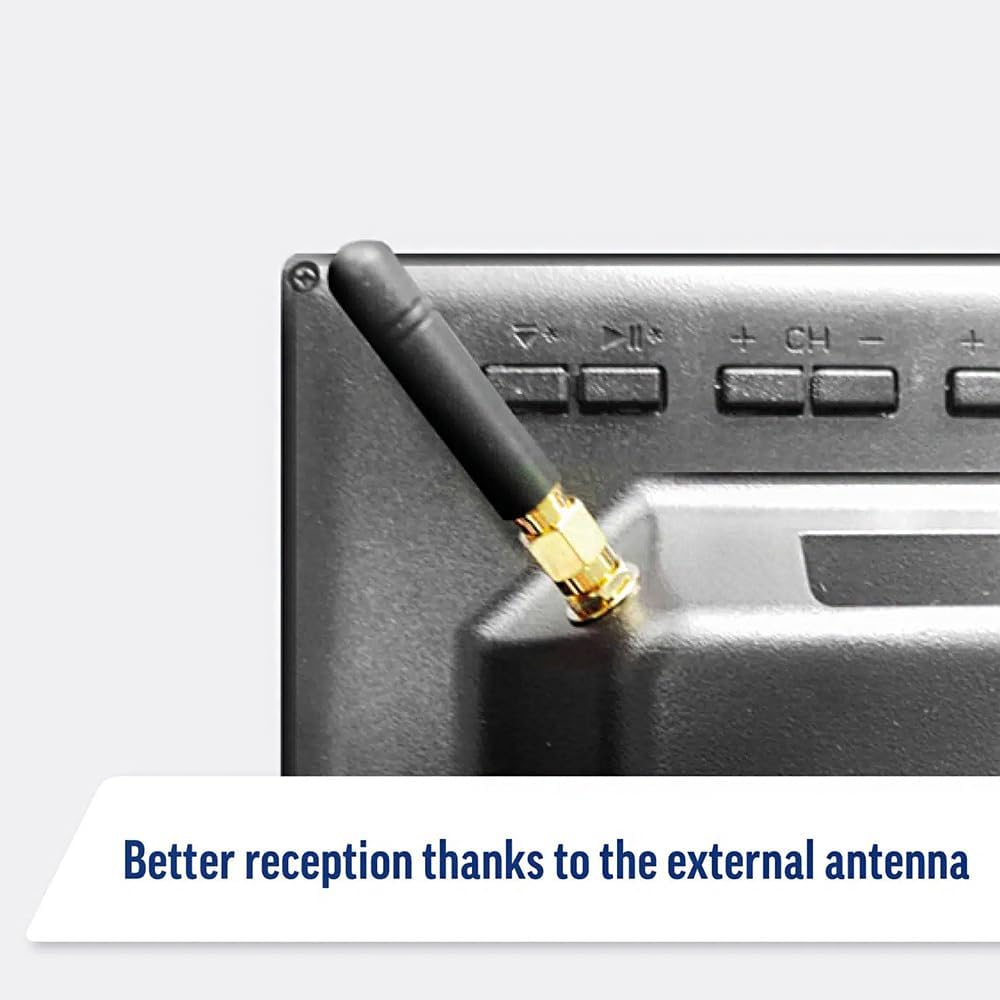
Image: Detail of the external antenna connection for improved signal reception.
3.4. Sprievodca úvodným nastavením
Po prvom zapnutí vás televízor prevedie sprievodcom úvodným nastavením. Ten zahŕňa:
- Výber jazyka: Vyberte požadovaný jazyk.
- Sieťové pripojenie: Connect to your Wi-Fi network or via Ethernet for internet access. This is crucial for Smart TV features.
- Skenovanie kanála: Naskenujte dostupné zadarmoview or satellite channels.
- Nastavenia času a dátumu: Nastavte správne časové pásmo a dátum.
4. Obsluha televízora
4.1. Základné ovládacie prvky
Use the supplied remote control to navigate the TV. Common functions include:
- Tlačidlo napájania: Zapne/vypne televízor alebo ho prepne do pohotovostného režimu.
- Zvýšenie/zníženie hlasitosti: Upravuje úroveň zvuku.
- Kanál hore/dole: Mení televízne kanály.
- Zdroj/Vstup: Selects the input source (HDMI, AV, TV, DVD).
- Navigačné tlačidlá (šípky, OK): Navigácia v ponukách a výber možností.
- Domovské tlačidlo: Prístup k WebDomovská obrazovka operačného systému Smart TV.
- Tlačidlá rýchleho prístupu: Dedicated buttons for Netflix and Amazon Prime Video for direct access.
4.2. Funkcie inteligentného televízora (WebOS)
Your Maxview Alphatronics TV runs on WebOS, providing a user-friendly interface for accessing a wide range of applications and content.
- Domovský informačný panel: Stlačte tlačidlo Domov button to access the main dashboard, where you can find installed apps, input sources, and settings.
- App Store: Stiahnite si a nainštalujte si ďalšie aplikácie z integrovaného obchodu s aplikáciami.
- Streamovacie služby: Easily access popular services like Netflix, Amazon Prime Video, Disney+, BBC iPlayer, ITVX, and YouTube.
- Zdieľanie obrazovky: Zdieľajte obsah zo smartfónu alebo tabletu na televíznu obrazovku.
Image: Using a smartphone as a remote control for the TV.
4.3. Obsluha DVD prehrávača
The integrated DVD player allows you to enjoy your movie collection on the go.
- Vložte DVD disk do otvoru na bočnej strane televízora.
- The TV should automatically switch to the DVD input. If not, press the Zdroj/Vstup button on your remote and select "DVD".
- Use the remote control's playback buttons (Play, Pause, Stop, Fast Forward, Rewind) to control the DVD.
- To eject the disc, press the Eject button on the remote or the TV.
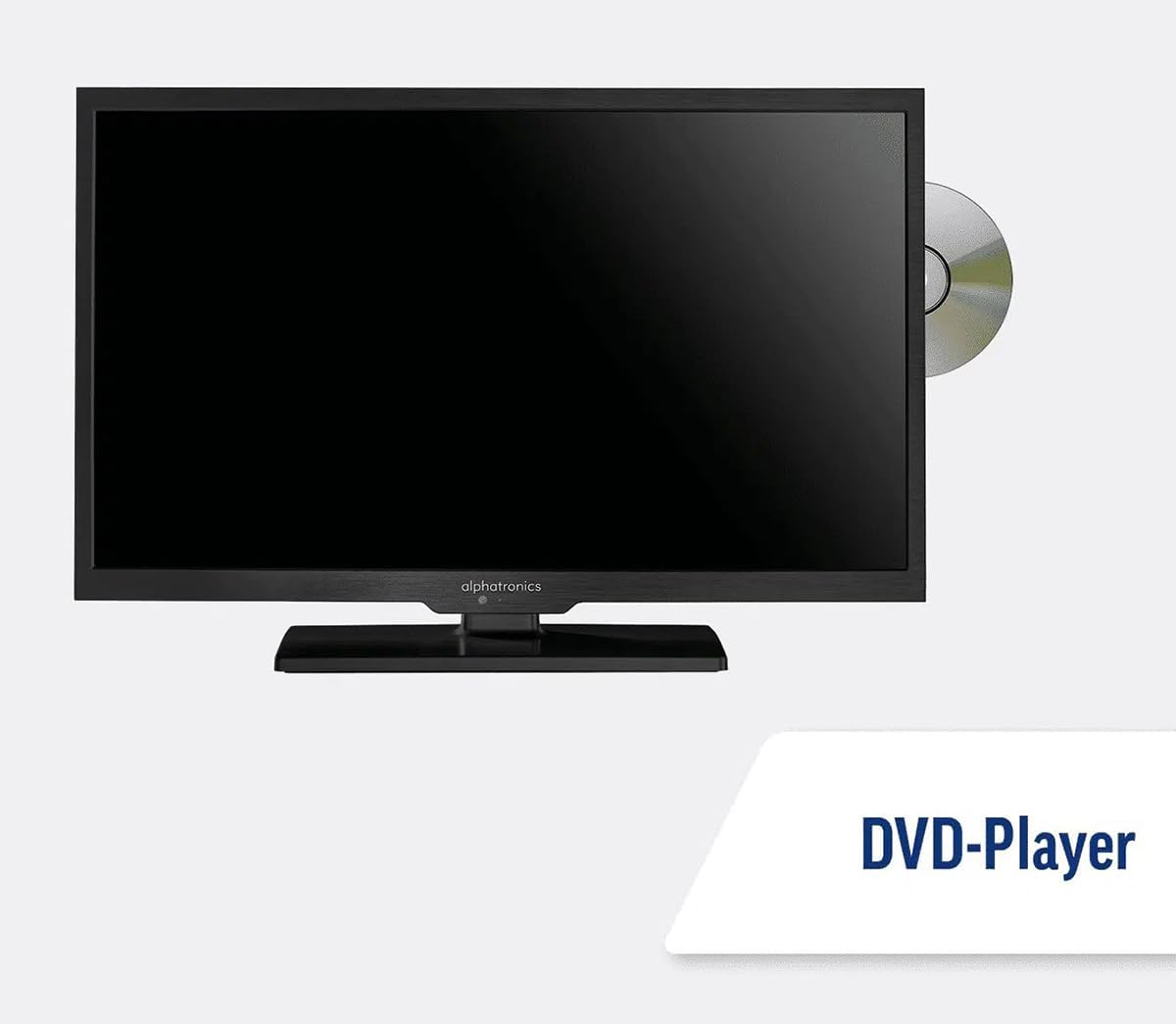
Image: The TV with a DVD disc being inserted into its built-in player.
5. Údržba
5.1. Upratovanie
To clean the TV screen, gently wipe it with a soft, lint-free cloth. For stubborn marks, dampen the cloth slightly with water or a screen-cleaning solution. Do not spray liquid directly onto the screen. Clean the TV casinsuchou, mäkkou handričkou.
Pozor: Always unplug the TV from the power source before cleaning.
5.2. Aktualizácie softvéru
Your Maxview Alphatronics Smart TV supports automatic software updates via the internet. Ensure your TV is connected to a stable Wi-Fi or Ethernet network to receive the latest firmware and feature enhancements.
- To check for updates manually, navigate to the Nastavenia menu on your TV, then look for Aktualizácia softvéru or Systémové informácie.
- Follow the on-screen prompts to download and install any available updates. Do not power off the TV during an update process.

Image: The TV screen indicating a software update in progress.
6. Riešenie problémov
Ak sa vyskytnú problémy s televízorom, pred kontaktovaním podpory si prečítajte nasledujúce bežné problémy a riešenia.
| Problém | Možná príčina | Riešenie |
|---|---|---|
| Žiadna sila | Power cable disconnected; no power from outlet/source. | Check power connections. Ensure outlet/source is active. Try a different outlet. |
| Žiadny signál | Incorrect input selected; antenna/cable disconnected or faulty. | Stlačte tlačidlo Zdroj/Vstup to select correct input. Check antenna/cable connections. Perform a channel scan. |
| Žiadne internetové pripojenie | Wi-Fi password incorrect; router issue; TV too far from router. | Re-enter Wi-Fi password. Restart your router. Move TV closer to router or use Ethernet. |
| DVD sa neprehráva | Disc dirty or scratched; incorrect input selected; region code mismatch. | Clean the disc. Ensure "DVD" input is selected. Check disc region compatibility. |
| Diaľkové ovládanie nefunguje | Batteries low/dead; obstruction between remote and TV; remote not paired (if Bluetooth). | Replace batteries. Remove obstructions. Re-pair remote if necessary (refer to TV settings). |
If the problem persists after trying these solutions, please contact Maxview zákaznícku podporu.
7. Špecifikácie
| Funkcia | Detail |
|---|---|
| Číslo modelu | TVSL/22 |
| Veľkosť obrazovky | 22 palcov (56 cm viditeľnej uhlopriečky) |
| Technológia displeja | LED |
| Rozlíšenie | 1080p (Full HD) |
| Rozmery produktu (D x Š x V) | 12 D x 58 W x 38 V centimetrov |
| Príkon | 12v DC / 240v AC |
| Konektivita | Wi-Fi, Bluetooth, Ethernet |
| Porty | 2x HDMI, 1x USB, AV connections, Antenna/Satellite input |
| Špeciálne funkcie | Smart TV (WebOS), Built-in DVD Player |
| Pomer strán | 16:9 |
| Výrobca | Alphatronics |
8. Záruka a podpora
Your Maxview Alphatronics SL Line+ Smart TV comes with a 3-ročná záruka, providing peace of mind regarding your purchase. This warranty covers manufacturing defects and ensures reliable operation.
For warranty claims, technical support, or further assistance, please contact Maxview customer service. You can typically find contact information on the official Maxview webna mieste alebo na obalových materiáloch.
Please have your model number (TVSL/22) and proof of purchase ready when contacting support.
Poznámka: V poskytnutých údajoch, ktoré by bolo možné vložiť do tejto príručky, sa nenašli žiadne oficiálne videá produktov od predajcu.
Ask a question about this manual
Ask about setup, troubleshooting, compatibility, parts, safety, or missing instructions. Manuals+ will review the question and use this page’s manual context to help answer it.