
1. Úvod
Thank you for choosing the KIDYWOLF KIDYMICPARENT Bluetooth Microphone. This all-in-one microphone features a built-in speaker, light effects, and Bluetooth connectivity, designed to provide an engaging music experience. This manual provides essential information for the safe and effective use of your device. Please read it thoroughly before use and retain it for future reference.
2. Bezpečnostné informácie
- Keep the microphone away from water and moisture.
- Nevystavujte zariadenie extrémnym teplotám ani priamemu slnečnému žiareniu.
- Zabráňte pádu mikrofónu alebo jeho vystavovaniu silným nárazom.
- Nepokúšajte sa zariadenie rozoberať ani opravovať sami. Kontaktujte kvalifikovaný servisný personál.
- Používajte iba dodaný nabíjací kábel USB-C alebo jeho certifikovaný ekvivalent.
- This product contains a rechargeable battery. Do not dispose of it in fire.
- Ensure children use the microphone under adult supervision.
3. Obsah balenia
Skontrolujte, prosím, balenie, či neobsahuje nasledujúce položky:
- 1 x KIDYWOLF KIDYMICPARENT Bluetooth Microphone
- Nabíjací kábel 1 x USB-C
4. Produkt skončilview
The KIDYWOLF KIDYMICPARENT is a versatile microphone designed for entertainment. It integrates a 5W speaker, dynamic light effects, and various voice modulation features.
Obrázok 4.1: Predné view of the KIDYWOLF KIDYMICPARENT Bluetooth Microphone. This image shows the microphone head with its foam cover and the main body with control buttons.
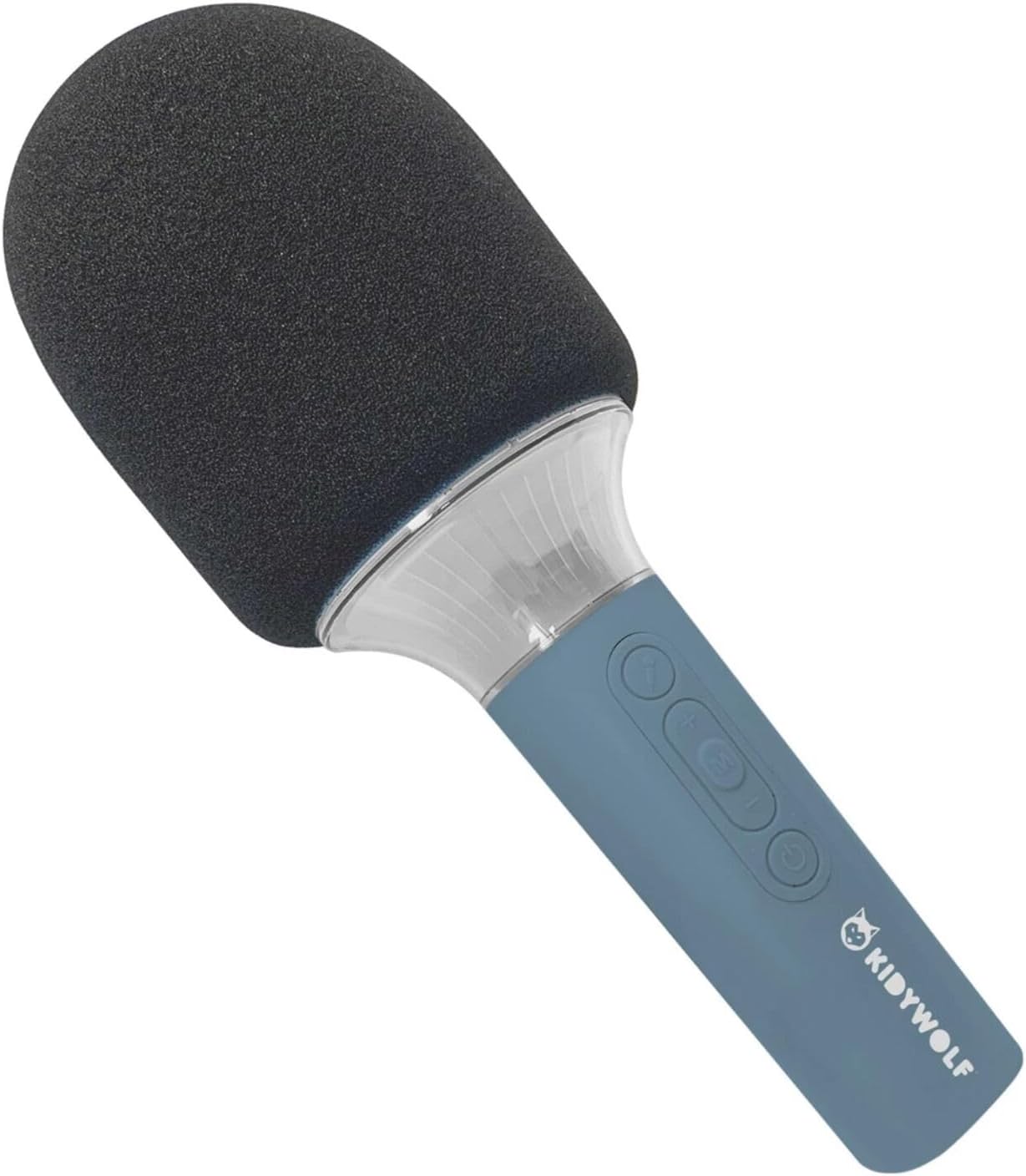
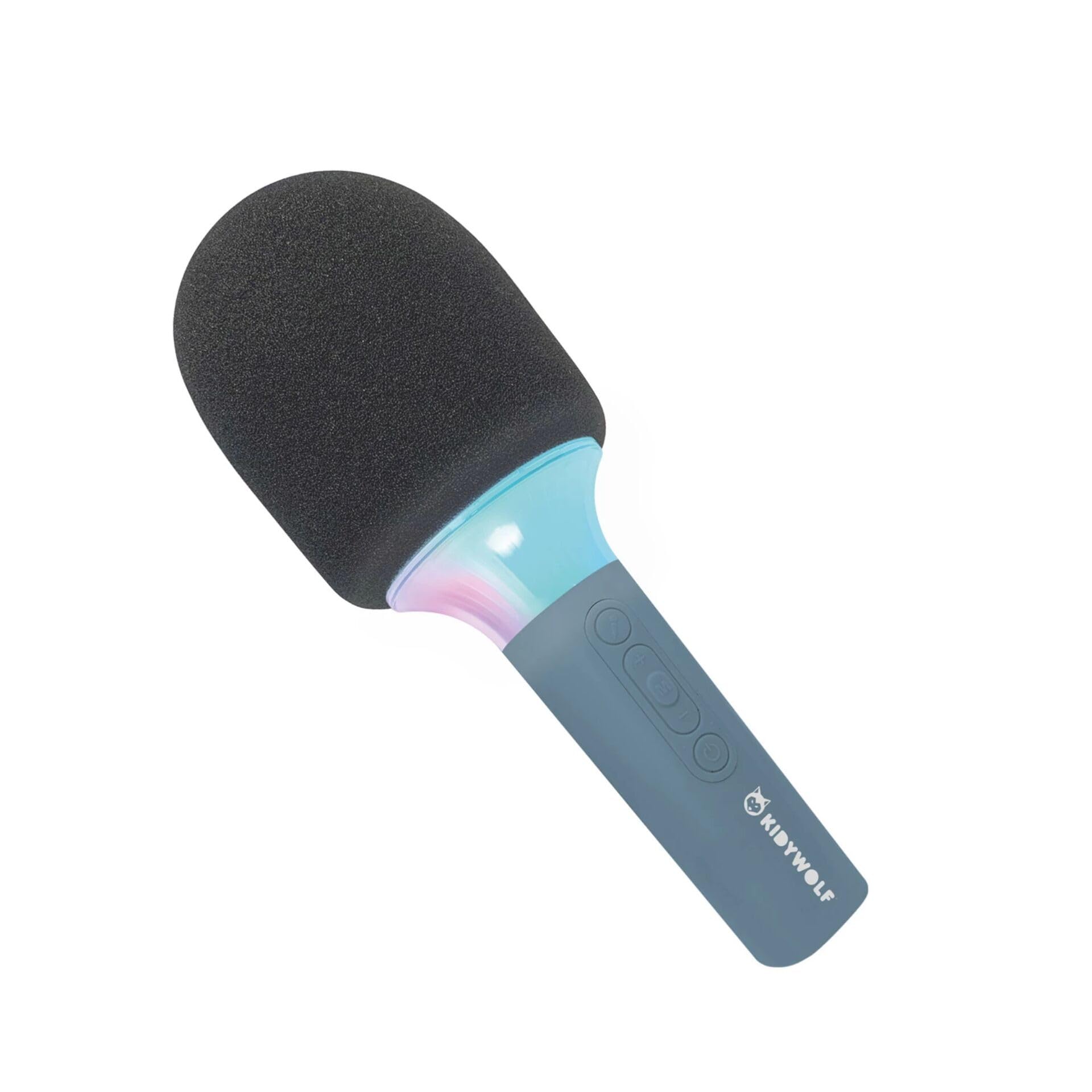
Obrázok 4.2: Uhlové view of the KIDYWOLF KIDYMICPARENT Bluetooth Microphone. This perspective highlights the ergonomic design of the handle and the placement of the control buttons.

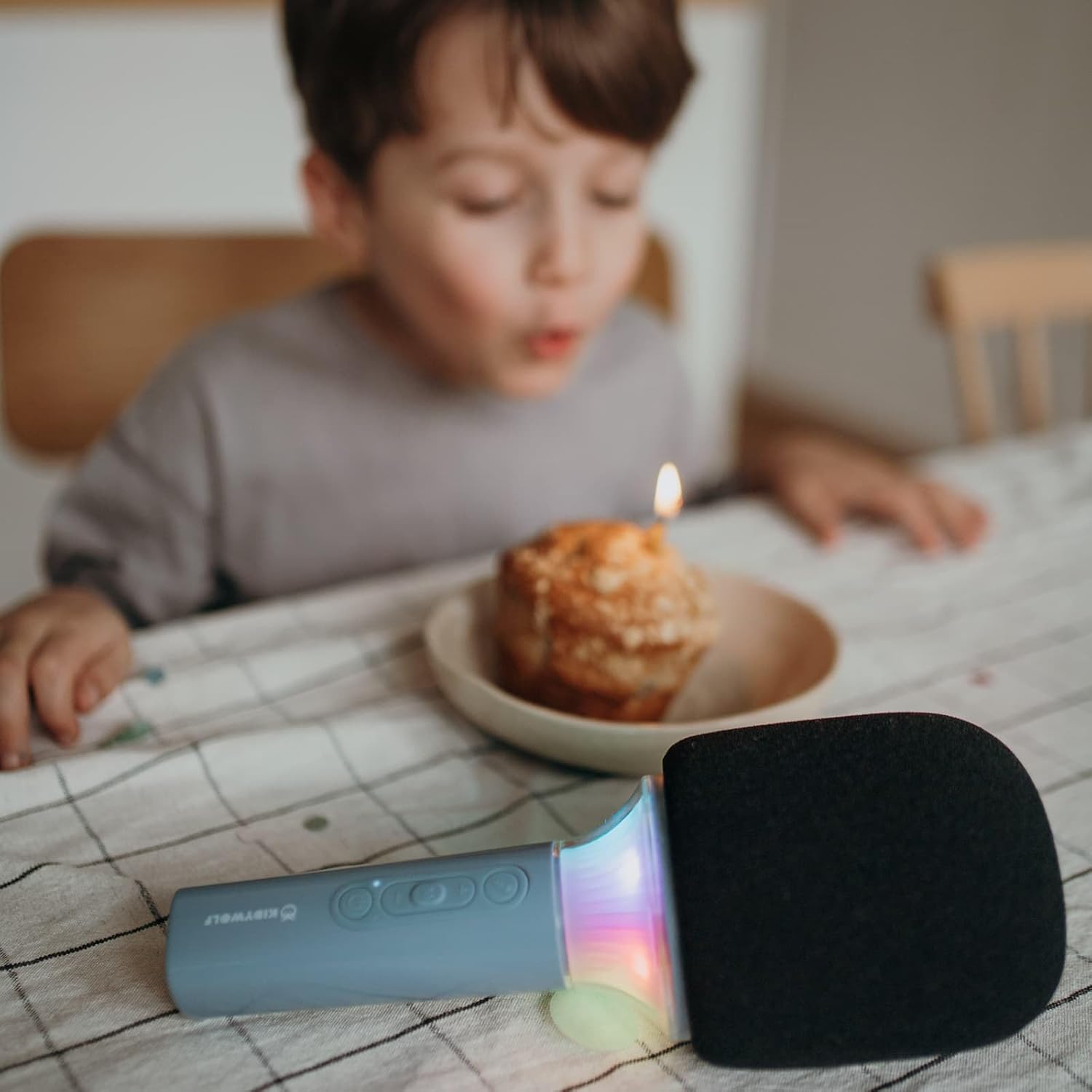
Obrázok 4.3: The KIDYWOLF KIDYMICPARENT Bluetooth Microphone with its integrated light effects active, showcasing the illuminated section below the microphone head.
Obrázok 4.4: A child using the KIDYWOLF KIDYMICPARENT Bluetooth Microphone, demonstrating its intended use for entertainment.
5. Nastavenie
5.1 Nabíjanie mikrofónu
- Locate the USB-C charging port on the microphone.
- Connect the provided USB-C cable to the microphone's charging port.
- Pripojte druhý koniec kábla USB-C ku kompatibilnému napájaciemu adaptéru USB (nie je súčasťou balenia) alebo k portu USB počítača.
- Kontrolka nabíjania sa počas nabíjania rozsvieti a po úplnom nabití zhasne alebo zmení farbu.
- Úplné nabitie zvyčajne trvá približne 2 – 3 hodiny.
5.2 Párovanie Bluetooth
- Zapnutie: Press and hold the Power button (usually marked with a power symbol) on the microphone until the indicator light turns on and you hear an audible prompt.
- Aktivujte Bluetooth: The microphone will automatically enter Bluetooth pairing mode, indicated by a flashing light or an audible prompt.
- Povoľte Bluetooth na svojom zariadení: Na smartfóne, tablete alebo inom zariadení s podporou Bluetooth prejdite do nastavení Bluetooth a uistite sa, že je Bluetooth zapnutý.
- Vyberte zariadenie: Look for "KIDYMICPARENT" or a similar name in the list of available Bluetooth devices and select it to pair.
- Potvrdenie: Once successfully paired, you will hear a confirmation sound from the microphone, and the indicator light will stop flashing and remain solid.
Poznámka: If pairing fails, turn off the microphone and your device's Bluetooth, then repeat the steps. The microphone will automatically attempt to reconnect to the last paired device when powered on.
6. Návod na obsluhu
6.1 Zapnutie/vypnutie
- Zapnutie: Stlačte a podržte tlačidlo napájania približne 3 sekundy.
- Vypnutie: Stlačte a podržte tlačidlo napájania približne 3 sekundy.
6.2 Ovládanie hlasitosti
- Použite „+“ button to increase the microphone and speaker volume.
- Použite '-' button to decrease the microphone and speaker volume.
6.3 Prehrávanie hudby
Once paired via Bluetooth, you can play music from your connected device. The microphone's built-in speaker will output the audio. Use your connected device to control music playback (play, pause, skip tracks).
6.4 Svetelné efekty
The microphone features integrated light effects. Refer to the specific button (if available, often marked with a light bulb symbol or integrated with another function) to cycle through different light modes or turn them on/off. If no dedicated button is present, the lights may activate automatically with sound or be controlled via a multi-function button.
7. Hlasové efekty
The KIDYWOLF KIDYMICPARENT microphone offers 6 different voice settings to enhance your singing experience. To change voice effects:
- Locate the dedicated voice effect button (often marked with a microphone icon or "FX").
- Press the button repeatedly to cycle through the available voice effects.
- Listen to the audio output to select your desired voice effect.
8. Údržba
8.1 Čistenie
- Vonkajší povrch mikrofónu utrite mäkkou, suchou alebo mierne navlhčenou handričkou.amp plátno.
- Nepoužívajte agresívne chemikálie, abrazívne čistiace prostriedky ani rozpúšťadlá.
- Ensure no liquid enters the microphone's openings.
8.2 Skladovanie
- Store the microphone in a cool, dry place away from direct sunlight.
- Keep it away from dust and extreme temperatures.
9. Riešenie problémov
| Problém | Možná príčina | Riešenie |
|---|---|---|
| Mikrofón sa nezapne. | Batéria je vybitá. | Nabite mikrofón pomocou kábla USB-C. |
| Nedá sa pripojiť cez Bluetooth. | Bluetooth is off on the device; microphone is not in pairing mode; device is too far. | Ensure Bluetooth is enabled on your device. Put the microphone into pairing mode. Move the device closer to the microphone (within 10 meters). |
| Z reproduktora nevychádza žiadny zvuk. | Volume is too low; microphone is muted; device is not playing audio. | Increase volume using the '+' button. Check if the microphone is muted. Ensure audio is playing on the connected device. |
| Voice effects are not changing. | Incorrect button pressed; feature not active. | Ensure you are pressing the correct voice effect button. |
10. Špecifikácie
| Názov modelu | KIDYMICPARENT |
| Značka | KIDYWOLF |
| Form Factor | Handheld |
| Rozmery (DxŠxV) | 24 x 9 x 9 cm |
| Hmotnosť | 414 g |
| Zdroj napájania | Nabíjateľná batéria |
| Materiál | Plastové |
| Počet kanálov | 1 |
| Technológia pripojenia | Bluetooth |
| Typ pripojenia | USB typu C |
| Špeciálne funkcie | Volume Control, Light Effects, Voice Modulation (6 settings) |
| Zahrnuté komponenty | Microphone, USB-C Charging Cable |
| Odporúčané použitie | Karaoke |
11. Záruka a podpora
For warranty information and customer support, please refer to the documentation provided at the time of purchase or contact your retailer. You may also visit the official KIDYWOLF webstránka s najnovšími zdrojmi podpory a kontaktnými údajmi.