
1. Úvod
Thank you for choosing the PRIXTON Multisport DV800 Action Camera. This manual provides essential information for setting up, operating, and maintaining your device. Please read it thoroughly before use to ensure optimal performance and longevity of your camera.
2. Obsah balenia
Overte si, či sú vo vašom balení všetky nižšie uvedené položky:
- PRIXTON Multisport DV800 Action Camera
- Vodotesné puzdro
- Nabíjateľná batéria
- USB kábel
- Držiak na bicykel
- Klip
- Montážny adaptér
- Three Helmet Mounts
- Strap/Bandage
- Lepidlá 3M
- Používateľská príručka

Image: The PRIXTON DV800 Action Camera and its various accessories, including mounts, cables, and the waterproof case.
3. Produkt skončilview
The PRIXTON DV800 features a compact design with dual screens for versatile shooting and monitoring. It is designed for capturing high-quality video and photos in various environments.
Kľúčové vlastnosti:
- Dve obrazovky: Front screen for selfies and a rear screen for camera control.
- Rozlíšenie videa 5K: Up to 5K at 30 frames per second (FPS).
- 24 MP Photo Resolution: High-quality still images.
- 6-AXIS EIS Optical Stabilizer: For smooth and stable footage.
- Vodotesný: Up to 30 meters with the included waterproof case.
- Pripojenie: Built-in Wi-Fi for mobile app control and content transfer.
- Ukladací priestor: Supports MicroSD cards up to 128 GB.

Image: The PRIXTON DV800 Action Camera, showcasing its dual-screen capability and the waterproof housing, alongside several mounting accessories.
4. Nastavenie
4.1. Inštalácia batérie
- Nájdite priehradku na batérie na fotoaparáte.
- Otvorte kryt priehradky.
- Vložte nabíjateľnú batériu a dbajte na správnu polaritu.
- Bezpečne zatvorte kryt priestoru pre batérie.
4.2. Vloženie karty MicroSD
A MicroSD card (up to 128 GB, not included) is required to store recordings and photos.
- Nájdite slot pre kartu MicroSD na boku fotoaparátu.
- Opatrne vložte kartu MicroSD kontaktmi smerujúcimi správnym smerom, kým nezacvakne na miesto.
- Ak chcete kartu vybrať, zatlačte ju dovnútra, kým nevyskočí.
4.3. Pripevnenie vodotesného puzdra
For underwater use or protection against impacts, place the camera inside the waterproof case.
- Otvorte západku na vodotesnom puzdre.
- Opatrne vložte kameru do puzdra a uistite sa, že pevne sedí.
- Close the latch firmly to seal the case. Ensure no debris is caught in the seal.
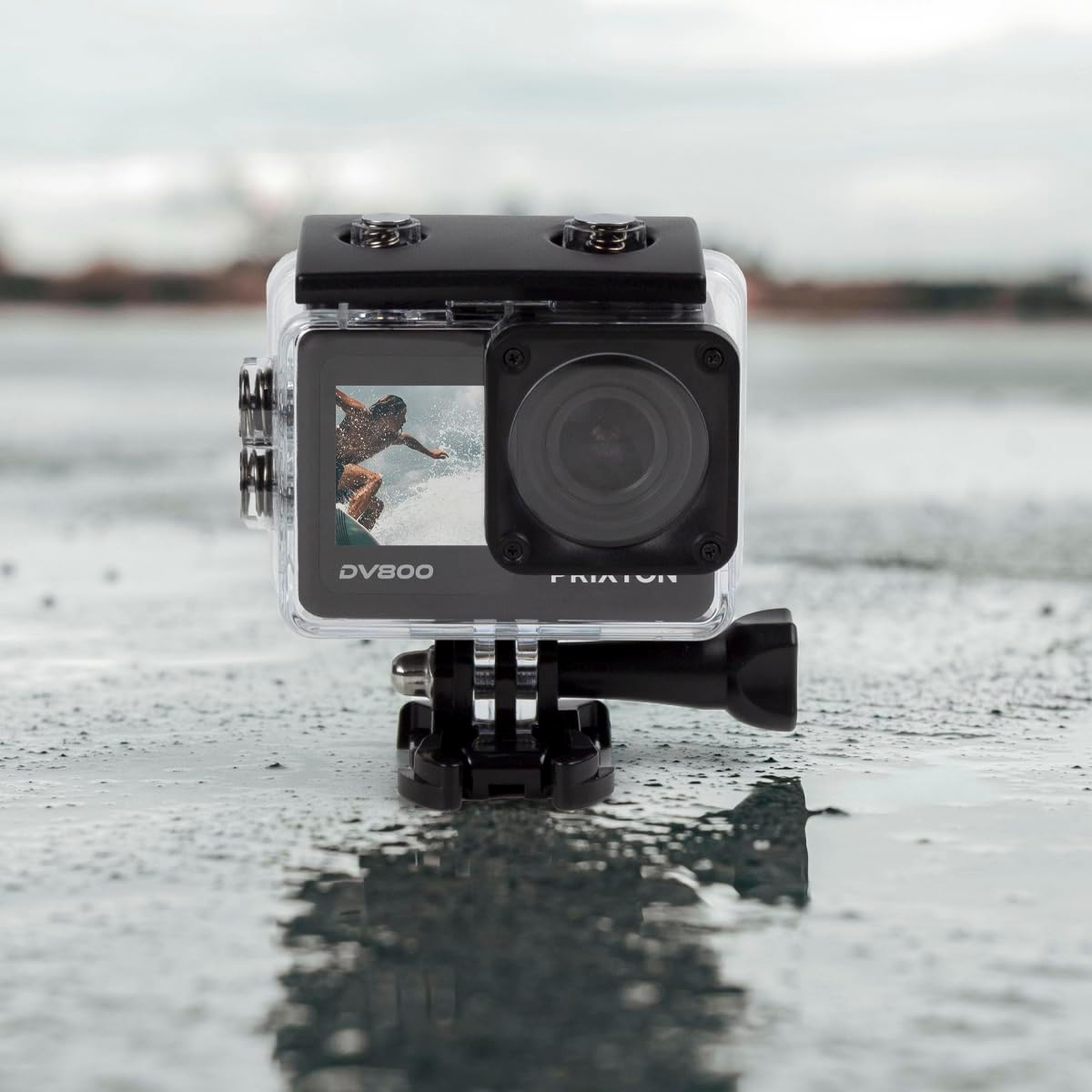
Image: The PRIXTON DV800 Action Camera securely housed within its waterproof casing, ready for use in aquatic environments.
5. Návod na obsluhu
5.1. Zapnutie/vypnutie
- Zapnutie: Stlačte a podržte tlačidlo Napájanie/Režim niekoľko sekúnd, kým sa obrazovka nerozsvieti.
- Vypnutie: Znova stlačte a podržte tlačidlo Napájanie/Režim, kým sa obrazovka nevypne.
5.2. Výber režimu
Opakovaným stláčaním tlačidla Napájanie/Režim prepínate medzi rôznymi režimami: Video, Fotografia, Prehrávanie a Nastavenia.
5.3. Nahrávanie videa
- Switch to Video Mode.
- Press the Shutter/OK button to start recording. A red indicator light will flash.
- Opätovným stlačením tlačidla Spúšť/OK zastavíte nahrávanie. Indikátor prestane blikať.
5.4. Fotografovanie
- Prepnite do režimu fotografie.
- Komponujte záber pomocou obrazovky.
- Stlačením tlačidla Spúšť/OK nasnímajte fotografiu.
5.5. Wi-Fi Connectivity and Mobile App
The camera can connect to your mobile device via Wi-Fi using the "XDV PRO" application.
- Download and install the "XDV PRO" app on your smartphone or tablet.
- On the camera, navigate to the settings menu and enable Wi-Fi.
- On your mobile device, connect to the camera's Wi-Fi network (SSID and password will be displayed on the camera screen).
- Open the "XDV PRO" app to control the camera, view živé footage a prenos files.

Image: A close-up of the PRIXTON DV800 Action Camera's rear screen, showing its 5K Ultra HD capability and Wi-Fi connectivity.
5.6. Použitie ako Webvačka
Pripojte fotoaparát k počítaču cez USB, aby ste ho mohli používať ako weboranžová.
- Pripojte fotoaparát k počítaču pomocou dodaného kábla USB.
- Select the 'PC Camera' or 'Webcam' option on the camera's screen if prompted.
- Váš počítač by mal rozpoznať kameru ako webcam, which can then be selected in video conferencing applications.
6. Údržba
6.1. Upratovanie
- Na čistenie objektívu a obrazovky fotoaparátu použite mäkkú handričku, ktorá nepúšťa vlákna.
- For the waterproof case, rinse with fresh water after saltwater use and allow it to air dry.
- Vyhnite sa používaniu agresívnych chemikálií alebo abrazívnych materiálov.
6.2. Starostlivosť o batérie
- Pred prvým použitím batériu úplne nabite.
- Nevystavujte batériu extrémnym teplotám.
- Ak fotoaparát skladujete dlhší čas, vyberte z neho batériu.
6.3. Skladovanie
Keď fotoaparát nepoužívate, skladujte ho na chladnom a suchom mieste mimo dosahu priameho slnečného žiarenia a prachu.
7. Riešenie problémov
- Kamera sa nezapne: Uistite sa, že batéria je nabitá a správne vložená.
- Problémy s nahrávaním: Check if the MicroSD card is inserted correctly and has sufficient free space. Format the card if necessary (this will erase all data).
- Problémy s pripojením k Wi-Fi: Ensure Wi-Fi is enabled on the camera and your mobile device. Restart both devices if issues persist.
- Slabá kvalita obrazu/videa: Vyčistite objektív. Zabezpečte dostatočné osvetlenie. Skontrolujte nastavenia rozlíšenia.
8. Špecifikácie
| Názov modelu | DV800 |
| Značka | PRIXTON |
| Rozlíšenie snímania videa | 5K |
| Technológia fotografického snímača | Iné |
| Typ flash pamäte | MicroSD (až 128 GB) |
| Formát snímania videa | MOV |
| Podporovaný formát zvuku | MP4 |
| Technológia pripojenia | Wi-Fi |
| Farba | Čierna |
| Typ videokamery | Akcia Kamera |
| Životnosť batérie | Približne 90 minút |
9. Záruka a podpora
The PRIXTON Multisport DV800 Action Camera comes with a standard manufacturer's warranty. For detailed warranty information, technical support, or service inquiries, please refer to the warranty card included in your package or visit the official PRIXTON webstránky. Uschovajte si doklad o kúpe ako doklad o kúpe pre prípad reklamácie.