
AceGamer PS-P-White
AceGamer RGB Charging Dock for PlayStation Portal - User Manual
Model: PS-P-White
1. Úvod
Ďakujem za nákupasing the AceGamer RGB Charging Dock for PlayStation Portal. This portable charging station is designed to provide a stable and efficient charging solution for your PlayStation Portal console, featuring customizable RGB lighting and essential protection features. Please read this manual carefully before use to ensure proper operation and maintenance.
2. Obsah balenia
- AceGamer RGB Charging Dock (1 unit)
- Nabíjací kábel typu C (1 kus)
- Používateľská príručka (tento dokument)
3. Vlastnosti produktu
- Dedicated Charging: Specifically designed for the PlayStation Portal console.
- RGB osvetlenie: Features 7 distinct lighting modes for personalized aesthetics.
- Rýchle nabíjanie: Efficient power delivery for fast charging.
- Bezpečnostné ochrany: Zabudovaný nadprúd, nadobjtage, a pod-zvtage ochrana.
- Ergonomický dizajn: 30-degree comfortable viewing angle for the PlayStation Portal.
- Stabilná základňa: Equipped with anti-slip mats for secure placement.
- Pripojenie: USB Type-C input for power.
4. Pokyny na nastavenie
- Pripojenie napájania: Insert the provided Type-C charging cable into the charging dock's input port and connect the other end to a suitable USB power adapter (not included).

Figure 4.1: Connecting the Type-C power cable to the charging dock.
- Place PlayStation Portal: Carefully align your PlayStation Portal console with the charging connector on the dock and gently place it into position. Ensure a secure connection for charging. The dock is designed to hold the Portal at a 30-degree angle for optimal viewing.

Figure 4.2: PlayStation Portal placed on the charging dock at a 30-degree angle.
- Anti-slip Stability: The base of the charging dock is equipped with anti-slip mats to prevent accidental movement. Ensure the dock is placed on a flat, stable surface.
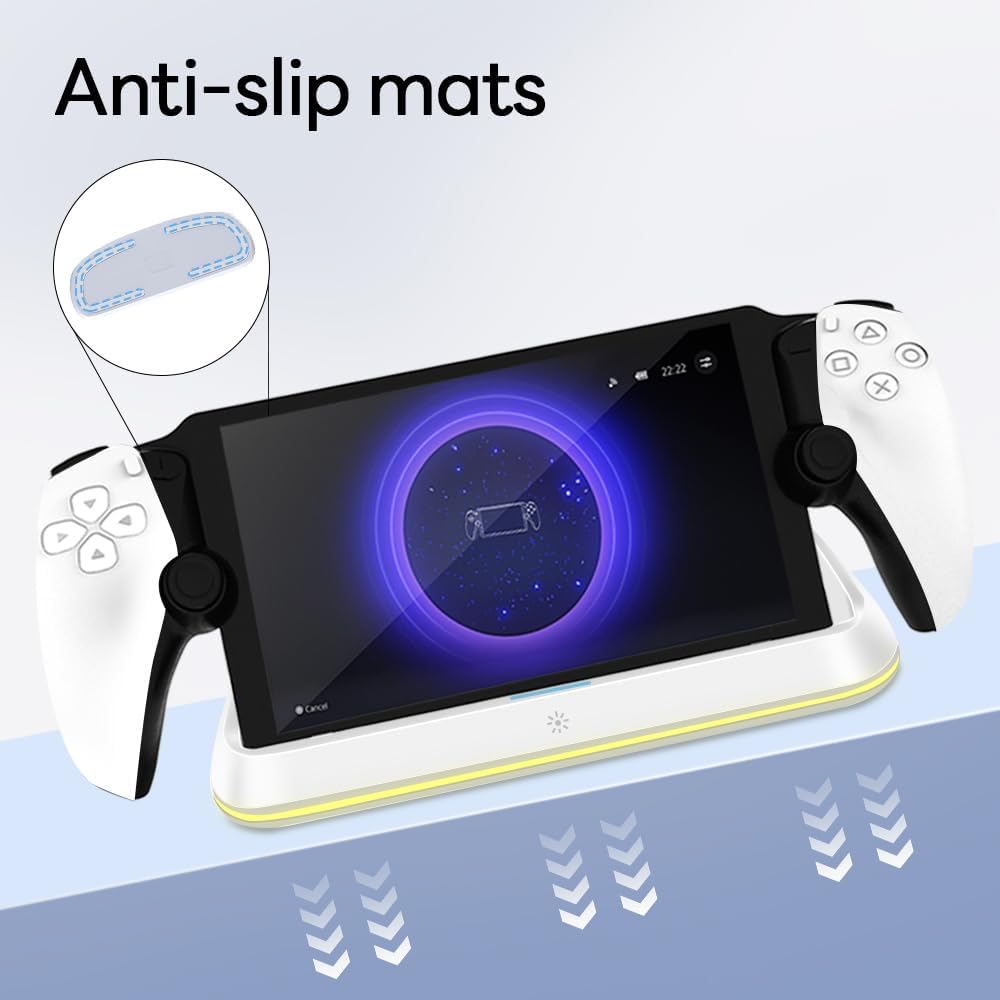
Figure 4.3: Anti-slip mats on the charging dock for enhanced stability.
- Vizuálny sprievodca: For a visual demonstration of the setup process, please refer to the video below.
Video 4.1: Demonstration of connecting the power supply and placing the PlayStation Portal onto the charging dock.
5. Návod na obsluhu
- Charging the PlayStation Portal: Once the PlayStation Portal is correctly seated on the dock and the dock is powered, charging will begin automatically. A full charge typically takes approximately 3.5 hours. The dock includes protection against over-current, over-voltage, a pod-zvtage to safeguard your device.

Figure 5.1: Charging indicators and safety protection features.
- Ovládanie RGB osvetlenia: The charging dock features a touch-sensitive button to control the RGB lighting. Press the button to cycle through 7 different lighting modes or to turn the lights off.

Figure 5.2: RGB lighting modes and touch control button.
6. Údržba
- Keep the charging dock clean and free from dust. Use a soft, dry cloth for cleaning.
- Nevystavujte zariadenie extrémnym teplotám, vlhkosti alebo priamemu slnečnému žiareniu.
- Nepoužívajte abrazívne čistiace prostriedky ani rozpúšťadlá, pretože by mohli poškodiť povrch.
- Ensure the charging port and connector are free of debris before placing the PlayStation Portal.
7. Riešenie problémov
- Zariadenie sa nenabíja:
- Ensure the Type-C cable is securely connected to both the dock and the power adapter.
- Skontrolujte, či napájací adaptér funguje správne a je zapojený do elektrickej zásuvky.
- Check if the PlayStation Portal is properly seated on the charging connector.
- Skúste použiť iný kábel typu C alebo napájací adaptér.
- RGB svetlá nefungujú:
- Ensure the charging dock is powered on.
- Press the touch light button to cycle through modes or turn the lights on.
- Unstable placement:
- Ensure the dock is placed on a flat, level surface.
- Check if the anti-slip mats are clean and intact.
8. Špecifikácie
| Značka | AceGamer |
| Číslo modelu | PS-P-White |
| Kompatibilné zariadenia | Portál PlayStation |
| Vstupné objtage | 5 voltov |
| Wattage | 7 wattov |
| Typ konektora | USB Type-C (for power input) |
| Špeciálne funkcie | RGB Lighting, Fast Charging, Over-current Protection, Over-voltagOchrana proti nízkemu objemutage Ochrana |
| Rozmery | Rozmery cca 22.5 x 8.9 x 8.4 cm |
| Hmotnosť | Približne 290 g |
9. Záruka a podpora
AceGamer products are designed and manufactured to the highest quality standards. For warranty information or technical support, please contact the retailer where you purchased the product or visit the official AceGamer webKontaktné údaje zákazníckeho servisu nájdete na webovej stránke. Uschovajte si doklad o kúpe pre prípad reklamácie.
Ask a question about this manual
Ask about setup, troubleshooting, compatibility, parts, safety, or missing instructions. Manuals+ will review the question and use this page’s manual context to help answer it.