
XunFox K30 Pro
XunFox K30 Pro Transparent Mechanical Keyboard User Manual
Model: K30 Pro
Brand: XunFox
Úvod
Welcome to the XunFox K30 Pro Transparent Mechanical Keyboard user manual. This guide provides detailed instructions for setting up, operating, and maintaining your new keyboard. The K30 Pro features a unique transparent design, 61-key layout, RGB backlighting, and versatile 3-mode connectivity (2.4GHz wireless, Bluetooth 5.1, and wired USB).
Obsah balenia
- XunFox K30 Pro Mechanical Keyboard
- Kábel USB-C na USB-A (pre káblové pripojenie a nabíjanie)
- 2.4 GHz bezdrôtový prijímač
- Používateľská príručka (tento dokument)
Koniec produktuview
The XunFox K30 Pro keyboard features a compact 61-key layout with transparent keycaps and a translucent bottom shell, showcasing its internal mechanical components.
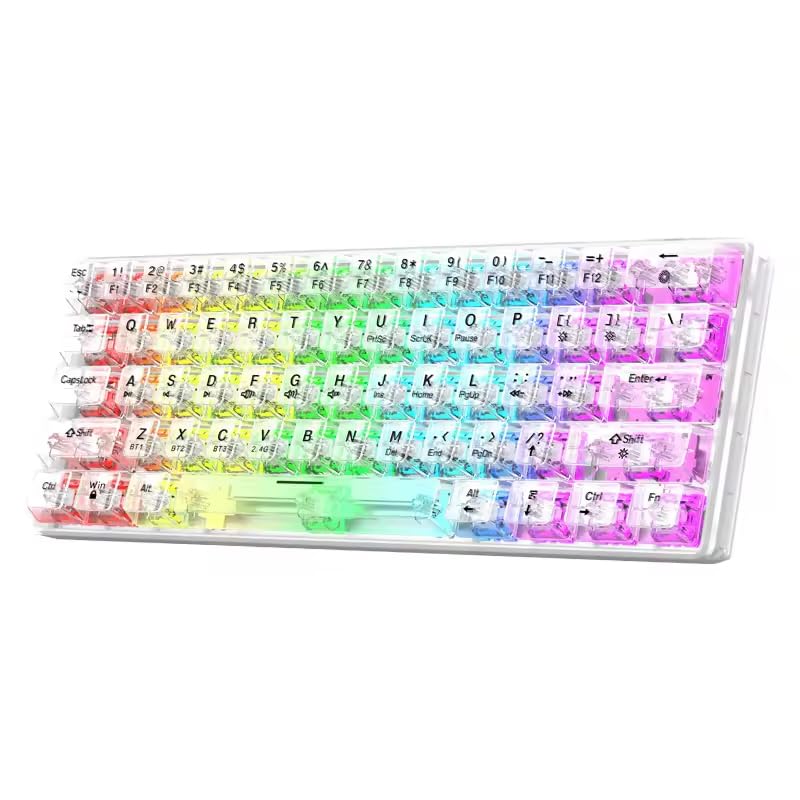
Obrázok: Predná strana view of the XunFox K30 Pro Transparent Mechanical Keyboard, showcasing its compact 61-key layout and vibrant RGB backlighting through transparent keycaps.

Image: Diagram highlighting the 61-key minimalist layout of the XunFox K30 Pro keyboard, emphasizing space-saving design compared to traditional 104-key keyboards.

Image: Exploded diagram illustrating the internal layers of the keyboard, including transparent keycaps, customized mechanical shafts, positioning plate, PCB board, and translucent bottom shell.
Kľúčové vlastnosti:
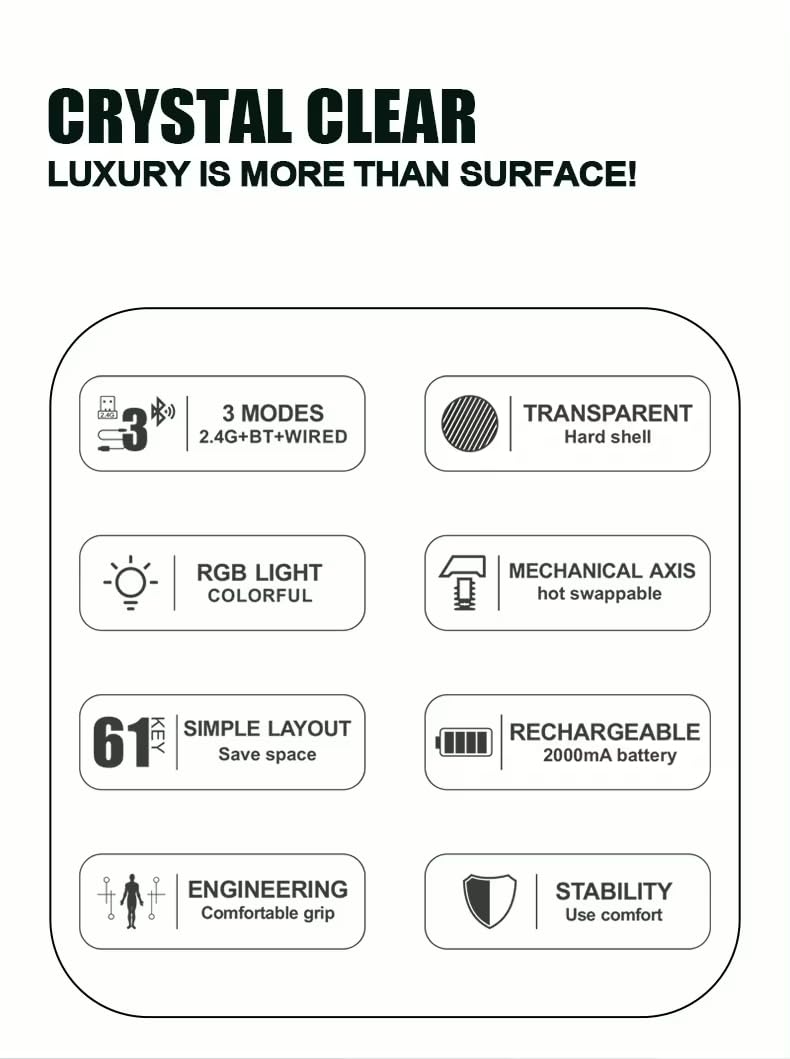
- 61-Key Minimalist Layout: Priestorovo úsporný dizajn.
- Priehľadný dizajn: Crystal clear hard shell and keycaps.
- 3-režimové pripojenie: 2.4GHz Wireless, Bluetooth 5.1, and Wired USB.
- RGB podsvietenie: Customizable colorful lighting effects.
- Hot-Swappable Mechanical Axis: Allows for easy switch replacement.
- 2000mAh nabíjateľná batéria: For extended wireless use.
- Ergonomický dizajn: Comfortable grip for prolonged use.
Nastavenie
1. Nabíjanie batérie
Before first use, or when the battery is low, connect the keyboard to a USB power source (e.g., computer USB port, USB wall adapter) using the provided USB-C cable. The charging port is typically located on the back or side of the keyboard.
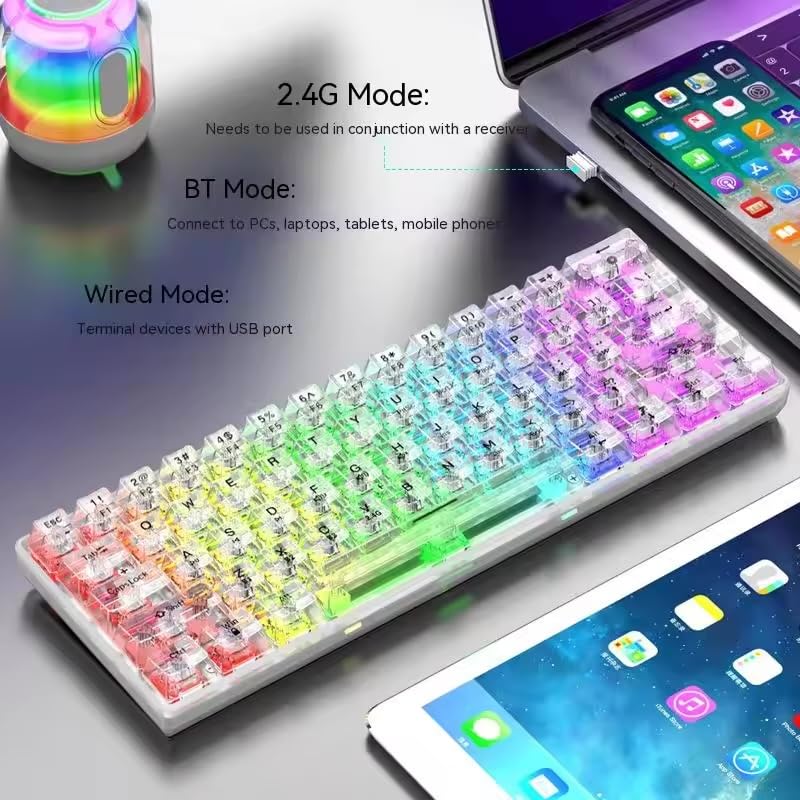
Image: The XunFox K30 Pro keyboard connected via a USB-C cable to a laptop, illustrating the charging process and highlighting the 2000mAh battery capacity.
Úplné nabitie poskytuje výdrž batérie približne 2000 mAh.
2. Connecting via 2.4GHz Wireless Mode
- Locate the 2.4GHz wireless receiver, usually stored in a compartment on the keyboard or included separately.
- Pripojte 2.4 GHz prijímač do voľného USB portu na vašom počítači.
- Switch the keyboard's connection mode to 2.4GHz. This is typically done using a switch on the keyboard or an FN key combination (e.g., FN + V).
- Klávesnica by sa mala automaticky pripojiť k vášmu zariadeniu.
3. Pripojenie cez režim Bluetooth
- Switch the keyboard's connection mode to Bluetooth. This is typically done using a switch on the keyboard or an FN key combination (e.g., Fn + z pre BT1, Fn + x pre BT2, Fn + c for BT3).
- For first-time pairing, long-press the corresponding FN key combination (e.g., Fn + z for 3 seconds) to enter pairing mode. The keyboard's indicator light will flash.
- On your device (computer, laptop, tablet, phone), open Bluetooth settings and search for new devices.
- Select "XunFox K30 Pro" (or similar name) from the list of available devices to pair.
- Po spárovaní prestane kontrolka blikať.
4. Connecting via Wired USB Mode
- Pripojte jeden koniec dodaného kábla USB-C k portu USB-C na klávesnici.
- Pripojte druhý koniec kábla USB-A k voľnému portu USB na počítači.
- Switch the keyboard's connection mode to Wired. This is typically done using a switch on the keyboard or an FN key combination.
- The keyboard will be recognized as a standard USB keyboard and is ready for use.

Image: Diagram illustrating the three connection modes: Bluetooth (BT), 2.4GHz Wireless (with receiver), and Wired (USB-C cable). Shows the keyboard connected to various devices.
Návod na obsluhu
Prepínanie režimov pripojenia
The keyboard supports three connection modes. Use the dedicated switch or FN key combinations to switch between them:
- Bezdrôtové pripojenie 2.4 GHz: Stlačte tlačidlo FN + V (short press to switch, long press for 3 seconds to enter pairing mode). Requires the 2.4GHz receiver.
- Bluetooth 1 (BT1): Stlačte tlačidlo Fn + z (short press to switch, long press for 3 seconds to enter pairing mode).
- Bluetooth 2 (BT2): Stlačte tlačidlo Fn + x (short press to switch, long press for 3 seconds to enter pairing mode).
- Bluetooth 3 (BT3): Stlačte tlačidlo Fn + c (short press to switch, long press for 3 seconds to enter pairing mode).
- Káblový režim: Connect the USB-C cable. The keyboard will automatically switch to wired mode or may require a specific FN key combination (refer to specific product documentation if FN key is needed).
Ovládanie podsvietenia RGB
The XunFox K30 Pro features customizable RGB backlighting. Specific FN key combinations are used to control lighting effects, brightness, and speed. Please refer to the quick start guide or product packaging for exact FN key combinations for RGB control, as these can vary.
Special Function Keys (FN Combinations)
The 61-key layout utilizes the FN key to access secondary functions printed on the keycaps.
- FN + [Number Keys]: Prístup k funkciám F1-F12.
- FN + [Other Keys]: Access multimedia controls, volume, and other system functions.
A detailed list of FN key combinations can usually be found in the quick start guide or on the product's official support page.
Údržba
Upratovanie
Ak chcete vyčistiť klávesnicu:
- Odpojte klávesnicu od všetkých zdrojov napájania a zariadení.
- Použite mäkkú handričku, ktorá nepúšťa vlákna dampKlávesy a šasi utrite vodou alebo jemným čistiacim roztokom.
- Na odstránenie prachu a nečistôt medzi klávesmi použite stlačený vzduch.
- Vyhnite sa používaniu agresívnych chemikálií alebo abrazívnych materiálov.
Prepínače vymeniteľné za chodu
The K30 Pro features hot-swappable mechanical switches, allowing you to change switches without soldering. Use a switch puller tool (not included unless specified) to carefully remove and insert compatible 3-pin or 5-pin mechanical switches.
Riešenie problémov
Klávesnica nereaguje
- Uistite sa, že klávesnica je nabitá.
- Check the connection mode (2.4GHz, Bluetooth, Wired) and ensure it matches your device's connection.
- Pri frekvencii 2.4 GHz sa uistite, že je prijímač správne zapojený.
- For Bluetooth, ensure it's paired correctly and within range. Try re-pairing.
- For wired, ensure the USB cable is securely connected to both the keyboard and the computer.
- Skúste pripojiť k inému portu USB alebo zariadeniu.
Problémy s pripojením Bluetooth
- Ensure the keyboard is in Bluetooth pairing mode (indicator light flashing).
- Remove the keyboard from your device's Bluetooth list and try pairing again.
- Uistite sa, že máte na zariadení zapnuté rozhranie Bluetooth.
- Reduce distance between keyboard and device.
RGB svetlá nefungujú
- Uistite sa, že klávesnica je zapnutá a nabitá.
- Check if the backlight has been turned off via an FN key combination.
- Adjust brightness settings using FN key combinations.
Špecifikácie
| Funkcia | Špecifikácia |
|---|---|
| Značka | XunFox |
| Model | K30 Pro |
| Typ klávesnice | Mechanické |
| Rozloženie | 61 Klávesy |
| Konektivita | 2.4 GHz bezdrôtové pripojenie, Bluetooth 5.1, káblové pripojenie (USB-C) |
| Kapacita batérie | 2000 mAh |
| Podsvietenie | RGB |
| Špeciálne funkcie | Backlit, Ergonomic, Rechargeable, Hot-swappable mechanical axis |
| Rozmery produktu | 40 x 8 x 4 cm |
| Hmotnosť položky | 900 g |
| Kompatibilné zariadenia | Laptop, PC, Tablet, Phone |
Obrázok: Zhora nadol view of the XunFox K30 Pro keyboard with key dimensions (292mm length, 102mm width, 40mm height) indicated.
Záruka a podpora
This XunFox K30 Pro keyboard comes with a 2-ročná záruka.
For technical support, warranty claims, or further assistance, please contact:
- Starostlivosť o zákazníkov: +91 9906910066 XNUMX XNUMX
- Dovozca/Baliareň: NJ Infotech
Uschovajte si doklad o kúpe pre účely záruky.
Ask a question about this manual
Ask about setup, troubleshooting, compatibility, parts, safety, or missing instructions. Manuals+ will review the question and use this page’s manual context to help answer it.