
1. Dôležité bezpečnostné informácie
Read all instructions carefully before operating the printer. Keep this manual for future reference.
- Uistite sa, že tlačiareň je umiestnená na stabilnom a rovnom povrchu.
- Pripojte tlačiareň k uzemnenej elektrickej zásuvke.
- Do not expose the printer to direct sunlight, high temperatures, or excessive humidity.
- Keep ink and cleaning solutions out of reach of children and pets.
- Wear appropriate protective gear (gloves, eye protection) when handling ink.
- Do not attempt to service the printer beyond the procedures described in this manual. Contact support for assistance.
2. Produkt skončilview
The MZK A3 Plus F1080 DTF Printer is designed for direct-to-film printing, featuring an F1080 printhead (XP600 Gen2 equivalent) for high-resolution output. It includes an automatic cleaning system, a 5-inch LED touch screen, and a dual ink level alarm system to enhance operational efficiency and print quality.
Kľúčové vlastnosti:
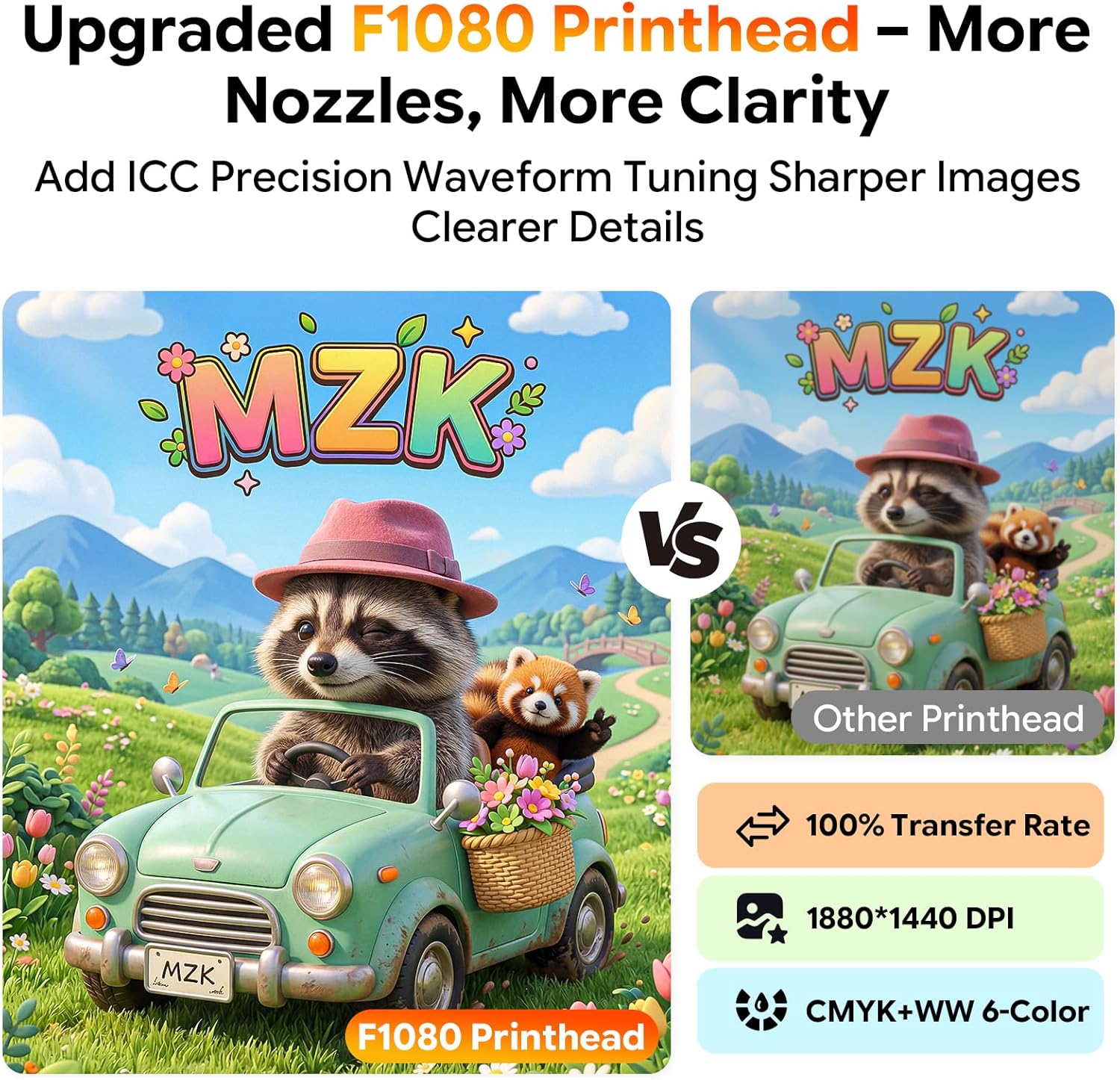
- F1080 Printhead: Equipped with an upgraded F1080 printhead for improved clarity and detail, supporting CMYK+WW 6-color printing and 1880*1440 DPI resolution.
- Automatic Timed Cleaning: Features a 'Holiday Mode' for automatic cleaning to prevent nozzle clogs during periods of inactivity.
- 3-in-1 Anti-Clogging System: Incorporates continuous white ink stirring, circulation, and purification to prevent ink sedimentation and nozzle clogging.
- 5-inch LED Touch Panel: Provides direct control for nozzle checks, head cleaning, and layout adjustments without frequent computer software interaction.
- Dual Ink Level Alarm System: Alerts users when ink cartridges are low and prevents waste ink overflow.
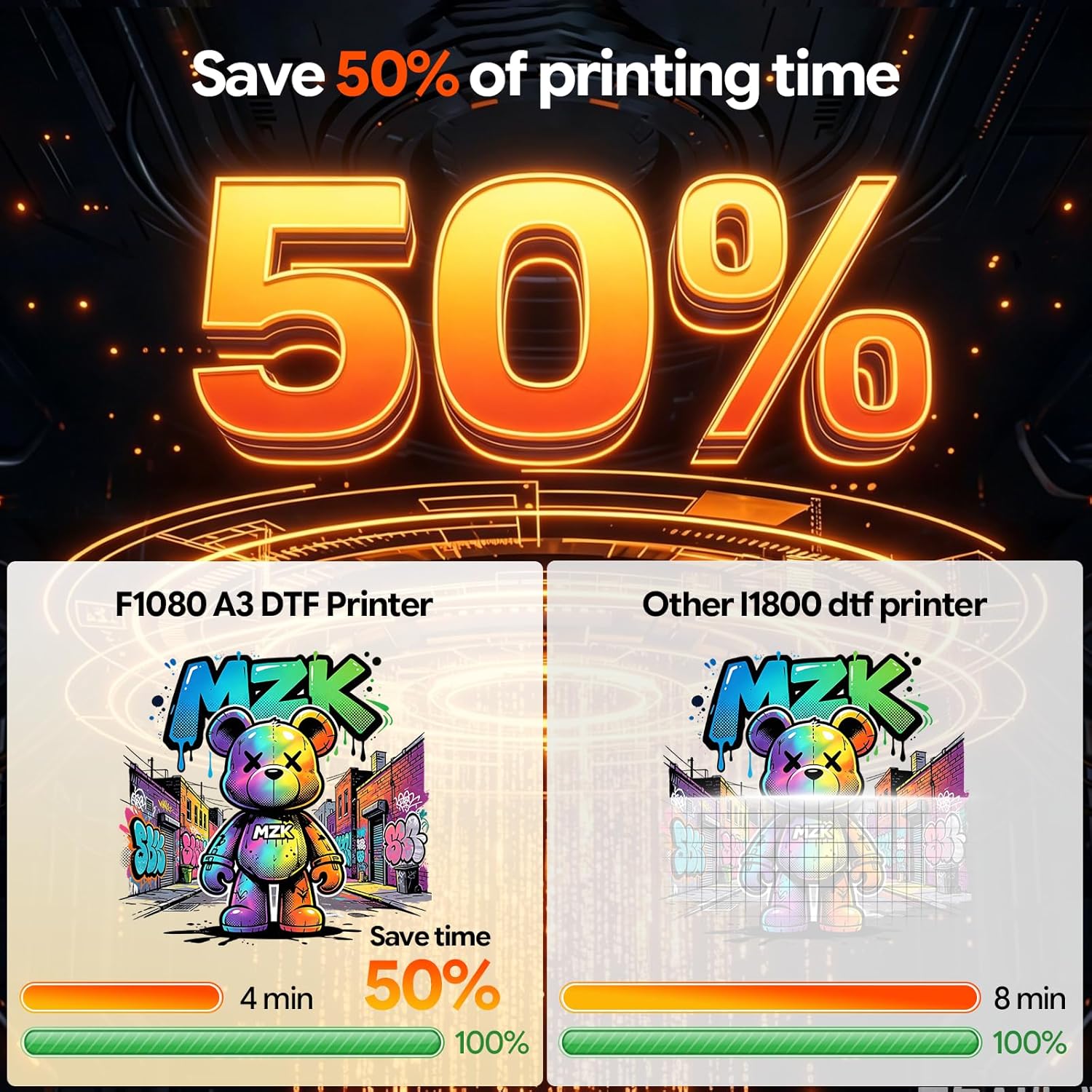
- Vysokorýchlostná tlač: Capable of printing A3 film in approximately 3 minutes, offering increased efficiency compared to L1800/R1390 models.
- Užívateľsky prívetivý softvér: Dedicated DTF software for rapid one-click printing and flexible image layout, compatible with Windows 7, 10, and 11.

3. Čo je v krabici
Po vybalení skontrolujte, či sú všetky položky prítomné:
- MZK A3 Plus F1080 DTF Printer
- 100m / 33cm Width DTF Film
- 5 Bottles of Ink (CMYK + White)
- DTF Powder
- Maintenance Toolkit
- USB Drive with Tutorials
4. Inštalačná príručka
4.1 Rozbalenie a umiestnenie
- Opatrne vyberte tlačiareň z obalu.
- Place the printer on a sturdy, level surface with adequate space for operation and maintenance.
- Odstráňte z tlačiarne všetky ochranné pásky a baliaci materiál.
4.2 Inštalácia softvéru
The printer utilizes dedicated DTF software. It is compatible with Windows 7, 10, and 11 operating systems. macOS is not supported.
- Vložte dodaný USB kľúč do počítača.
- Locate and run the software installer.
- Dokončite inštaláciu podľa pokynov na obrazovke.
- Ensure the printer drivers are installed correctly.
4.3 Plnenie atramentom
The printer features a one-click ink fill system to minimize mess.
- Open the ink tank covers.
- Identify the corresponding ink colors (CMYK and White).
- Carefully pour the ink into the respective tanks. Avoid overfilling.
- Bezpečne zatvorte kryty atramentových zásobníkov.
- Perform an initial ink charge as instructed by the printer's touch panel or software.

5. Návod na obsluhu
5.1 Powering On and Initial Checks
- Connect the power cable and turn on the printer using the main power switch.
- The 5-inch LED touch panel will display the startup sequence.
- Perform a nozzle check from the touch panel to ensure all nozzles are firing correctly.
5.2 Using the 5-inch LED Touch Panel
The touch panel allows direct control over various printer functions:
- Kontrola trysiek: Verify printhead health.
- Čistenie hlavy: Initiate manual cleaning cycles.
- Layout Adjustments: Fine-tune print settings.
- Ink Status: Monitor ink levels.
5.3 Proces tlače
- Prepare your design in the DTF software.
- Load the DTF film into the printer. Ensure it is properly aligned.
- Select your print settings in the software (resolution, color profile, atď.).
- Initiate the print job from the software. The printer will begin printing the design onto the film.
- After printing, apply DTF powder and cure the film according to powder manufacturer instructions.
5.4 Ink Level Monitoring
The printer features a dual alarm system for ink management.
- Color-Coded Ink Low Alerts: Indicates when individual ink cartridges are approximately 10% full, prompting timely replenishment.
- Waste Ink Overflow Warnings: Alerts prevent the waste ink tank from overflowing, maintaining a clean workspace.

6. Údržba
Pravidelná údržba zaisťuje optimálny výkon a predlžuje životnosť vašej tlačiarne.
6.1 Automatic Timed Cleaning (Holiday Mode)
The printer features an automatic cleaning function designed to prevent nozzle clogs during periods of inactivity. This 'Holiday Mode' can be configured via the touch panel to perform cleaning cycles at set intervals.

6.2 Anti-Clogging System
The integrated 3-in-1 anti-clogging system manages white ink to prevent issues:
- Ink Stirring Motor: Continuously stirs white ink to prevent pigment settling.
- Ink Circulation Pump: Ensures constant ink flow to prevent blockages.
- Ink Purifier: Filters ink to remove impurities and prevent sedimentation.
- One-Touch De-Bubbling: Initiates ink circulation to remove air bubbles from the ink lines.

6.3 Waste Ink Management
Periodically check the waste ink tank. When the waste ink alarm activates, empty the tank to prevent spills and maintain a clean environment.
7. Riešenie problémov
This section addresses common issues you may encounter.
- Poor Print Quality / Streaks:
Možná príčina: Clogged nozzles or low ink levels.
Riešenie: Perform a nozzle check and head cleaning cycle. Check ink levels and refill if necessary. - Tlačiareň nereaguje:
Možná príčina: Loose cable connection or software error.
Riešenie: Ensure all cables are securely connected. Restart the printer and computer. Verify software settings. - Ink Alarm Activation:
Možná príčina: Ink tank is low or waste ink tank is full.
Riešenie: Refill the indicated ink tank or empty the waste ink tank. - Film Jam:
Možná príčina: Improper film loading or foreign object.
Riešenie: Power off the printer, carefully remove the jammed film, and reload correctly.
For issues not covered here, refer to the USB tutorials or contact MZK customer support.
8. Špecifikácie
| Funkcia | Špecifikácia |
|---|---|
| Značka | MZK |
| Názov modelu | S13-XP600 (A3 Plus F1080 DTF Printer) |
| Technológia pripojenia | USB |
| Technológia tlače | Self-cleaning Inkjet |
| Špeciálne funkcie | Automatic Timed Cleaning printhead, 2X Printing Speed (compared to L1800), 330mm max print width, LCD panel, Ink Anti-Clog Design, Self-developed high-performance motherboard, 3-in-1 printhead protection |
| Farba | Biela |
| Výstup na tlačiareň | Farba |
| Maximálna rýchlosť tlače (farebne) | 1 ppm (A3 film in approx. 3 minutes) |
| Maximálna rýchlosť tlače čiernobielo | 1 ppm |
| Hmotnosť položky | 151 libier |
| Rozlíšenie | 1880 * 1440 DPI |
| softvér | RIP Print Software |
| Spotreba atramentu | 1 sq.m / 20ml |
| Veľkosť zariadenia | 30 palca × 13 palca × 13 palca |
9. Záruka a podpora
9.1 Informácie o záruke
The MZK A3 Plus F1080 DTF Printer comes with a warranty that includes:
- 2 Years of Free Ink & Powder: Starting from 2025, customers are eligible to receive 5 bottles of 250ml ink and 500g powder every 2 months. Shipping costs apply (US only).
9.2 Profesionálna podpora
MZK provides comprehensive support for your printer:
- Remote Engineer Assistance: Access live remote setup help and professional troubleshooting for any DTF printer issues.
- Detailed Installation Videos: Available to guide you through the setup process.
- 24-hodinová odpoveď: Professional troubleshooting assistance is available within 24 hours.
For support, please refer to the contact information provided with your purchase or visit the official MZK webstránky.