
Úvod
The GameSir G8 Plus Thanos Edition is a versatile mobile game controller designed to provide a console-like gaming experience across multiple platforms. This manual provides essential information for setting up, operating, maintaining, and troubleshooting your controller.
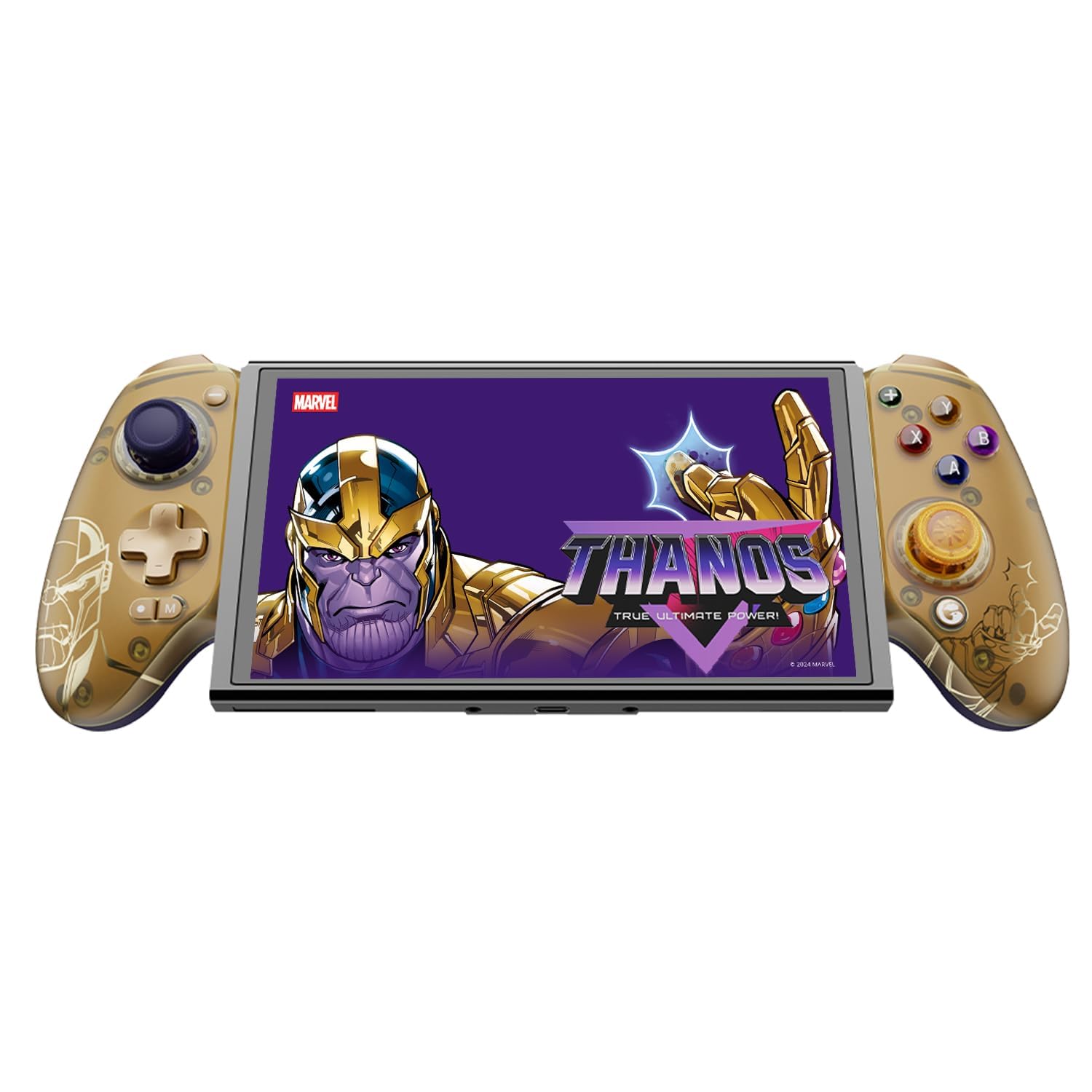
Figure 1: GameSir G8 Plus Thanos Edition Mobile Game Controller.
Nastavenie
Obsah balenia
Overte, či sú v balení všetky položky:
- GameSir G8 Plus Thanos Edition Mobile Game Controller
- Interchangeable Thumbstick Caps (3 pairs)
- Kábel USB-C
- Používateľská príručka (tento dokument)

Figure 2: Contents of the GameSir G8 Plus Thanos Edition package.
Kompatibilita zariadenia
The GameSir G8 Plus is compatible with a wide range of devices:
- Android devices (Android 8.0 or later)
- iOS zariadenia
- Nintendo Switch
- Tablets (4.7 to 8.4 inches)
- PC (via 2.4G receiver, sold separately, or wired)

Figure 3: Universal compatibility of the GameSir G8 Plus.
Počiatočné pripojenie
To connect your GameSir G8 Plus controller to a device:
- Pre mobilné zariadenia (Bluetooth): Extend the controller to fit your smartphone or tablet. Ensure Bluetooth is enabled on your device. Press and hold the pairing button on the controller until the indicator light flashes, then select "GameSir G8 Plus" from your device's Bluetooth settings.
- Pre Nintendo Switch: Insert the Switch console into the controller. The controller should automatically connect.
- For PC (Wired): Pripojte ovládač k počítaču pomocou dodaného kábla USB-C.
- For PC (2.4G Wireless): Insert the 2.4G receiver (sold separately) into your PC's USB port. The controller should connect automatically.
Video 1: Koniecview of the Gamesir G8 Plus Bluetooth Marvel Licensed controller, demonstrating its design and features.
Prevádzkové
Kľúčové vlastnosti a ovládacie prvky
- Joysticky s Hallovým efektom: Experience precise 360° control with anti-drift technology, ensuring longevity and accuracy.
- Spúšťače Hallovho efektu: Optimized triggers provide smooth and quick response, ideal for various game genres.
- Mapovateľné tlačidlá späť: Two additional back buttons (L4/R4) allow for instant button mapping, enhancing gameplay customization.
- Snímanie pohybu: A built-in 6-axis gyroscope enhances motion control, particularly useful for compatible Switch games and motion-sensitive gameplay.
- Haptická spätná väzba: Console-level haptic feedback provides realistic and immersive sensations during gameplay.

Figure 4: Explanation of GameSir Hall Effect Sticks.

Figure 5: Toggle Trigger Modes for different game types.

Figure 6: Motion Control capabilities with built-in 6-axis gyro.

Figure 7: Realistic and immersive haptic sensation.
Prispôsobenie
- Magnetic Faceplates: The controller features magnetic faceplates that can be easily removed and swapped for personalized aesthetics or maintenance.
- Interchangeable Thumbstick Caps: Three pairs of thumbstick caps with varying heights are included, allowing users to customize control feel.
- GameSir App: The GameSir app (Android exclusive) allows for real-time customization, including button mapping and sensitivity adjustments, for personalized gameplay.

Figure 8: Free customization options for the controller.

Figure 9: Advanced features of the GameSir G8 Plus.
Video 2: Introduction to the GameHub App, showcasing its features for game management and controller customization.
Prepínanie režimov
The controller supports various modes for different platforms. To switch between modes, press the corresponding key combination:
| Režim | Domovský indikátor | Spôsob pripojenia | Kompatibilná platforma |
|---|---|---|---|
| Android | Zelená | Controller + A | Android 8.0 alebo novšie verzie |
| DS4 | Modrá | Controller + B | iOS |
| Prepínač | Červená | Controller + X | Prepínač |
| G-Touch | azúrová | Controller + Y | Aplikácia GameSir |
*V pracovnom stave stlačte príslušnú kombináciu kláves pre prepnutie do požadovaného režimu.
Údržba
Pre zaistenie dlhej životnosti a optimálneho výkonu ovládača GameSir G8 Plus dodržiavajte tieto pokyny na údržbu:
- Čistenie: Na utretie povrchu ovládača použite mäkkú, suchú handričku. V prípade odolnej špiny ju jemne utrite.amphandričku vodou alebo jemným čistiacim roztokom. Vyhýbajte sa agresívnym chemikáliám alebo abrazívnym materiálom.
- Ukladací priestor: Ovládač skladujte na chladnom a suchom mieste mimo dosahu priameho slnečného žiarenia a extrémnych teplôt. Ak ho dlhší čas nepoužívate, pred uskladnením sa uistite, že je úplne nabitý.
- Manipulácia: Avoid dropping the controller or subjecting it to strong impacts. Do not attempt to disassemble the controller beyond removing the magnetic faceplates and thumbstick caps.
Riešenie problémov
If you encounter issues with your GameSir G8 Plus controller, refer to the following common troubleshooting steps:
- Ovládač sa nepripája: Ensure Bluetooth is enabled on your device and the controller is in the correct mode (Android, DS4, Switch). Try restarting both the controller and your device. For wired connections, ensure the USB-C cable is securely connected.
- Tlačidlá alebo joysticky nereagujú: Check if the controller's battery is charged. If using the GameSir App, verify that button mappings are correctly configured. For Hall Effect Joysticks, recalibration might be necessary if drift occurs (refer to GameSir App for calibration options).
- Zariadenie nie je kompatibilné: Ensure your device's dimensions are within the supported range of 4.7 to 8.4 inches. The controller's design accommodates devices with larger cameras.
- GameSir App Issues: Ensure your GameSir App is updated to the latest version. The app is currently exclusive to Android devices.
For further assistance, please contact GameSir customer support.
Špecifikácie
Detailed specifications for the GameSir G8 Plus Thanos Edition Mobile Game Controller:
| Funkcia | Detail |
|---|---|
| Kompatibilné zariadenia | Android, iOS, Nintendo Switch, PC |
| Typ ovládača | Gamepad |
| Technológia pripojenia | Bluetooth 5.3, USB, 2.4G (receiver sold separately) |
| Ďalšie funkcie | Multiuse, Wireless, Hall Effect Joysticks & Triggers, 6-axis Gyroscope, Mappable Back Buttons, Magnetic Faceplates, Interchangeable Thumbstick Caps, Pass-through Charging |
| Množstvo tlačidiel | 6 (standard face buttons) + D-pad, shoulder buttons, triggers, menu buttons, 2 back buttons |
| Hardvérová platforma | Smartphone, Tablet, Nintendo Switch, PC |
| Zdroj napájania | Battery Powered (500mAh per side) |
| Hmotnosť položky | 620 gramov |
| Názov modelu | G8 Plus |
| Výrobca | GameSir |
| Farba | Gamesir G8 Plus Thanos Edition (Gold/Purple) |
Záruka a podpora
Informácie o záruke
The GameSir G8 Plus Thanos Edition Mobile Game Controller comes with a 1-ročná záruka. GameSir provides 12 months replacement service for product issues.
Zákaznícka podpora
If you experience any problems with your product or require further assistance, please feel free to send a message through Amazon. GameSir aims to reply within 24 hours.