
1. Úvod
This manual provides detailed instructions for the XBG B15pro Wireless Bluetooth Mouse. This device offers versatile connectivity options, an ergonomic design, and an intuitive LED display for enhanced user experience.
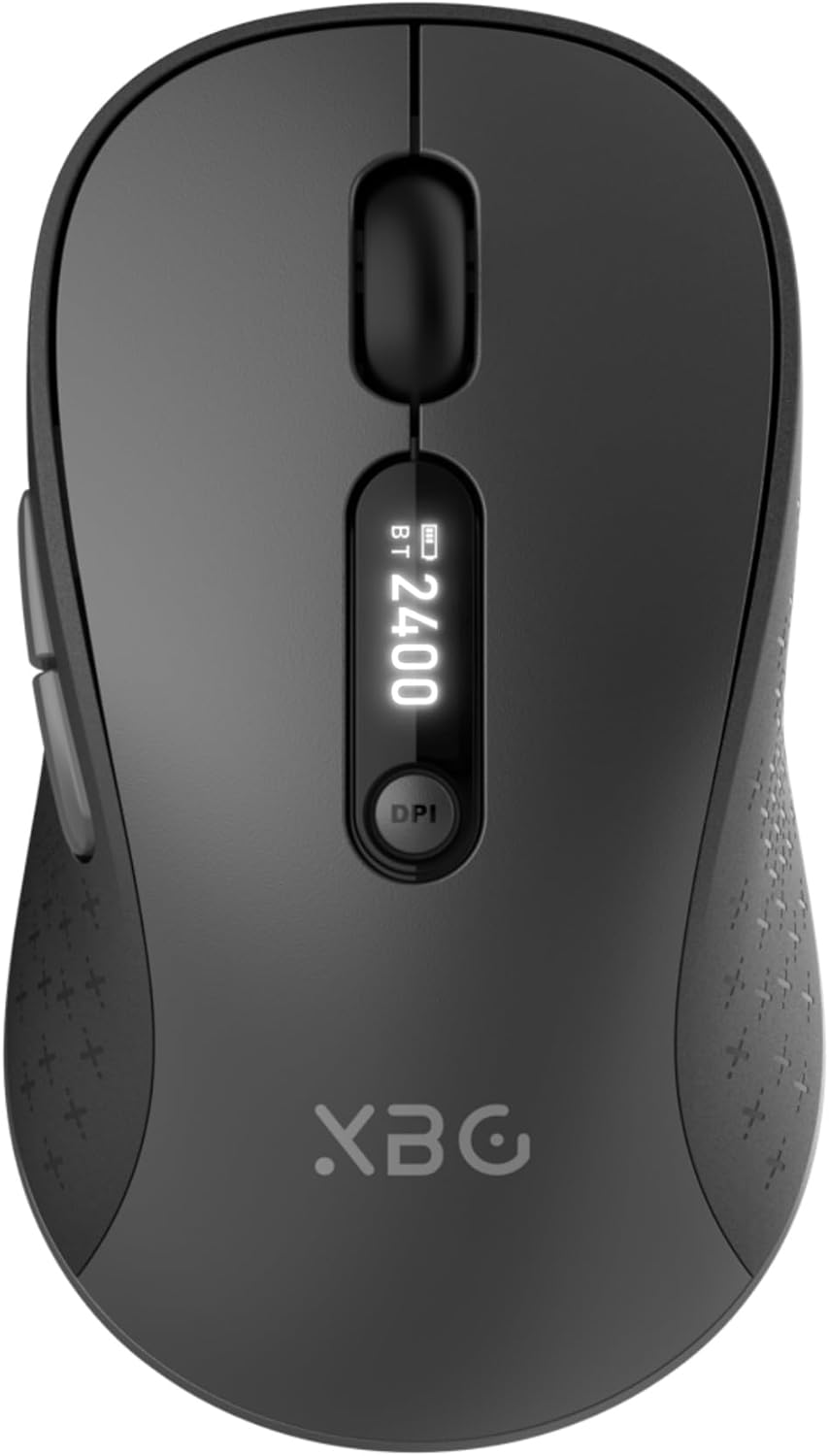
Image 1.1: The XBG B15pro Wireless Bluetooth Mouse, showcasing its sleek design and LED display.
Obsah balenia:
- 1 x XBG B15pro Wireless Bluetooth Mouse
- 1 x USB nabíjací kábel (Typ-C)
- 1 x USB prijímač (2.4 G)
- 1 x Návod na použitie
2. Vlastnosti produktu
- Trojrežimové pripojenie: Supports Bluetooth 5.0, Bluetooth 4.0, and 2.4GHz wireless connections, allowing seamless switching between up to three devices.
- LED displej: Provides real-time information on battery percentage, DPI level, and current connection mode.
- Nastaviteľné DPI: Five adjustable DPI levels (800/1000/1200/1600/2400) for precise cursor control.
- Nabíjateľná batéria: Built-in 500 mAh lithium polymer battery, rechargeable via Type-C port.
- Tlačidlá s tichým klikaním: Main left and right buttons feature silent click technology, reducing noise in quiet environments.
- Ergonomický dizajn: Contoured shape with a thumb rest and arched palm support for comfortable use during extended periods.
- Kompatibilita s viacerými povrchmi: Operates effectively on various surfaces including resin, wood, fabric, paper, and metal.

Image 2.1: The XBG B15pro mouse designed for multi-device use, highlighting its wireless capabilities.
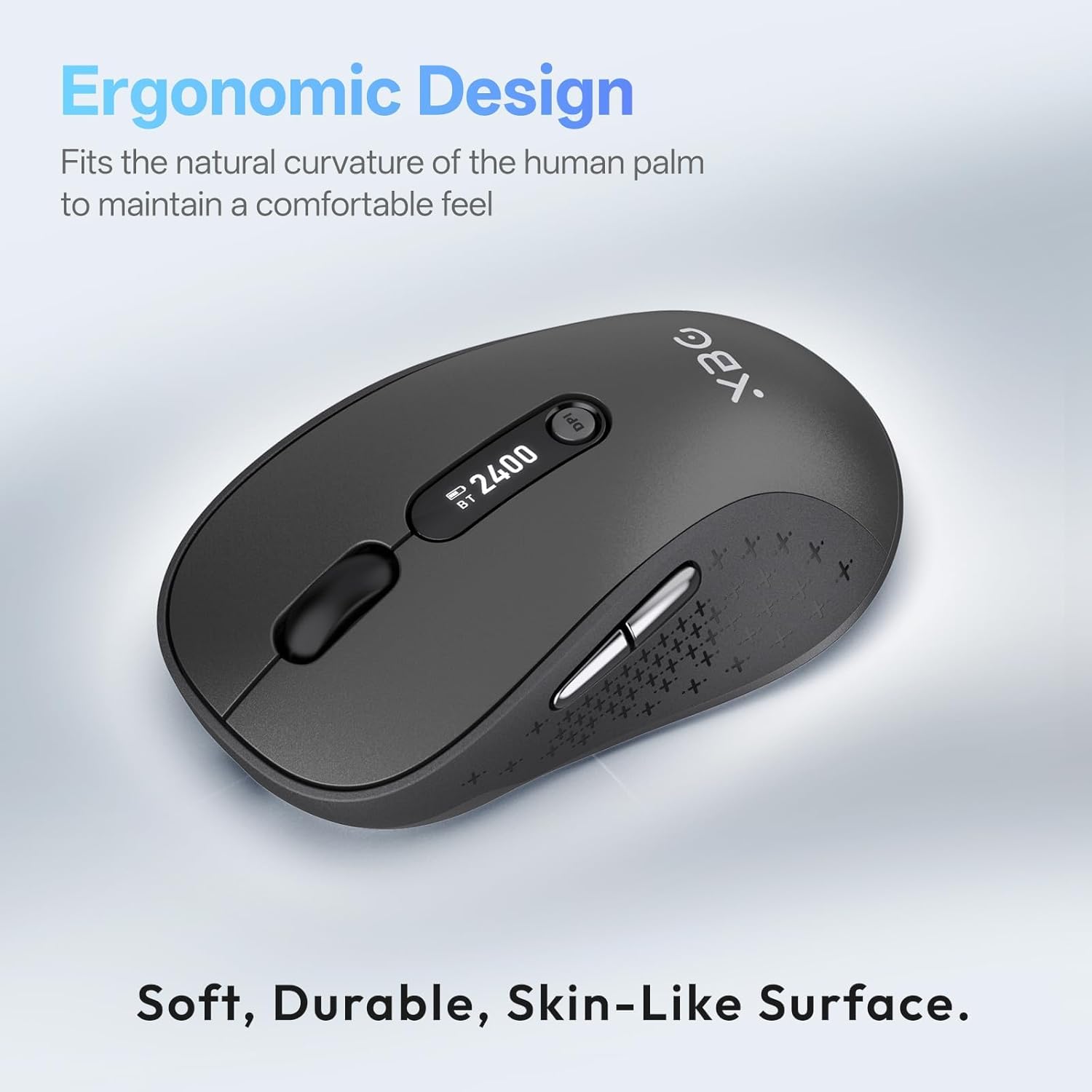
Image 2.2: The ergonomic contour of the XBG B15pro mouse, designed for comfortable hand fit.
3. Nastavenie
3.1 Nabíjanie myši
Before first use, or when the battery indicator on the LED screen shows low power, charge the mouse using the provided Type-C USB cable. Connect the cable to the mouse's Type-C port and a USB power source (e.g., computer USB port, USB wall adapter).

Image 3.1: The XBG B15pro mouse connected for charging via its Type-C port.
3.2 Pripojenie myši
The XBG B15pro mouse supports three connection modes: 2.4GHz wireless (via USB receiver) and two Bluetooth channels (BT1, BT2). The mode switch is located on the bottom of the mouse.

Image 3.2: The underside of the XBG B15pro mouse, showing the ON/OFF switch, mode switch button, and USB receiver storage.
Bezdrôtové pripojenie 2.4 GHz:
- Locate the USB receiver stored in the bottom compartment of the mouse.
- Zapojte USB prijímač do dostupného USB portu na vašom počítači.
- Zapnite myš pomocou vypínača ON/OFF na spodnej strane.
- Press the Mode Switch button on the bottom until the LED indicator shows a Červené svetlo, indicating 2.4G mode. The mouse should connect automatically.
Pripojenie Bluetooth (BT1 / BT2):
- Zapnite myš pomocou vypínača ON/OFF na spodnej strane.
- Press the Mode Switch button on the bottom to select either BT1 (Modré svetlo) or BT2 (Zelené svetlo).
- Press and hold the Mode Switch button for 3-5 seconds until the corresponding Bluetooth indicator light (blue or green) starts flashing rapidly. This indicates pairing mode.
- On your device (laptop, tablet, PC), go to Bluetooth settings and search for new devices.
- Select "XBG B15pro" from the list of available devices to pair.
- Po spárovaní prestane kontrolka blikať a zostane svietiť.

Image 3.3: Illustration of the XBG B15pro mouse connecting to multiple devices via 2.4G and Bluetooth modes.
4. Návod na obsluhu
4.1 LED displej
The integrated LED screen provides essential information at a glance:
- Percento batérietage: Zobrazuje aktuálnu úroveň nabitia batérie.
- Úroveň DPI: Displays the active DPI setting (800/1000/1200/1600/2400).
- Režim pripojenia: Indicates the active connection (2.4G, BT1, or BT2).
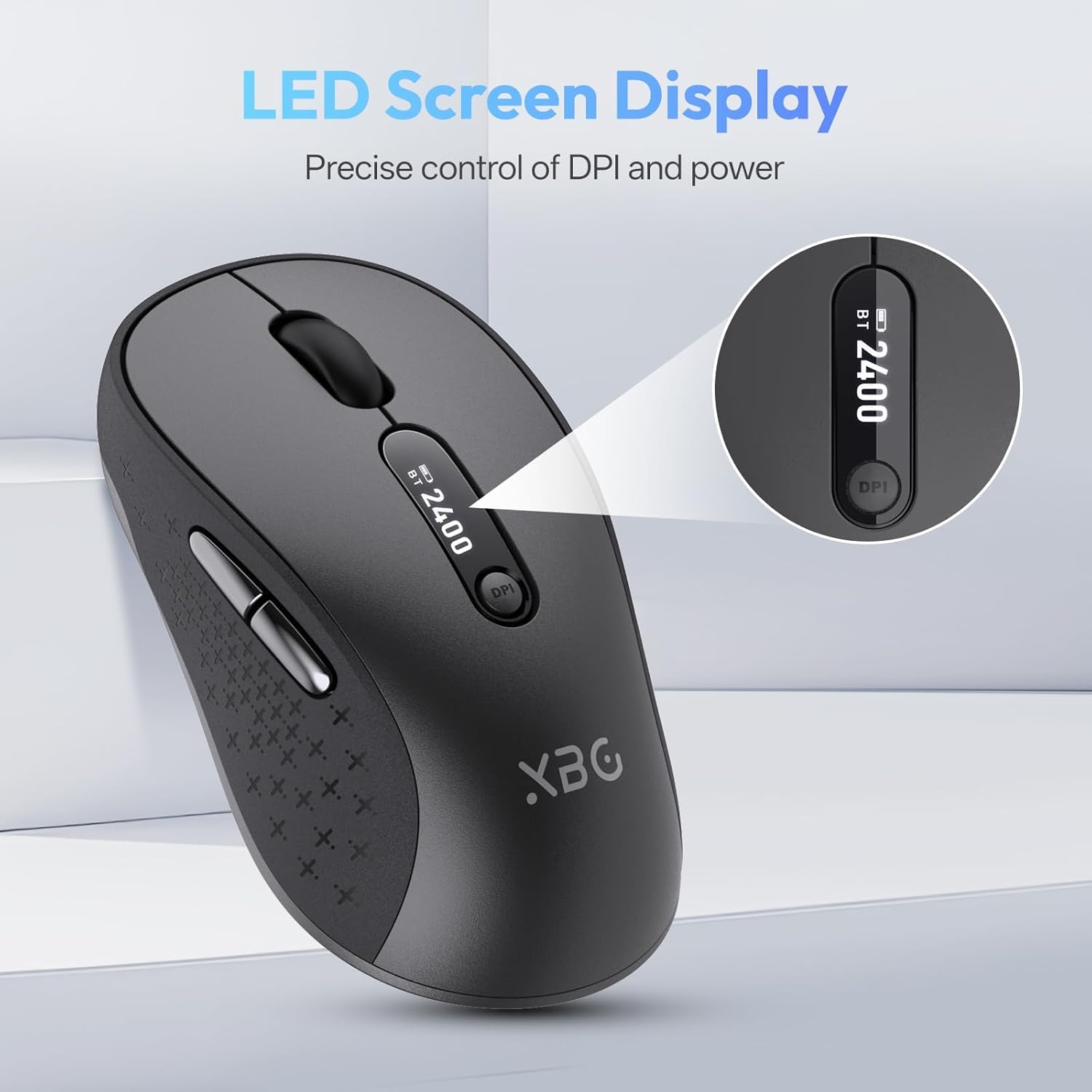
Obrázok 4.1: Podrobný view of the mouse's LED screen, showing battery, DPI, and connection status.
4.2 Úprava DPI
Press the DPI button located below the scroll wheel to cycle through the five available DPI settings (800, 1000, 1200, 1600, 2400). The current DPI level will be displayed on the LED screen.
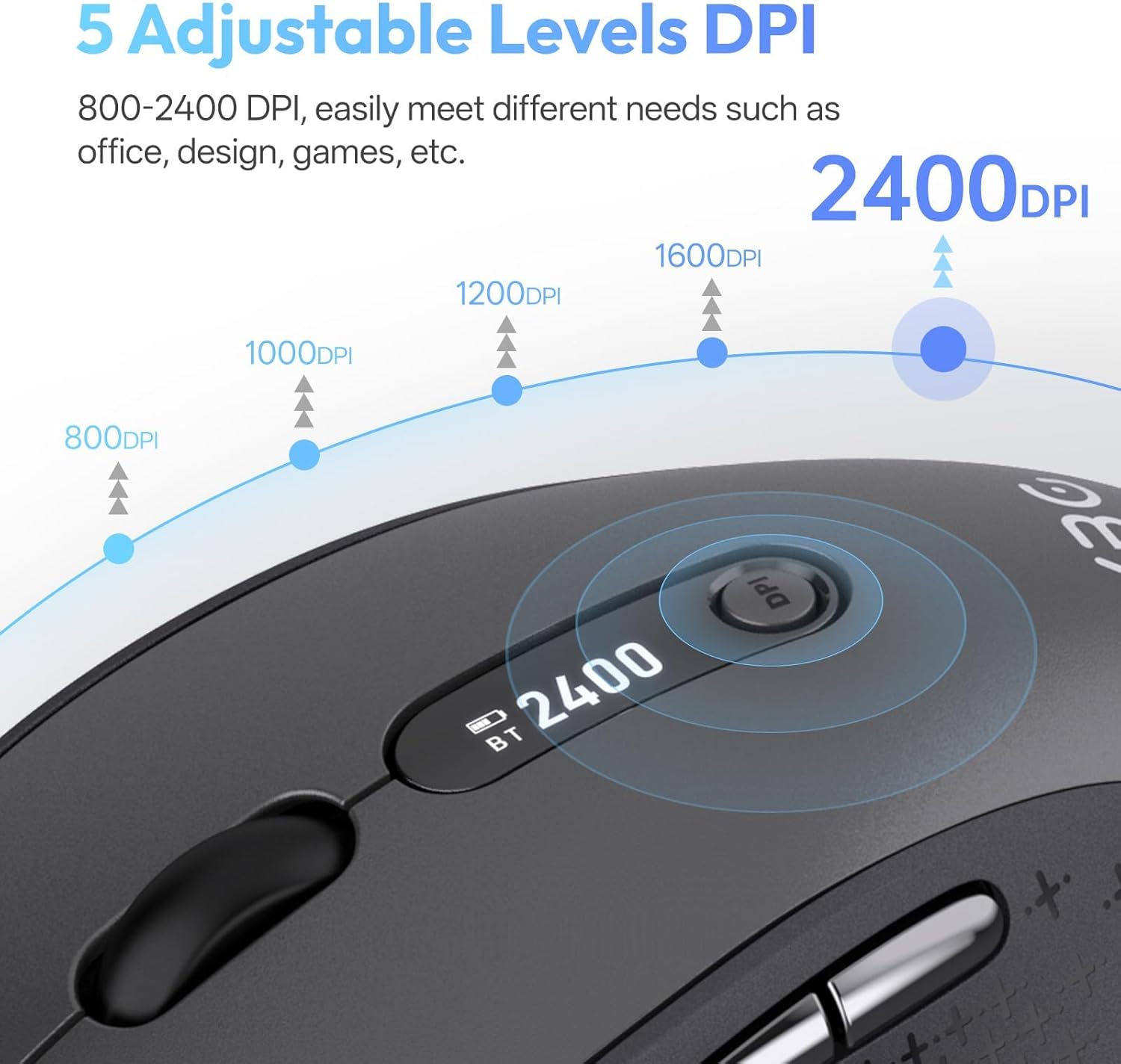
Image 4.2: Visual representation of the five adjustable DPI levels and how to change them.
4.3 Silent Click Functionality
The main left and right click buttons are designed for silent operation, providing a tactile click feel without audible noise. This feature is ideal for environments requiring minimal disturbance.

Image 4.3: A user operating the XBG B15pro mouse, illustrating its silent click feature in a quiet setting.
4.4 Automatický režim spánku
To conserve battery, the mouse will automatically enter sleep mode after 5 minutes of inactivity. To wake the mouse, simply move it or click any button.
5. Údržba
5.1 Starostlivosť o batérie
- Charge the mouse fully before first use.
- Vyhnite sa častému úplnému vybitiu batérie, aby ste predĺžili jej životnosť.
- Na nabíjanie použite dodaný kábel typu C.
- When not in use for extended periods, turn off the mouse using the ON/OFF switch on the bottom to prevent battery discharge.

Image 5.1: The XBG B15pro mouse being charged, illustrating its fast charging capability and long-lasting battery.
5.2 Čistenie
Wipe the mouse with a soft, damp plátno. Vyhnite sa používaniu agresívnych chemikálií alebo abrazívnych materiálov, ktoré by mohli poškodiť povrch.
6. Riešenie problémov
- Myš nereaguje:
- Uistite sa, že je myš ZAPNUTÁ.
- Skontrolujte úroveň nabitia batérie na LED obrazovke a v prípade potreby ju nabite.
- Verify the correct connection mode (2.4G, BT1, BT2) is selected and properly paired.
- V režime 2.4 G sa uistite, že je USB prijímač bezpečne zapojený do počítača.
- For Bluetooth mode, ensure Bluetooth is enabled on your device and re-pair if connection is lost.
- Pohyb kurzora je nepravidelný alebo pomalý:
- Upravte nastavenie DPI pomocou tlačidla DPI.
- Ensure the mouse is used on a clean, suitable surface.
- Myš sa často odpája:
- Ensure the mouse is within the effective range of your device (typically 10 meters for Bluetooth/2.4G).
- Minimalizujte rušenie z iných bezdrôtových zariadení.
- Skontrolujte úroveň nabitia batérie.
- Mouse does not automatically enter sleep mode:
- While the mouse has an automatic sleep feature, it is recommended to manually turn off the mouse via the ON/OFF switch when not in use for extended periods to ensure maximum battery conservation.
7. Špecifikácie
| Funkcia | Špecifikácia |
|---|---|
| Číslo modelu | B15 pro |
| Technológia pripojenia | Bezdrôtové pripojenie Bluetooth 5.0/4.0, 2.4 GHz |
| Detekcia pohybu | Optické |
| Úrovne DPI | 800, 1000, 1200, 1600, 2400 |
| Typ batérie | 1 Lithium Polymer (500 mAh, included) |
| Nabíjací port | Typ-C |
| Rozmery produktu | 4.55 x 2.83 x 0.04 palca (11.56 x 7.19 x 0.1 cm) |
| Hmotnosť položky | 2.65 uncí (75 gramov) |
| Špeciálne funkcie | Ergonomic Design, Portable, Silent Click, LED Screen Display |

Image 7.1: A guide for recommended mouse size based on palm length and width.
8. Záruka a podpora
XBG offers a satisfaction guarantee for the B15pro Wireless Bluetooth Mouse.
- Pravidlá vrátenia do 30 dní: If you are not satisfied with the product, you may return it within 30 days of purchase.
- 1-ročná záruka na výmenu: The product is covered by a 1-year replacement warranty for manufacturing defects.
For further assistance or support, please refer to the contact information provided with your purchase or visit the official XBG webstránky.