
1. Inštalačná príručka
1.1 Obsah balenia
Predtým, ako začnete, sa uistite, že máte v balení všetky položky:
- Základná jednotka
- 3 bezdrôtové slúchadlá
- 3 AC adaptéry
- Kábel telefónnej linky
- 3 NiMH batérií
- Nástenný držiak
- Abridged User’s Manual
- Sprievodca rýchlym spustením

Image: The VTech CS5329-3 cordless phone system, showing the main base unit and three cordless handsets with their charging cradles.
1.2 Inštalácia batérie
Each cordless handset requires a NiMH battery for operation. To install:
- Otvorte kryt priehradky na batérie na zadnej strane slúchadla.
- Bezpečne zapojte zástrčku batériového bloku do zásuvky vo vnútri priestoru pre batérie.
- Vložte batériový blok do priehradky.
- Zatvorte kryt priestoru pre batérie.
1.3 Pripojenie základnej jednotky
Connect the base unit to your telephone line and a power outlet:
- Zapojte jeden koniec telefónneho kábla do zásuvky TEL LINE na zadnej strane základňovej jednotky.
- Zapojte druhý koniec telefónneho kábla do telefónnej zásuvky v stene.
- Plug the small end of the AC adapter into the POWER jack on the back of the base unit.
- Zapojte väčší koniec sieťového adaptéra do zásuvky, ktorá nie je ovládaná vypínačom.
1.4 Handset Charging
Place each handset in its respective charging cradle or the main base unit. The handsets will begin charging automatically. Allow at least 10-12 hours for the initial charge before first use to ensure optimal battery performance.
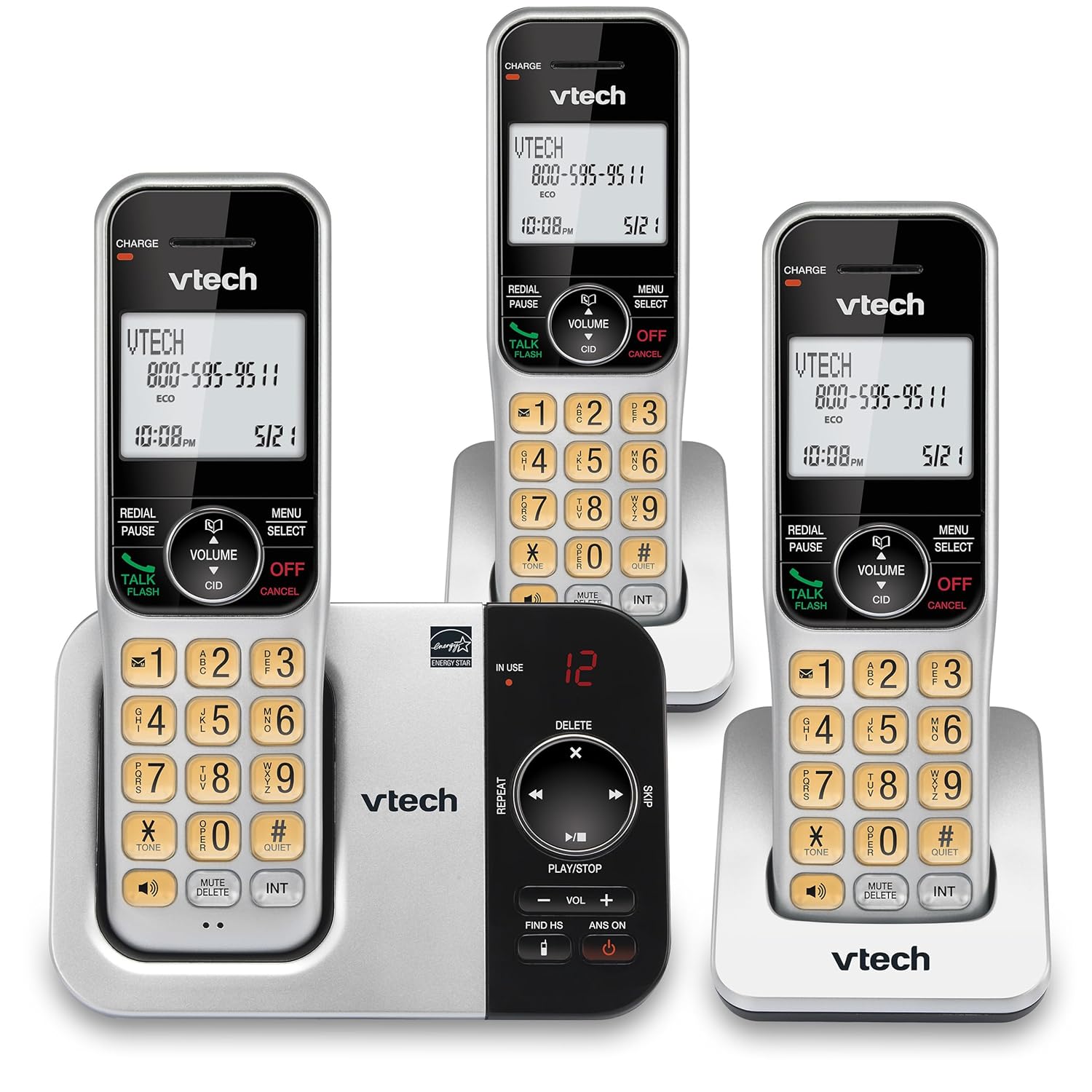
Image: An alternative view of the VTech CS5329-3 phone system, highlighting the compact design of the handsets and charging cradles.
2. Návod na obsluhu
2.1 Uskutočňovanie a prijímanie hovorov
Ak chcete uskutočniť hovor, stlačte tlačidlo HOVORTE / BLESK button, then dial the number. To receive a call, simply lift the handset from the cradle or press any key (except VYPNÚŤ/ZRUŠIŤ).
2.2 Digitálny záznamník
The integrated digital answering system offers up to 23 minutes of recording time for incoming messages, announcements, and memos. You can play back messages directly from the base unit or any handset. The lighted display on the handset indicates the number of new messages waiting.
2.3 Full Duplex Speakerphone
Enjoy clear, natural conversations with the full-duplex handset speakerphone. This feature allows both parties to speak and be heard simultaneously, enhancing call quality and participation.
2.4 ID volajúceho
Caller ID entries are displayed on the large, backlit LCD screen of the handset, making it easy to identify callers even in low-light conditions. The screen provides high-contrast text for readability.
2.5 Blokovanie hovorov
Effectively manage unwanted calls by utilizing the Call Block feature. You can input and/or save up to 150 names and numbers in the call block directory to prevent them from ringing through.
2.6 Rozšíriteľnosť
The VTech CS5329-3 system is expandable up to 5 handsets using only one phone jack. Additional CS5309 accessory handsets (sold separately) can be placed anywhere in your home or office near an outlet, providing flexible and convenient communication throughout your space.

Image: Another perspective of the VTech CS5329-3 phone system, showcasing the sleek design and keypad layout of the handsets.
3. Údržba
3.1 Čistenie telefónu
Telefón a základňovú jednotku utrite mäkkou, jemne vlhkou handričkou.amp handričkou. Nepoužívajte čistiace spreje ani agresívne chemikálie, pretože môžu poškodiť povrchovú úpravu alebo elektrické súčiastky.
3.2 Starostlivosť o batérie
To maintain optimal battery life, ensure handsets are placed on their charging cradles when not in use. Avoid exposing batteries to extreme temperatures.
4. Riešenie problémov
If you experience issues with your VTech CS5329-3 phone system, try the following common troubleshooting steps:
- Žiadny oznamovací tón: Ensure the telephone line cord is securely connected to both the base unit and the wall jack. Check if other phones in your home have a dial tone.
- Bez napájania: Verify that the AC adapter is properly plugged into the base unit and a working electrical outlet.
- Zlá kvalita zvuku: Presuňte sa bližšie k základňovej jednotke. Uistite sa, že signál nerušia žiadne veľké kovové predmety ani iné elektronické zariadenia.
- Telefón sa nenabíja: Make sure the handset is properly seated in the charging cradle and the charging contacts are clean.
- Odkazovač nenahráva: Check the recording time available. Ensure the answering system is turned ON.
For more detailed troubleshooting, refer to the Abridged User’s Manual included in your package.
5. Špecifikácie
| Funkcia | Detail |
|---|---|
| Rozmery produktu | 5.54 x 7.31 x 2.99 palcov; 2.36 libier |
| Číslo modelu položky | CS5329-3 |
| Batérie | Potrebné sú 3 AAA batérie. (v cene) |
| Výrobca | VTECH |
| Farba | Strieborná/čierna |
| Typ telefónu | Bezdrôtový |
| Materiál | Plastové |
| Zdroj napájania | Káblové elektrické |
| Typ systému odpovedania | digitálny |
| Hmotnosť položky | 1.07 kg |
| Kompatibilné zariadenia | PSTN Landline Connections |
6. Záruka a podpora
Your VTech CS5329-3 Cordless Phone System is covered by a manufacturer's warranty. Please refer to the warranty information provided in your Abridged User’s Manual for specific terms and conditions.
For technical support, product registration, or to purchase additional accessories, please visit the official VTech website or contact their customer service. Contact details can typically be found in your product documentation or on the VTech brand store page.
Pre viac informácií môžete navštíviť Obchod VTech na Amazone.