
Úvod
The Trust Gaming GXT 498B Forta Gaming Headset is officially licensed for PlayStation 5 and PlayStation 4 consoles, designed to provide an immersive audio experience. This wired over-ear headset features 50mm drivers for powerful sound, a detachable microphone with a pop filter for clear communication, and comfortable ear pads for extended gaming sessions. This manual provides instructions for setup, operation, maintenance, and troubleshooting to ensure optimal performance of your headset.
Čo je v krabici
- Trust Gaming GXT 498B Forta Gaming Headset
- Detachable Microphone with Pop Filter
- 1.2m Audio Cable (3.5mm jack)
- Používateľská príručka

Image: The retail packaging for the Trust Gaming GXT 498B Forta Gaming Headset, showing the headset and included accessories.
Pokyny na nastavenie
- Pripojte zvukový kábel: Locate the 3.5mm audio jack on your PlayStation 5 DualSense wireless controller or PlayStation 4 DualShock 4 wireless controller. Insert the 3.5mm audio cable from the headset firmly into the controller's audio jack.
- Pripojenie mikrofónu: The microphone is detachable. Align the microphone's connector with the port on the left earcup of the headset and push it in until it clicks securely into place. Ensure the pop filter is correctly positioned over the microphone for optimal voice clarity.
- Nastavenie prispôsobenia headsetu: Extend or retract the adjustable padded headband to fit comfortably over your head. The earcups are moveable to ensure a snug fit over your ears.
- Configure Audio Settings (PlayStation):
- Pre PS5: Prejsť na Nastavenia > Zvuk > Zvukový výstup. Vyberte Slúchadlá as the output device. Adjust the volume and microphone levels as needed.
- Pre PS4: Prejsť na Nastavenia > Zariadenia > Zvukové zariadenia. Vyberte Náhlavná súprava pripojená k ovládaču as the input and output device. Adjust the volume and microphone levels.
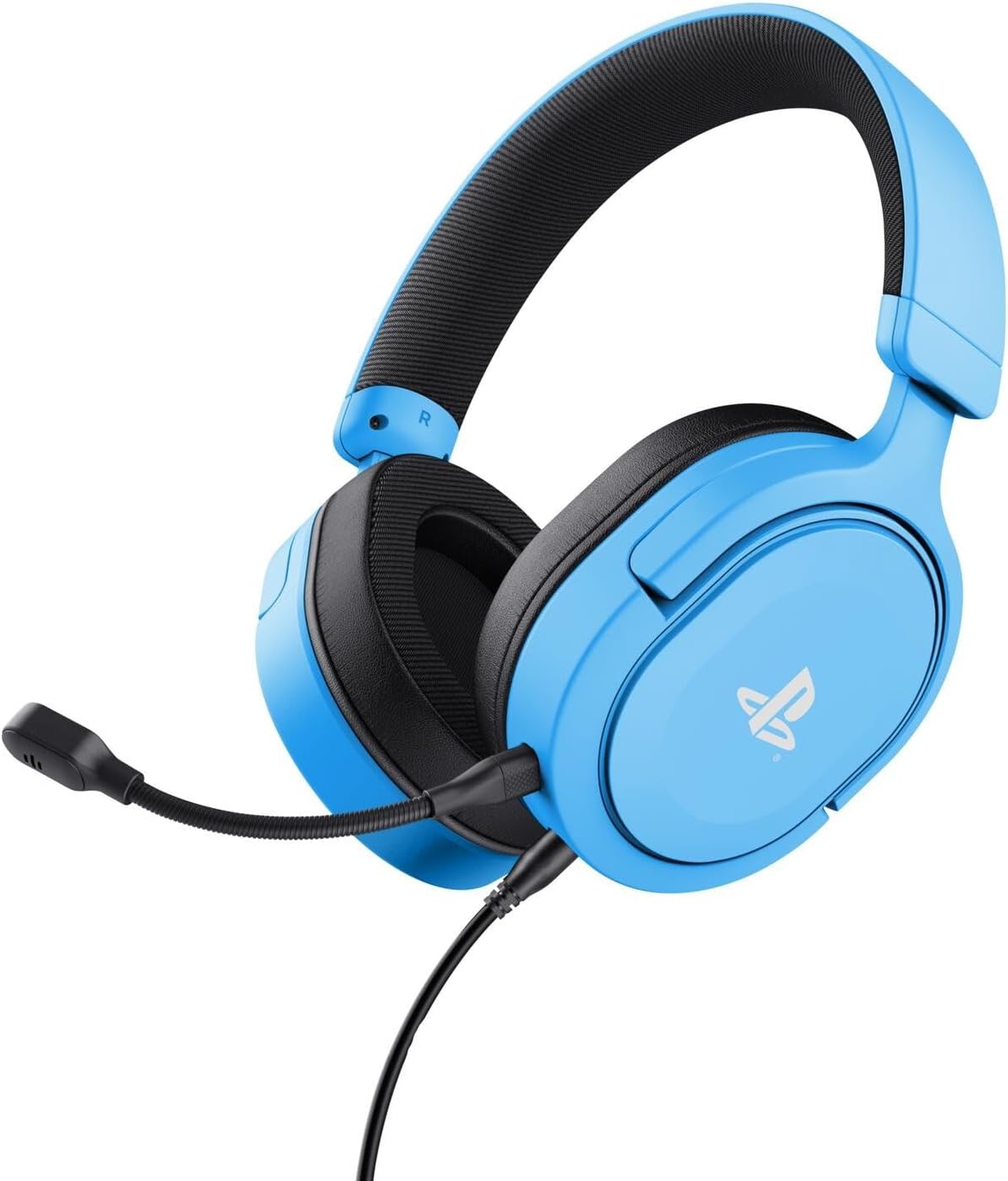
Image: The Trust Gaming GXT 498B Forta Gaming Headset, showcasinjeho dizajn a odnímateľný mikrofón.
Návod na obsluhu
- Ovládanie hlasitosti: The headset features an in-line volume control wheel on the audio cable. Rotate the wheel up or down to adjust the audio output level.
- Stlmenie mikrofónu: An in-line mute switch is located on the audio cable. Slide the switch to mute or unmute the microphone.
- 3D Audio: The headset supports 3D Audio on compatible PlayStation 5 games, providing an enhanced spatial sound experience. Ensure 3D Audio is enabled in your PS5 sound settings for optimal immersion.
- Odnímateľný mikrofón: The microphone can be detached when not in use for a more streamlined headset profile. Store it safely to prevent loss or damage.

Obrázok: Detailný záber view of the Trust Gaming GXT 498B Forta headset, highlighting the earcups and the attached audio cable with controls.
Údržba
- Čistenie: Use a soft, dry cloth to clean the headset. For ear pads, a slightly damp Môžete použiť handričku, ale dbajte na to, aby sa do mriežok reproduktora nedostala vlhkosť. Nepoužívajte agresívne chemikálie ani abrazívne čistiace prostriedky.
- Ukladací priestor: Slúchadlá skladujte na chladnom a suchom mieste mimo dosahu priameho slnečného žiarenia a extrémnych teplôt. Na slúchadlá neklaďte ťažké predmety.
- Starostlivosť o káble: Avoid sharp bends or kinks in the audio cable. Do not pull the cable forcefully when disconnecting.
- Starostlivosť o mikrofón: Handle the detachable microphone with care. When not in use, detach it and store it safely to prevent damage.
Riešenie problémov
- Žiadny zvuk z náhlavnej súpravy:
- Ensure the 3.5mm audio cable is fully inserted into both the headset and the controller.
- Check the in-line volume control wheel on the cable and turn it up.
- Verify audio settings on your PlayStation console (refer to "Setup Instructions" section).
- Test the headset with another device (e.g., smartphone, PC) to determine if the issue is with the headset or the console.
- Mikrofón nefunguje:
- Uistite sa, že odnímateľný mikrofón je bezpečne pripojený k slúchadlám.
- Check the in-line microphone mute switch and ensure it is in the "unmute" position.
- Verify microphone input settings on your PlayStation console (refer to "Setup Instructions" section).
- Ensure the pop filter is not obstructing the microphone's input.
- Sound Quality Issues (Distortion, Low Volume):
- Adjust the volume levels on both the headset's in-line control and your console's settings.
- Uistite sa, že audio kábel nie je poškodený alebo zalomený.
- Try connecting the headset to a different audio source to rule out console-specific issues.
Špecifikácie
| Názov modelu | GXT 498B Forta |
| Číslo modelu | 25556 |
| Konektivita | Káblové (3.5 mm konektor) |
| Dĺžka kábla | 1.2 metrov |
| Veľkosť ovládača | 50 mm |
| Frekvenčný rozsah | 20 Hz – 20 000 Hz |
| Impedancia | 32 ohmov |
| Citlivosť | 90 dB |
| Typ mikrofónu | Detachable with Pop Filter |
| Umiestnenie uší | Over-Ear |
| Hmotnosť položky | 253 gramov |
| Kompatibilné zariadenia | PlayStation 5, PlayStation 4, PC |
| Materiál | Plastic (up to 65% recycled) |
Záruka a podpora
This Trust Gaming GXT 498B Forta Gaming Headset is covered by the manufacturer's standard warranty. For detailed warranty information, please refer to the documentation included with your purchase or visit the official GXTrust website. For technical support, troubleshooting assistance beyond this manual, or warranty claims, please contact GXTrust customer service through their official support channels.
Uschovajte si doklad o kúpe pre účely záruky.