
Úvod
This manual provides essential information for the proper use and maintenance of your Maxcom MM835 4G VoLTE Flip Phone. Please read these instructions carefully before using your device to ensure optimal performance and longevity. This phone is designed for ease of use, featuring large displays and a simplified interface.
Koniec produktuview
The Maxcom MM835 is a 4G VoLTE flip phone designed for clear communication and user convenience. It features a dual-screen design, large backlit keys, and essential functions like an SOS button and HAC (Hearing Aid Compatibility).
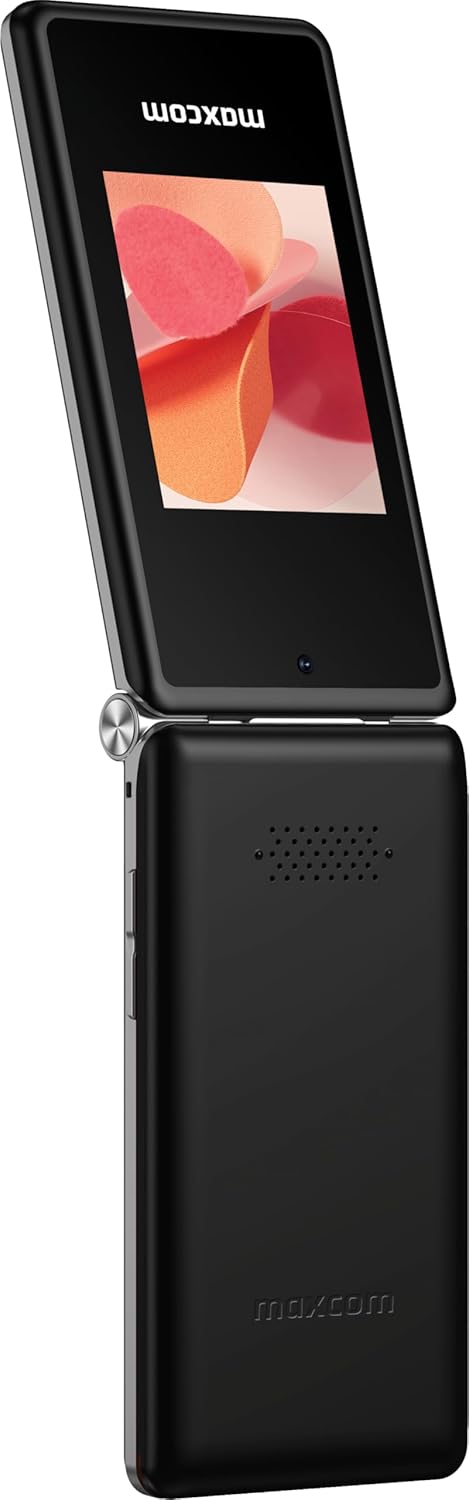
Obrázok 1: Maxcom MM835 Flip Phone (Closed View). The external 2.4-inch screen displays time, date, battery status, and missed calls without opening the phone.
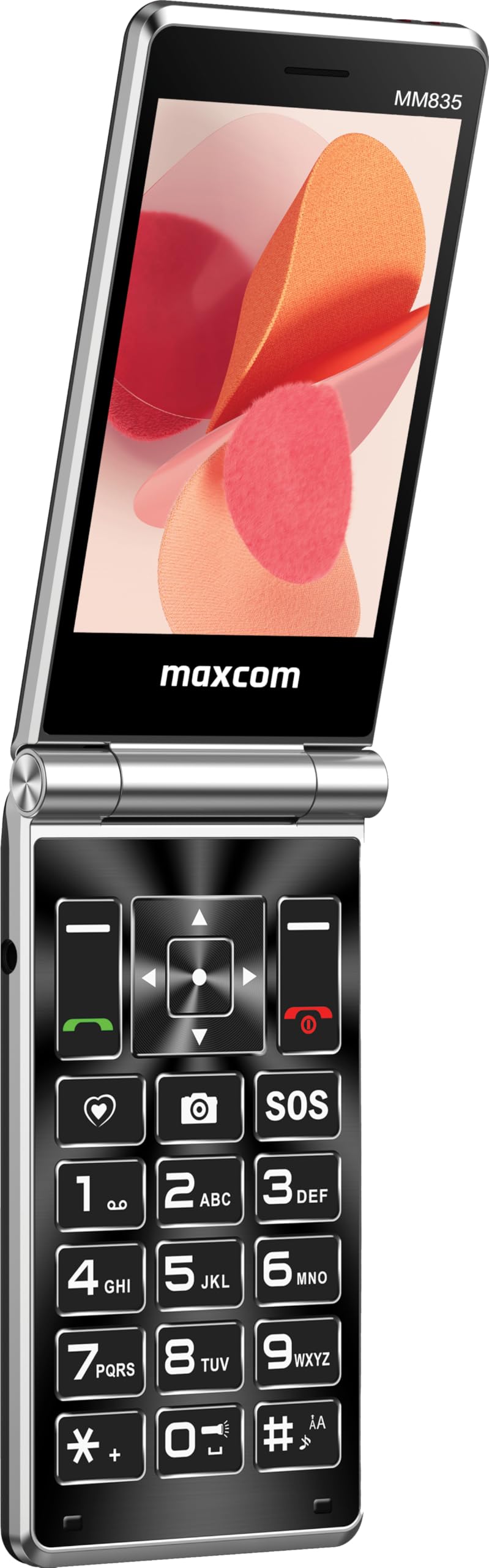
Obrázok 2: Maxcom MM835 Flip Phone (Open View). The internal 3.5-inch screen provides a clear interface for contacts and messages, complemented by large, comfortable keys.

Obrázok 3: Side view of the Maxcom MM835, illustrating the volume control buttons for easy audio adjustment.

Obrázok 4: Spodná časť view of the Maxcom MM835, highlighting the USB-C charging port for convenient power connection.

Obrázok 5: Detail of the Maxcom MM835 keyboard, featuring the prominent SOS button for emergency contacts.

Obrázok 6: The Maxcom MM835 is Hearing Aid Compatible (HAC), ensuring clear audio for users with hearing aids.
Nastavenie
1. Inštalácia a nabíjanie batérie
- Otvorte zadný kryt: Opatrne odstráňte zadný kryt telefónu.
- Vložte batériu: Place the included Lithium-ion battery into its compartment, ensuring the contacts align correctly.
- Vymeňte zadný kryt: Bezpečne pripevnite zadný kryt.
- Nabite telefón: Connect the provided USB-C cable to the phone's charging port (Figure 4) and to a compatible USB power adapter (not included). Allow the phone to charge fully before first use. The external screen will indicate charging status.
2. Inštalácia SIM karty
The Maxcom MM835 supports dual SIM cards.
- Remove the back cover and battery: Follow the steps above to access the SIM card slots.
- Vložte SIM karty: Carefully slide your SIM card(s) into the designated slot(s). Ensure the gold contacts face downwards and the notched corner aligns with the slot.
- Reinstall battery and cover: Vymeňte batériu a zadný kryt.
3. Zapnutie/vypnutie
- Zapnutie: Stlačte a podržte tlačidlo napájania/ukončenia hovoru (červené tlačidlo), kým sa nerozsvieti obrazovka.
- Vypnutie: Stlačte a podržte tlačidlo Napájanie/Ukončenie hovoru, kým sa nezobrazia možnosti vypnutia, potom vyberte možnosť „Vypnúť“.
Návod na obsluhu
1. Základná navigácia
- Vnútorný displej: The 3.5-inch internal screen is your primary interface for menus and content.
- Externý displej: The 2.4-inch external screen shows essential information like time, date, battery, and caller ID when the phone is closed.
- Navigačné klávesy: Use the directional keys (up, down, left, right) and the central OK button to navigate through menus.
- Softvérové klávesy: The keys directly below the screen perform functions indicated on the display (e.g., "Menu", "Back").
- Tlačidlá hovoru: The green button initiates calls, and the red button ends calls or powers the phone on/off.
2. Uskutočňovanie a prijímanie hovorov
- Ak chcete uskutočniť hovor:
- Otvorte telefón.
- Vytočte číslo pomocou klávesnice.
- Stlačte zelené tlačidlo Hovor pre začatie hovoru.
- Ak chcete prijať hovor:
- Keď telefón zvoní, otvorte kryt alebo stlačte zelené tlačidlo Hovor.
- Ak chcete ukončiť hovor: Stlačte červené tlačidlo Ukončiť hovor.
3. Odosielanie a prijímanie správ
- Prejdite do ponuky „Správy“.
- Ak chcete napísať textovú správu, vyberte možnosť „Nová správa“.
- Zadajte číslo príjemcu alebo ho vyberte z kontaktov.
- Napíšte správu pomocou klávesnice.
- Stlačte tlačidlo „Odoslať“.
4. Funkcia tlačidla SOS
The SOS button (Figure 5) is located on the main keypad and is designed for emergency situations.
- Nastavenie: Before use, configure emergency contacts in the phone's settings. Refer to the "SOS Settings" section in the phone's menu.
- Aktivácia: In an emergency, press and hold the SOS button. The phone will automatically send pre-defined notifications to your emergency contacts and may initiate calls to them.
5. Fotoaparát
The phone includes a basic camera for capturing photos.
- Prístup k fotoaparátu získate z hlavnej ponuky.
- Komponujte záber pomocou interného displeja.
- Press the central OK button to take a picture.
6. FM rádio
Enjoy listening to FM radio stations on your device.
- V ponuke prejdite na aplikáciu „FM rádio“.
- Connect headphones (not included) to act as an antenna for optimal reception.
- Na vyhľadanie staníc alebo manuálne ladenie použite navigačné tlačidlá.
Údržba
- Čistenie: Na čistenie exteriéru telefónu používajte mäkkú, suchú handričku. Vyhnite sa tekutým čistiacim prostriedkom alebo abrazívnym materiálom.
- Starostlivosť o batérie: To prolong battery life, avoid extreme temperatures. Charge the phone regularly, but do not leave it fully discharged for extended periods.
- Ukladací priestor: Keď telefón nepoužívate, skladujte ho na chladnom a suchom mieste mimo dosahu priameho slnečného žiarenia a vlhkosti.
- softvér: While software updates are not explicitly guaranteed, ensure your phone's settings are optimized for performance.
Riešenie problémov
Ak sa vyskytnú problémy s Maxcom MM835, pozrite si nasledujúce bežné riešenia:
| Problém | Možné riešenie |
|---|---|
| Telefón sa nezapne | Ensure the battery is correctly installed and fully charged. Connect the charger and try again. |
| Nemožno uskutočňovať ani prijímať hovory | Skontrolujte, či je SIM karta správne vložená. Overte, či máte signál siete. Ak problém pretrváva, kontaktujte svojho poskytovateľa služieb. |
| Slabá výdrž batérie | Ensure the phone is fully charged. Reduce screen brightness or close unused applications. Battery performance can degrade over time. |
| "Emergency Call Only" message | This indicates a lack of network signal or an issue with your SIM card/service. Try moving to an area with better reception or reinserting your SIM card. |
| Klávesy nereagujú | Restart the phone. If the issue continues, ensure no debris is obstructing the keys. |
Špecifikácie
| Funkcia | Detail |
|---|---|
| Značka | Maxcom |
| Názov modelu | MM835 |
| Typ produktu | Flip Phone |
| Farba | Čierna |
| Operačný systém | Maxcom OS |
| Veľkosť vnútornej obrazovky | 3.5 palca |
| Veľkosť externej obrazovky | 2.4 palca |
| Konektivita | 4G, VoLTE |
| Špeciálne funkcie | Dual SIM, SOS Button, HAC (Hearing Aid Compatible), Large Keys |
| Zloženie batérie | Lítium-iónové |
| Kapacita batérie | 1400 XNUMX mAh |
| Nabíjací port | USB typu C |
| Kapacita pamäte | 32 GB |
| Model CPU | ARMv7 |
| Rozlíšenie obrazovky | 640 x 360 |
| Bezdrôtový nosič | Všetci operátori (odomknutí) |
Záruka a podpora
For warranty information and customer support, please refer to the documentation provided with your purchase or contact the seller directly. Maxcom strives to provide reliable products, and support is available for any manufacturing defects or operational queries.
- Výrobca: Maxcom
- Predajca: You Get - Innovation & Technology
- Pravidlá vrátenia tovaru: Typically 30 days for refund/replacement (check with seller for specifics).