
1. Úvod
Welcome to the user manual for your new Google Pixel 9 smartphone. This guide provides essential information on setting up, operating, maintaining, and troubleshooting your device. The Google Pixel 9 combines advanced technology with user-friendly design, offering a powerful and intuitive mobile experience.
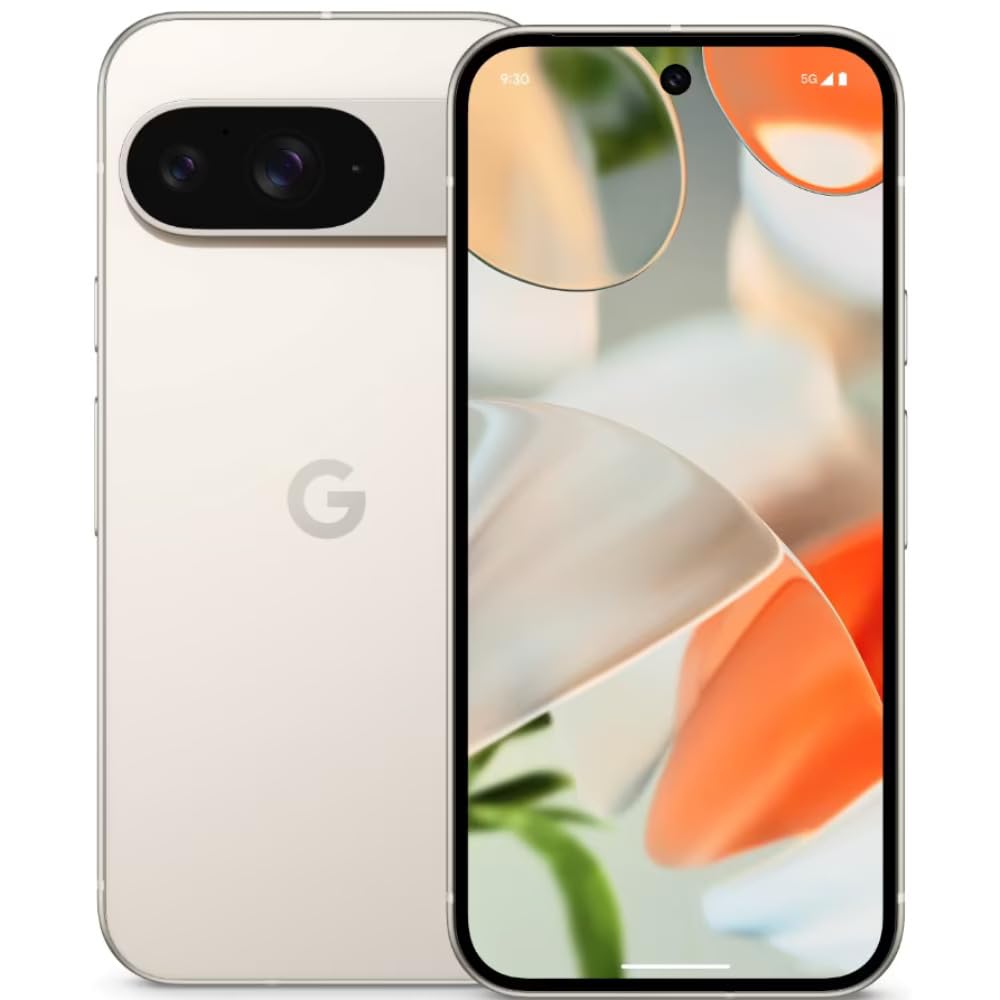
Image: The Google Pixel 9 smartphone, showcasing its sleek design and camera bar on the rear.
2. Nastavenie
2.1. Rozbalenie a počiatočné nabitie
Carefully remove all components from the packaging. Before first use, it is recommended to fully charge your Pixel 9 using the provided USB-C to USB-C cable and a compatible power adapter (sold separately).
2.2. Vloženie SIM karty
- Nájdite zásuvku na SIM kartu na boku telefónu Pixel 9.
- Insert the SIM ejector tool (included in the box) into the small hole on the tray and press firmly until the tray pops out.
- Place your Nano SIM card(s) into the tray with the gold contacts facing down. The Pixel 9 supports Dual SIM functionality.
- Jemne zatlačte zásobník späť do telefónu, kým nezacvakne na miesto.
2.3. Zapnutie a počiatočná konfigurácia
Press and hold the Power button on the side of the device until the Google logo appears. Follow the on-screen instructions to complete the initial setup, including connecting to Wi-Fi, signing in with your Google account, and setting up security features like fingerprint recognition.
3. Ovládanie zariadenia Google Pixel 9
3.1. Zobrazenie a navigácia
The Pixel 9 features a 6.3-inch OLED display with a dynamic refresh rate up to 120Hz, providing smooth visuals. Navigate the device using touch gestures. Swipe up from the bottom to go home, swipe from the sides to go back, and swipe up and hold for recent apps.
3.2. Výkon
Powered by the Google Tensor G4 processor and 12 GB of RAM, the Pixel 9 delivers efficient multitasking and responsive performance for applications and games.
3.3. Kamerový systém
The Pixel 9 is equipped with a dual rear camera system: a 50 MP main sensor and a 48 MP ultrawide lens (123° field of view). The front camera is 10.5 MP. Advanced AI features enhance photography, including:
- Pridaj ma: Allows users to insert themselves into photos.
- Pixel Studio: Enables image creation from text prompts.

Image: A visual representation of the Google Pixel 9's AI photo editing capabilities, showing how images can be enhanced or modified.

Image: Screenshots from the Google Pixel 9 illustrating AI functionalities such as Gemini for assistance, advanced Pixel Screenshots, and the 'Circle to Search' feature.
3.4. Batéria a nabíjanie
The device includes a 4700 mAh battery. It supports 45W USB-PD fast charging and 15W wireless charging. For optimal charging, use compatible USB-PD chargers.
3.5. Bezpečnostné funkcie
Unlock your device securely using the integrated fingerprint recognition sensor.
4. Údržba
4.1. Trvanlivosť a ochrana
The Pixel 9 is designed with durability in mind, featuring Corning Gorilla Glass Victus 2 for scratch resistance and protection against minor drops and spills. It is also water resistant.
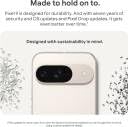
Image: The Google Pixel 9, highlighting its robust construction and the commitment to seven years of OS and security updates, ensuring longevity.
4.2. Aktualizácie softvéru
Google provides seven years of OS and security updates for the Pixel 9, ensuring your device remains secure and up-to-date with the latest features. Regularly check for and install available updates via Settings > System > System update.
4.3. Čistenie zariadenia
To clean your Pixel 9, use a soft, lint-free cloth. Avoid abrasive materials or harsh chemicals. For stubborn marks, slightly dampNavlhčite handričku vodou. Zariadenie neponárajte do vody.
5. Riešenie problémov
If you encounter issues with your Pixel 9, consider the following general troubleshooting steps:
- Reštartujte zariadenie: Jednoduchý reštart dokáže vyriešiť mnoho menších softvérových problémov.
- Skontrolujte aktualizácie softvéru: Uistite sa, že vaše zariadenie používa najnovšiu verziu softvéru.
- Review Povolenia aplikácie: If an app is not functioning correctly, check its permissions in Settings.
- Vymazať vyrovnávaciu pamäť: For app-specific issues, try clearing the app's cache via Settings > Apps.
- Obnovenie výrobných nastavení: Ako posledná možnosť môže obnovenie do továrenských nastavení vyriešiť pretrvávajúce problémy so softvérom. Pred obnovením do továrenských nastavení si zálohujte údaje.
For more complex issues or hardware malfunctions, please contact Google Support.
6. Špecifikácie
| Funkcia | Špecifikácia |
|---|---|
| Značka | |
| Model | Pixel 9 |
| Operačný systém | Android 14 |
| Procesor | Google Tensor G4 |
| RAM | 12 GB |
| Interné úložisko | 256 GB |
| Veľkosť displeja | 6.3 palca |
| Typ zobrazenia | OLED |
| Rozlíšenie | 2424 x 1080 pixelov |
| Zadná kamera | 50 MP (hlavný), 48 MP (ultraširokouhlý) |
| Predná kamera | 10.5 MP |
| Kapacita batérie | 4700 XNUMX mAh |
| Nabíjanie | 45W USB-PD Fast Charging, 15W Wireless Charging |
| Konektivita | 5G, Wi-Fi, USB Type C |
| Typ SIM karty | Nano SIM (Dvojitá SIM karta) |
| Biometrické zabezpečenie | Rozpoznávanie odtlačkov prstov |
| Úroveň odolnosti voči vode | Odolný voči vode |
| Rozmery (D x Š x V) | 15.2 x 7.2 x 0.8 centimetrov |
| Hmotnosť | 198 gramov |
7. Čo je v krabici
The Google Pixel 9 retail package includes the following items:
- Smartfón Google Pixel 9
- Kábel USB-C na USB-C
- Nástroj na vysunutie SIM karty
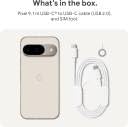
Image: A clear depiction of the Google Pixel 9 and its included accessories: a USB-C to USB-C cable and a SIM ejector tool.
8. Záruka a podpora
8.1. Záruka na produkt
Your Google Pixel 9 comes with a 1-year limited warranty from the date of purchase. This warranty covers manufacturing defects. Please retain your proof of purchase for warranty claims.
8.2. Zákaznícka podpora
For technical assistance, warranty claims, or further information, please visit the official Google Support website or contact Google customer service. Refer to the Google support page for your region for specific contact details and service center locations.