
Úvod
This manual provides essential instructions for the safe and efficient use of your Macap LEO 55 Touch Burr Coffee Grinder. Please read it thoroughly before initial use and retain it for future reference.

The Macap LEO 55 Touch Burr Coffee Grinder in Chrome finish, featuring a clear bean hopper and touch screen interface.
Nastavenie
Rozbalenie a umiestnenie
- Carefully remove the grinder from its packaging.
- Place the grinder on a stable, level, and dry surface.
- Zabezpečte dostatočné vetranie okolo jednotky.
- Pripojte napájací kábel do vhodnej elektrickej zásuvky.
Initial Grind Adjustment
The LEO 55 Touch features stepless micrometric adjustment for precise grind size control. Before first use, familiarize yourself with the adjustment knob.

A hand rotating the stepless micrometric adjustment knob to fine-tune the grind size.
- To adjust the grind, rotate the aluminum knob located on the side of the grinder.
- Turning the knob clockwise results in a finer grind, suitable for espresso.
- Turning the knob counter-clockwise results in a coarser grind, suitable for pour-over, cold brew, or French press.
- Make small adjustments and test the grind to achieve the desired consistency.
Prevádzka
Plnenie zásobníka na fazuľu
- Ensure the grinder is off before filling the hopper.
- Lift the hopper lid and pour fresh whole coffee beans into the hopper.
- Bezpečne nasaďte veko.
Používanie rozhrania dotykovej obrazovky
The 2.4'' color display provides intuitive control over grinding parameters.
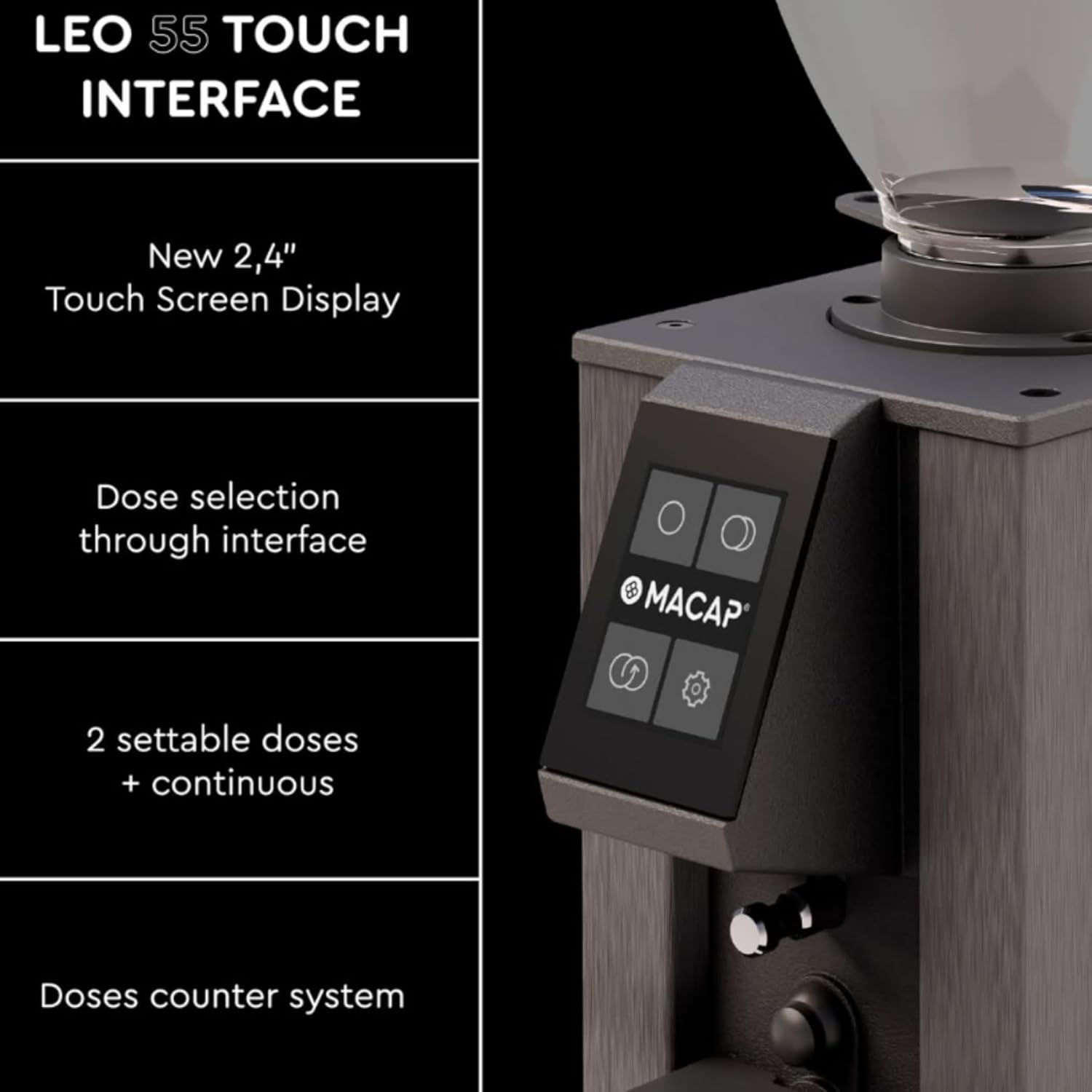
Podrobný view of the grinder's touch screen, showing dose selection options.
- Dose Selection: The interface allows selection of two settable doses (single and double shot) and a continuous grinding mode.
- Dose Counter: The system includes a dose counter for tracking usage.
- Nastavenia: Access additional settings and preferences through the touch screen.
Hands-Free Auto Grinding
The LEO 55 Touch is designed for convenient, hands-free operation.
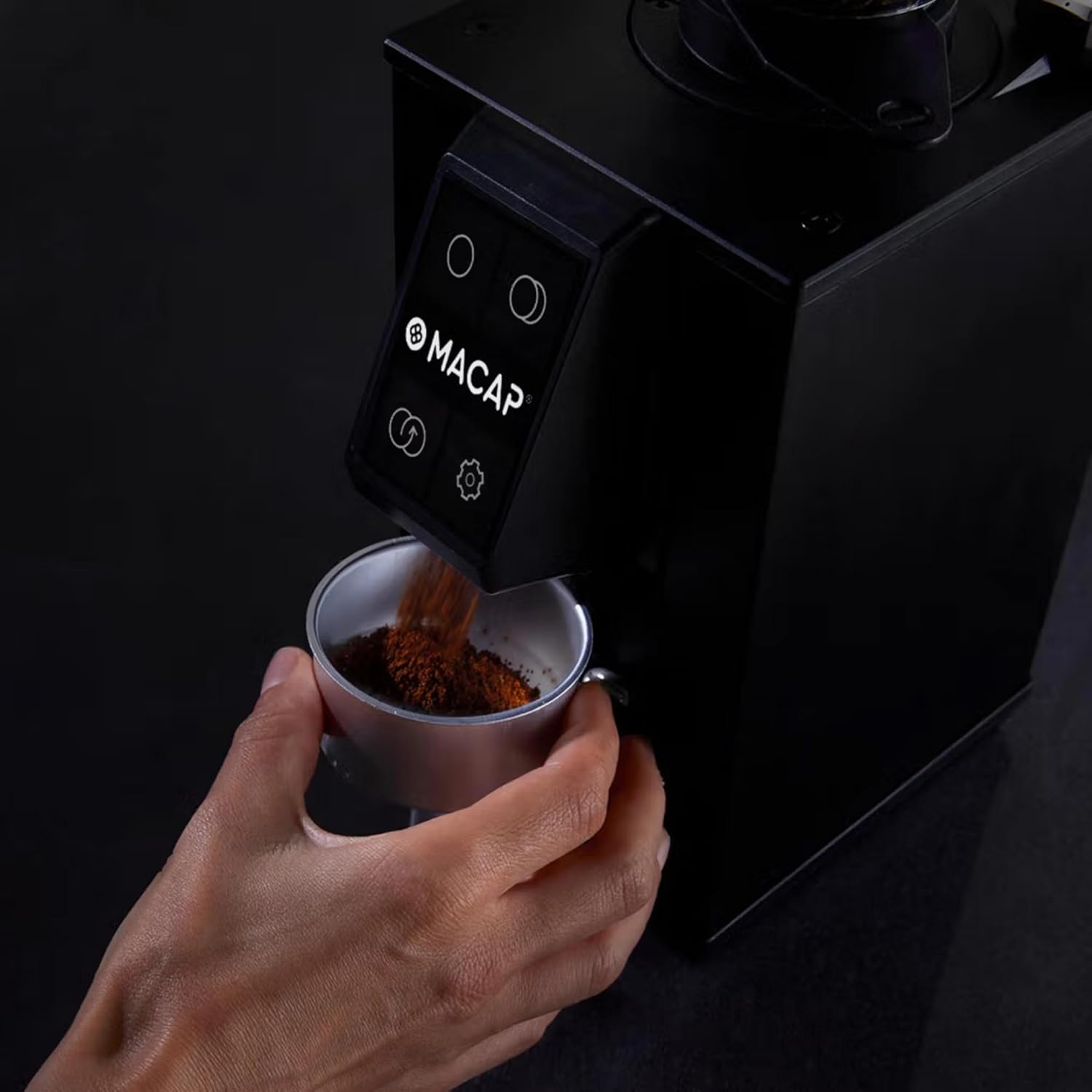
Ground coffee being dispensed directly into a portafilter from the grinder.
- Position your portafilter or grinding container under the dispensing chute.
- The grinder will automatically activate upon detection of the portafilter, dispensing the selected dose.
- For continuous grinding, select the continuous mode on the touch screen.
Údržba
Čistenie mlynčeka
Regular cleaning ensures optimal performance and extends the life of your grinder. The low retention design minimizes grind waste and static, simplifying the cleaning process.
- Pred čistením mlynček vždy odpojte.
- Vonkajšok utrite mäkkou, damp handričkou. Nepoužívajte abrazívne čistiace prostriedky ani neponárajte zariadenie do vody.
- Clean the bean hopper and ground coffee chute regularly to prevent oil buildup.
Burr Removal and Cleaning
The LEO 55 Touch features an exclusive no-screw system for easy burr removal, facilitating thorough cleaning. This blind flat burr design also improves grind consistency and reduces retention.

A hand demonstrating the removal of a flat burr from the grinder for cleaning, highlighting the no-screw system.
- Refer to the specific instructions for burr removal in the full product manual.
- Use a brush or vacuum to remove any trapped coffee grounds from the burrs and grinding chamber.
- Reassemble the burrs carefully, ensuring they are properly seated.
Riešenie problémov
This section addresses common issues you might encounter with your Macap LEO 55 Touch grinder. For more detailed troubleshooting or issues not listed here, please contact customer support.
| Problém | Možná príčina | Riešenie |
|---|---|---|
| Mlynček sa nezapne | Nie je zapojené; vypínač vypnutý; istič sa vypnul. | Uistite sa, že napájací kábel je bezpečne zapojený. Skontrolujte hlavný vypínač. V prípade potreby resetujte istič. |
| Nekonzistentná veľkosť mletia | Burrs are dirty or worn; grind setting too coarse/fine. | Clean the burrs thoroughly (refer to Maintenance). Adjust grind setting incrementally. Consider burr replacement if burrs are worn. |
| Káva sa nevydáva | Chute is clogged; hopper is empty; portafilter not detected. | Clear any blockages in the dispensing chute. Refill the bean hopper. Ensure portafilter is correctly positioned to activate the sensor. |
| Nadmerný hluk počas prevádzky | Foreign object in burrs; burrs misaligned. | Immediately unplug the grinder. Inspect burrs for foreign objects. If no object is found, contact customer support for assistance with burr alignment. |
Špecifikácie
| Funkcia | Detail |
|---|---|
| Model | LEO 55 Touch |
| Značka | Macap |
| Farba | Chrome |
| Typ frézy | 55mm Flat Burrs (Blind design) |
| Úprava | Plynulý mikrometrický |
| Displej | 2.4'' Color Touch Screen |
| Capacity (Hopper) | 0.3 kg |
| Sila | 390 W |
| Rozmery produktu (D x Š x V) | 5.1 cm D x 7.2 cm Š x 14.9 cm V |
| Hmotnosť položky | 13.67 libry |
| Materiál | Nerezová oceľ |
| Výrobca | MACAP |
Záruka a podpora
Informácie o záruke a zákazníckej podpore nájdete v dokumentácii dodanej s produktom alebo kontaktujte priamo výrobcu.
- Výrobca: MACAP
- Predajca: Pro Coffee Gear LLC (for purchase-related inquiries)
- Plány ochrany: Optional protection plans are available for purchase. Please refer to your retailer for details on 3-Year and 4-Year protection plans.
Always ensure to register your product if required to activate your warranty.