
Úvod
Thank you for choosing the IOWODO Z30 4G Kids Smartwatch. This manual provides essential information for setting up, operating, and maintaining your device. Please read it carefully to ensure proper use and to maximize the watch's features for your child's safety and enjoyment.
Čo je v krabici
Po otvorení balenia sa, prosím, uistite, že sú v ňom obsiahnuté všetky nasledujúce položky:
- 1x IOWODO Z30 Smartwatch (with silicone strap)
- 1x USB nabíjací kábel
- 1x Silicone Protective Case
- 1x Návod na použitie

Image: The IOWODO Z30 Smartwatch, showing its dimensions and the items included in the package: the smartwatch, a USB charger, a silicone protective case, and the user manual.
Koniec produktuview
Oboznámte sa s komponentmi a ovládacími prvkami hodiniek:
- 1.75-palcový dotykový HD displej: For interactive control and display.
- Fotoaparát: Located on the front for photos and video calls.
- Tlačidlo napájania: Press and hold to turn on/off. Short press to return to the previous screen.
- SOS tlačidlo: Press and hold for 3 seconds to activate emergency call function. Short press to return to the home screen.
- Svietidlo LED: Integrated for night safety.
- Slot na SIM kartu: Located on the side for 4G Nano SIM card installation.
- Mikrofón a reproduktor: For calls and voice interactions.

Image: Diagram illustrating the functional buttons (Power, SOS, Flashlight), camera, microphone, speaker, and SIM card slot on the IOWODO Z30 Smartwatch.
Nastavenie
1. Inštalácia SIM karty
The IOWODO Z30 requires a 4G Nano SIM card (purchased separately) for full functionality, including calls, video calls, and advanced location tracking. Ensure the SIM card is compatible with 4G networks from providers like Movistar, Orange, Vodafone, or Yoigo.
- Úplne vypnite inteligentné hodinky.
- Nájdite slot pre SIM kartu na boku hodiniek.
- Carefully insert the Nano SIM card into the slot with the metal contacts facing up, ensuring it clicks into place.
- Bezpečne zatvorte kryt slotu pre SIM kartu, aby ste zachovali vodotesnosť.
- Zapnite inteligentné hodinky.
Obrázok: Detailný záber view of the SIM card slot on the IOWODO Z30 Smartwatch, indicating the correct Nano SIM card type for insertion.
2. Inštalácia a párovanie aplikácie
To manage the smartwatch features, download the "SeTracker2" app on your smartphone.
- Scan the QR code provided in the watch's packaging or search for "SeTracker2" in your smartphone's app store (iOS/Android).
- Nainštalujte a otvorte aplikáciu.
- Register a new account following the on-screen instructions.
- Bind the smartwatch to your account by scanning the QR code displayed on the watch screen or entering its unique registration code.
- Once paired, you can configure settings, add contacts, and monitor the watch from your smartphone.
3. Počiatočná konfigurácia
- Nastaviť čas a dátum: The watch will usually synchronize automatically once connected to the network. If not, adjust it via the app.
- Pridať kontakty: Use the "SeTracker2" app to add up to 30 contacts that the watch can call or receive calls from. This ensures secure communication.
- Set Safe Zones: Define geographical safe zones (e.g., home, school) in the app. You will receive alerts if your child enters or exits these zones.
- Emergency SOS Numbers: Configure up to 3 emergency contacts in the app. These numbers will be called sequentially when the SOS button is pressed.

Image: Illustration of the IOWODO Z30 Smartwatch's GPS + WiFi + LBS positioning system, showing real-time location, safe zones, and historical route tracking on a map interface.
Návod na obsluhu
1. Uskutočňovanie a prijímanie hovorov
Once a 4G SIM card is installed and contacts are set up in the app:
- Ak chcete uskutočniť hovor: Navigate to the 'Contacts' or 'Dial Pad' on the watch, select a contact, or dial a number, then press the call icon.
- Prijatie hovoru: When a call comes in, the watch will ring. Tap the green answer icon to accept or the red hang-up icon to reject. Only pre-approved contacts can call the watch if smart blocking is enabled.
2. 4G HD Video Calls
The watch supports clear 4G video calls with approved contacts.
- Navigate to the 'Video Call' function on the watch.
- Select the contact you wish to video call.
- Ensure both devices have a stable 4G connection.

Image: A child wearing the IOWODO Z30 Smartwatch, with insets showing the watch's capabilities for HD video calls, real-time voice chat, and making standard calls over a 4G network.
3. Funkcia núdzového volania SOS
In an emergency, your child can quickly alert pre-set contacts:
- Stlačte a podržte SOS tlačidlo on the side of the watch for 3 seconds.
- The watch will automatically dial the 3 emergency contacts in a loop until one answers.
- An emergency notification will also be sent to the paired smartphone app.

Image: Illustration of the SOS emergency call feature on the IOWODO Z30 Smartwatch, showing how pressing the SOS button initiates a call to emergency contacts and sends alerts.
4. Class Mode (Do Not Disturb)
To help your child focus during school hours:
- Set specific silent periods in the "SeTracker2" app.
- During these times, the watch will automatically block all incoming calls and messages, except for SOS calls.
- The watch will still display the time.
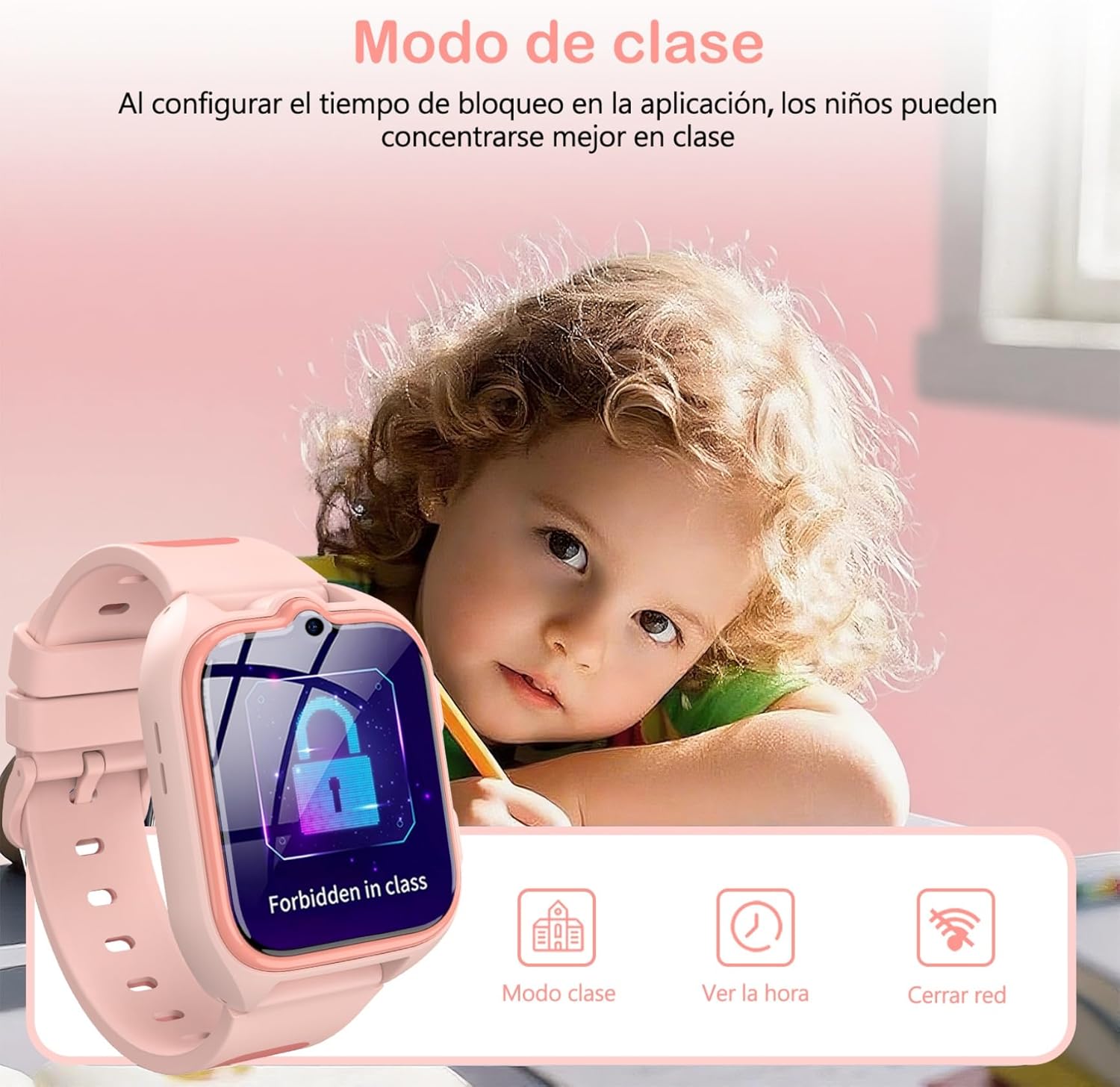
Image: A child studying with the IOWODO Z30 Smartwatch on their wrist, displaying the 'Forbidden in class' screen, illustrating the Class Mode feature.
5. GPS + LBS + WiFi Positioning System
The watch uses a combination of GPS, LBS (Location Based Service), and WiFi for comprehensive real-time location tracking and historical route monitoring. This allows you to:
- View your child's current location on a map via the app.
- Review past routes taken by the watch.
- Receive alerts when your child enters or leaves pre-defined safe zones.
6. Fotoaparát
The integrated camera allows your child to capture photos:
- Access the 'Camera' application on the watch.
- Tap the screen to take a photo.
- Fotky môžu byť viewuložené na hodinkách alebo nahrané do aplikácie.
7. Vzdelávacie hry
The watch includes 7 educational games for entertainment and learning:
- Navigate to the 'Games' section on the watch.
- Vyberte hru, ktorú chcete hrať.
8. LED svietidlo
Activate the built-in LED flashlight for visibility in low-light conditions:
- Locate the flashlight icon or button on the watch interface/side.
- Tap or press to turn the flashlight on/off.
9. Ďalšie funkcie
The IOWODO Z30 also includes:
- krokomer: Tracks steps taken.
- Budík: Nastavte si viacero budíkov pre pripomienky.
- Časovač a stopky: For various activities.
- kalkulačka: Základné aritmetické funkcie.
- Funkcia priateľa: Allows two watches to add each other as friends (if supported by the app).

Image: A collage showing various functions of the IOWODO Z30 Smartwatch, including the 1.75-inch color screen, step counter, alarm, flashlight, IP68 water resistance, and camera.
Údržba
1. Nabíjanie
The watch is equipped with an 800mAh battery, providing up to 2 days of active use and 4 days of standby time. A full charge takes approximately 2 hours.
- Použite dodaný USB nabíjací kábel.
- Connect the magnetic end of the cable to the charging contacts on the back of the watch.
- Connect the USB end to a standard USB power adapter (not included) or a computer USB port.
- Ensure the watch is charging by checking the battery indicator on the screen.
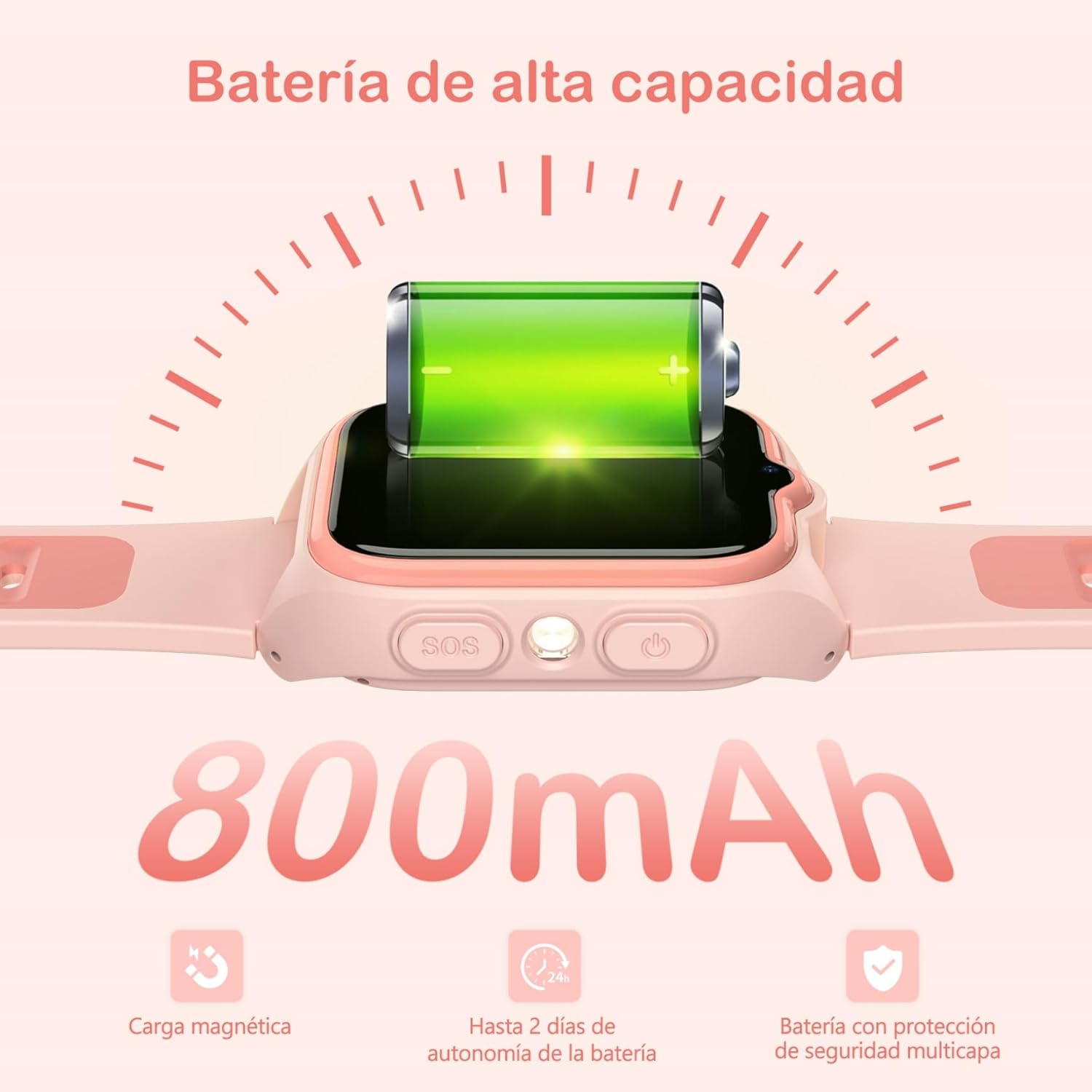
Image: Close-up of the IOWODO Z30 Smartwatch showing a full battery icon and indicating its 800mAh high-capacity battery, magnetic charging, and up to 2 days of autonomy.
2. Vodotesnosť (IP68)
The IOWODO Z30 Smartwatch has an IP68 water resistance rating, meaning it is resistant to rain and daily splashes. However, it is not recommended for bathing, swimming, or submersion in waterDlhodobé vystavenie vode alebo vysokotlakovým vodným prúdom môže zariadenie poškodiť.

Image: Illustration depicting the IOWODO Z30 Smartwatch being splashed with water, emphasizing its IP68 water resistance for rain and daily splashes.
3. Upratovanie
- Hodinky a remienok utrite mäkkou handričkouamp plátno.
- Nepoužívajte drsné chemikálie ani abrazívne čistiace prostriedky.
- Pred nabíjaním sa uistite, že nabíjacie kontakty sú čisté a suché.
Riešenie problémov
| Vydanie | Možná príčina | Riešenie |
|---|---|---|
| Hodinky sa nezapínajú | Slabá batéria; Tlačidlo napájania nebolo stlačené dostatočne dlho | Nabíjajte hodinky aspoň 30 minút. Stlačte a podržte tlačidlo napájania 5 – 10 sekúnd. |
| Žiadny signál siete / Nie je možné telefonovať | SIM card not inserted correctly; SIM card not activated; No 4G coverage; Incorrect APN settings | Reinsert SIM card. Contact your SIM provider to ensure activation and 4G service. Check network coverage. Configure APN settings via the app if necessary. |
| Nepresné sledovanie polohy | Poor GPS/LBS/WiFi signal; Watch indoors or in dense areas | Ensure the watch has clear sky view for GPS. Location accuracy may vary indoors or in areas with weak signals. |
| Nedá sa spárovať s aplikáciou | Incorrect registration code; Watch not connected to network; App issues | Verify the registration code. Ensure the watch has a working SIM and network connection. Restart both watch and phone. Reinstall the app. |
| Krátka výdrž batérie | Frequent use of features (calls, GPS); High screen brightness | Reduce screen brightness. Limit continuous GPS tracking. Close unused applications. |
Špecifikácie
| Funkcia | Detail |
|---|---|
| Značka | IOWODO |
| Názov modelu | Z30 |
| Číslo modelu produktu | Z30 4G Kids Smartwatch |
| Veľkosť obrazovky | 1.75 palca |
| Typ zobrazenia | Digital, 240 x 280 Resolution |
| Kapacita batérie | 800 XNUMX mAh |
| Priemerná životnosť batérie | 48 Hours (active use) |
| Doba nabíjania | 2 hodín |
| Kapacita pamäte | 512 MB |
| Nainštalovaná flash pamäť | 128 MB |
| Digitálna pamäťová kapacita | 128 MB |
| Technológia pripojenia | 4G GSM, Bluetooth |
| Polohovací systém | GPS + LBS + WiFi |
| Odolnosť voči vode | IP68 (Rain and splash resistant, not for swimming/bathing) |
| Vstup ľudského rozhrania | Tlačidlá, Dotyková obrazovka |
| Hmotnosť produktu | 170 g |
| Kompatibilné zariadenia | Smartfón |
| Odporúčaný vek | 4-13 roky |
Záruka a podpora
Záruka
The IOWODO Z30 Smartwatch comes with a 2-ročná predĺžená záruka od dátumu nákupu. Táto záruka sa vzťahuje na výrobné chyby a poruchy pri bežnom používaní. Uschovajte si doklad o kúpe pre prípad uplatnenia záruky.
Zákaznícka podpora
For any questions, technical assistance, or warranty claims, please contact IOWODO customer support:
- Zákaznícka podpora 24/7: Available to assist you with any inquiries.
- Doživotná technická podpora: We provide ongoing technical assistance for the lifespan of your product.
Refer to the contact information provided in your product packaging or visit the official IOWODO webstránky, kde nájdete podrobnosti o podpore.